Tuya-convert: ConnectionRefusedError: [Errno 111] Connection refused
I followed the instrution and installed all the prequequsites on a Raspberry 3B+ and Debian Stretch.
When I start the script, it created the vtrust-flash network which I connect with the advised parameter (is connected) and then I put the smart plug NX-SM200 in flash mode (LED blinks fast) the ENTER and I get this output with the "ConnectionRefusedError: [Errno 111] Connection refused".
Not sure if I'm doing something wrong or if it just does not work with the NX-SM200 device (from Panamalar).
======================================================
Starting pairing procedure in screen
RTNETLINK answers: File exists
Waiting for the upgraded device to appear
If this does not work have a look at the '*.log'-files in the 'scripts' subfolder!
IoT-device is online with ip 10.42.42.42
Fetching firmware backup
Create backup of entire FLASH from 10.42.42.42
Traceback (most recent call last):
File "./backup.py", line 42, in
main()
File "./backup.py", line 23, in main
conn.request("GET","/flashsize")
File "/usr/lib/python3.5/http/client.py", line 1107, in request
self._send_request(method, url, body, headers)
File "/usr/lib/python3.5/http/client.py", line 1152, in _send_request
self.endheaders(body)
File "/usr/lib/python3.5/http/client.py", line 1103, in endheaders
self._send_output(message_body)
File "/usr/lib/python3.5/http/client.py", line 934, in _send_output
self.send(msg)
File "/usr/lib/python3.5/http/client.py", line 877, in send
self.connect()
File "/usr/lib/python3.5/http/client.py", line 849, in connect
(self.host,self.port), self.timeout, self.source_address)
File "/usr/lib/python3.5/socket.py", line 712, in create_connection
raise err
File "/usr/lib/python3.5/socket.py", line 703, in create_connection
sock.connect(sa)
ConnectionRefusedError: [Errno 111] Connection refused
/home/heinz/tuya-convert
Getting Info from IoT-device
======================================================
Please make sure to note the correct SPI flash mode!
Installing an alternative firmware with the wrong flash mode will leave the ESP unable to boot!
Next steps:
- To go back to the orginal software
# curl http://10.42.42.42/undo
Be sure the conversion software runs in user2
curl http://10.42.42.42/flash2
Flash a third party firmware to the device
BE SURE THE FIRMWARE FITS THE DEVICE AND USES THE CORRECT FLASH MODE!
MAXIMUM SIZE IS 512KB
put or link it to ./files/thirdparty.bin
A basic build of Sonoff-Tasmota v6.4.1 is already included in this repository.curl http://10.42.42.42/flash3
Alternatively let the device download and flash a file via HTTP:
curl http://10.42.42.42/flashURL?url=http://10.42.42.1/files/thirdparty.bin
HAVE FUN!
 knopserl
All 14 comments
Can you confirm that the device installed 1.bin? Did the device stop blinking? Can you access 10.42.42.42 in a web browser?
 kueblc
on 1 Feb 2019
kueblc
on 1 Feb 2019
no I can't confirm and I don't think it does, because of the connection refused.
In the logfiles, I don't see any error.
So first it looks good like the devices is online but then I get the connection refused and HAVE FUN! last line.
I don't even getting the Info from IoT device. So i don't think there is anything done, neither fetching the firmware nor flashing any binary.
IoT-device is online with ip 10.42.42.42
Fetching firmware backup
Create backup of entire FLASH from 10.42.42.42
Traceback (most recent call last):
File "./backup.py", line 42, in
main()
....
File "/usr/lib/python3.5/socket.py", line 703, in create_connection
sock.connect(sa)
ConnectionRefusedError: [Errno 111] Connection refused
knopserl
on 1 Feb 2019
Could you please post the contents of smarthack-web.log?
To be clear,
- Did the device stop blinking?
- Does the device respond to
ping 10.42.42.42?
kueblc
on 1 Feb 2019
here is the complete smarthack-weblog attched as file
- no, it blinks fast when I start and then it is detecetd but not connected and it blinks slow after a longer time
- no, the device does not respond
I have to mention, that I have the RPI 3B+ connected via LAN and be remote connected via putty (network 10.0.0.117) and I have attached a WLAN stick which is used and creates the vtrust-flash network which I can connect from my phone or tab.et and then I press Enter and the rest I have written.
hope you find a hint, as this smart plug can't be opened.
knopserl
on 1 Feb 2019
It looks like the device is successfully paired, but it does not fetch the binary following the upgrade response. It may be that this device is expecting a different format for the upgrade response.
Since I do not have this device it may be difficult to debug.
If you are lucky enough to need a firmware upgrade in the vendor provided app, you could record the process using WireShark or tcpdump either on monitor mode or via your AP. This recording would tell us what this device is expecting.
kueblc
on 2 Feb 2019
thanks for your support so far. I'm doing that for a friend of mine who bought 12 of this devices.
unfortunatly he did not ask me, because I would not recommend this to him. I have a couple of other smart plugs which were easy to open and also know how to update with espurna and tasmota and are alle done and running.
Maybe I spend the effort later with wireshark and get back for help!
knopserl
on 2 Feb 2019
Out of 3 flash attempts I saw this error every time. Repeated attempts successfully flashed one. I didnt see it on the 1st attempt but it always appeared at some point.
 onebyside
on 3 Feb 2019
onebyside
on 3 Feb 2019
I don't think, that this is a problem of the devices.
I tried TECKIN, Blitzwolf SHP2, GOSUND SP111.All of them are in the compatibility list.
And I have exactly the same errors.
Tried it with Ubuntu 18.04 (PC) and with a Raspberry 2, Stretch, external WLAN stick.
 Reniar
on 4 Feb 2019
Reniar
on 4 Feb 2019
The ConnectionRefusedError may be a red herring, it could be caused by any number of reasons. If there's a pattern to where in the process it fails, that's what we'd like to identify.
Is it consistently during backup.py?
Can you ping the device after this (without stopping your AP)?
Can you confirm what state the device is left in, does it have stock firmware or the flashing tool running?
Can you find a vtrust-recovery AP?
Can you access 10.42.42.42 from a web browser?
kueblc
on 4 Feb 2019
Yes, it is during backup.py.
I can ping 10.42.42.42.
The device is „out of the box“, new, original firmware and in the expected state (LED flashing fast).
I can't access to 10.42.42.42 with a web browser.
I have never seen a vtrust-recovery AP, only vtrust-flash
I tried two different WLAN sticks: rtl8811 and RT2870/RT3070.
Reniar
on 4 Feb 2019
I solved the problem.
The problem was: "1. Connect any other device (a smartphone or something) to the WIFI vtrust-flash
The wpa-password is flashmeifyoucan
This step is IMPORTANT otherwise the smartconfig will not work!"
That was wrong for me. It only works, if I don't connect any other device to it.
It will take about 30 sec to 1 min, till it is starting a backup.
Connecting any other device to vtrust-flash causes the error. So it may be better, to try it without any other devices first.
Ubuntu 18.04. has some further problems:
dnsmasq isn't running. Edit /etc/systemd/resolved.conf. Set DNSStubListener=no and uncomment it. Then restart the systemd-resolved service. You might get other problems, but flashing will work.
install_prereq.sh: Maybe the -H Parameter is needed here:
sudo -H pip3 install paho-mqtt pyaes tornado
Reniar
on 6 Feb 2019
I'm seeing this same error too, fresh Raspbian Stretch install on a PiZeroW. But unlike Reniar, this is failing if I have devices connected to vrust-flash (either an iPhone or Macbook Air) or if I have nothing connected.
Trying to flash a Teckin SP23.
Edit: Am I correct in thinking that the smart device should initliaze at 10.42.42.42? I saw the above connection error when I tried connecting my smartphone to the AP with a manual IP address of 10.42.42.42.
 alexslade
on 3 Mar 2019
alexslade
on 3 Mar 2019
Please update and try again, if you're still having issues, open a new issue with your device details and logs.
kueblc
on 23 Mar 2019
I have a similiar Problem with this socket. If I connect my Phone with the vtrust WiFi, I have the same Problems like the OT, the socket doesn't connect to the WiFi. If I dont connect the phone, the socket can connect, but it doesn't do anything. It turns off and then permanently on. No flashing, no notifications, nothing.
The log files don't show any information after the device connects.
But I found out that the device has the ip address 10.42.42.16 - and not 10.42.42.42.
I cannot open the address in a browser or something similiar.
I am using a Raspberry Pi Zero W with everythin up to date. I event tried Raspbian Stretch, but no luck.

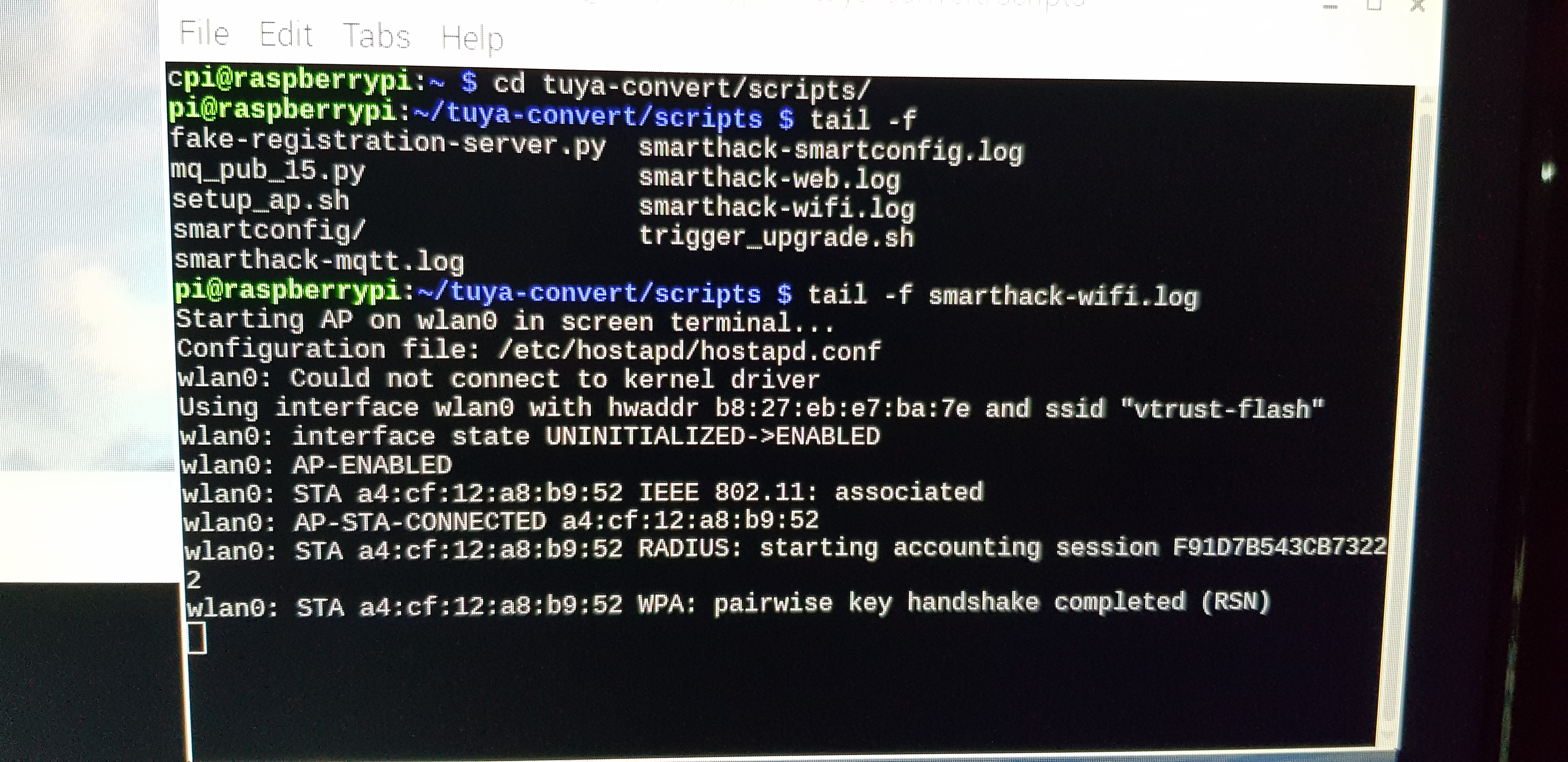
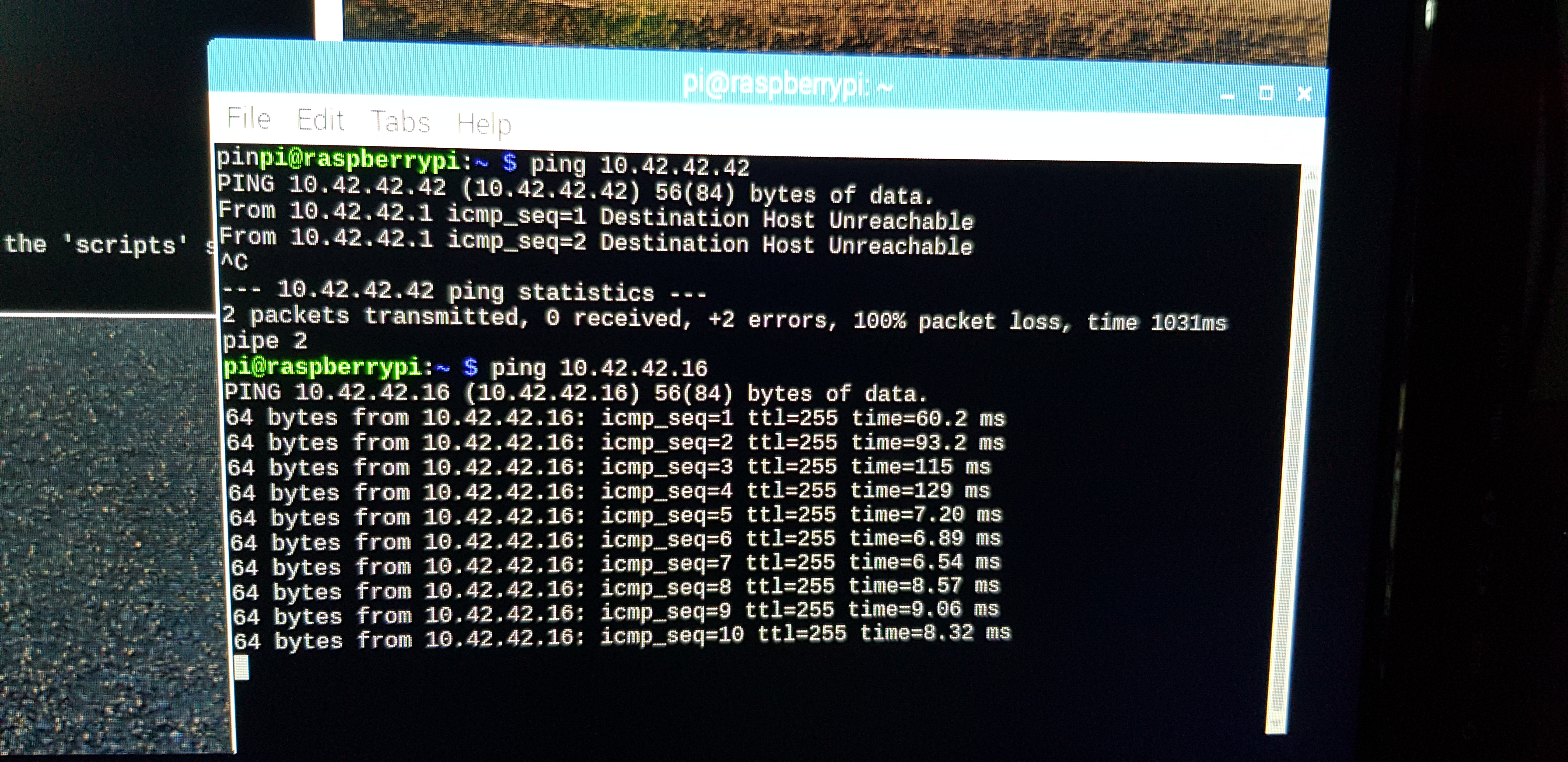
Can someone help me?
 Osmodia666
on 20 Jul 2019
Osmodia666
on 20 Jul 2019
Related issues
 jokerigno
·
12Comments
jokerigno
·
12Comments
 X-Light
·
3Comments
X-Light
·
3Comments
 kylow-may
·
7Comments
kylow-may
·
7Comments
 prankousky
·
7Comments
prankousky
·
7Comments
 Cyber1000
·
9Comments
Cyber1000
·
9Comments
Most helpful comment
I solved the problem.
The problem was: "1. Connect any other device (a smartphone or something) to the WIFI vtrust-flash
The wpa-password is flashmeifyoucan
This step is IMPORTANT otherwise the smartconfig will not work!"
That was wrong for me. It only works, if I don't connect any other device to it.
It will take about 30 sec to 1 min, till it is starting a backup.
Connecting any other device to vtrust-flash causes the error. So it may be better, to try it without any other devices first.
Ubuntu 18.04. has some further problems:
dnsmasq isn't running. Edit /etc/systemd/resolved.conf. Set DNSStubListener=no and uncomment it. Then restart the systemd-resolved service. You might get other problems, but flashing will work.
install_prereq.sh: Maybe the -H Parameter is needed here:
sudo -H pip3 install paho-mqtt pyaes tornado