Turicreate: Style Transfer core ml model getting error message when running in iOS app
I have successfully created a style transfer core ml model using 8 styles. When I moved it into a sample Xcode project I saw the description of the model as:
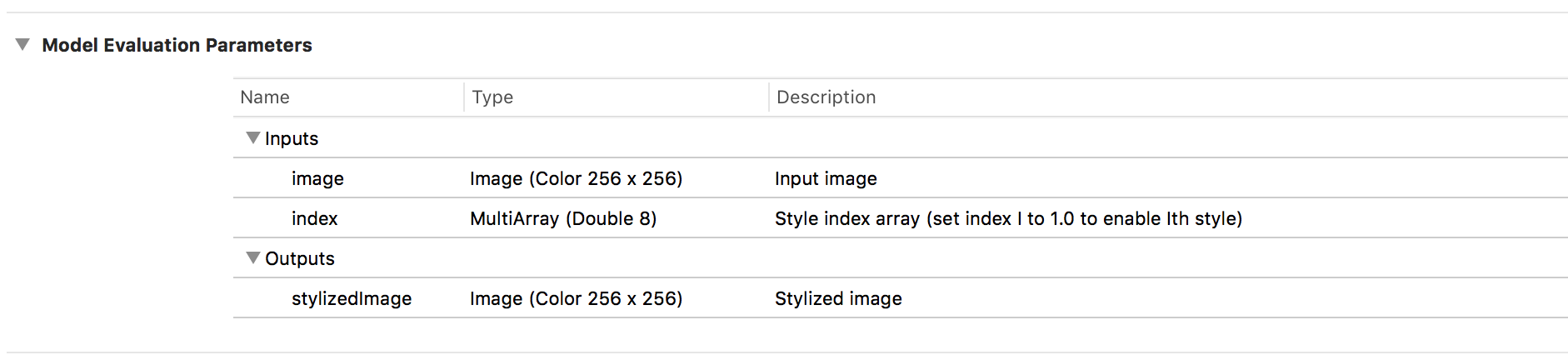
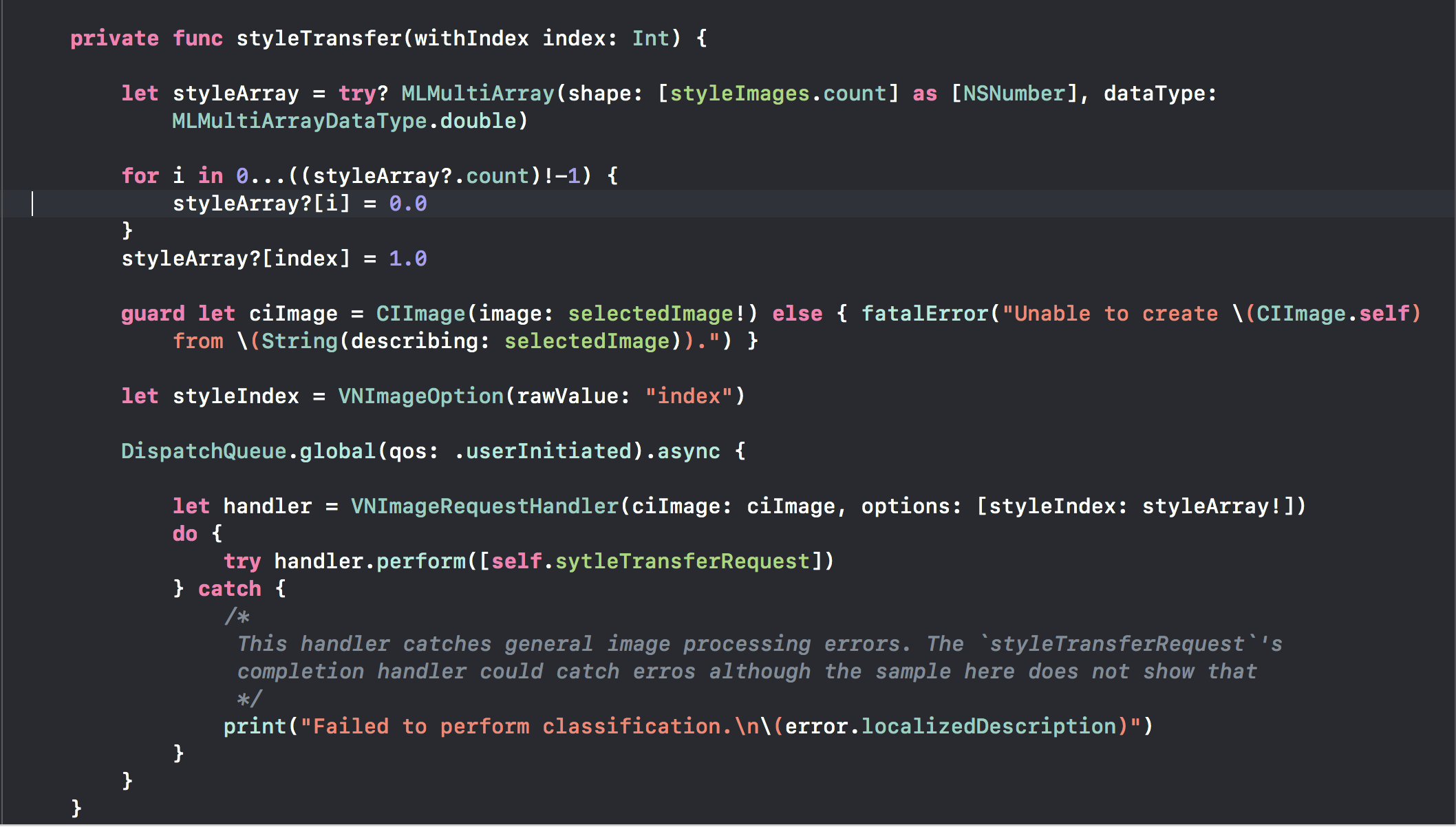
Then I knew that the model requires the styles array as an input instance of MLMultipleArray. Therefore I followed the user guide to have created the styleArray. Then I set selectedImage as ciImage input and [styleIndext : styleArray!] as the options input to generate VNImageRequestHandler as in the following code.
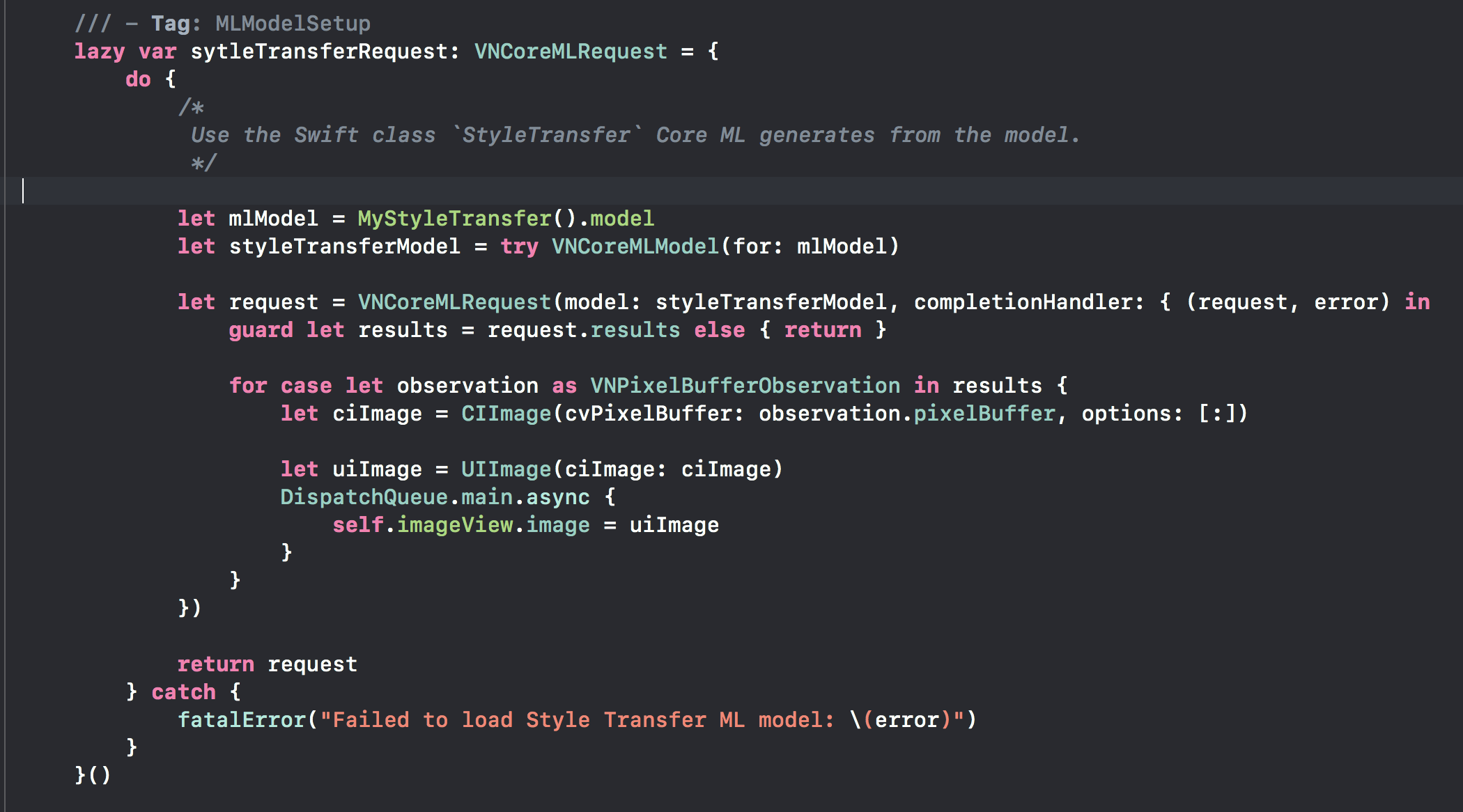
Additionally here is how I set the styleTransferRequest with the model used:
However when I ran the app it reports the error from the completion handler of VNCoreMLRequest as the following:
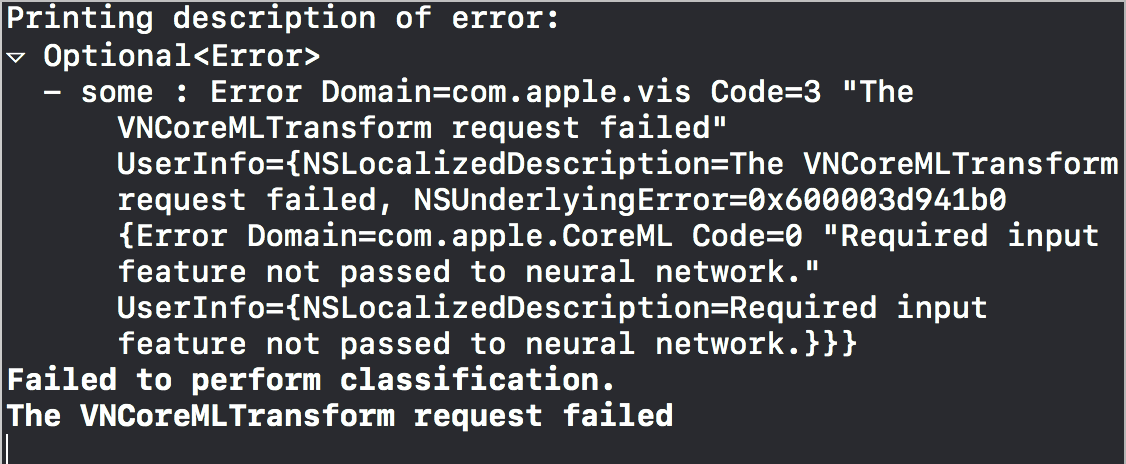
I searched around and guessed it could be the inputs to run model might not be set correctly but checked the docs to no clue. Could any one help look at the code or advise how I should set the inputs when setting VNImageRequestHandler for style transfer core ml model from Turi Create? I looked at other style transfer core ml model examples (not created by Turi Create) and found they only use one style and therefore the only input is the image to be transferred.
 Leon16
All 7 comments
It does look like style transfer model is broken in Vision framework integration. I was able to get the model run by using direct model prediction. The only thing is the trouble in setting the CVPixBuffer in self.mlModel.prediction(image: pxbuffer!, index: array!) call
Leon16
on 12 Jul 2018
Any progress on this? I'm getting the same error.
 rainhut
on 17 Jul 2018
rainhut
on 17 Jul 2018
This article explains how to make TuriCreate style models work. I just wrote it.
rainhut
on 19 Jul 2018
Thanks @rainhut! Your article looks great. For those in need of a workaround until Vision integration is working for this model, please try the technique described there.
 znation
on 20 Jul 2018
znation
on 20 Jul 2018
@abhishekpratapa, do you mind taking this one? The work on our end here is to update our docs to make sure we are using non-Vision APIs in our examples for style transfer.
znation
on 21 Jul 2018
@rainhut,your solution is greate! But I want to know how to make the input/output image size flexible like turicreate method 'model.stylize(sample_image, style=0) '
 DarkTemple
on 5 Aug 2018
DarkTemple
on 5 Aug 2018
@DarkTemple This is being tracked in #934.
 srikris
on 16 Aug 2018
srikris
on 16 Aug 2018
Related issues
 johnyquest7
·
3Comments
johnyquest7
·
3Comments
 HelloWorldYyx
·
3Comments
HelloWorldYyx
·
3Comments
 junyafang
·
5Comments
johnyquest7
·
5Comments
srikris
·
4Comments
junyafang
·
5Comments
johnyquest7
·
5Comments
srikris
·
4Comments
Most helpful comment
Thanks @rainhut! Your article looks great. For those in need of a workaround until Vision integration is working for this model, please try the technique described there.