Turbolinks: Unable to avoid Scroll Position Lock on page transition
Rails App. I pared down all JS and left only Turbolinks.
What happens is when I scroll down y:350px, and click a link to another turbolinks enabled page, page2 loads at y:350px.
When I turn it off. None of that happens. I didn't realize this was happening for probably half of the our app's life because our pages were all shorter than the fold. But once the content expanded past the fold, then we started noticing this issue.
So, I downloaded the repo, un-uglified the source code, just tossed a bunch of debuggers, stepped through an entire code execution, and couldn't specifically pin down when the position values changed in the code.
So, one of the things that I tried was adding <meta name="turbolinks-cache-control" content="no-cache"> to my layout, and lo, that seemed to resolve this issue... sort of. When the page renders, I scroll down a bit from the top within a few seconds of rendering, and it bumps me back up to the top.
Literally no JS is on the page except for what's imported from the Turbolinks Gem. This is happening in at least FF & Chrome. My basic understanding is that the pre-rendered page that we're advancing to is scrolling to the position, even though it looks like in the code that it's trying to ensure that that's not happening.
I don't know if I can replicate this in a bare bones app (as I have another turbolinks app where this doesn't occur). But I'm unsure as to what particular differences would be causing this in the slightest.
 tadiou
All 42 comments
We're noticing this in an app as well. Our marketing page has a link to "explore resources" near 1454:y. When clicking that link the resources page loads at 1454:y.
A similar problem was resolved in turbolinks classic in this pr.
I know the README outlines that turbolinks stores the position so that when the page is restored it will carry over but it seems like it's being applied to the new page as well.
 jonathansimmons
on 1 Oct 2016
jonathansimmons
on 1 Oct 2016
That's basically it. What I've noticed is that on some links, the page goes through a full reload cycle, and only on those links, does this actually occur.

Instead of just firing turbolinks:load every page, there's a full pageLoaded event that happens from here. Only, I'm not entirely sure WHY the page is fully reloading on those requests. But it doesn't do it on all of them as I've determined.
If you compare it to the 'good' turbolinks example in our app.

I manually type in /index2, the page loads, refresh, page loads, and then go in between /index and /index2 via a link, and the app doesn't reload the page, which gives the 4 number as to the amount of triggers to the turbolinks:load event that have happened.
tadiou
on 3 Oct 2016
Just wanted to chime in that I'm experiencing this as well.
 trostli
on 19 Oct 2016
trostli
on 19 Oct 2016
I have the same problem.
However, for me this is only occuring in mobile (IOS) broswers, on desktop it seem to be working as it should.
I have experimented back and forth without success.
Adding <meta name="turbolinks-cache-control" content="no-cache"> didn't help.
Removing data-turbolinks-track' => "reload" from <%= javascript_include_tag "application", 'data-turbolinks-track' => "reload" %> resolves the scrolling issue but causes other js-related issues instead,
Have anyone found a solution yet? Any help is appreciated.
 gustafr
on 19 Oct 2016
gustafr
on 19 Oct 2016
We are seeing this and it's starting to annoy users. We've been unable to find a fix so far.
 joelmoss
on 29 Nov 2016
joelmoss
on 29 Nov 2016
For our particular issue (joelmoss and myself), we've determined that the issue is similar to #187, that when we changed base stylesheets from say application.css to admin.css, we'd get these issues when we separated the compilation of our stylesheets (and javascript) in our manifest file and then served them individually on a controller by controller basis to prevent encapuslation bleed of the code.
Once we started recompiling the code specifically to be uniform, the problem went away, which would explain why my other apps which didn't do this, didn't seem to have this issue at all.
tadiou
on 13 Dec 2016
@tadiou I'm still struggling trying to fix this issue with my app. Could you be more specific on how you managed to make the issue disappear? What do you mean by "Once we started recompiling the code specifically to be uniform, the problem went away" ?
Thanks in advance!
trostli
on 19 Dec 2016
@trostli
https://github.com/turbolinks/turbolinks/issues/204
So, our issue was that we were using several js and css files created from different layouts, and when we swapped between them, everything rendered twice, which was what was causing this problem in the first place. So, instead of having a layout for our practice.js and one layout for application.js, we now have one JS between the two of them, but still different layouts. That works fine. The problem is is that when the assets change in the head (which if you read the docs, that's what it says), it'll cause a full reload, and thus, you'll get weird transition issues between pages like this.
tadiou
on 19 Dec 2016
Not sure if this will apply to others, but I was able to fix the same issue in my app. This occurred when transitioning between application layouts. My main layout had:
application.html.haml
= stylesheet_link_tag "application", media: "all", data: { turbolinks_track: "reload" }
= javascript_include_tag "application", data: { turbolinks_track: "reload" }
While the other layout had (note the old value of true instead of "reload"):
other.html.haml
= stylesheet_link_tag "application", media: "all", data: { turbolinks_track: true }
= javascript_include_tag "application", data: { turbolinks_track: true }
After I changed the value of turbolinks_track in other.html.haml from true to "reload" the problem of transitioning between pages disappeared for me.
Hope that helps!
 remomueller
on 23 Jan 2017
remomueller
on 23 Jan 2017
Thanks for the info. I mostly fixed my issue by disabling a setting in my Cloudflare settings. I use them as a CDN for my app. The Rocket Loader feature for improving load times was causing issues for me.
trostli
on 23 Jan 2017
I'm getting the same problem - turned off all other JS and still getting this problem? Did anyone actually conclude what the cause of this issue is?
Any ideas where we should be looking for what could be causing this undesirable behaviour, and how we can provide some more information to diagnose the issue?
 nickooolas
on 14 Mar 2017
nickooolas
on 14 Mar 2017
It's almost like the desired behaviour of Turbolinks to preserve the page visits on Back/Forward navigation is activating, for everyday normal a href 's. Like any link clicked below the fold, will then load the target page with the scroll position of the previous page..Any ideas @sstephenson, @packagethief?
I put a breakpoint on Event -> Control -> Scroll, and then I click the link, can see that it's bringing across the previousyOffset from the other page, but it shouldn't be, because its not a "Navigation" Back/Forward Button, just a normal click through which default to yOffeset=0....

Can confirm that this behaviour only occurs between layouts (where there is different JS loaded for each layout).
Intermediate resolution has been "data-turbolinks" => "false" on every link, but that's not ideal is it....
nickooolas
on 14 Mar 2017
Can confirm that this behaviour only occurs between layouts (where there is different JS loaded for each layout).
Does this transition result in a full page load? If so, I'm guessing we need to reset the scroll position when the page is invalidated. Otherwise, the browser will preserve the current scroll position after window.location.reload() is called.
 packagethief
on 14 Mar 2017
packagethief
on 14 Mar 2017
@packagethief Sorry just saw your comment...when you say full page load, in what context do you mean? Just let me know what info to grab and some more on the context and I'll get it for you..Cheers, Nick
nickooolas
on 18 Mar 2017
This is a major issue for us and was the only bug that caused us to have to turn turbolinks off on these pages. We are updating the meta description and have a data: {"turbolinks-track": "reload"} on it. Anytime it changes, it causes full page reload (which is fine), but completely breaks the new page because it's scrolled to the position of the originating page.
Please can we get some help on this?
 jfeust
on 22 May 2017
jfeust
on 22 May 2017
Does this transition result in a full page load? If so, I'm guessing we need to reset the scroll position when the page is invalidated. Otherwise, the browser will preserve the current scroll position after window.location.reload() is called.
I have managed to reproduce this with layouts using different application.js paths, and it does result in full page loads.
Resetting the scroll position before the page is reloaded results in a brief flicker as the page scrolls to the top before the new page loads. Another possible approach might be to use window.location.assign(window.location) which ignores the current scroll position and scrolls to the top. However in both cases, pressing the back button returns the user to the top of the previous page (rather than their previous scroll position) e.g.:
- visit one.html
- scroll down
- click on a link to two.html (which includes different tracked assets)
- browser fully loads two.html (via
location.reloadorlocation.assign) - go back via the back button
- one.html is displayed scroll to the top (rather than at old scroll position)
 domchristie
on 23 May 2017
domchristie
on 23 May 2017
This is still occurring for me, and it's extremely irritating.
I can confirm it's navigating to the Y position of the previous page, after the full page has reloaded, but only when the Rails layout of the page changes. All of my CSS and JS have data-turbolinks-track="reload".
I seem to have resolved the issue by taking the data-turbolinks-track="reload" annotation off of EVERY <link> and <script>. I'm not sure how this reloading is implemented, but it seems to be coming from there. Removing the annotation and everything is browsing correctly.
 soundasleep
on 23 Mar 2018
soundasleep
on 23 Mar 2018
So, is @soundasleep 's solution the only way to handle this, or is there a fix in the works?
 ggongon
on 17 Apr 2018
ggongon
on 17 Apr 2018
Removing data-turbolinks-track="reload" doesn't solve the problem for us unfortunately.
EDIT: We're also using just 1 layout.
 richardvenneman
on 18 Apr 2018
richardvenneman
on 18 Apr 2018
For me this problem appeared only when I was linking between pages with different layouts.
After I made the head section of the two layouts similar, the problem disappeared.
By similar, I mean referencing the same JS and CSS files.
 bgmat
on 18 Apr 2018
bgmat
on 18 Apr 2018
For me, this keeps happening when switching between 2 layouts that are identical except each of them is loading its own manifest with js files. Going with one layout for now, but would love to see this fixed/changed.
 majtymit
on 22 Apr 2018
majtymit
on 22 Apr 2018
Investigated the Turbolinks source but can't seem to find the actual location where the location is being restored. So far @nickooolas comment seems to most closely describe the problem:
- Scroll down on page 1 to 2000px
- Click a link to page 2
- Page 2 loads and jumps to 2000px (but this should be 0px)
Edit: it seems using https://github.com/renderedtext/render_async in combination with Turbolinks has been causing issues for us, as render_async changes the contents of the head
Edit 2: So this issue has been resolved for us. Quite similar to the other solutions mentioned in this issue: it seems Turbolinks scroll position management doesn't work well when the contents of the <head> change.
richardvenneman
on 30 Apr 2018
Removing data-turbolinks-track="reload" does solve the problem for me. My project set the controller to uses specific assets(Controller's CSS and JS), this might be the cause of the problem as @richardvenneman mentioned that Turbolinks scroll position management doesn't work well when the contents of the <head> changed.
 shinzenkoru
on 3 Jul 2018
shinzenkoru
on 3 Jul 2018
This is a surprisingly tricky issue! There are a couple of possible solutions, but there are some tradeoffs, and I'm getting intermittent behaviour when switching between methods, so I thought I'd share them and get some feedback. (Solution ~3~ 2 (improved). seems the most promising so far.)
1. Reset Scroll Position when Reloading
Turbolinks.BrowserAdapter.prototype.reload = function () {
  window.scrollTo(0, 0)
  window.location.reload()
}
The downside is that the page will jump to the top before navigating back which is a little jarring.
2. Manually handling Scroll Restoration
I came across this when attempting a fix for https://github.com/turbolinks/turbolinks/issues/333
if ('scrollRestoration' in window.history) {
  window.history.scrollRestoration = 'manual';
}
This seems to instruct the browser to reload and ignore the scroll position. However, it also affects user-initiated refreshes, so they will lose their scroll position on reload 😞
3. Set Location to itself
[REMOVED]
~This seems to the the most promising so far, with no downsides, as far as I can see at the moment.~ This pushes to the history, and so is no good 😞
Please test these patches and let me know what works (or doesn't!)
domchristie
on 21 Sep 2018
2 (Improved). Manually Handle Scroll Restoration when Restoring from History or Reloading
This is a more comprehensive solution which should solve the issue of user-initiated reloads. This should also fix #333.
;(function () {
  // Tell the browser not to handle scrolling when restoring via the history or when reloading
  if ('scrollRestoration' in history) history.scrollRestoration = 'manual'

  var SCROLL_POSITION = 'scroll-position'
  var PAGE_INVALIDATED = 'page-invalidated'

  // Patch the reload method to flag that the following page load originated from the page being invalidated
  Turbolinks.BrowserAdapter.prototype.reload = function () {
    sessionStorage.setItem(PAGE_INVALIDATED, 'true')
    location.reload()
  }

  // Persist the scroll position when leaving a page
  addEventListener('beforeunload', function () {
    sessionStorage.setItem(
      SCROLL_POSITION,
      JSON.stringify({
        scrollX: scrollX,
        scrollY: scrollY,
        location: location.href
      })
    )
  })

  // When a page is fully loaded:
  // 1. Get the persisted scroll position
  // 2. If the locations match and the load did not originate from a page invalidation, scroll to the persisted position
  // 3. Remove the persisted information
  addEventListener('DOMContentLoaded', function (event) {
    var scrollPosition = JSON.parse(sessionStorage.getItem(SCROLL_POSITION))

    if (shouldScroll(scrollPosition)) {
      scrollTo(scrollPosition.scrollX, scrollPosition.scrollY)
    }

    sessionStorage.removeItem(SCROLL_POSITION)
    sessionStorage.removeItem(PAGE_INVALIDATED)
  })

  function shouldScroll (scrollPosition) {
    return (
      scrollPosition &&
      scrollPosition.location === location.href &&
      !JSON.parse(sessionStorage.getItem(PAGE_INVALIDATED))
    )
  }
})()
This is an extremely weird bug that I've run into as well. My issue is - It works just fine on Chrome. I only have the issue on Firefox. I've tried a number of the solutions in this thread, but none seemed to resolve the problem entirely.
This is the behavior in Chrome:
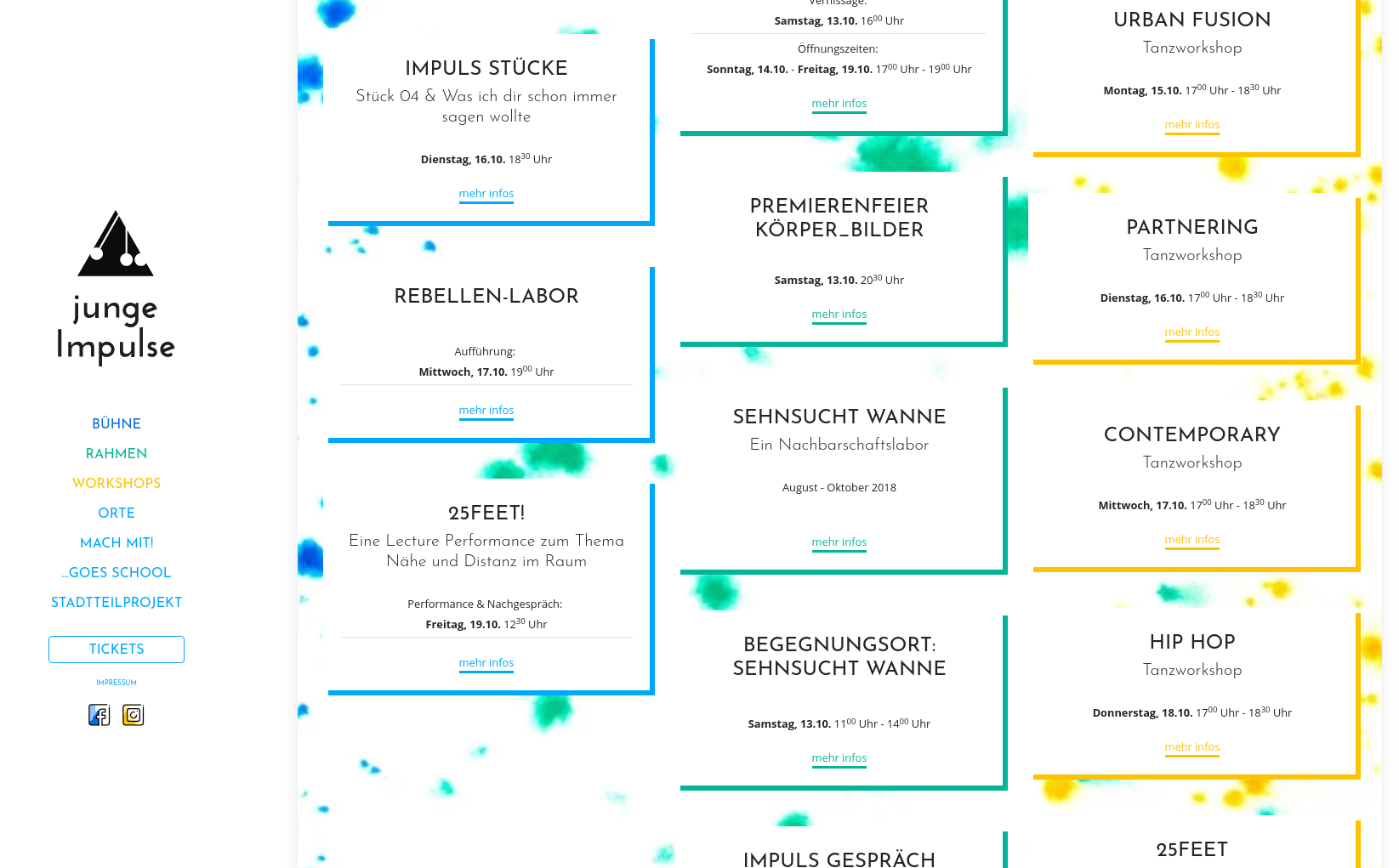
clicking on one of the links:

Trying the same thing in Firefox:

You can check it out here: https://www.jungeimpulse.de
Note: I'm not using any meta tags like turbolinks-visit-control or similar measures discussed here. Just plain links (although I do have link pre-loading installed, but the behavior was the same without).
I'd be happy to provide an uncompressed version of the javascript, but it's only a couple thousand lines and Chrome does a good job of "uncompressing" it if you'd like to debug it.
 daviddeutsch
on 1 Oct 2018
daviddeutsch
on 1 Oct 2018
@daviddeutsch I think this is different to the issue described here, which only affects pages which are reloaded. It looks like you're animating the scroll (possibly with a plugin?) Might his be impacting the scroll position?
domchristie
on 2 Oct 2018
@domchristie thanks for your help. The example above didn't quite work for us as the events were fired only on actual refreshes but not on turbolink loads and visits which is where we were having trouble. So I slightly modified it to use turbolinks events ('DOMContentLoaded' -> 'turbolinks:load', 'beforeunload' -> 'turbolinks:before-visit, and so on); otherwise, the code is pretty much the same. Hopefully it works for others as it did for us:
;(function () {
  // Tell the browser not to handle scrolling when restoring via the history or
  // when reloading
  if ('scrollRestoration' in history) {
    history.scrollRestoration = 'manual'
  }

  var SCROLL_POSITION = 'scroll-position'
  var PAGE_INVALIDATED = 'page-invalidated'

  // Persist the scroll position on refresh
  addEventListener('beforeunload', function() {
    sessionStorage.setItem(SCROLL_POSITION, JSON.stringify(scrollData()))
  });

  // Invalidate the page when the next page is different from the current page
  // Persist scroll information across pages
  document.addEventListener('turbolinks:before-visit', function (event) {
    if (event.data.url !== location.href) {
      sessionStorage.setItem(PAGE_INVALIDATED, 'true')
    }
    sessionStorage.setItem(SCROLL_POSITION, JSON.stringify(scrollData()))
  })

  // When a page is fully loaded:
  // 1. Get the persisted scroll position
  // 2. If the locations match and the load did not originate from a page
  // invalidation,
  // 3. scroll to the persisted position if there, or to the top otherwise
  // 4. Remove the persisted information
  addEventListener('turbolinks:load', function (event) {
    var scrollPosition = JSON.parse(sessionStorage.getItem(SCROLL_POSITION))

    if (shouldScroll(scrollPosition)) {
      scrollTo(scrollPosition.scrollX, scrollPosition.scrollY)
    } else {
      scrollTo(0, 0)
    }
    sessionStorage.removeItem(PAGE_INVALIDATED)
  });

  function shouldScroll(scrollPosition) {
    return (scrollPosition
      && scrollPosition.location === location.href
      && !JSON.parse(sessionStorage.getItem(PAGE_INVALIDATED)))
  }

  function scrollData() {
    return {
      scrollX: scrollX,
      scrollY: scrollY,
      location: location.href
    }
  }
})()
 sethbonnie
on 4 Oct 2018
sethbonnie
on 4 Oct 2018
@sethbonnie Thanks for trying this out. Turbolinks should handle XHR transitions without any issues. It is only when tracked assets change, or when the turbolinks-visit-control directive is used, and therefore the page is fully reloaded, that you should see this bug. Are you able to demonstrate this with a live example?
domchristie
on 4 Oct 2018
@domchristie Unfortunately I can't supply a live example right now as our prod application has the fixes. I'll try this out later in a fresh rails app to see if I can reproduce it. Something in our setup might have been preventing the normal XHR transitions.
sethbonnie
on 4 Oct 2018
@daviddeutsch I think this is different to the issue described here, which only affects pages which are reloaded. It looks like you're animating the scroll (possibly with a plugin?) Might his be impacting the scroll position?
@domchristie Sorry about the delay. Not a plugin, just "scroll-behavior: smooth;" on the body. I checked and when I remove that, it works just fine in Firefox. Very strange!
I'm not sure here - should I open up a separate issue for this?
daviddeutsch
on 10 Oct 2018
@domchristie Sorry about the delay. Not a plugin, just "scroll-behavior: smooth;" on the body. I checked and when I remove that, it works just fine in Firefox. Very strange!
@daviddeutsch very strange indeed! I've not been able to reproduce with with a minimal setup using Firefox and scroll-behavior: smooth 🤔 but if you are able to do so then please open a new issue with the details (and ideally a live example). Thanks!
domchristie
on 10 Oct 2018
 Laurel16
In my app turbolinks-cache-control is set to no-cache and I noticed strange scroll behavior after clicking browser back button. I thought it is Turbolinks code that updates window scroll position before a new page content is set. After hours of debugging it turned out that the reason is scroll restoration. After I added history.scrollRestoration = 'manual' fix, the bug disappeared. I already had code to restore scroll position because of page inner tables.
It would be good to add the problem description to the Turbolinks main docs. Describe that history API restores scroll position and how to disable it when implementing custom solution.
 gregd
on 10 Dec 2018
gregd
on 10 Dec 2018
In my app
turbolinks-cache-controlis set tono-cacheand I noticed strange scroll behavior after clicking browser back button. I thought it is Turbolinks code that updates window scroll position before a new page content is set.
When turbolinks-cache-control is set no-cache, there is likely to be a delay in the response when navigating back. By default, browsers will then attempt to restore the scroll position, which can lead to jumps:
Using the History API to manage your URLs is awesome and, as it happens, a crucial feature of good web apps. One of its downsides, however, is that scroll positions are stored and then, more importantly, restored whenever you traverse the history. This often means unsightly jumps as the scroll position changes automatically, and especially so if your app does transitions, or changes the contents of the page in any way. Ultimately this leads to an horrible user experience.
— Paul Lewis in https://developers.google.com/web/updates/2015/09/history-api-scroll-restoration
history.scrollRestoration = 'manual' is a possible fix, but it's important to note that this also impacts the refresh behaviour, which can lead to problems when tracked assets change, for example. https://github.com/turbolinks/turbolinks/pull/420 should fix this, but in the meantime, https://github.com/turbolinks/turbolinks/issues/181#issuecomment-423736911 offers a workaround.
domchristie
on 10 Dec 2018
@remomueller
While the other layout had (note the old value of
trueinstead of"reload"):
After I changed the value ofturbolinks_trackinother.html.hamlfromtrueto"reload"the problem of transitioning between pages disappeared for me.Hope that helps!
Thank you it did, we had recently changed our JS to be loaded with defer: true but forgot to add this in another layout. It seems to get confused with the scrolling for some reason when there are different, tracked script tags to the same file.
 2called-chaos
on 11 May 2019
2called-chaos
on 11 May 2019
None of the suggested fixes worked for me, although I did find a FIX!
My problem:
- An internal link click fails to take the user to the start of the page.
- The problem only occurs in Firefox.
It's very strange... I removed:
html, body {
    scroll-behavior: smooth;
}
From my CSS. I guess there's some conflicting browser logic in scroll-behavior: smooth;.
I've only have to sacrifice smooth scrolling, ie. when clicking on an anchor link. But it's worth the trade-off for now.
Hopefully this helps somebody.
 Vimiso
on 22 Oct 2019
Vimiso
on 22 Oct 2019
Removing smooth scroll helped us get around this issue too. It'd be great if this issue could be fixed and we could bring smoothness back though.
 hantuzun
on 18 Apr 2020
hantuzun
on 18 Apr 2020
We discovered that a smooth scroll library was the main culprit...once removed all was well again.
For now what we are using modern browser scrollTo apis to get the job done...something like the following:
window.scrollTo({ top: 0, behavior: 'smooth' });
 jschee
on 24 Apr 2020
jschee
on 24 Apr 2020
Same problem here.
On a page that sometimes uses window.scrollTo there are problems: when you reopen the page, it is already scrolled down...
Only solution for now is to use data-turbolinks="false" on all links that point to that page... not the best solution.
 collimarco
on 28 Jul 2020
collimarco
on 28 Jul 2020
While waiting for a real solution, let me share a hacky workaround:
window.addEventListener('turbolinks:load', function() {
  document.querySelector('html').style.scrollBehavior = 'smooth'
});
window.addEventListener('turbolinks:before-visit', function() {
  document.querySelector('html').style.scrollBehavior = 'unset'
});
- No need to specify
behaviorwhen callingscrollTo - Need to add
data-turbolinks="false"to all links that are not opening another page (links that are only scrolling within the page)
 randoum
on 15 Nov 2020
randoum
on 15 Nov 2020
We started experiencing this same issue when we split our webpack bundle into multiple smaller ones. When navigating from a page with one webpack bundle to a page with a different webpack bundle, the described scrolling behavior happens.
Removing "data-turbolinks-track": "reload" from those script tags does alleviate the issue, but I'm not sure any other consequences this might have.
Either way it seems like a bug, or something that requires better documentation.
 marckohlbrugge
on 28 Nov 2020
marckohlbrugge
on 28 Nov 2020
Related issues
 Kiszko
·
23Comments
Kiszko
·
23Comments
 kochka
·
14Comments
kochka
·
14Comments
 jakehockey10
·
31Comments
jakehockey10
·
31Comments
 kstratis
·
13Comments
kstratis
·
13Comments
 nerdcave
·
16Comments
nerdcave
·
16Comments
Most helpful comment
It's almost like the desired behaviour of Turbolinks to preserve the page visits on Back/Forward navigation is activating, for everyday normal a href 's. Like any link clicked below the fold, will then load the target page with the scroll position of the previous page..Any ideas @sstephenson, @packagethief?
I put a breakpoint on Event -> Control -> Scroll, and then I click the link, can see that it's bringing across the previous

yOffsetfrom the other page, but it shouldn't be, because its not a "Navigation" Back/Forward Button, just a normal click through which default toyOffeset=0....https://github.com/turbolinks/turbolinks/blob/c73e134731ad12b2ee987080f4c905aaacdebba1/src/turbolinks/scroll_manager.coffee
Can confirm that this behaviour only occurs between layouts (where there is different JS loaded for each layout).
Intermediate resolution has been
"data-turbolinks" => "false"on every link, but that's not ideal is it....