Tui.image-editor: Unable to edit text field
Version
3.8.0
Development Environment
I open the editor in bootstrap 4 modal window.
Tested in Opera and Chrome.
Current Behavior
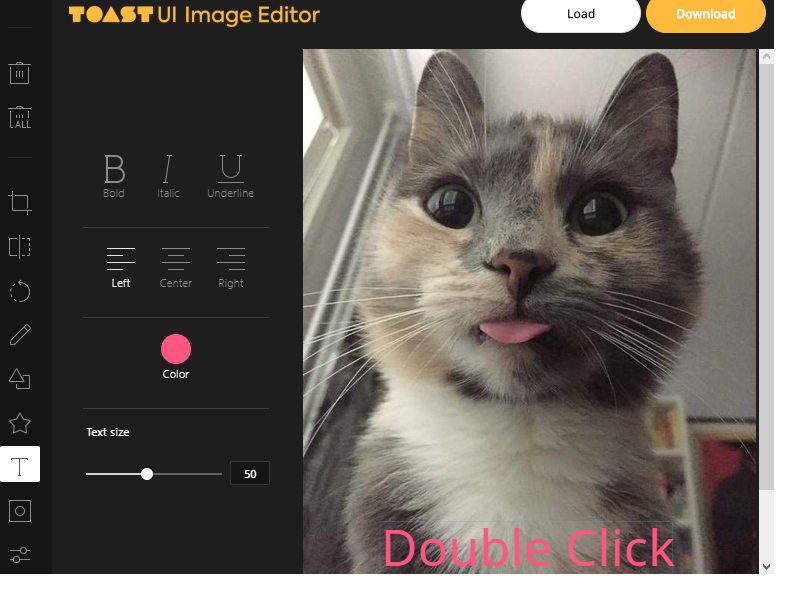
I insert text in editor, but i can't edit text. Input by keyboard not working.
There are no errors in the console.
Text editor function works good when it’s built in the page, however, in a modal window it doesn’t work
 let imageEditor = new tui.ImageEditor('.imageEditor', {
              includeUI: {
                loadImage: {
                  path: URL.createObjectURL(file.data),
                  name: file.data.name
                },
                theme: blackTheme, // or whiteTheme

                menuBarPosition: 'left'
              },
              cssMaxWidth: 1024,
              cssMaxHeight: 768,
              usageStatistics: false
            });
Expected Behavior
 lightway82
All 5 comments
Have you seen this : https://github.com/fabricjs/fabric.js/issues/3695#issuecomment-353360365
 jeromeheissler
on 7 May 2020
jeromeheissler
on 7 May 2020
I can see same issue.
There are 2 way to fix issue.
- First, I removed focus eventListener from jquery.
- Second, I modified fabric.js library regarding https://github.com/fabricjs/fabric.js/issues/3695.
But I think both are not good solutions. I think it should be fixed with tui-image-editor.
 superstar1128
on 22 Sep 2020
superstar1128
on 22 Sep 2020
Anyone stumbling upon this issue who is also using Material -UI library and trying to show the Image Editor in a Dialog Component, you can pass the prop disableEnforceFocus to the dialog Root and it will work
 vsvanshi
on 2 Nov 2020
vsvanshi
on 2 Nov 2020
@jinwoo-kim-nhn, @lja1018, are there any plans to make this worker better in tui-image-editor?
We also use this library with Material-UI within a Dialog Component and we had to resort to disableEnforceFocus (thanks @vsvanshi !) but according to their docs it affects accessibility.
If true, the modal will not prevent focus from leaving the modal while open.
Generally this should never be set to true as it makes the modal less accessible to assistive technologies, like screen readers.
 Keepcase
on 30 Nov 2020
Keepcase
on 30 Nov 2020
For anyone with the same problem using React Bootstrap modal, enforceFocus solves the problem - at the expense of reduced accessibility.
cc @lightway82
 ericorruption
on 3 Feb 2021
ericorruption
on 3 Feb 2021
Related issues
 madhumatip
·
6Comments
madhumatip
·
6Comments
 mbasirati
·
3Comments
mbasirati
·
3Comments
 Sai-Teja-Payyavula
·
3Comments
Sai-Teja-Payyavula
·
3Comments
 samirph
·
3Comments
samirph
·
3Comments
 Metalmi
·
3Comments
Metalmi
·
3Comments
Most helpful comment
Anyone stumbling upon this issue who is also using Material -UI library and trying to show the Image Editor in a Dialog Component, you can pass the prop
disableEnforceFocusto the dialog Root and it will work