Tui.image-editor: Shadows appear when cutting pictures
Version
"tui-image-editor": "3.4.0",
Development Environment
linux
vue 2.5
chrome 72.0.3626.119
Current Behavior
Shadows appear when cutting pictures
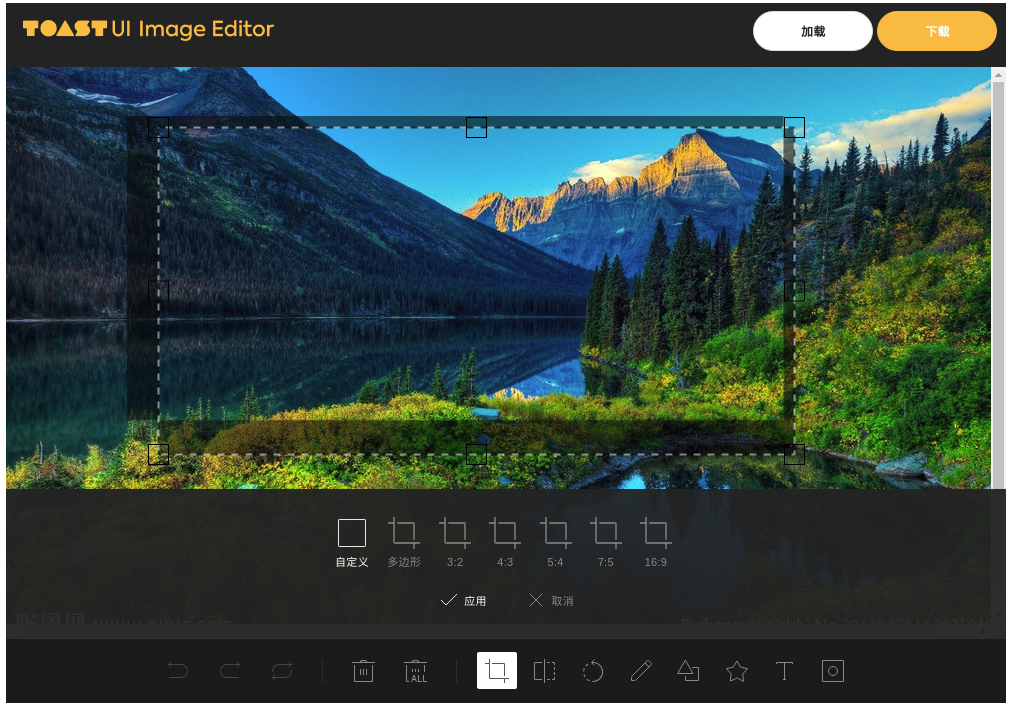
<template>
<div>
    <tui-image-editor
      ref="tuiImageEditor"
      class="image-edit-inner"
      :include-ui="useDefaultUI"
      :options="options"
    ></tui-image-editor>
  </div>
</template>

<script>
import icona from 'tui-image-editor/dist/svg/icon-a.svg'
import iconb from 'tui-image-editor/dist/svg/icon-b.svg'
import iconc from 'tui-image-editor/dist/svg/icon-c.svg'
import icond from 'tui-image-editor/dist/svg/icon-d.svg'
import 'tui-image-editor/dist/tui-image-editor.css'
import 'tui-color-picker/dist/tui-color-picker.css'
import 'tui-code-snippet'
import 'fabric'
import 'tui-image-editor'
import { ImageEditor } from '@toast-ui/vue-image-editor'

const blackTheme = {
  'submenu.normalIcon.path': icond,
  'submenu.activeIcon.path': iconc,
  'menu.normalIcon.path': icond,
  'menu.activeIcon.path': iconb,
  'menu.disabledIcon.path': icona,
  'menu.hoverIcon.path': iconc
}
export default {
  name: 'WdFilemanagerImageEdit',
  components: {
    'tui-image-editor': ImageEditor
  },
  props: {
    list: {
      type: Array,
      required: true
    }
  },
  data() {
    return {
      useDefaultUI: true,
      options: {
        includeUI: {
          loadImage: {
            path: ' xxx.png' ,
,
            name: 'SampleImage'
          },
          menu: [
            'crop',
            'flip',
            'rotate',
            'draw',
            'shape',
            'icon',
            'text',
            'mask'
          ],
          locale: localeZhCN,
          theme: blackTheme,
          uiSize: {
            width: '1000px',
            height: '700px'
          },
          menuBarPosition: 'bottom'
        },
        cssMaxWidth: document.documentElement.clientWidth,
        cssMaxHeight: document.documentElement.clientHeight,
        selectionStyle: {
          cornerSize: 20,
          rotatingPointOffset: 70
        }
      }
    }
  }
}
</script>

<style lang="scss" scoped>
.image-edit-inner {
  margin: 0 auto;
}
</style>
Expected Behavior
 zhaoyuhang1033
All 3 comments
I think this is fabric related and is something that's known and will be solved in a later release. Solution is to downgrade to [email protected] as I suspect you're using a later version. That should solve the shadow issue / make things work as expected.
 seanmacentee
on 18 Mar 2019
seanmacentee
on 18 Mar 2019
I think this is fabric related and is something that's known and will be solved in a later release. Solution is to downgrade to [email protected] as I suspect you're using a later version. That should solve the shadow issue / make things work as expected.
thanks It has been settled.
I have updated it to @1.6.7
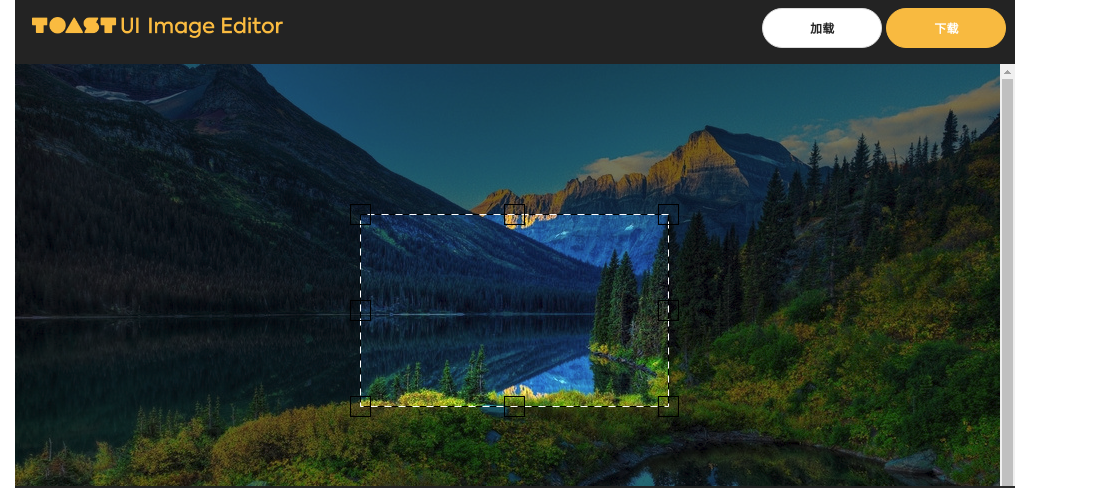
but Select box UI like dots is missing
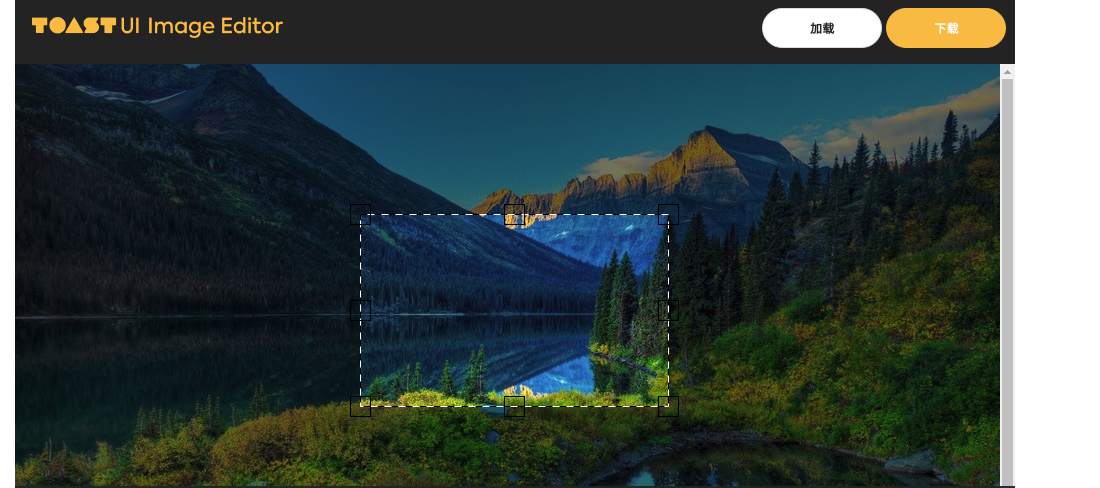
like this
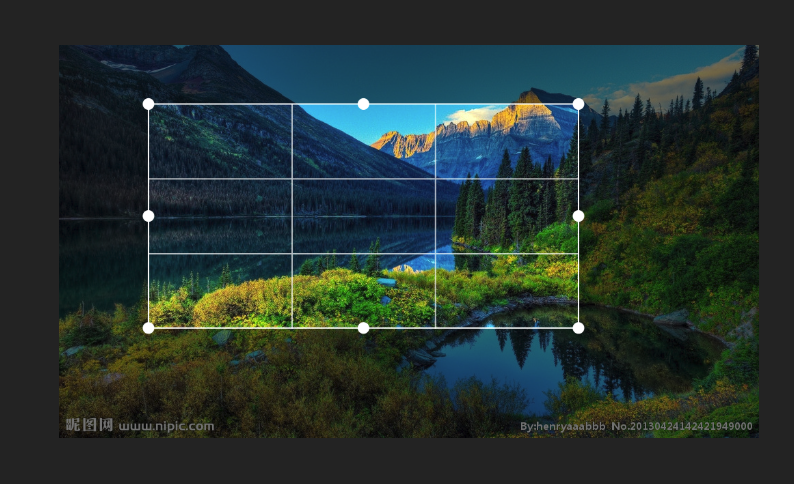
zhaoyuhang1033
on 19 Mar 2019
i'm sorry I didn't read the API carefully.
selectionStyle: {
          cornerStyle: 'circle',  // At the very beginning is block
          cornerSize: 10,
          cornerColor: '#fff',
          cornerStrokeColor: '#fff',
          transparentCorners: false,
          lineWidth: 1,
          borderColor: '#fff'
        }
Related issues
 samirph
·
3Comments
samirph
·
3Comments
 aalpgiray
·
4Comments
aalpgiray
·
4Comments
 sj279811799
·
4Comments
sj279811799
·
4Comments
 ganesh-500
·
5Comments
ganesh-500
·
5Comments
 hzeeli
·
5Comments
hzeeli
·
5Comments
Most helpful comment
I think this is fabric related and is something that's known and will be solved in a later release. Solution is to downgrade to [email protected] as I suspect you're using a later version. That should solve the shadow issue / make things work as expected.