Tui.editor: Add Custom Icons to Buttons?
I've added several custom buttons for unique needs, but adding Icons using the current method is a little difficult (editing an image and identifying the coordinates of the new icon). Would it be possible to add support for common icon libraries like FontAwesome or Simple Icon?
Version
v1.1.0
Test Environment
Windows 10, Chrome 68.0.3401.0
Current Behavior
CSS
.tui-toolbar-icons.tui-italic {
    background-position: -4px -48px;
}
JS
editor.addItem({
  type: 'button',
  options: {
    name: 'newFunction',
    className: 'tui-italic', // must be existing type
    command: 'newFunction',
    tooltip: 'Execute new function',
  },
})
Expected Behavior
HTML
<link rel="stylesheet" href="./font-awesome/css/font-awesome.css">
JS
editor.addItem({
  type: 'button',
  options: {
    name: 'newFunction',
    className: 'fas fa-thumbs-up', // can be library or custom icon class
    command: 'newFunction',
    tooltip: 'Execute new function',
  },
})
 skgbafa
All 5 comments
Hello
Same need for me. Would be easier to manage if it was possible to use icons like font-awesome instead of creating class in CSS.
Thanks
 cavo789
on 22 Jun 2018
cavo789
on 22 Jun 2018
@cavo789 Example for Font Awesome
Final Result
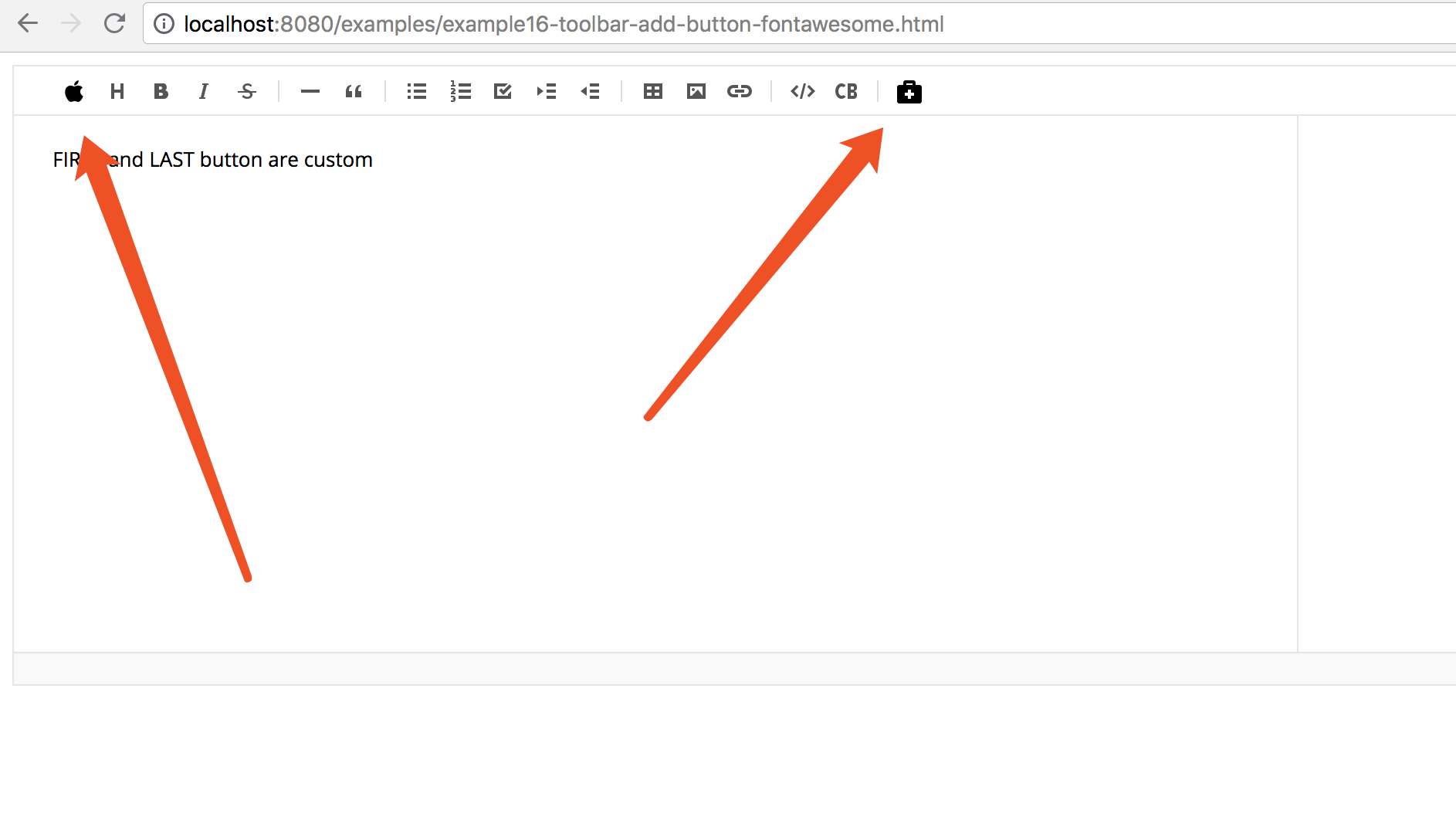
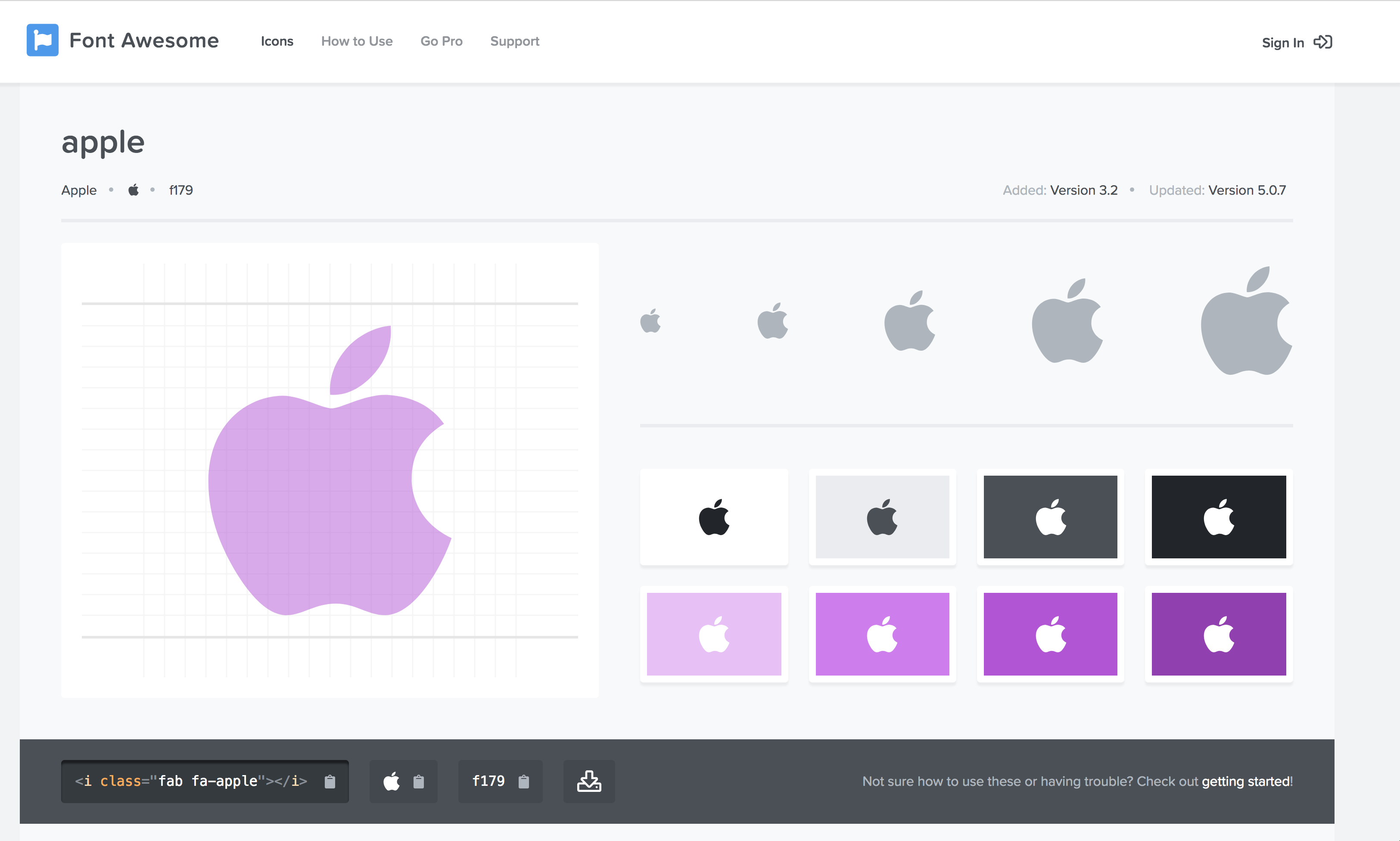
Not sure if this is the correct way of doing it. but it work
@kyuwoo-choi is this right?
<!DOCTYPE html>
<html>
<head lang="en">
<meta charset="UTF-8">
<title>16. Toolbar add button</title>
<script src="../lib/jquery/dist/jquery.js"></script>
<script src="../lib/markdown-it/dist/markdown-it.js"></script>
<script src="../lib/to-mark/dist/to-mark.js"></script>
<script src="../lib/tui-code-snippet/dist/tui-code-snippet.js"></script>
<script src="../lib/tui-color-picker/dist/tui-color-picker.js"></script>
<script src="../lib/codemirror/lib/codemirror.js"></script>
<script src="../lib/highlightjs/highlight.pack.js"></script>
<script src="../lib/squire-rte/build/squire-raw.js"></script>
<link rel="stylesheet" href="../lib/codemirror/lib/codemirror.css">
<link rel="stylesheet" href="../lib/highlightjs/styles/github.css">
<link rel="stylesheet" href="./explain.css">
</head>
<body>
<div class="code-html">
<script src="../lib/plantuml-encoder/dist/plantuml-encoder.js"></script>
<script src="../lib/raphael/raphael.js"></script>
<script src="../lib/tui-chart/dist/tui-chart.js"></script>
<script src="../dist/tui-editor-Editor-all.js"></script>
<link rel="stylesheet" href="../dist/tui-editor.css">
<link rel="stylesheet" href="../dist/tui-editor-contents.css">
<link rel="stylesheet" href="../lib/tui-color-picker/dist/tui-color-picker.css">
<link rel="stylesheet" href="../lib/tui-chart/dist/tui-chart.css">
<!-- IMPORT Font Awesome 5 here-->
<link rel="stylesheet" href="https://use.fontawesome.com/releases/v5.1.0/css/all.css" integrity="sha384-lKuwvrZot6UHsBSfcMvOkWwlCMgc0TaWr+30HWe3a4ltaBwTZhyTEggF5tJv8tbt" crossorigin="anonymous">
<style>
/* class for our button */
.our-button-class{
float: left;
box-sizing: border-box;
outline: none;
cursor: pointer;
background-color: #fff;
width: 22px;
height: 22px;
border-radius: 0;
margin: 5px 3px;
border: 1px solid #fff;
display: flex;
justify-content: center;
align-items: center;
}
</style>
<div id="editSection"></div>
<script class="code-js">
var content = `FIRST and LAST button are custom`;
var editor = new tui.Editor({
el: document.querySelector('#editSection'),
previewStyle: 'vertical',
height: '400px',
initialEditType: 'markdown',
initialValue: content,
toolbarItems: [
'heading',
'bold',
'italic',
'strike',
'divider',
'hr',
'quote',
'divider',
'ul',
'ol',
'task',
'indent',
'outdent',
'divider',
'table',
'image',
'link',
'divider',
'code',
'codeblock',
'divider',
// ADD button method 1
{
type: 'button',
options: {
$el: $('<div class="our-button-class"><i class="fas fa-briefcase-medical"></i></div>'),
name: 'test2',
className: '',
command: 'Bold', // you can use "Bold"
tooltip: 'Bold'
}
}
]
});
// ADD button method 2
const toolbar = editor.getUI().getToolbar();
editor.eventManager.addEventType('Event1');
editor.eventManager.listen('Event1', () => {
alert('button click!');
// do some other thing here
});
toolbar.addButton({
name: 'customize',
className: 'fab fa-accessible-icon',
event: 'Event1',
tooltip: 'Apple!!!',
$el: $('<div class="our-button-class"><i class="fab fa-apple"></i></div>')
}, 1);
</script>
</body>
</html>
 1c7
on 2 Jul 2018
1c7
on 2 Jul 2018
I send PR:
https://github.com/nhnent/tui.editor/pull/244/commits/f261274d837b0323e68935eee699eed41693f2c5
1c7
on 2 Jul 2018
Hello and thanks for your answer and the proposed PR.
I've finally achieve it a few days ago by using a code like this
toolbar.insertItem(99, {
    type: 'button',
        options: {
            name: 'MN_Edit_CSV',
            className: 'MN_button fa fa-file-text-o',
            event: 'fnPluginEditButtonCSVClicked',
            tooltip: $.i18n('button_addCSV')
        }
    }
);
Indeed, I've add a fa fa-file-text-o font-awesome class and a custom CSS class called MN_button for
.MN_button {
   background-image: none;
}
This was needed because toolbar's button in tui.editor has a background image and we then need to remove it for using font-awesome.
cavo789
on 2 Jul 2018
look good to close.
please reopen this if you have further discussion.
 kyuwoo-choi
on 13 Jul 2018
kyuwoo-choi
on 13 Jul 2018
Related issues
 koliyo
·
4Comments
koliyo
·
4Comments
 Rorke76753
·
4Comments
Rorke76753
·
4Comments
 aarangara
·
3Comments
aarangara
·
3Comments
 alirizaadiyahsi
·
4Comments
alirizaadiyahsi
·
4Comments
 cyberjacob
·
4Comments
cyberjacob
·
4Comments
Most helpful comment
Hello and thanks for your answer and the proposed PR.
I've finally achieve it a few days ago by using a code like this
Indeed, I've add a
fa fa-file-text-ofont-awesome class and a custom CSS class calledMN_buttonforThis was needed because toolbar's button in tui.editor has a background image and we then need to remove it for using font-awesome.