Tsparticles: TypeError: undefined is not a function error for iOS devices with Retina displays on 1.18.3
Describe the bug
The same error that was described in issue https://github.com/matteobruni/tsparticles/issues/84 is still occurring on version 1.18.3. Desktop (including macOS with Retina display) and Android browsers seem to behave correctly, but iPhone and iPad on both Chrome and Safari will show the error exactly on this line https://github.com/matteobruni/tsparticles/blob/7784898e703dc04ae5b7cf7d69a9fb18baece16c/core/main/src/Core/Retina.ts#L51-L56
To Reproduce
Steps to reproduce the behavior:
- create a react app that imports
[email protected] - copy the particle options from this example https://codepen.io/matteobruni/pen/BaoZBZy
- start a development server
- access the development server from an iOS device
- see the error
Expected behavior
The polygon mask particle effect should be correctly displayed
Screenshots


Smartphone (please complete the following information):
- Device: iPhone, iPad
- OS: iOS 13
- Browser Safari, Chrome
Additional context
As you can see from the screenshot, I have tested from both the template (manually updated the package to be 1.18.3) app and the website I was working on (made with Gatsby), on the same package version.
I was only able to test this using react.
Additionally, the web application that is deployed on a remote server is showing the same issue as well, albeit with a white blank screen right before the particle load instead of any error messages.
 hoonsubin
All 8 comments
Issue-Label Bot is automatically applying the label bug to this issue, with a confidence of 0.98. Please mark this comment with :thumbsup: or :thumbsdown: to give our bot feedback!
Links: app homepage, dashboard and code for this bot.
![issue-label-bot[bot] picture](https://avatars2.githubusercontent.com/in/27079?v=4&s=40) issue-label-bot[bot]
on 9 Oct 2020
issue-label-bot[bot]
on 9 Oct 2020
okay, I noticed that my iOS device was actually running on iOS 13 and not 14. For some low-level magical reasons, upgrading iOS to 14 fixed this issue for me. I'll close this issue since I think it's been addressed. Thank you for the update.
hoonsubin
on 9 Oct 2020
This problem is still happening for iOS 12 (and lower) devices using [email protected].
I was able to bypass the error by wrapping the code from line 24 to 32 of the Core/Retina.js file inside a try/catch block, but I'm waiting for a proper fix if possible.

 felipefa
on 2 Nov 2020
felipefa
on 2 Nov 2020
Found the issue and tested, version 1.18.9 is now with the fix
 matteobruni
on 3 Nov 2020
matteobruni
on 3 Nov 2020
Thank you for such a quick reply, but after upgrading to version 1.18.9 I'm getting this error.
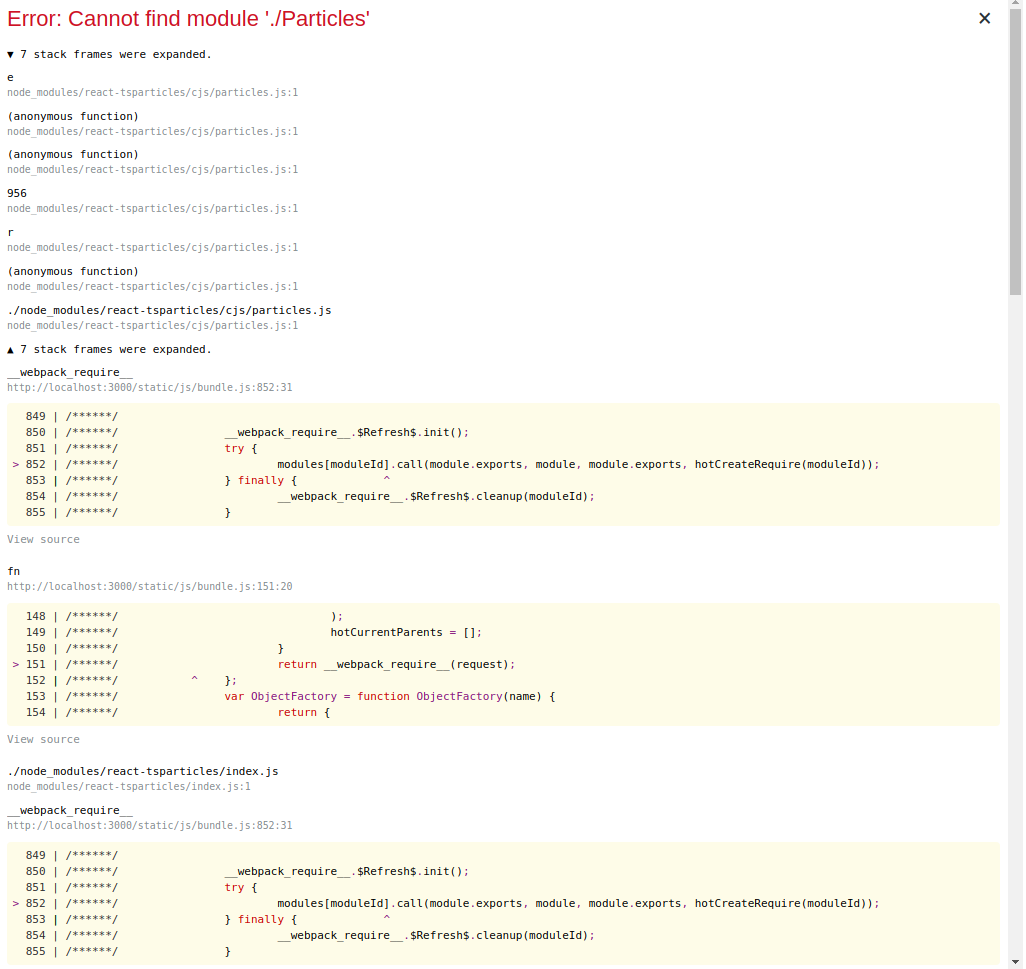
And also this warnings on the console.

I even tried deleting the node_modules folder and installing everything again, but no success. Should I open a new issue?
felipefa
on 3 Nov 2020
I'm releasing the version 1.18.10 that could fix this issue, this version will be released very soon, let me know if that version fixes this issue
matteobruni
on 3 Nov 2020
1.18.10 is out, let me know if it works
matteobruni
on 3 Nov 2020
Yes, it's all working now.
Thank you very much!
felipefa
on 3 Nov 2020
Related issues
matteobruni
·
4Comments
 lectair
·
6Comments
matteobruni
·
6Comments
matteobruni
·
4Comments
lectair
·
6Comments
matteobruni
·
6Comments
matteobruni
·
4Comments
 paul300497
·
5Comments
paul300497
·
5Comments
Most helpful comment
Yes, it's all working now.
Thank you very much!