Trix: Trix Validate Doesn't Allow In-App Linking
Because of trix-validate I am unable to successfully link to other areas of my rails application using the link button.
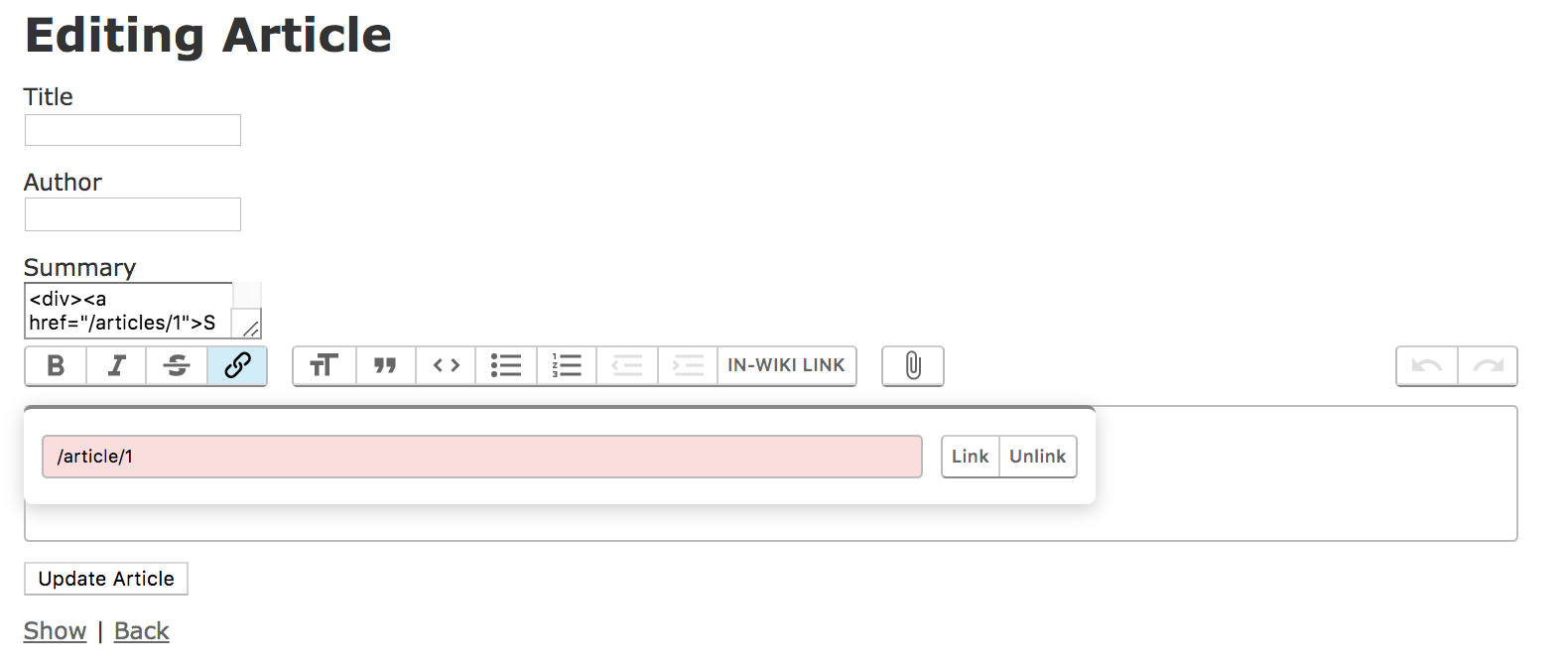
I am attempting to create a rails app that will be utilized by a large team on a local server for the time being, but in one of my database partitions users will be linking to other areas of the rails app quite often. (I.E. Article/1 links to Article/2). Eventually it will be moved to the cloud, but I don't want to break the linking when the moves take place.
I'm curious if there is a way to turn off the link validator so that admins can link from one part of the rails app to another using the trix link button. Every time I try attempt to link to something like /articles/1 the trix-data-validator stops me, it demands I use https. Is there a security concern in removing this validation for this use case? Is there an optimal way to override it? I feel like I have to be missing something in terms of article-to-article linking, and this may be less of a Trix issue and more convention ignorance on my part.
 EliCash82
>All comments
Trix uses a standard <input type="url"> element there, which browsers validate natively. You could change it to <input type="text"> to allow any input value. Or, maybe set your own pattern.
addEventListener("trix-initialize", event => {
  const { toolbarElement } = event.target
  const input = toolbarElement.querySelector("input[name=href]")
  // Change the input type from "url" to "text"
  input.type = "text"
  // and/or set your own constraint validation pattern
  input.pattern = "…"
})
✌️
 javan
on 24 Sep 2019
javan
on 24 Sep 2019
Related issues
 betorina
·
3Comments
betorina
·
3Comments
 divyenduz
·
3Comments
divyenduz
·
3Comments
 souporserious
·
4Comments
souporserious
·
4Comments
 lanzhiheng
·
4Comments
lanzhiheng
·
4Comments
 adamdebono
·
3Comments
adamdebono
·
3Comments
Most helpful comment
Trix uses a standard
<input type="url">element there, which browsers validate natively. You could change it to<input type="text">to allow any input value. Or, maybe set your ownpattern.✌️