Hi there!
I'm using tripal v3.0 (latest), Ubuntu 18.04.
I'm a bit confused with the tripal legacy thing. If I understood well, legacy contains the previous tripal versions modules? in my new db I'm building, when I go to Find Tripal Content, I see what I am creating (organism, analyses, features.. etc). but in my home page, I see a Navigation panel,
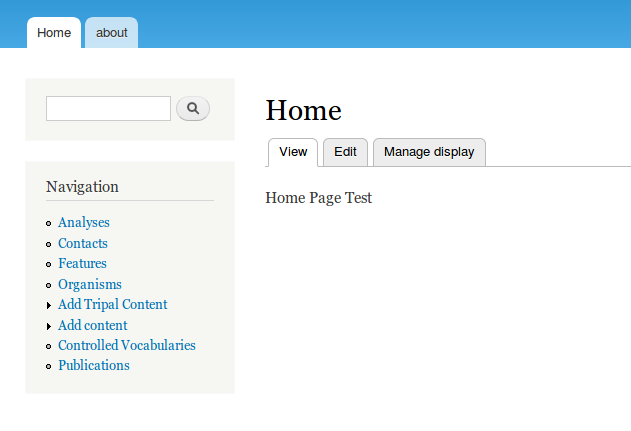
but it seems to me that links me to "legacy" content?
when I click in for example.. features:
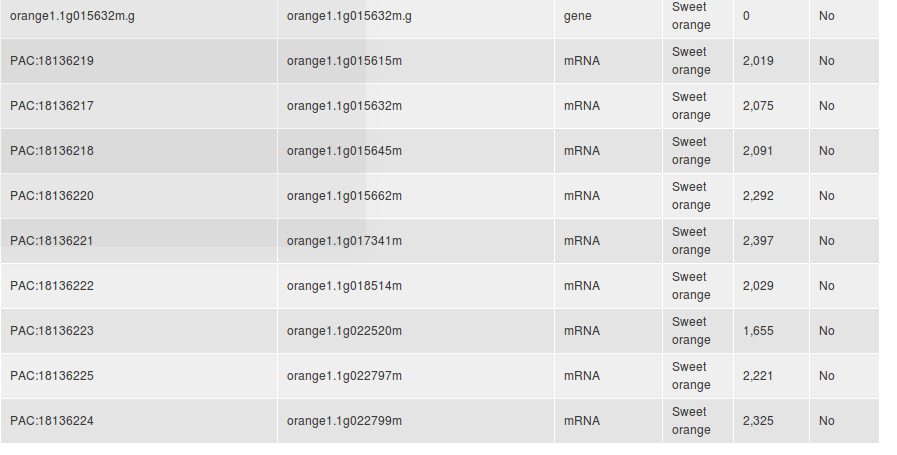
I dont see the blue links until I dont sync Features going to Tripal- Tripal Legacy - Features - Sync.
and then I see them.
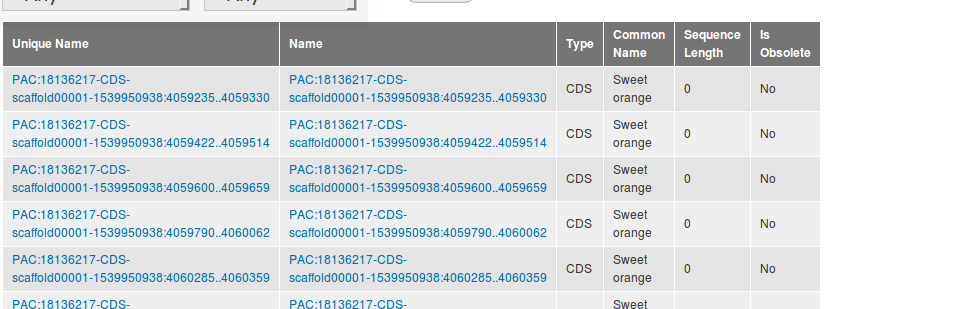
so, if I am right.. my question is: How can I have my Navigation Panel actually pointing to the same links than when I go to Find Tripal Content? is that even possible? is it necessary then to sync everything all the time?
Thanks!
 kyrenya
All 10 comments
I'd say: if you're building a new site, you really shouldnt be using legacy mode at all, unless you are connecting modules that rely on legacy API.
So your question becomes: Where are the content links/views for tripal 3 content? The answer is that I think you need to create them yourself. Tripal creates search pages for each content type by default (go to /admin/structure/menu/manage/data_search to view them): you could start there by adding the searches you need to the navigation area.
I dont actually know that we create a view by default for each content type you might need to create one yourself at admin/structure/views (maybe someone else can chime in here..).
edit: you said you've tried publishing the content as tripal 2 content. what about as tripal 3 content? I dont know if your content is being created directly in Chado or if yo aure using the interface ot create tripal 3 entities... Please see here in the users guide for an eaxmple of publishing tripal 3 content.
 bradfordcondon
on 23 Oct 2018
bradfordcondon
on 23 Oct 2018
Hi! I cite you to answer you :) "edit: you said you've tried publishing the content as tripal 2 content. I did that just to be sure that the content of that pre-made navigation panel was the tripal 2 one, but I dont have any interest in publish the content as tripal 2 what about as tripal 3 content? I dont know if your content is being created directly in Chado or if yo aure using the interface ot create tripal 3 entities... exactly, I'm using the Tripal new interface for creating content, I was just confused in why in this v3.0 default home page I had a navigation for tripal 2 content, and if that was normal" Please see here in the users guide for an eaxmple of publishing tripal 3 content." -->*ok, thanks! I'm gonna try! *
kyrenya
on 23 Oct 2018
sorry, Ive just seen the link that you suggested me in : "Please see here in the users guide for an eaxmple of publishing tripal 3 content" . I already went through those steps before.. but the Navigation panel in the home site is still apparently tripal 2 content. :S
kyrenya
on 23 Oct 2018
I'm going to manually edit the navigation panel and try your advice (go to /admin/structure/menu/manage/data_search to view them): you could start there by adding the searches you need to the navigation area) and I'll let you know. Sorry for the multiple comments.
kyrenya
on 23 Oct 2018
Hi @kyrenya, can you check your Admin > Modules page and disable/uninstall all legacy modules (those under the "TRIPAL V2 LEGACY" fieldset). These are not needed for a clean Tripal3 site and removing them from the equation might help with the confusion.
For the "Data Search" views (managed at /admin/structure/menu/manage/data_search) simply make sure all of them are checked. Then you can use the Blocks administration (admin/structure/block) to move the "Data Search" block from "Disabled" into your sidebar under "Navigation". This will allows you to see the links to all the searches on all pages.
 laceysanderson
on 23 Oct 2018
laceysanderson
on 23 Oct 2018
sounds good!
uhm... some of the Tripal v2 legacy modules checkbox for enable/disable are greyed.. is it because they are in use? Should I delete the content first maybe?
kyrenya
on 23 Oct 2018
If the content is important to you, you can always migrate it using the tripal 3 migration which has a step to delete the old content at the end. However, the modules are grayed out because some other module depends on them. You'll need to disable those modules first.
if you have access to the command line, you can simply run the following to disable all tripal 2 modules:
drush dis -y tripal_core
Thanks!
 almasaeed2010
on 23 Oct 2018
almasaeed2010
on 23 Oct 2018
Yes, not only deleting everything, but I have to disable the modules sequentially. Some of them need others to be disable before being available to be disabled.
kyrenya
on 23 Oct 2018
oops, I sent it before reading that @almasaeed2010 . No problem in deleting stuff, Im still in learning process, so my content is still the citrus example :)
kyrenya
on 23 Oct 2018
This question looks resolved to me. if thats not correct please let me know and ill reopen, thanks.
bradfordcondon
on 8 Nov 2018
Related issues
 mpoelchau
·
7Comments
mpoelchau
·
7Comments
 chunhuaicheng
·
9Comments
bradfordcondon
·
4Comments
kyrenya
·
11Comments
laceysanderson
·
5Comments
chunhuaicheng
·
9Comments
bradfordcondon
·
4Comments
kyrenya
·
11Comments
laceysanderson
·
5Comments
Most helpful comment
oops, I sent it before reading that @almasaeed2010 . No problem in deleting stuff, Im still in learning process, so my content is still the citrus example :)