It'd be great if users can choose the font of choice.
P.S. This is so great. Really would love to see this become the "VS Code" of note taking! Keep going!
 vballworld
All 10 comments
@zadam btw, just realized the css customization which is super awesome for us tech folks! However, for mass adoption, I still think it'd be necessary for a more non-techie friendly way to customize the fonts.
vballworld
on 28 Dec 2018
Hi, I plan to work a bit on the design in the next iteration and I can think about letting users choose fonts as well.
 zadam
on 28 Dec 2018
zadam
on 28 Dec 2018
@zadam btw, what's the css tag for the note titles on the left side nav panel? Everything under >> root? I'd like to make just those fonts a bit bigger & couldn't find it in the source code. Thanks!
vballworld
on 8 Jan 2019
You can use following code to use the same font size as the rest of the app which is a bit larger:
ul.fancytree-container {
    /* override specific size from fancytree.css */
    font-family: inherit !important;
    font-size: inherit !important;
}
You can also press CTRL-SHIFT-I to open dev tools and look into the HTML structure.
zadam
on 8 Jan 2019
Ah, the CTRL SHIFT I is perfect. Thanks!
vballworld
on 9 Jan 2019
If I want code block to use 'Fira Code', how can I do that?
I tried:
code {
    -webkit-font-feature-settings: "liga" on, "calt" on;
    -webkit-font-smoothing: antialiased;
    text-rendering: optimizeLegibility;
    font-family: 'Fira Code';
}
But it's not working.
 linonetwo
on 13 Jan 2019
linonetwo
on 13 Jan 2019
First thing is that code block isn't actually in element "code", but in div with class .CodeMirror. Also it would make sense to use !important directive. Something like this:
.CodeMirror {
    -webkit-font-feature-settings: "liga" on, "calt" on !important;
    -webkit-font-smoothing: antialiased !important;
    text-rendering: optimizeLegibility !important;
    font-family: 'Fira Code' !important;
}
Oh, by using .CodeMirror I can change the color of text, so it's working.
But I still can't get that font working, though it is installed on my Mac and works in VSCode.
Can you enable developer tool in the production, just like what VSCode does? It will make this kind of style tweaking easier.
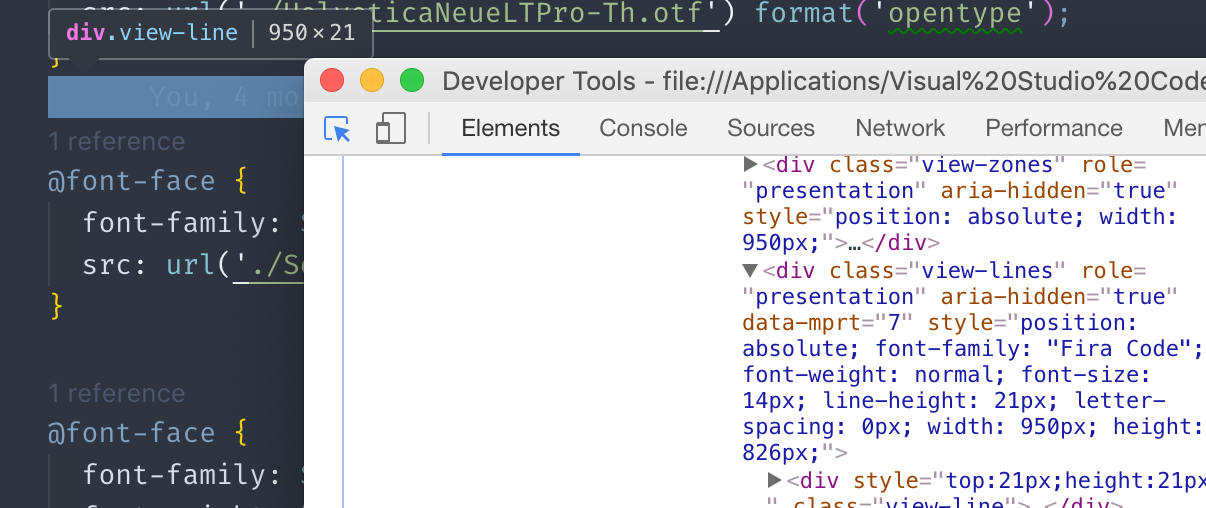
(VSCode can open developer tools on production)
linonetwo
on 13 Jan 2019
Dev tools are enabled in production builds, just press CTRL+SHIFT+I to open them.
zadam
on 13 Jan 2019
It is possible to define custom fonts in the theme - example is in "Steel Blue" theme provided in the demo document.
zadam
on 22 Dec 2019
Related issues
 gerroon
·
5Comments
gerroon
·
5Comments
 PwnFunction
·
3Comments
PwnFunction
·
3Comments
 hrzboy
·
5Comments
hrzboy
·
5Comments
 tvortsa
·
3Comments
tvortsa
·
3Comments
 ctlevi
·
4Comments
ctlevi
·
4Comments
Most helpful comment
Hi, I plan to work a bit on the design in the next iteration and I can think about letting users choose fonts as well.