Trellis: Self-signed certificates under MacOS Catalina cause error: revoked or invalid
- [x] I've read the guidelines for Contributing to Roots Projects
- [x] This request isn't a duplicate of an existing issue
- [x] I've read the docs and followed them (if applicable)
- [x] This is not a personal support request that should be posted on the Roots Discourse community
Description
Self-signed certificates under MacOS Catalina cause error: revoked or invalid
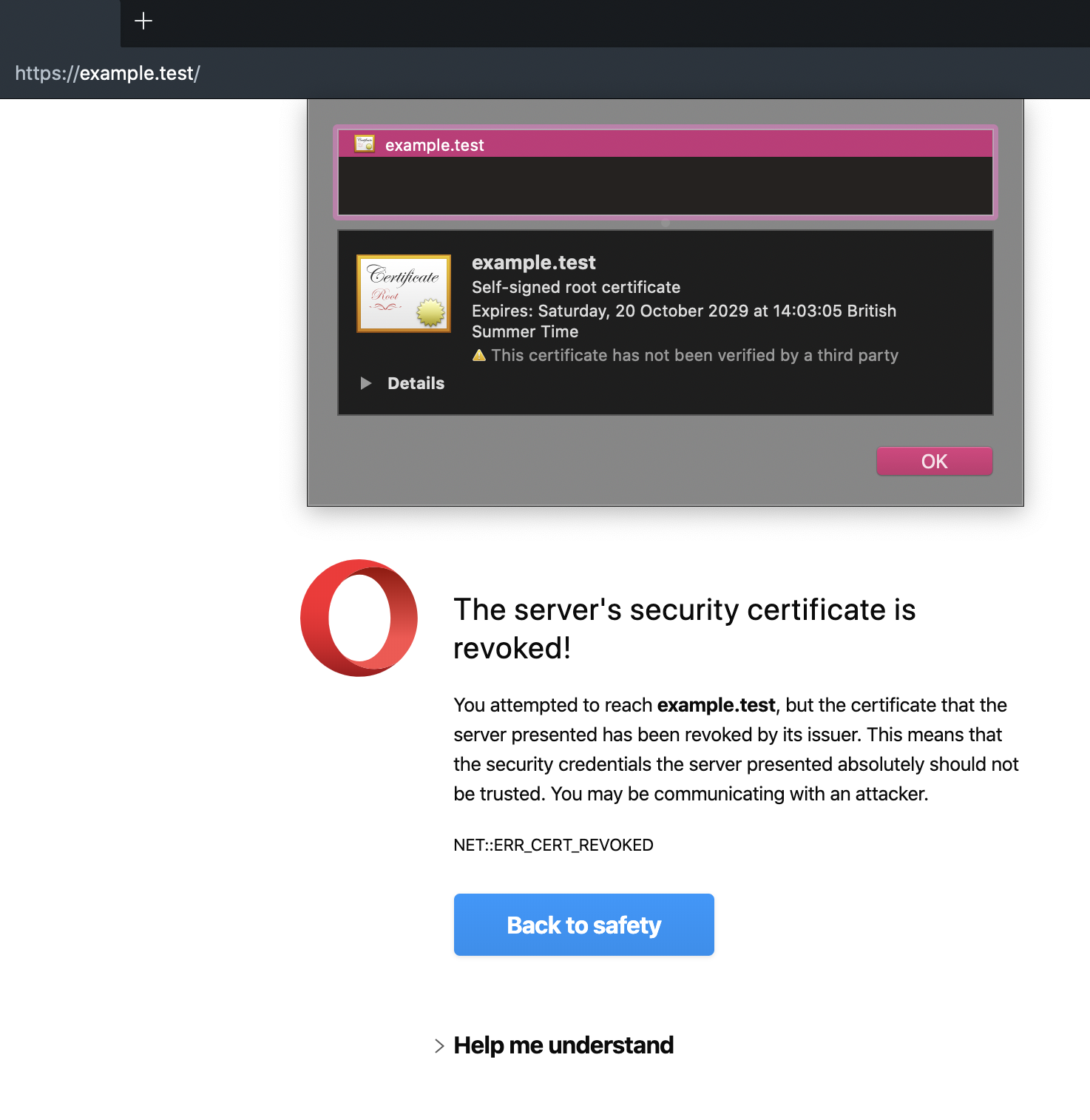
Since upgrading to MacOS Catalina the self-signed certificates in my local trellis environments aren’t being trusted, and the error screens are not possible to bypass
I believe this is to do with the following issue: https://support.apple.com/en-us/HT210176
On Chromium (Opera) I saw the following error: NET::ERR_CERT_REVOKED.
I manually modified the expiry time down from 3650 days to 825 to conform, and this changed the error message but did not fix the situation (see below).
WORKAROUND: Saving the certificate to disk and importing to the keychain, then marking it as always trusted, and restarting the browser will allow you to bypass the error screen.
Steps to reproduce
- Create a new Trellis instance with bedrock on MacOS catalina
- Configure development site to use SSL (self-signed)
- Provision
- Open development URL in Chromium-based browser
Expected behavior:
Certificate warning, bypassable - or no certificate warning
Actual behavior:
Certificate warning, non-bypassable
Error: NET::ERR_CERT_REVOKED
Reproduces how often: [What percentage of the time does it reproduce?]
100% (2 out of 2 times)
This happened to me on one existing site. I then reproduced this on a fresh install of trellis and bedrock. Two other people have come forward with this error (see discourse thread linked below). Upon searching I have seen the issue echoed across the internet.
Versions
Trellis 1.2.0
OpenSSL: LibreSSL 2.8.3
MacOS: Catalina 10.15.0
Additional information
The initial issue is with how MacOS now handles self-signed certificates: https://support.apple.com/en-us/HT210176
Changing certificate expiry from 3650 days to 825 should fix the issue, but reveals another one for me: NET::ERR_CERT_INVALID
On further enquiry this appears to be because the domain names in the Subject Alt Name section of the certificate have the string "DNS:" appended to the end. I do not know if this is part of the same issue, or a separate one.
This thread has some of my findings so far
https://discourse.roots.io/t/self-signed-certificate-not-valid-on-macos-catalina/16836
Newer findings are attached to this thread.
 robrecord
All 19 comments
I have reproduced this issue with a fresh install.

robrecord
on 23 Oct 2019
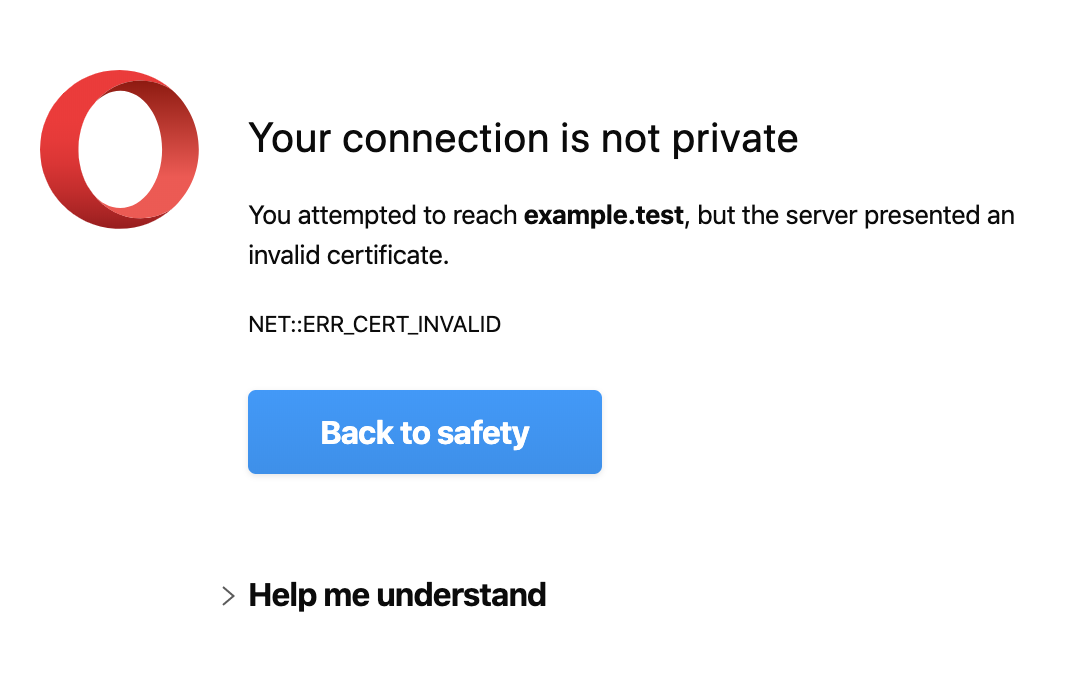
I subsequently edited roles/wordpress-setup/tasks/self-signed-certificate.yml to change the expiry length from 3650 to 825, as per new MacOS restrictions. Then I did vagrant provision. The result is:
NET::ERR_CERT_INVALID
(Strangely this new certificate has the domain example.com instead of example.test)
EDIT: I was getting an old certificate, so I destroyed the VM and reprovisioned it, closed and reopened my browsers. I am getting the new certificate now, but same error.

robrecord
on 23 Oct 2019
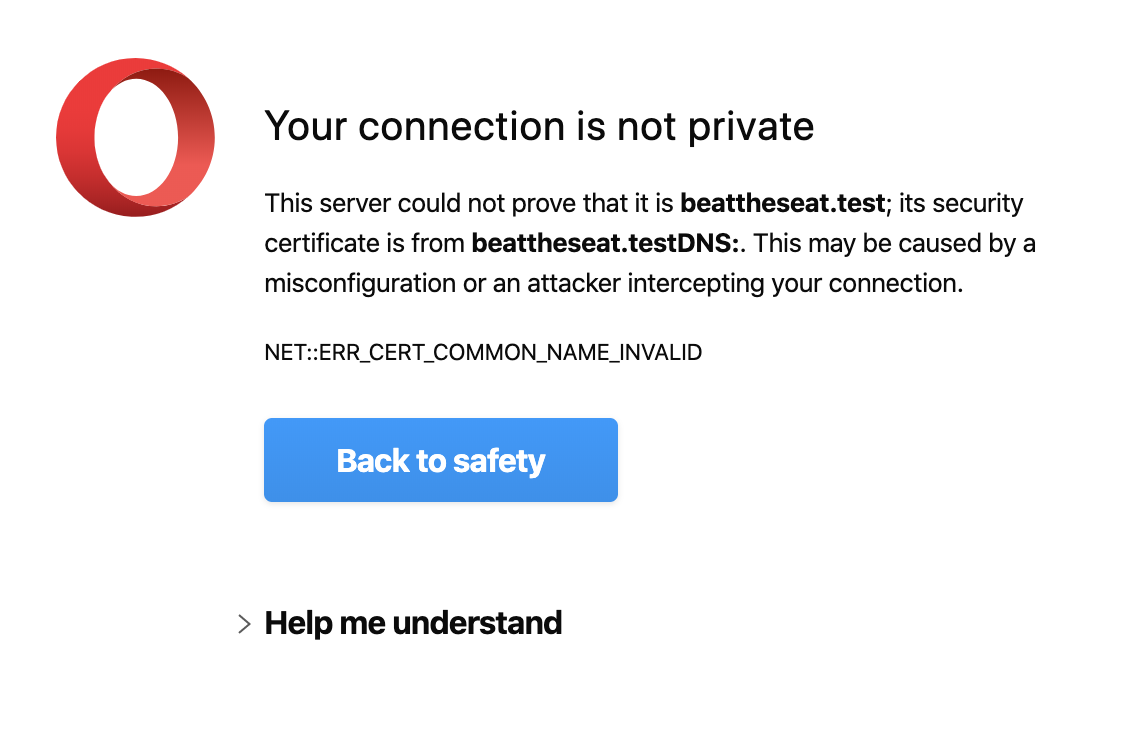
If save this certificate in MacOS Keychain, marking all categories as "Always Trust", (I also removed the www subdomain from the trellis config, not sure if necessary), I get a new error:
NET::ERR_CERT_COMMON_NAME_INVALID
This error explains that the Subject Alternative Name doesn't match the domain, because it has "DNS:" appended to the end of the domain name.
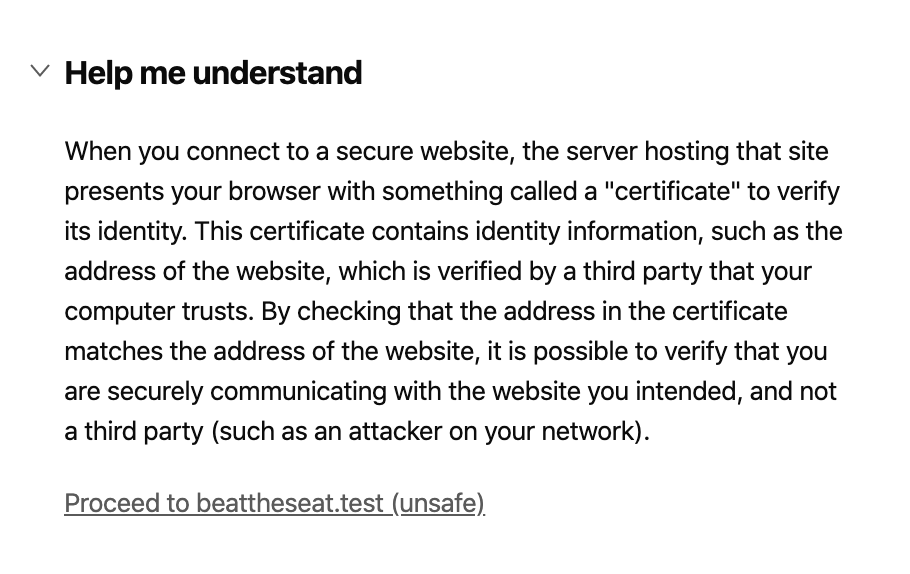
This error screen is possible to bypass after clicking through to the "more information" section.

HOWEVER it does allow me to proceed to the website:
robrecord
on 23 Oct 2019
@robrecord I used your post to edit the expire length, and was able to use the vagrant-trellis-cert extension after to import the certificate with no errors. Previously the import failed due to errors.
Thanks!
 devotoare
on 30 Oct 2019
devotoare
on 30 Oct 2019
So the first (and easier) fix to make in Trellis is just to reduce the expiry length? Would one of you like to make that change?
Ideally Trellis could handle the trusting automatically; maybe use an existing tool to make it easier. However, this also might be something that better belongs in trellis-cli (cc @TangRufus)
 swalkinshaw
on 4 Nov 2019
swalkinshaw
on 4 Nov 2019
I did something simular last year https://github.com/TangRufus/insecurecert/blob/master/cert.go but I forgot what made me stop.
I suggest we go for a non-Trellis-specific tool (which download insecure cert from website and add to OS trust list) and make trellis-cli depends on it.
 TangRufus
on 4 Nov 2019
TangRufus
on 4 Nov 2019
Found this: https://github.com/FiloSottile/mkcert
swalkinshaw
on 4 Nov 2019
Fix for me was:
cd trellis
vagrant plugin install vagrant-trellis-cert
vagrant trellis-cert trust
 ianjamieson
on 11 Nov 2019
ianjamieson
on 11 Nov 2019
That's great!
I also have been using ianjamieson's suggestion, vagrant-trellis-cert
I'm new to PRs but I could try to do one for reducing the expiry time.
Are any of you getting the secondary issue, with the string "DNS:" being appended to the end of the host names in the Subject Alt section? (I can't see anything wrong in the trellis code, so am quite confused about how/where this is happening).
robrecord
on 14 Nov 2019
I have submitted a PR for the change of expiry time
https://github.com/roots/trellis/pull/1120
robrecord
on 14 Nov 2019
The issue with the string "DNS:" appended to the end was most likely caused by a previous version of trellis.
I had to delete the existing certificates and let them be regenerated, and the newer trellis code output some working certificates. Result!
# log in to your virtual machine
vagrant ssh # (or `trellis ssh development`)
...and now in the VM shell:
# set a root password
sudo passwd root
# change to the root user
su - # enter the same password again...
# remove old keys and certs
rm /etc/nginx/ssl/*.key /etc/nginx/ssl/*.cert
exit
exit
...back in your native shell:
# re-provision
SKIP_GALAXY=true ANSIBLE_TAGS=wordpress vagrant provision
# or if you use trellis-cli:
# SKIP_GALAXY=true ANSIBLE_TAGS=wordpress trellis exec vagrant provision
# or when trellis-cli supports the provision command (doesn't work yet):
# SKIP_GALAXY=true trellis provision --tags wordpress development
Don't forget to remove any previously "trusted" certificates from the keychain, then restart your browser. Finally, trust the certificate—either with the keychain method, or by using the trellis-cert plugin as follows:
# optional
vagrant trellis-cert trust
# if you use trellis-cli:
# trellis exec vagrant trellis-cert trust
We should probably add a reference to that Vagrant plugin in https://roots.io/trellis/docs/ssl/#self-signed. Anyone want to do that?
swalkinshaw
on 3 Dec 2019
@swalkinshaw https://github.com/roots/docs/pull/205
 dalepgrant
on 9 Dec 2019
dalepgrant
on 9 Dec 2019
Thanks everyone. With the fix + the docs I'm considering this issue closed 🎉
swalkinshaw
on 9 Dec 2019
Thank you @dalepgrant and @swalkinshaw !
robrecord
on 9 Dec 2019
Unless we are going to change how Trellis generate self-signed certificats, https://github.com/FiloSottile/mkcert doesn't seem to be what we want. So I revived https://github.com/TangRufus/insecurecert/pull/1
Since everyone here knows the background, can you guys give it a test?
Build from https://github.com/TangRufus/insecurecert/tree/cli-v2 with goland v1.13.4
$ git clone https://github.com/TangRufus/insecurecert.git
$ cd insecurecert
$ git checkout cli-v2
$ go build
It should generates a insecurecert binary.
Opens https://self-signed.badssl.com & https://untrusted-root.badssl.com, you should see invalid SSL cert errors.
$ sudo /path/to/insecurecert trust --hostname self-signed.badssl.com
$ sudo /path/to/insecurecert trust --hostname untrusted-root.badssl.com --result-type trustAsRoot
Quit and relaunch chrome, https://self-signed.badssl.com & https://untrusted-root.badssl.com should be trusted now.
For Trellis vagrant sites:
# Make sure the site is up and running with invald SSL cert
$ vagrant up
$ sudo /path/to/insecurecert trust --hostname example.test
Note: Only support macOS. Firefox is not supported. Tested on Chrome & Safari, should work on broswers that uses macOS keychain.
TangRufus
on 11 Dec 2019
What's the benefit of using that over the Vagrant plugin? If anything I'd rather build something into trellis-cli.
https://github.com/FiloSottile/mkcert would be great since it has better OS support but unfortunately it can't simply trust an existing cert not made by it.
swalkinshaw
on 12 Dec 2019
Also @robrecord I just got the same DNS: suffix issue you had 😓 I'm surprised it's not happening for everyone which makes me think it might vary based on Ansible or Python version. I've got a fix which I'll put a PR up for.
swalkinshaw
on 12 Dec 2019
Fix for me was:
cd trellis
vagrant plugin install vagrant-trellis-cert
vagrant trellis-cert trust
Worked perfectly.
 ljsherlock
on 26 Dec 2019
ljsherlock
on 26 Dec 2019
Related issues
 pajtai
·
3Comments
pajtai
·
3Comments
 vdrnn
·
8Comments
vdrnn
·
8Comments
 arashohadi
·
3Comments
swalkinshaw
·
8Comments
arashohadi
·
3Comments
swalkinshaw
·
8Comments
 connerbw
·
9Comments
connerbw
·
9Comments
Most helpful comment
Fix for me was: