Treestyletab: How to change TST style based on the active Firefox theme?
Short description
I've customized TST's appearance using the "Extra style rules for sidebar contents". I'd like to write style rules to change the sidebar's color scheme based on which Firefox theme is currently active. Specifically, when my macOS Mojave system switches between light and dark mode, Firefox automatically switches between the built-in Light and Dark themes, and I'd like TST to adapt to that.
I've tried this:
.tab:-moz-lwtheme-darktext { background-color: red; }
and this:
.tab[lwthemetextcolor="dark"] { background-color: red; }
…but neither rule matches.
Environment
- Platform: macOS Mojave 10.14.3
- Version of Firefox: 65.0.1
- Version of Tree Style Tab: 2.7.23
 smokris
All 9 comments
It is impossible, because Firefox doesn't expose such information via WebExtensions API.
 piroor
on 6 Mar 2019
piroor
on 6 Mar 2019
Ah, I see. Thanks for your quick response.
https://bugzilla.mozilla.org/show_bug.cgi?id=1435216 might be the relevant Firefox issue?
smokris
on 6 Mar 2019
Yes, it looks similar to the one we need.
piroor
on 6 Mar 2019
TST’s sidebar uses dark colors when I use the dark browser theme in Firefox 67.0:
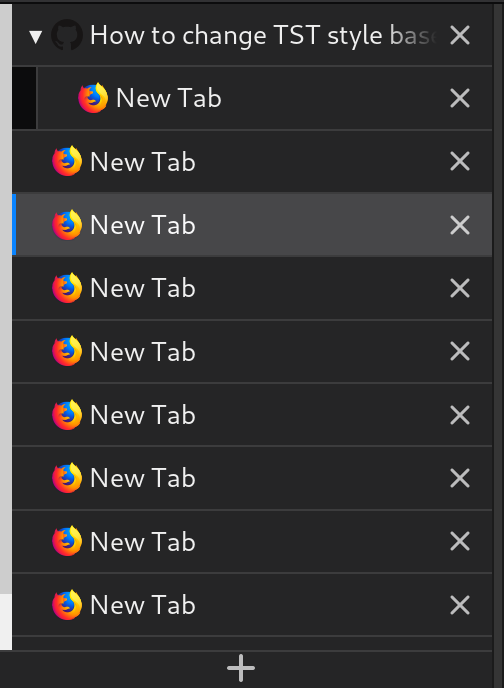
I’m not sure how it happens. In the Browser Toolbox I only see a <browser> element in the sidebar, and the inspector’s element picker does not select anything inside of it.
Overall this looks good, except for the scrollbar which looks out of place because it uses light colors.
 SimonSapin
on 21 May 2019
SimonSapin
on 21 May 2019
@SimonSapin You should use a remote debugger for the target addon. You can start it via about:debugging. And you can change the color of scrollbars with the scrollbar-color property, like:
body {
  scrollbar-color: var(--theme-colors-icons) var(--theme-colors-toolbar);
}
Thanks! Both very helpful tips. For anyone else trying this: once the remote debugger is open, don’t forget to pick the correct document/frame with the icon on the top right.
I ended up with:
#tabbar { scrollbar-color: var(--tab-border) var(--tabbar-bg); }
Back to the original bug for this issue, it looks like this is fixed? In my case the declaration for relevant CSS variables are coming from /sidebar/styles/square/plain-color-dark.css
SimonSapin
on 6 Jun 2019
Back to the original bug for this issue, it looks like this is fixed?
I think the problem still exists. Colors of "Dark" and "Light" theme are notified via WebExtensions API, but colors of the default theme are not yet.
piroor
on 7 Jun 2019
I know there has been improvements based on light and dark mode. Is this issue still relevant with current builds?
 irvinm
on 10 Feb 2020
irvinm
on 10 Feb 2020
- Firefox's default theme is based on the "Photon" color scheme basically. Now TST uses same color scheme.
- On Linux environment Firefox applies system colors. TST also does.
- Light, Dark, and other third party theme colors are now applied via WebExtensions API.
- TST 3.2.3 and later supports platform's "Dark" mode (since 2019.11.5).
So this issue looks to be resolved already.
piroor
on 21 Feb 2020
Related issues
 nneonneo
·
4Comments
nneonneo
·
4Comments
 waldyrious
·
4Comments
waldyrious
·
4Comments
 Andrade
·
3Comments
Andrade
·
3Comments
 azizLIGHT
·
4Comments
azizLIGHT
·
4Comments
 hotsphink
·
4Comments
hotsphink
·
4Comments