Treemacs: How to preview vs. open a file?
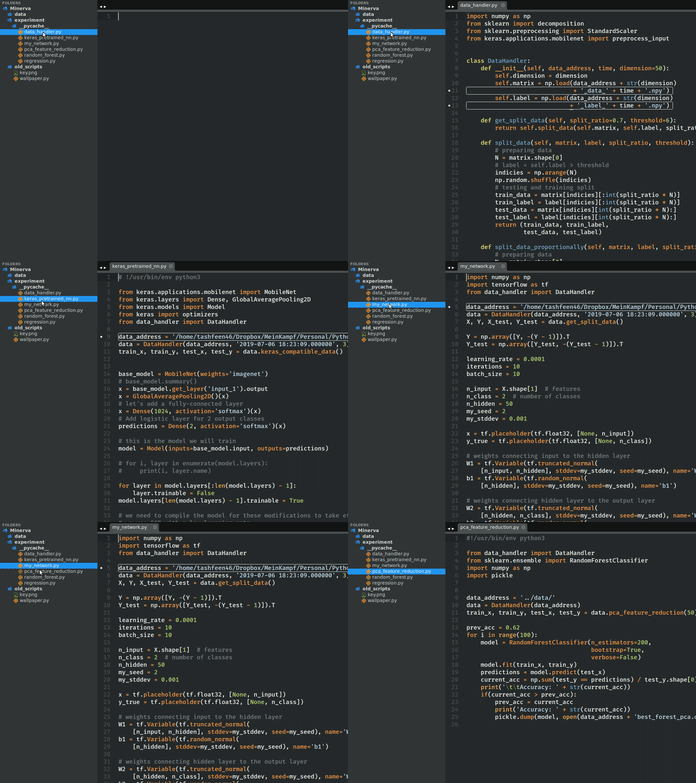
Hello, I am fairly new to emacs and this package really helps with the learning curve but I have a small difficulty that really bugs me. I am using this package with centaur-tabs to create a more Sublime Text 3 like environment for an easy transition. One thing that I would like is, when you single-click on a file it opens the file in the last buffer as a "preview" so if I quickly decide to move on and open another file it does not generate a new buffer to open the second file. It should replace the last file in the last buffer so I don't end up with too many buffers (hence tabs) while I iterate a bunch of files in order to look for one. Then once I actually decide to open a file, I can double click it and the file is actually opened.
Desired Behaviour in Sublime:
Current Behaviour in Emacs:
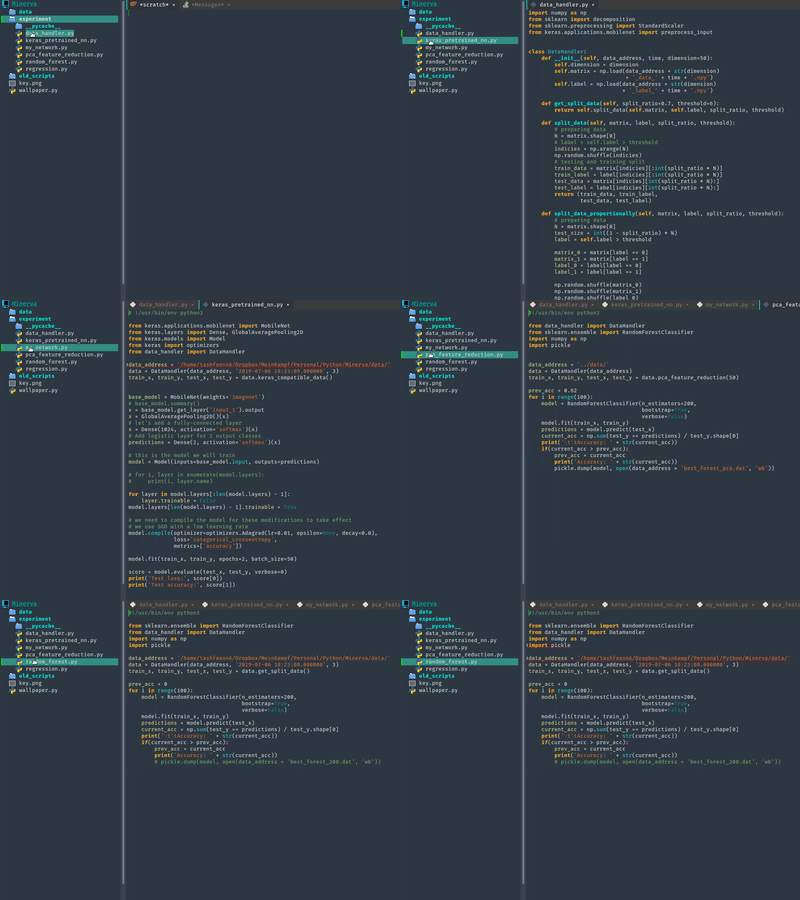
Also some shortcuts like "o o" would be nice, maybe "o p" can "preview" the file in the last buffer? Is there a way to achieve this?
 simurgh9
All 3 comments
You can preview a file with P. It'll temporarily open the file like oo would, but will close it again if you do anything else. You can still look around with M-J & M-K and PgUp & PgDn.
 Alexander-Miller
on 6 Sep 2019
Alexander-Miller
on 6 Sep 2019
I looked up the action bound to P and it looks like it is treemacs-peek. How could I bind this to a single click event only when in the treemacs buffer and only for file-nodes, something like,
;; treemacs
(use-package treemacs
  :ensure t
  :defer t
  :bind (:map treemacs-mode-map
          ("<mouse-1>" . treemacs-peek)
          ("<double-mouse-1>" . treemacs-RET-action)))
This works for the single click functionality but breaks about everything else, sigh. For instance now when I actually double click the file I get an error saying Buffer "name" has a running process; kill it?. In addition to double click issues now when I click on a directory, it flashes red and then opens it because it tries to preview the directory node.
simurgh9
on 7 Sep 2019
It can be done like this, though with some caveats:
(defun peek-on-left-click (_)
  (run-with-timer
   (+ 0.1 treemacs-file-follow-delay) nil
   (lambda ()
     (-when-let (path (-some-> (treemacs-node-at-point)
                               (treemacs-button-get :path)))
       (treemacs-with-path path
         :file-action (treemacs-peek)
         :no-match-action (ignore))))))

(advice-add #'treemacs-leftclick-action :after #'peek-on-left-click)
You need to use a timer that runs after follow-mode's, otherwise the peeked file is immediately closed again (not sure why, but the timer is the easiest solution here). In addition every further click will first close the peeked window before peeking the file you just clicked. You can get rid of that like this:
(defun dont-restore-window-on-leftclick (_)
  (remove-hook 'post-command-hook #'treemacs--restore-peeked-window))

(advice-add #'treemacs-leftclick-action :before #'dont-restore-window-on-leftclick)
Related issues
 kenkangxgwe
·
9Comments
kenkangxgwe
·
9Comments
 dustinlacewell
·
4Comments
dustinlacewell
·
4Comments
 Antiarchitect
·
10Comments
Antiarchitect
·
10Comments
 Compro-Prasad
·
12Comments
Compro-Prasad
·
12Comments
 FieryCod
·
4Comments
FieryCod
·
4Comments
Most helpful comment
You can preview a file with
P. It'll temporarily open the file likeoowould, but will close it again if you do anything else. You can still look around withM-J&M-KandPgUp&PgDn.