Translate-plugin: Translatable file attachments
This is a follow up to #113.
For the implementation of multilingual websites we often cannot use the actual fileuploader because the files only can be added generally without any relation to a language. Especially if there is text on a picture or a document with text in it. We then have to switch to the mediafinder or create a separate attachment for each language: image_de,image_en, image_fr etc. We would like to solve this via the fileuploader that we like very much (apart from this).
Visualisation example:
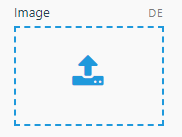
How realistic do you see this feature being implemented? If there is a general need for this, we would like to post a bounty (200$) for this feature.
 patrick-durrer
All 7 comments
File uploads are implemented using the system_files db table and the fields attachment_type contains the Model class to which the file is attached and attachment_id contains that model record id ...
Not sure how easy it would be to work with this in order to add a different attachment per language using the current RainLab.Translate plugin.
Ideas?
 mjauvin
on 28 Dec 2020
mjauvin
on 28 Dec 2020
Hi guys,
two years ago I developed a plugin for this purpose
- it includes a custom File model that extends System\Models\File, where file_name, file_size, content_type and disk_name are translatable just like title and description. Something like
public $translatable = [
'title',
'description',
'file_name',
'file_size',
'content_type',
'disk_name'
];
It overrides afterDelete() to remove the upload for each language whenever a file is removed
the TRFileField formwidget displays a tab for each language and manage the file uploads

For non default languages, the Delete checkbox let you remove the upload translation, and the Upload button let you choose a new filethe TRFileUpload Field, that uses TRFileField
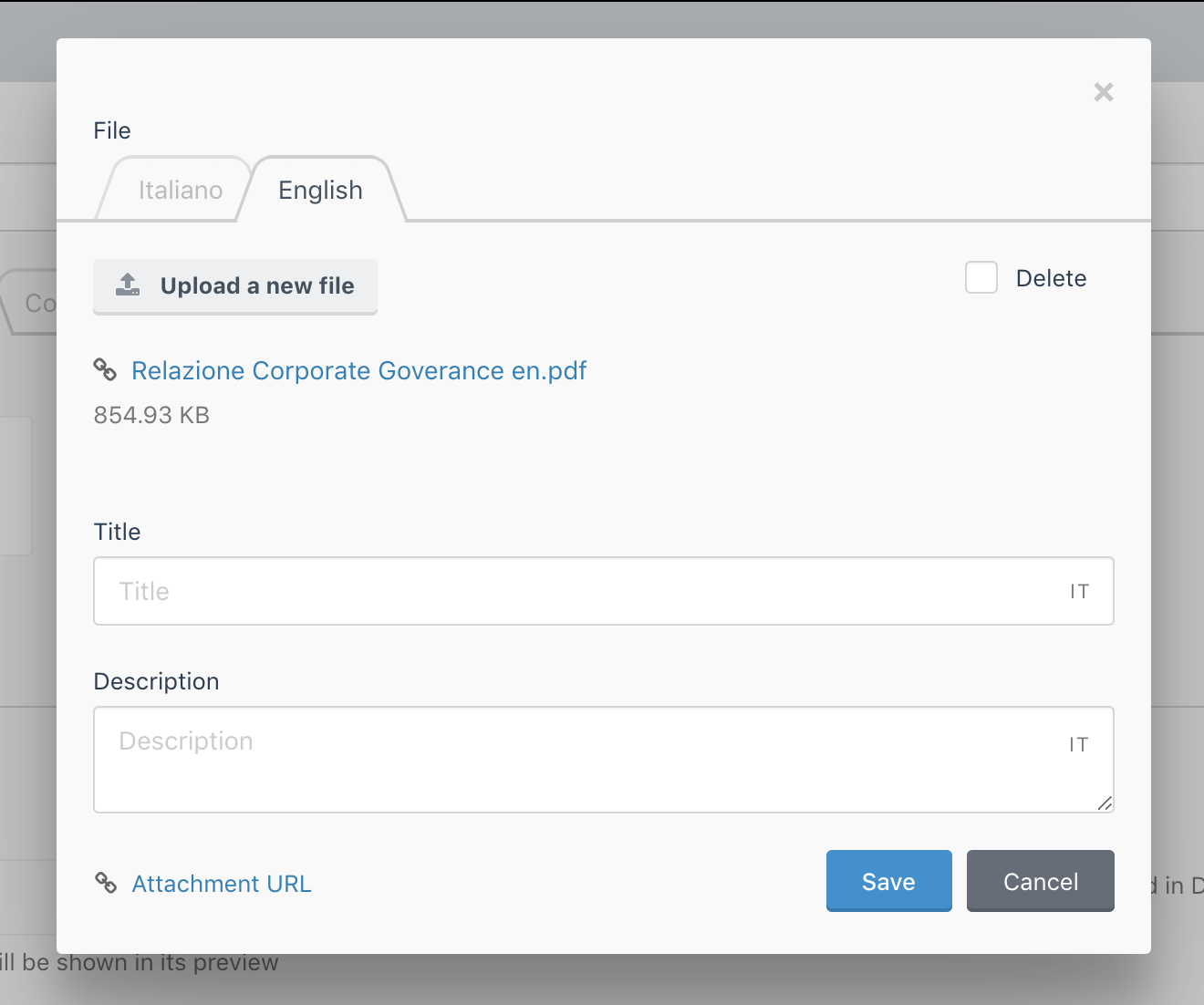
I can't say if it's the best approach.
If you want, I could send the code as a starting point.
Massimo
 massimomegistus
on 28 Dec 2020
massimomegistus
on 28 Dec 2020
@massimomegistus nice, thanks for sharing!
Please do send the code for this.
Is that plugin available on the marketplace?
mjauvin
on 28 Dec 2020
This is looking great @massimomegistus!
A few thoughts on this implementation:
it includes a custom File model that extends System\Models\File, where file_name, file_size, content_type and disk_name are translatable just like title and description. It overrides afterDelete() to remove the upload for each language whenever a file is removed
This should be doable without using a separate model but by using ::extend and the model.afterDelete Event.
the TRFileField formwidget displays a tab for each language and manage the file uploads
This would be a great starting point to get the design in-line with October's usual translatable fields where you toggle it using the language selector instead of tabs.
Does ->thumb() on translated image uploads still work as expected? What about eager loading the relations?
 tobias-kuendig
on 29 Dec 2020
tobias-kuendig
on 29 Dec 2020
Hi @tobias-kuendig, I agree with you, ::extend and model.afterDelete could replace the separate model
I did not test ->thumb() method yet, but I think it should work.
Adding {field_name}.translations to a scope, Eager loading works ad expected
$query->with([
'translations',
'images.translations'
]);
@mjauvin, unfortunately it isn't in marketplace.
In the attached bnkr.zip you can find the Media plugin and a Library plugin to test it
Install Rainlab.Translate, add the plugins/bnkr folder and then run
_php artisan october:up_
use the Bnkr\Media\Models\File in $attachMany
public $attachMany = [
'attachments' => [
'Bnkr\Media\Models\File',
'order' => 'sort_order',
'delete' => true
],
];
and in model fields.yaml use the trfileupload widget passing translateFile: true to display the tabs
attachments:
label: Attachments
comment: If the post have at least one attachment the File icon will be shown in its preview
mode: file
type: trfileupload
translateFile: true
attachOnUpload: true
span: auto
tab: Uploads
bnkr.zip
The plugin adds also a Folder Model and two additional fields to system_file: please, ignore these features.
Massimo
massimomegistus
on 29 Dec 2020
@massimomegistus why is the line that implements the TranslatableModel commented out in your File model? Is it because we eventually added this in RainLab.Translate ?
mjauvin
on 29 Dec 2020
@mjauvin correct. This plugin was developed before title and description became translatable, so I commented the "public $implement" line
massimomegistus
on 29 Dec 2020
Related issues
 ghost
·
5Comments
ghost
·
5Comments
 madebyframe
·
8Comments
madebyframe
·
8Comments
 stidges
·
6Comments
stidges
·
6Comments
 plyusninva
·
6Comments
plyusninva
·
6Comments
 tbergeron
·
4Comments
tbergeron
·
4Comments
Most helpful comment
Hi guys,
two years ago I developed a plugin for this purpose
public $translatable = [
'title',
'description',
'file_name',
'file_size',
'content_type',
'disk_name'
];
It overrides afterDelete() to remove the upload for each language whenever a file is removed
the TRFileField formwidget displays a tab for each language and manage the file uploads

For non default languages, the Delete checkbox let you remove the upload translation, and the Upload button let you choose a new file
the TRFileUpload Field, that uses TRFileField

I can't say if it's the best approach.
If you want, I could send the code as a starting point.
Massimo