Transgui: Ability to add new torrents in a stopped state
It'd be really useful if I could add new torrents in a "stopped" state. Sometimes I want to bulk add tens of torrent files at once, but don't want them all to be active for varying reasons.
There is the "Start Torrent" option on the download options form, but you have to uncheck it for every individual torrent which gets annoying
Thanks!
 reedy
reedy
All 14 comments
Is it suggested to remember the status of this flag? (not to take off every time)
 leonsoft-kras
on 3 Nov 2017
leonsoft-kras
on 3 Nov 2017
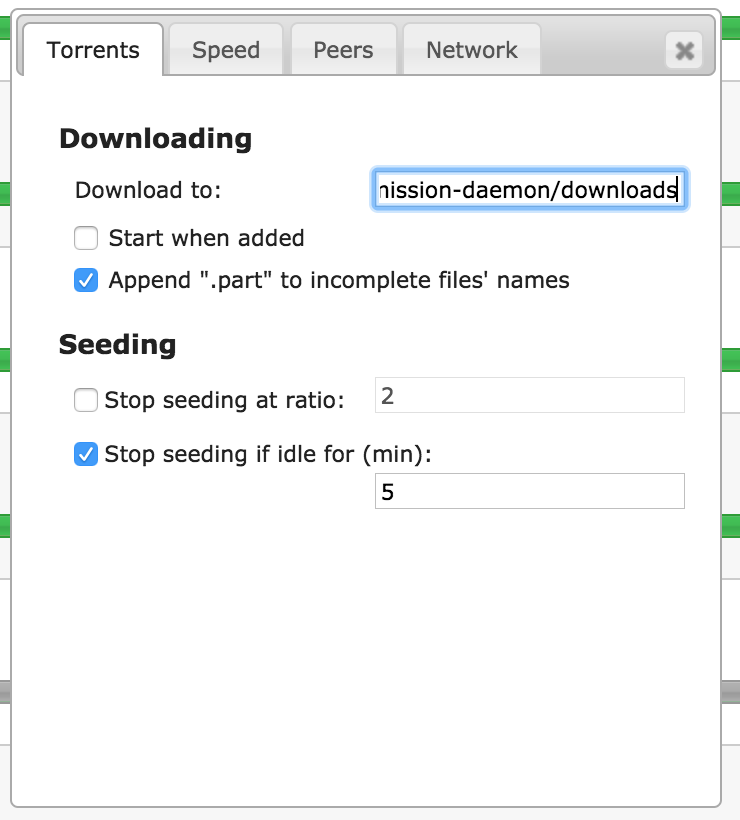
That would be one way. Or have a flag/setting under Application Options in Add torrent where there is the option for "Prompt for download options...". This is how the rpc web interface of Transmission deals with it
reedy
on 3 Nov 2017
Done! https://github.com/leonsoft-kras/transmisson-remote-gui/commit/8b6e97ddf73998d1cca608f46f9d8e1824b4b480
Now the checkbox state is saved in transgui.ini
If you want to add several torrents in stop state without any options screen.
- Add a torrent and uncheck Start Torrent.
- Go to Application Options and uncheck "Prompt for download options when adding a torrent"
- From now all your torrents would be added in stopped mode in default folder.
 antekgla
on 3 Nov 2017
antekgla
on 3 Nov 2017
👍
reedy
on 3 Nov 2017
When I commit the changes to make this I dont know why Github Desktop make a commit and later a merge branch master.
Thinking what something was wrong I revert this last commit. But that was a error because doing that I delete the last two @PeterDaveHello commits.
So @leonsoft-kras please delete this last commit (the revert). That can be done from git command line but not with Github Desktop so I can´t do it myself.
So to clarity please delete the commit https://github.com/leonsoft-kras/transmisson-remote-gui/commit/e1ed85bee0c75513bab7783091e0537ae3355619
Thanks, and I'm sorry...
antekgla
on 4 Nov 2017
I returned the old version of the files. How could.
Thanks for the solution issue
leonsoft-kras
on 4 Nov 2017
I can rewrite the commit history back to normal if @antekgla @leonsoft-kras you want :)
 PeterDaveHello
on 4 Nov 2017
PeterDaveHello
on 4 Nov 2017
You can try it.
leonsoft-kras
on 4 Nov 2017
Please do it!
Just make sure what my commit https://github.com/leonsoft-kras/transmisson-remote-gui/commit/8b6e97ddf73998d1cca608f46f9d8e1824b4b480 don't get lost.
Thanks!
antekgla
on 4 Nov 2017
Should be done now 👍
PeterDaveHello
on 4 Nov 2017
BTW, @antekgla you can use --rebase with git pull to update the local branch next time so there won't be a merge commit 😄
PeterDaveHello
on 4 Nov 2017
I never use git before and now and using Github Desktop what is very easy GUI to git, but sadly very limited. I can't do the full set of git command only simple pull and push and commits.
For example now after you cleaned all and run Github Desktop and appears this

I have fear what if I press that button the 5 commits you and @leonsoft-kras make today syncronize with my local repository but also appears 4 differences to push (I dont do any changes) :flushed:
EDIT: nevermind I clone the repository in another place and is all good now. Thanks!
antekgla
on 4 Nov 2017
Preparing new release right now. Let's close this one as it's done 8b6e97ddf73998d1cca608f46f9d8e1824b4b480.
PeterDaveHello
on 5 Nov 2017
PeterDaveHello
on 5 Nov 2017
Related issues
PeterDaveHello
·
4Comments
leonsoft-kras
·
9Comments
 ploink
·
7Comments
ploink
·
7Comments
 volo-thomas
·
11Comments
volo-thomas
·
11Comments
 Pusha1d
·
7Comments
Pusha1d
·
7Comments