Tornadofx: Window have a different look on different Java versions.
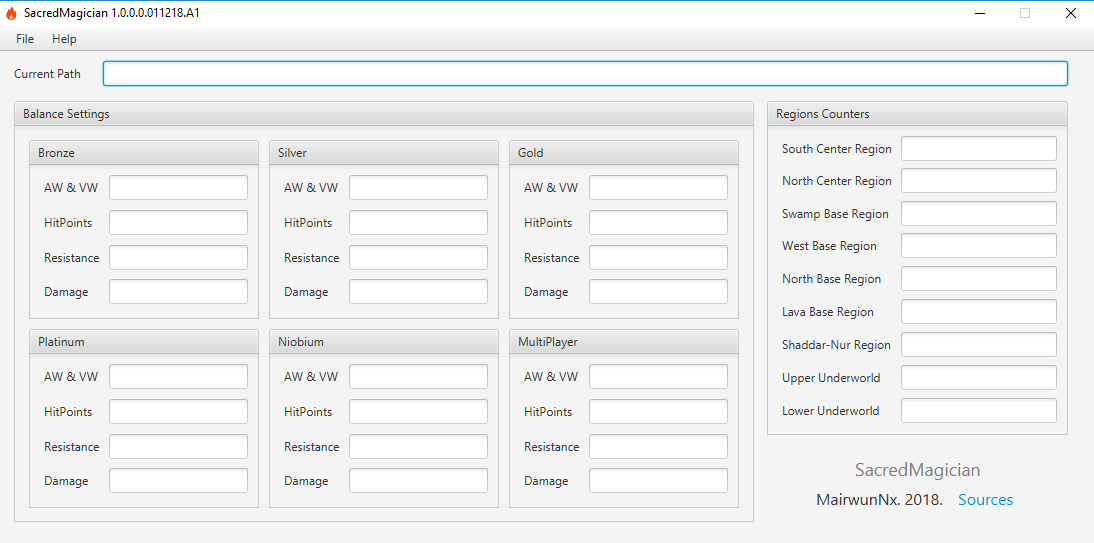
It problem causes (maybe) wrong margin, and my caption looks not cool on Java 8.
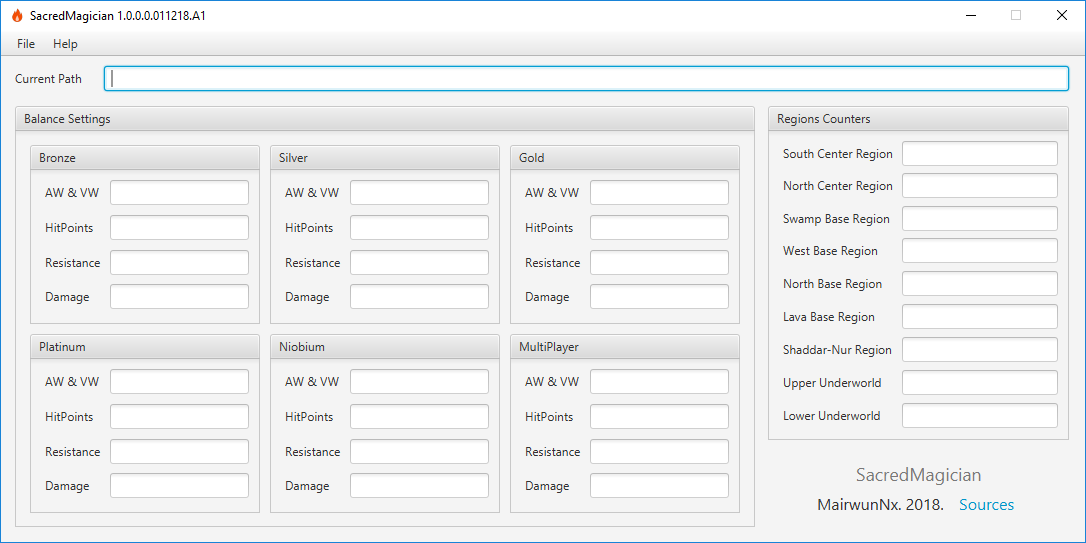
Application run with Java 10:
Application run with Java 8:
For creating GUI i use scenebuilder (scenebuilder-10.0.0-all)
Code for starting or creating GUI:
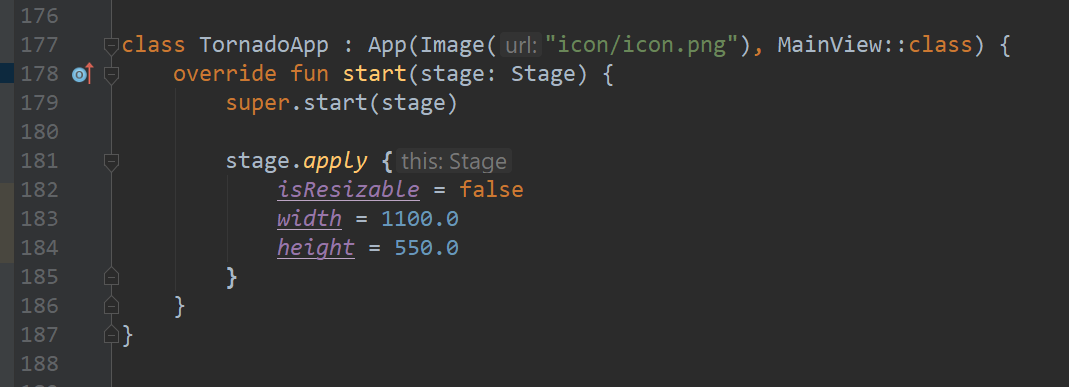
View class of TornadoFx application:

Application Compiler Java version: 1.8.0_172,
System: Microsoft Windows NT 10.0.17134.0 X64
 MairwunNx
All 13 comments
I'm having a difficult time seeing the difference. Is it that there is less padding in the Region Counters pane?
 bekwam
on 7 Dec 2018
bekwam
on 7 Dec 2018
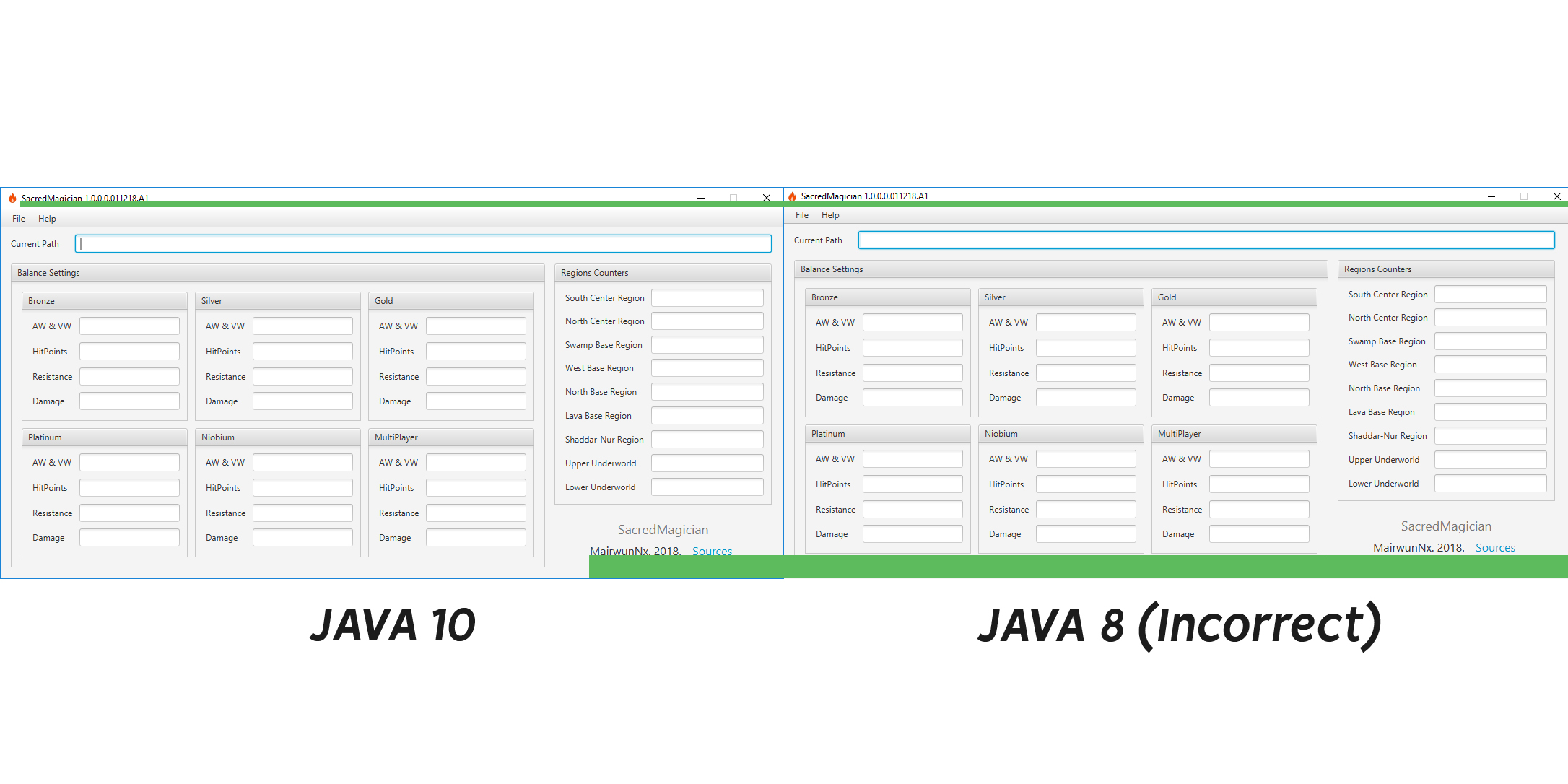
I make big screen with difference windows on Java 8 and Java 10. See please.
MairwunNx
on 7 Dec 2018
Since you have your UI in FXML - try creating a vanilla JavaFX app and render the UI. I suspect you will see exactly the same issue. Let us know :)
 edvin
on 7 Dec 2018
edvin
on 7 Dec 2018
@edvin How i can render it in JavaFx? I not work with JavaFx, i'm newbie in Kotlin and in building GUI application on Java \ Kotlin. Sorry. I can load done JavaFx application and select my view?
MairwunNx
on 7 Dec 2018
If you start out with TornadoFX with no prior JavaFX background I urge you to use the type safe builders and forget about FXML. The point I'm trying to make is that rendering differences between different versions of Java is not something we can/should affect in TornadoFX. You probably won't be able to submit and get a fix for any JDK8 issues now, and as soon as TornadoFX supports Java 11 you can switch over to that and forget about this rendering issue :)
edvin
on 7 Dec 2018
Hi,
Here's a simple plain JavaFX class that can A / B test your FXML. Replace "SimpleFXML.fxml" with your file.
````
public class SimpleFXML extends Application {
@Override
public void start(Stage stage) throws Exception {

    Parent p = FXMLLoader.load( this.getClass().getResource("/SimpleFXML.fxml") );

    Scene scene = new Scene( p );

    stage.setScene( scene );
    stage.show();
}

public static void main(String[] args) {
    launch(args);
}
}
````
bekwam
on 7 Dec 2018
@edvin Thanks :) It not critical bug, but, i think, what so many people use Java 8, because i create it issue :D.
I.e i can boldly switch Java version to 10? :D (Simple i read on different forums, what TornadoFx not support Java 9 and >)
MairwunNx
on 7 Dec 2018
TornadoFX apps will not run perfectly on JDK11 yet. We're working on a port, but I'm extremely busy these days, so not much have happened for a while I'm afraid :)
edvin
on 7 Dec 2018
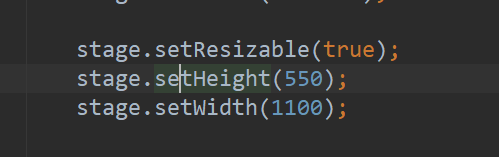
@bekwam Thanks. I also see it bug with Java Fx. Maybe it caused by setResizable.
I remove setResizable and my window do normally render, thanks. Maybe i help somebody. )))
MairwunNx
on 7 Dec 2018
@edvin Thanks, well... i can switch Java ver to 10? :) I stay installed Java 8 only for TornadoFx :DD
MairwunNx
on 7 Dec 2018
Great :) Closing the issue.
edvin
on 7 Dec 2018
No, only Java 8 is compatible with TornadoFX. You won't notice any difference upgrading though, since we're writing in Kotlin :)
edvin
on 7 Dec 2018
Thanks @edvin goodluck :))
MairwunNx
on 7 Dec 2018
Related issues
 vlipovetskii
·
6Comments
vlipovetskii
·
6Comments
 pavan-p
·
3Comments
MairwunNx
·
3Comments
pavan-p
·
3Comments
MairwunNx
·
3Comments
 spkingr
·
4Comments
spkingr
·
4Comments
 Stars-One
·
6Comments
Stars-One
·
6Comments