Toggl-button: Idle detection not triggering
- OS version: Windows 10
- Browser version: Version 84.0.4147.105 (Official Build) (64-bit)
- Extension version: 1.64.7
🐛 Describe the bug
Idle detection doesn't trigger.
Expected behaviour
Idle detection should trigger if no keyboard/mouse movement has been made within the past 15 seconds as per this Slack thread: https://toggl.slack.com/archives/C9LMUPD9T/p1597261168354800
Steps to reproduce
Steps to reproduce the behaviour:
- Turn on idle detection
- Leave device alone
- Idle detection will never appear
Other details or context
 dianetoggl
All 4 comments
Settings the impact to high here because it seems to be a feature that is not working at all.
 dpsxp
on 12 Aug 2020
dpsxp
on 12 Aug 2020
After:
https://github.com/toggl/toggl-button/pull/1452
https://github.com/toggl/toggl-button/pull/1466
Notification is sent after 5 minutes of idle time. That being said, I wasn't able to reproduce this bug with following test scenario:
- Start timer
- Ensure your PC won't get lock/sleep after 5 minutes of idle time
- Wait 5 minutes
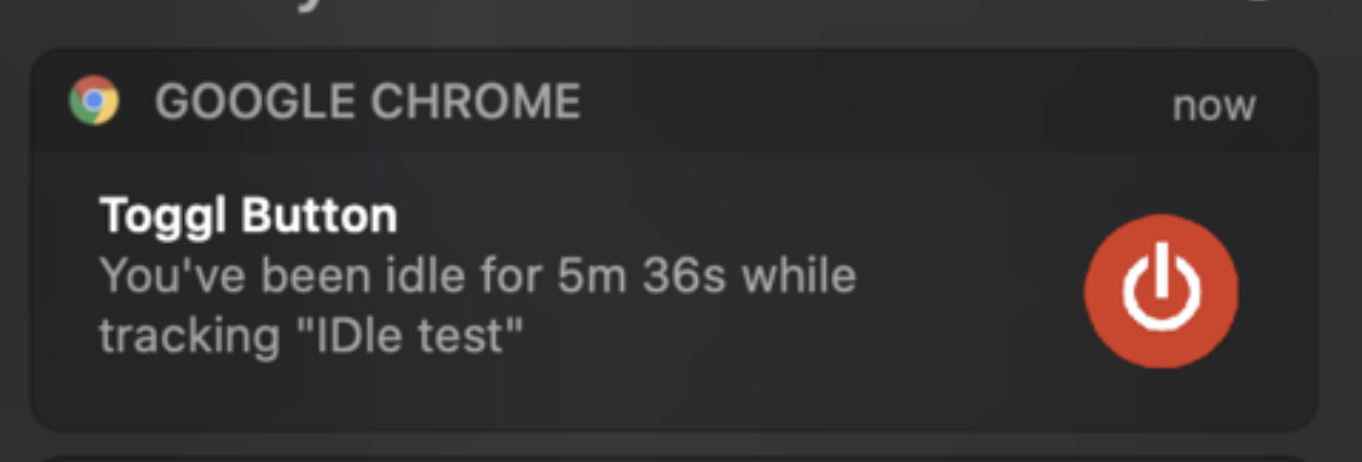
Lazy man proof of concept:
Change it to be one minute:
https://github.com/toggl/toggl-button/blob/4dd4f0d9708b4f0bb3a109eb33d1020145007d1c/src/scripts/background.js#L12
Split this to:
const left = state === 'active' && seconds > FIVE_MINUTES
const right = state === 'idle' && seconds > 0 && (seconds % FIVE_MINUTES) === 0

if (right) { debugger }

return left || right
Repeat: start entry, do not touch mouse/keyboard for over 1 minute. Notice breakpoint being caught, notification sent.
So... either I have stupid luck and doing something wrong or we're too impatient here 😂
 rylek90
on 13 Aug 2020
rylek90
on 13 Aug 2020
Hi @dianetoggl both me and @dpsxp weren't able to reproduce this issue finally. Keep in mind that idle detection only works if user is idle (do not touch input at all) for more than 5 minutes. 🤔
rylek90
on 14 Aug 2020
This can be closed @rylek90. I've advised the user it takes 5 minutes of idle time before they'll see the pop up. Originally I was told idle time of 15 seconds - but that was a mistake 😂
dianetoggl
on 14 Aug 2020
Related issues
 DenisGorbachev
·
4Comments
DenisGorbachev
·
4Comments
 sergey-alekseev
·
4Comments
sergey-alekseev
·
4Comments
 aeromorrison
·
3Comments
aeromorrison
·
3Comments
 traedamatic
·
3Comments
traedamatic
·
3Comments
 anotherbugmaster
·
5Comments
anotherbugmaster
·
5Comments
Most helpful comment
This can be closed @rylek90. I've advised the user it takes 5 minutes of idle time before they'll see the pop up. Originally I was told idle time of 15 seconds - but that was a mistake 😂