Toggl-button: Login issue with Toggl Button
- OS version: Linux x86_64
- Browser version: Firefox 70.0b2
- Extension version: don't have that info but considering that they don't have a single time entry created via the Toggl Button before I think we can make a fairly accurate assumption that they just got the extension and are not able to try it because of this issue, so latest version for FF most likely.
🐛 Describe the bug
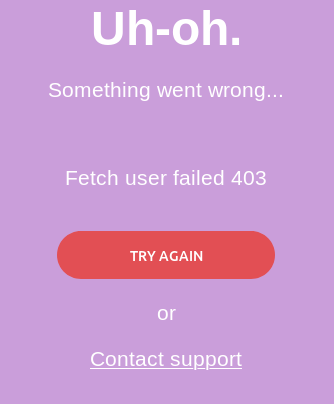
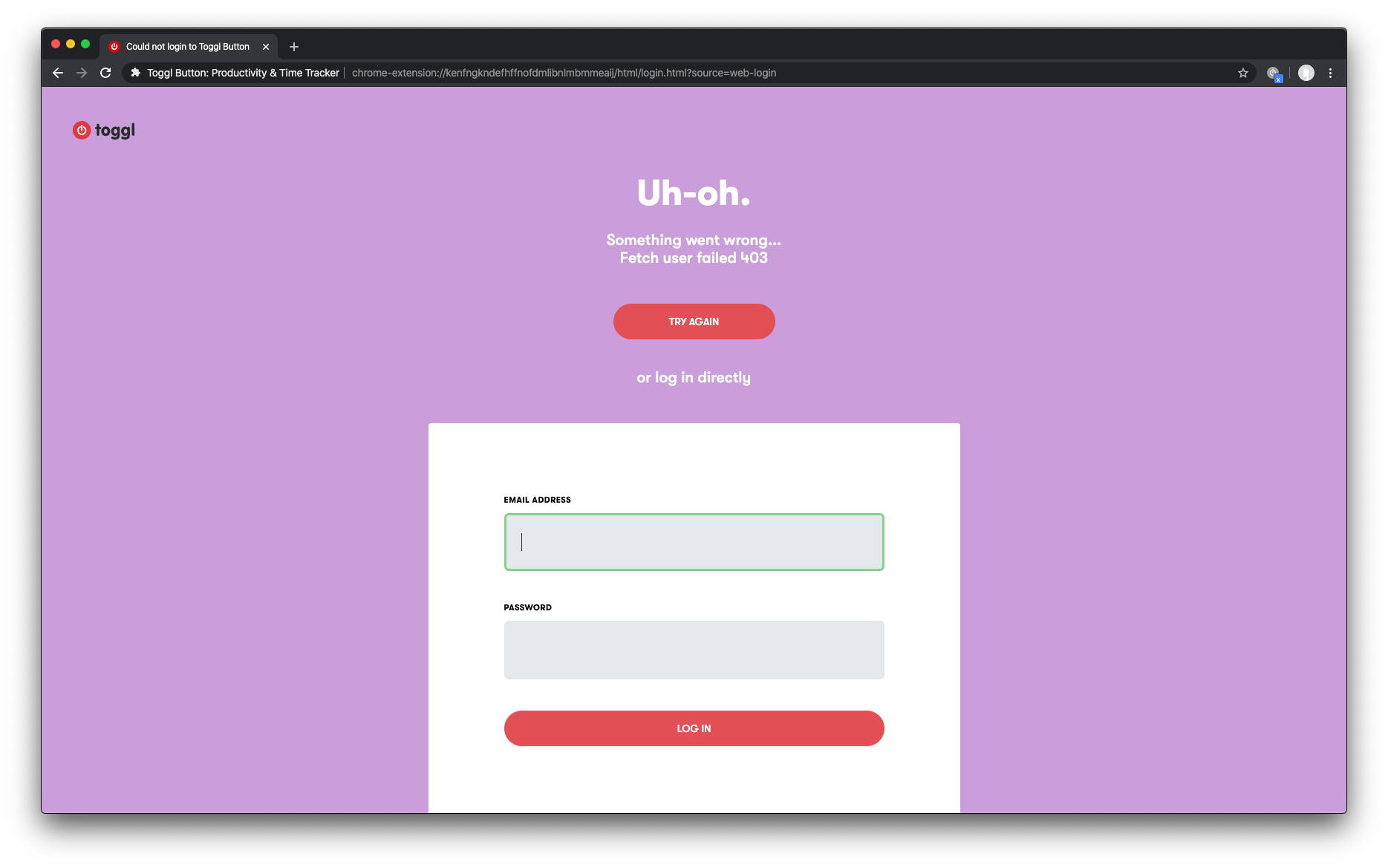
I cannot login to the toggl button in the firefox 70.0b2. After pressing a Google login button i see an error as presented in the attached screenshot.
User ID: 1601679
Workspace ID: 860221
Bugsnag link: 🔗
Case link: 🔗
 VeljkoTN
All 34 comments
 dooart
on 10 Sep 2019
dooart
on 10 Sep 2019
from this intercom conversation and the one in toggl/webapp#11317 it seems it is related to logging in with google
unfortunately i couldn't reproduce the problem, even by installing ublock origin as this user suggested
@VeljkoTN can you please ask the user if they're willing to help us to investigate this by using the network tab and exporting the request data? (i can give you further help with this)
dooart
on 10 Sep 2019
a little more information on this: the attached screenshot is from toggl button itself, not from the public web: https://github.com/toggl/toggl-button/blob/cb43023e4d2f23c47d315f19eec5e452da90d277/src/scripts/components/LoginPage.tsx#L67
dooart
on 10 Sep 2019
I have another user with the same issue: link
For the initial case, turning off a blocker called "uBlock Origin" got rid of the 403 error but the user is still not able to log into TB, for this second case removing a blocker called "privacy badger" did not help with the 403 and the login issue is also there.
@dooart do you mean "export HAR" from the network tab? If it's something else best show me on slack I guess 😄
VeljkoTN
on 11 Sep 2019
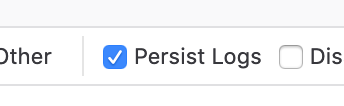
@VeljkoTN yeah but they need to tick this checkbox in the network tab before typing the credentials
dooart
on 11 Sep 2019
 lise-toggl
on 12 Sep 2019
lise-toggl
on 12 Sep 2019
As soon as we get HAR data from one of the users I'll update here
VeljkoTN
on 12 Sep 2019
VeljkoTN
on 12 Sep 2019
The user also sent in a ".ogv" video file of the issue - link
VeljkoTN
on 12 Sep 2019
Damn, lots of useful info 👍
Thanks 🙌
I will try to pickup this issue again ASAP
 nunofmn
on 12 Sep 2019
nunofmn
on 12 Sep 2019
Hi @nunofmn - another user with a HAR file in this message.
lise-toggl
on 20 Sep 2019
Hey guys, just a friendly followup here - anything new? :)
VeljkoTN
on 25 Sep 2019
We are currently working on improving login. It should fix this problem 👍
nunofmn
on 25 Sep 2019
Another user reached out: case link 🔗
VeljkoTN
on 27 Sep 2019
@nunofmn what's up? :) are we close to deploying?
VeljkoTN
on 1 Oct 2019
@VeljkoTN We have unfortunately hit various cans of worms. I hope to have some kind of plan for what we're going to do this week.
 tcrammond
on 28 Oct 2019
tcrammond
on 28 Oct 2019
I also have a problem logging in to the toggl button:
OS version: Linux x86_64 (Debian)
Browser version: Firefox 68.2.0esr (64-bit)
Extension Version: 1.45.0
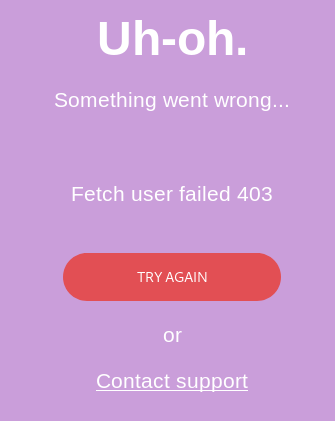
Restarting the browser does not help.
 malfter
on 31 Oct 2019
malfter
on 31 Oct 2019
 dianetoggl
on 3 Nov 2019
dianetoggl
on 3 Nov 2019
@tcrammond
Pushed an update to the store today let's wait for some numbers on the bug tracker
Should we track login success as well to compare the failure %?
One of the workarounds would be to put an a login-form on the error page as a fallback if the primary mechanism fails.
 shantanuraj
on 11 Nov 2019
shantanuraj
on 11 Nov 2019
another user reached out about login issues with the FF extension.
VeljkoTN
on 11 Nov 2019
Hey @malfter, sorry you're experiencing this problem and thanks for your patience. We're narrowing down the specific scenario in which this occurs. Would you mind checking some of your Firefox settings for me?
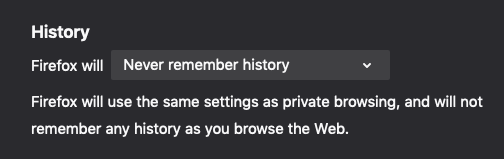
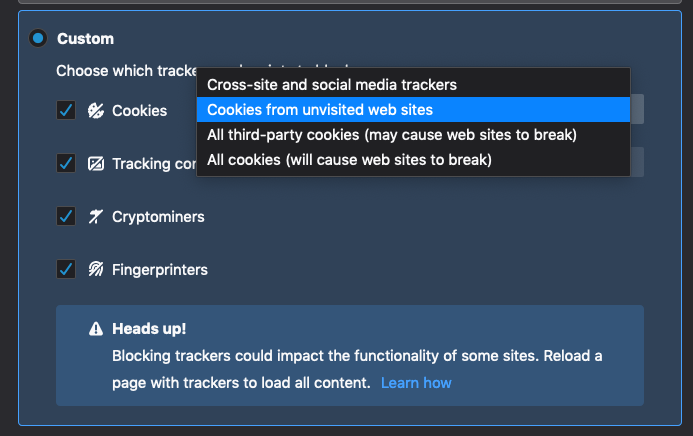
First, in about:preferences#privacy, does your History setting look like this?
Second, do you have enhanced tracking protection enabled, possibly with one of the stricter cookie options enabled?
tcrammond
on 12 Nov 2019
Hi @tcrammond, here my firefox settings:
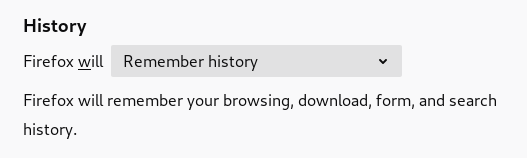
to your first point, my history will be saved: "Firefox will Remember History"
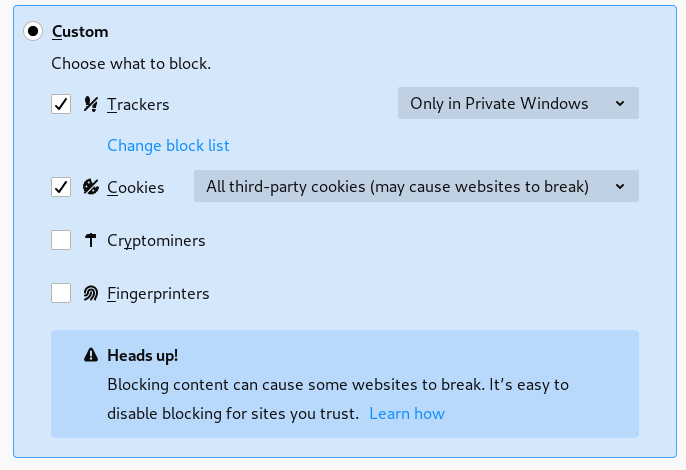
to your second point, third party cookies are blocked.
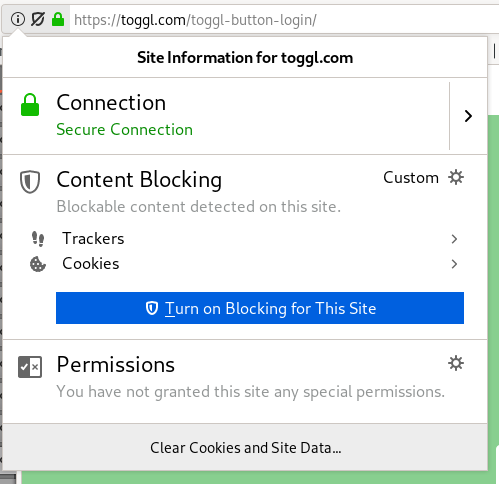
I have disabled all blockers for the toggl login site, but the problem still exists.
malfter
on 12 Nov 2019
dianetoggl
on 1 Dec 2019
dianetoggl
on 2 Dec 2019
 nicktoggl
on 9 Dec 2019
nicktoggl
on 9 Dec 2019
 nidarasheed
on 11 Dec 2019
dianetoggl
on 11 Dec 2019
nidarasheed
on 13 Dec 2019
nidarasheed
on 13 Dec 2019
dianetoggl
on 18 Dec 2019
nidarasheed
on 11 Dec 2019
dianetoggl
on 11 Dec 2019
nidarasheed
on 13 Dec 2019
nidarasheed
on 13 Dec 2019
dianetoggl
on 18 Dec 2019
Latest release (fix landed in #1624)
Contains a fallback-login option that will trigger if the regular web-based-login fails
Users can login using their credentials using that form
Closing this for now
shantanuraj
on 19 Dec 2019
a user confirmed that they can login now 💪
VeljkoTN
on 20 Dec 2019
We might have to reopen this. Seems we closed this by having people use the email/password login option, if Google Login failed?
We got a new report on this, and I could repro.
 Phenome
on 2 Sep 2020
Phenome
on 2 Sep 2020
It's a new issue; same symptom. Closing.
Phenome
on 2 Sep 2020
Related issues
 dpashkevich
·
3Comments
dpashkevich
·
3Comments
 anotherbugmaster
·
5Comments
anotherbugmaster
·
5Comments
 mgsloan
·
5Comments
mgsloan
·
5Comments
 sergey-alekseev
·
4Comments
sergey-alekseev
·
4Comments
 traedamatic
·
3Comments
traedamatic
·
3Comments