Toggl-button: Toggl button not showing on Jira issue popup
- OS version: Windows 10
- Browser version: Chrome, 76.0.3809.100
- Extension version: 1.40.7
Relevant integration (if any): Jira
🐛 Describe the bug
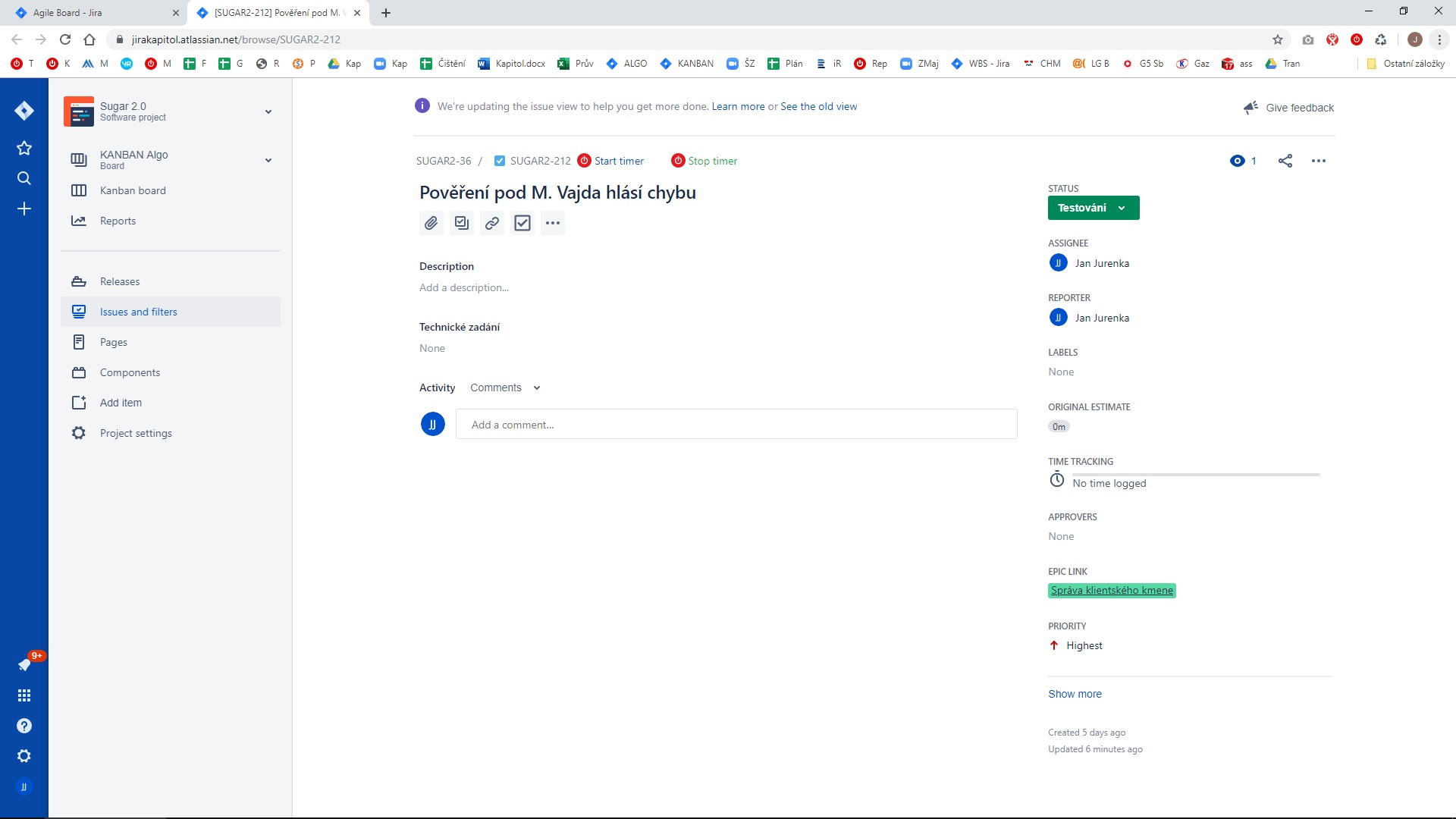
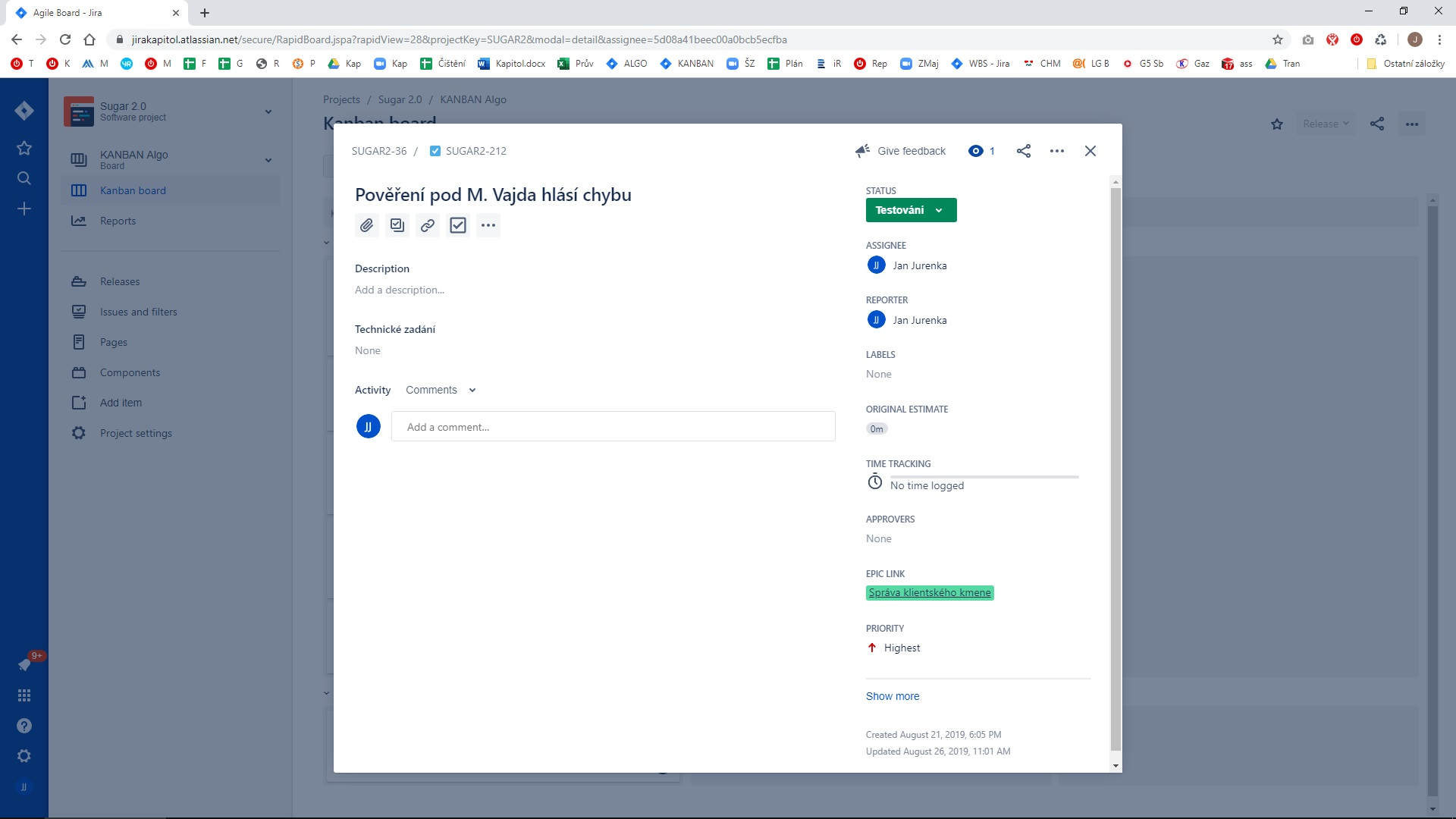
The Toggl Button is showing on the story window but not on the popup.
Story window
Popup
Expected behavior
Button should show on both windows/pages
Steps to reproduce
Not reproduced yet.
Other details or context
 nidarasheed
All 8 comments
 ApocalypticFish
on 25 Sep 2019
ApocalypticFish
on 25 Sep 2019
Hey there! I'd like to work on this, if it isn't already assigned :) @dooart @nidarasheed
 stevenwally
on 20 Oct 2019
stevenwally
on 20 Oct 2019
Hey, @stevenwally! Nobody is working on this yet. Feel free to submit a PR!
 dooart
on 21 Oct 2019
dooart
on 21 Oct 2019
I wasn't able to reproduce the issue, the button appears as expected on the issue dialog:

@nidarasheed can you find out if this is still happening on their end?
 lise-toggl
on 8 Nov 2019
lise-toggl
on 8 Nov 2019
@ApocalypticFish I couldn't reproduce their issue either - the button shows up in the sidebar too, with the next gen setting on:
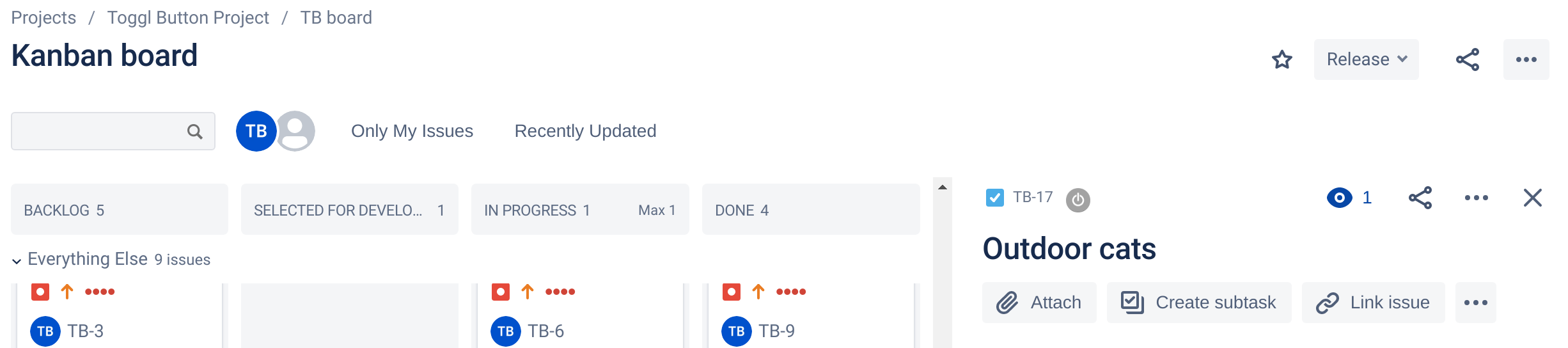
Can you find out if it's ok for them now?
lise-toggl
on 8 Nov 2019
@lise-toggl I've messaged both users :) I'll let you know if they get back to me.
nidarasheed
on 12 Nov 2019
Users have reported that the button is showing so closing this issue :tada:
I couldn't reproduce the multiple buttons issue either, if you get more information from the user on how to reproduce it (a recording would be :ok_hand:) please open a new issue for that one :)
lise-toggl
on 15 Nov 2019
One user replied with the following
Its on the Backlog page of Jira. I have the new issue view enabled. It happens with most every field that I edit there. I hope this helps!
 VeljkoTN
on 18 Nov 2019
VeljkoTN
on 18 Nov 2019
Related issues
 traedamatic
·
3Comments
traedamatic
·
3Comments
 mgsloan
·
5Comments
mgsloan
·
5Comments
 ricotheque
·
4Comments
ricotheque
·
4Comments
 aeromorrison
·
3Comments
aeromorrison
·
3Comments
 anotherbugmaster
·
5Comments
anotherbugmaster
·
5Comments