Toggl-button: Support new Jira redesign
Environment details
- Operation system: Mac OS
- Extension version: 1.7.0
Expected behavior
Show Toggl button
Actual behavior
Toggl button isn't displayed anymore
Steps to reproduce the behavior
Open issue
Additional details
Due to the removed sidebar in the redsign of Jira the Toggl button isn't displayed anymore. This needs to be shown in the newly added popup when you click on an issue.

 leonhh
All 13 comments
Second this. The new JIRA has been rolled out to all users in the meanwhile, and since then Toggle is nearly useless for us.
 gerdriesselmann
on 20 Dec 2017
gerdriesselmann
on 20 Dec 2017
The Toggl button does work on issue pages, so as a workaround you can still open the issue in a new tab and click it there. (But I hope it'll start working on boards again soon.)
 Peeja
on 21 Dec 2017
Peeja
on 21 Dec 2017
@dooart I'm on v1.9.0, but I still don't see the button on the board modal. (I do see the button on the individual issue page, as I did on v1.8.0.)
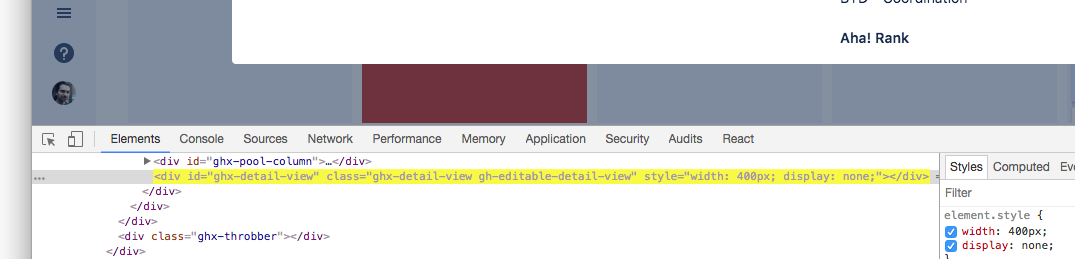
The fix appears to be looking for a #ghx-detail-view. There is a div#ghx-detail-view on the page, but it's display: none, even when a card's modal is on screen.
Peeja
on 18 Jan 2018
okay, i'll investigate
 dooart
on 19 Jan 2018
dooart
on 19 Jan 2018
@dooart confirming @Peeja 's observation with 1.9.0:
- see it on issue detail page
- see it on backlog issue detail sidebar on right
- do not see it on kanban issue detail modal
 iki
on 26 Jan 2018
iki
on 26 Jan 2018
Another toggler reported the button being missing on the board, case/637749
 maritoggl
on 1 Feb 2018
maritoggl
on 1 Feb 2018
the integration for the board modal will be available in v1.10.0
dooart
on 8 Feb 2018
Edit: It works with 1.10.1. Thanks!
We recently started using jira server on premise.
It seems that the toggl button does not appear on the Kanban Board view. If I open an issue directly the timer appears.
We are using Jira version 7.6.2.
The sidebar that is mentioned above still exists in our version. There is no popup if I click on an issue.
I am using toggl-button version 1.9.0.
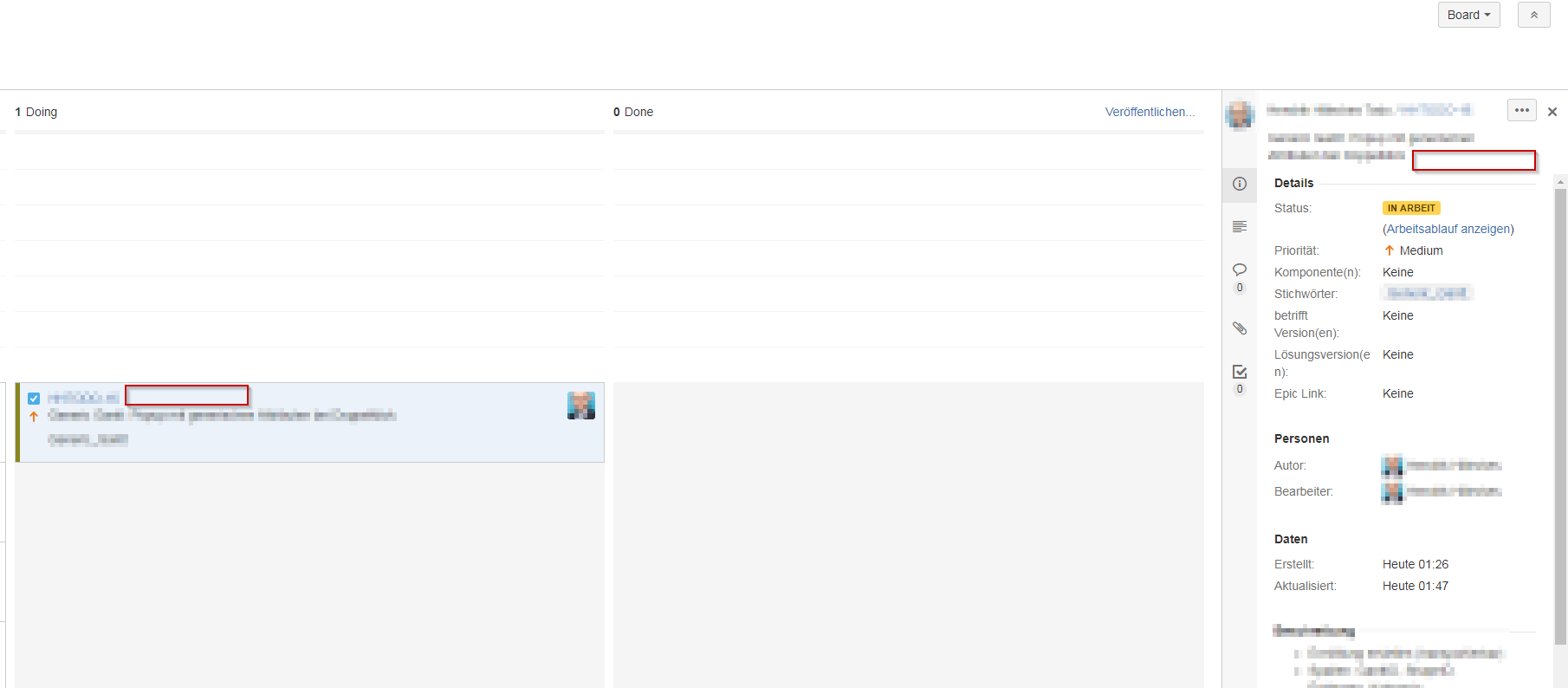
The following screenshot shows two useful positions for the button.
 hhllcks
on 13 Feb 2018
hhllcks
on 13 Feb 2018
Hey, @hhllcks! We'll release v1.10.0 soon and it should include a fix for that.
dooart
on 15 Feb 2018
I'm on 1.10.1 and there's still no JIRA button on the modal dialog.
Judging from the HTML, JIRA has changed all it's class names to some weird shorten nonsense, like "hwwrsQ". Presumably this is done using some CSS preprocessors, so relying on classes may break frequently.
I'm not into it enough, but maybe a selector like [role=dialog] a[target=_blank]:first is more suitable to find the place to add the button next to and [role=dialog] h1:first to extract the title
gerdriesselmann
on 20 Feb 2018
Yeah, it seems to have stopped working again. The generated class names in JIRA's new design have made it hard for us to target DOM elements in a future-proof way, so the integration has become fragile. We'll take a look again soon.
dooart
on 22 Feb 2018
@dooart It worked for some time. Then it started to create multiple toggle buttons on the Jira issue detail modal. Now it doesn't show any again. Please reopen.
iki
on 3 May 2018
Having the same issue with version 1.10.5 in Chrome on macOS
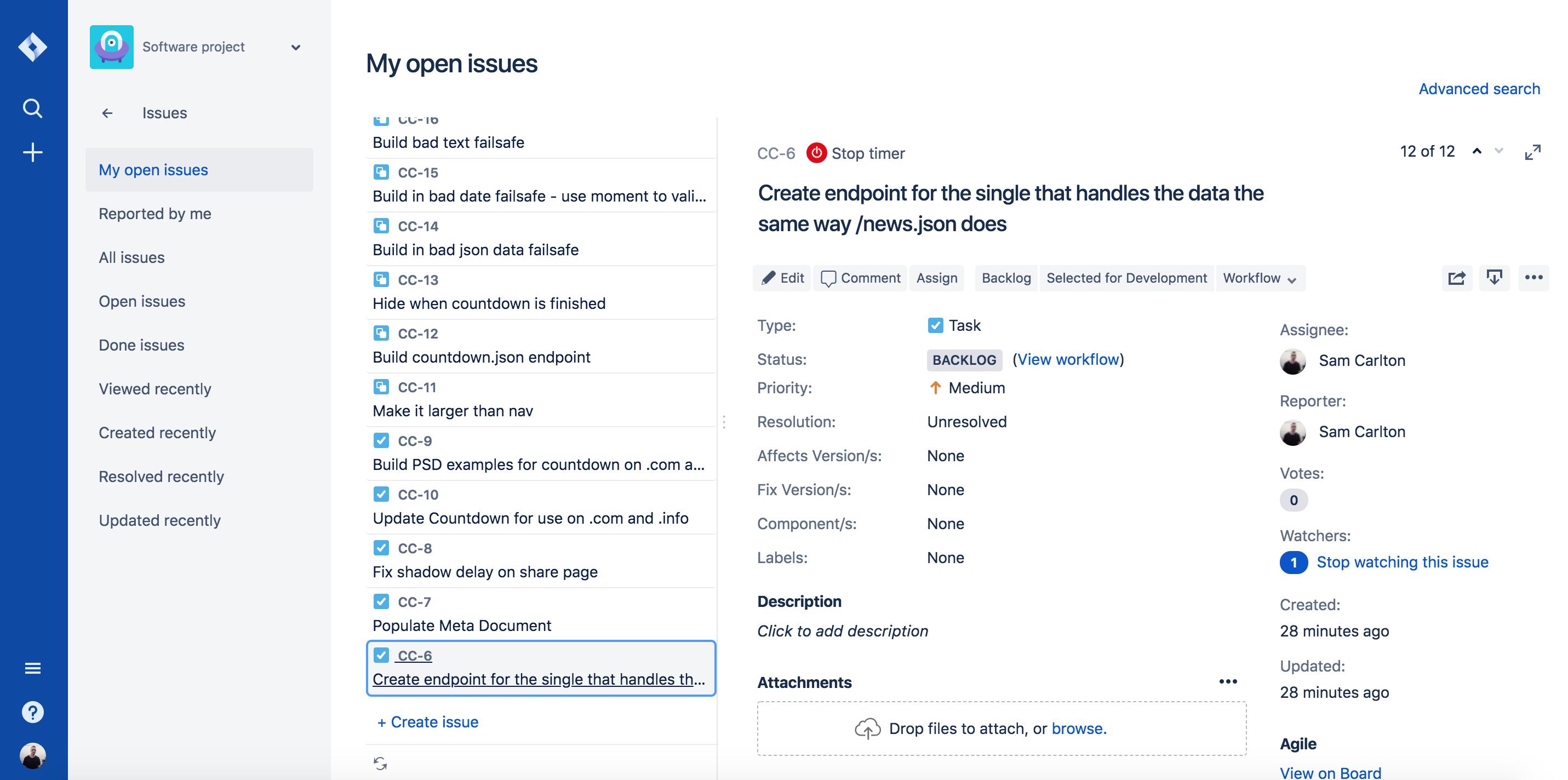
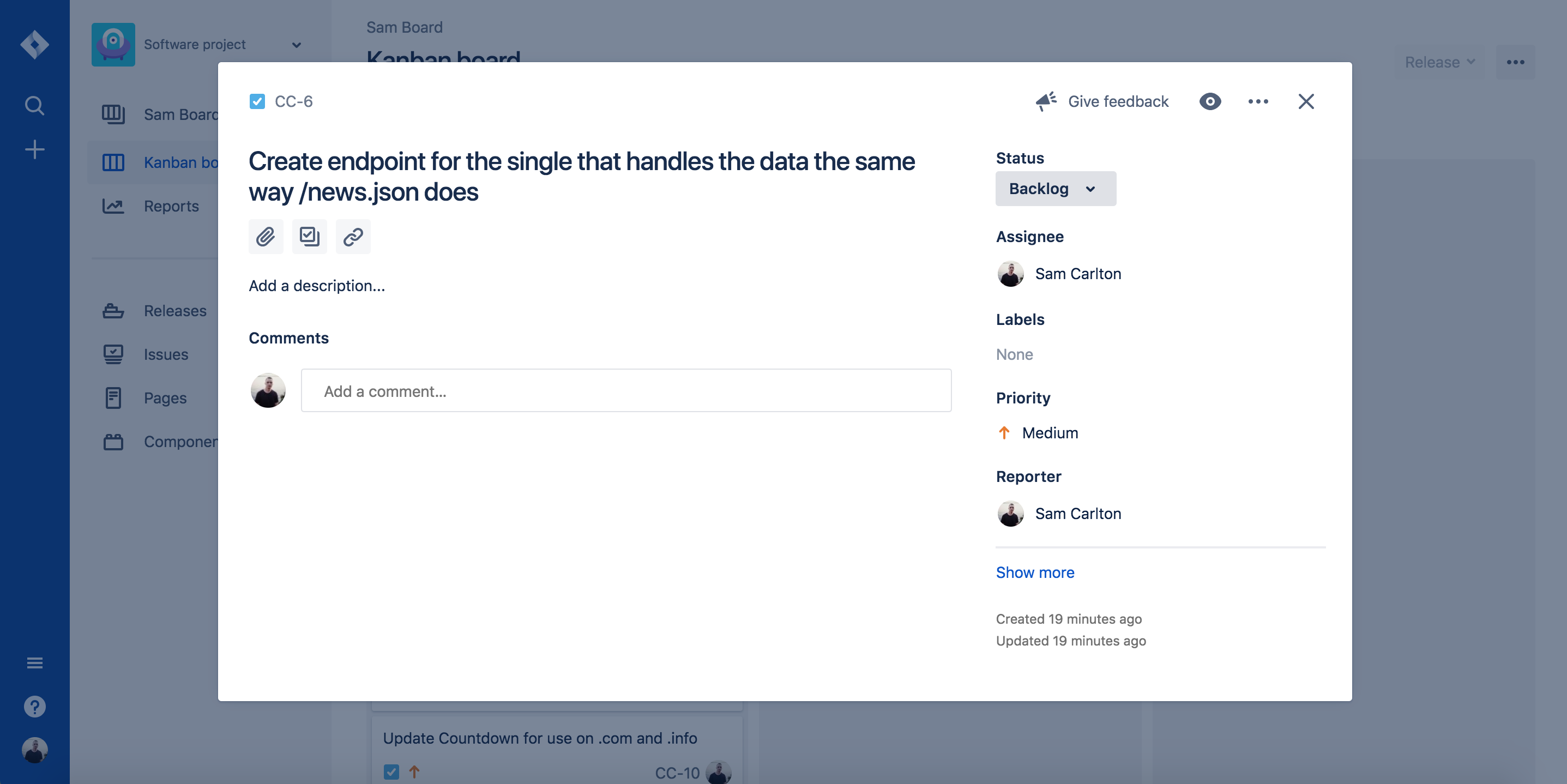
It shows up on the issue page but not in the pop-up style view.
Issue page - Has timer
Modal/Pop-up view - Has no timer
 ThatGuySam
on 4 May 2018
ThatGuySam
on 4 May 2018
Related issues
 nicktoggl
·
4Comments
nicktoggl
·
4Comments
 orlando
·
5Comments
orlando
·
5Comments
 IndrekV
·
4Comments
IndrekV
·
4Comments
 dpashkevich
·
3Comments
maritoggl
·
6Comments
dpashkevich
·
3Comments
maritoggl
·
6Comments
Most helpful comment
Having the same issue with version 1.10.5 in Chrome on macOS
It shows up on the issue page but not in the pop-up style view.
Issue page - Has timer
Modal/Pop-up view - Has no timer