Todo-tree: Hide / Show folder is not working
Hi,
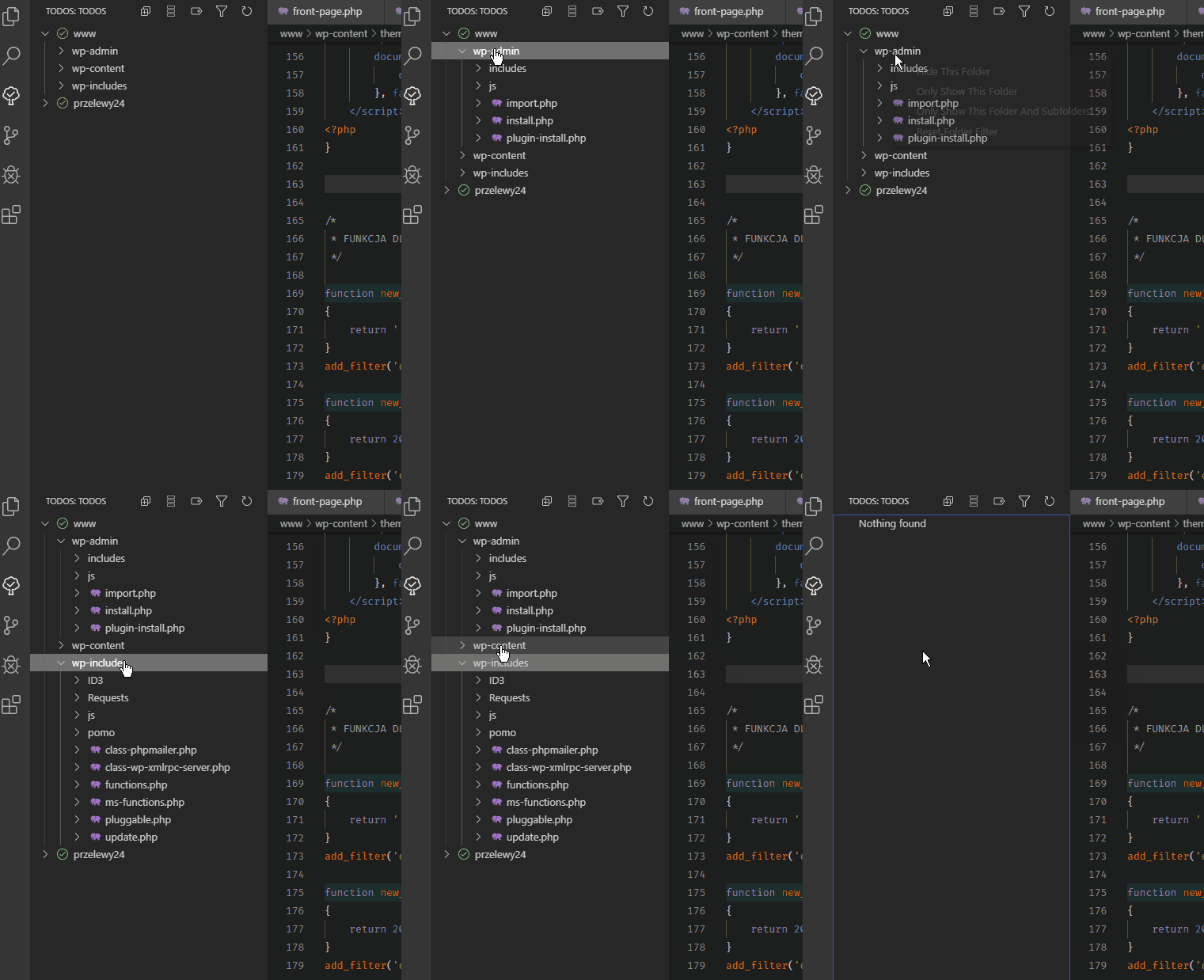
I see a problem with the folder exclusion option, which generally doesn't work. There are many strange problems.
I'll show you this on the gif below:
System info:
Version: 1.38.1 (system setup)
Commit: b37e54c98e1a74ba89e03073e5a3761284e3ffb0
Date: 2019-09-11T13:35:15.005Z
Electron: 4.2.10
Chrome: 69.0.3497.128
Node.js: 10.11.0
V8: 6.9.427.31-electron.0
OS: Windows_NT x64 10.0.18362
 kanlukasz
All 24 comments
Are you selecting the option before it has had a chance to run the search and rebuild the tree? Maybe it needs a mutex or something.
Can you open the debug in the Output View and see what is happening while you're selecting the options?
 Gruntfuggly
on 19 Sep 2019
Gruntfuggly
on 19 Sep 2019
I waited for everything to run and then saw in the status bar:

And then I tried to exclude again, but still nothing.
Options such as:
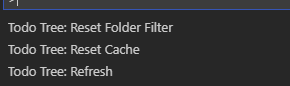
they didn't fix it
Below another gif:
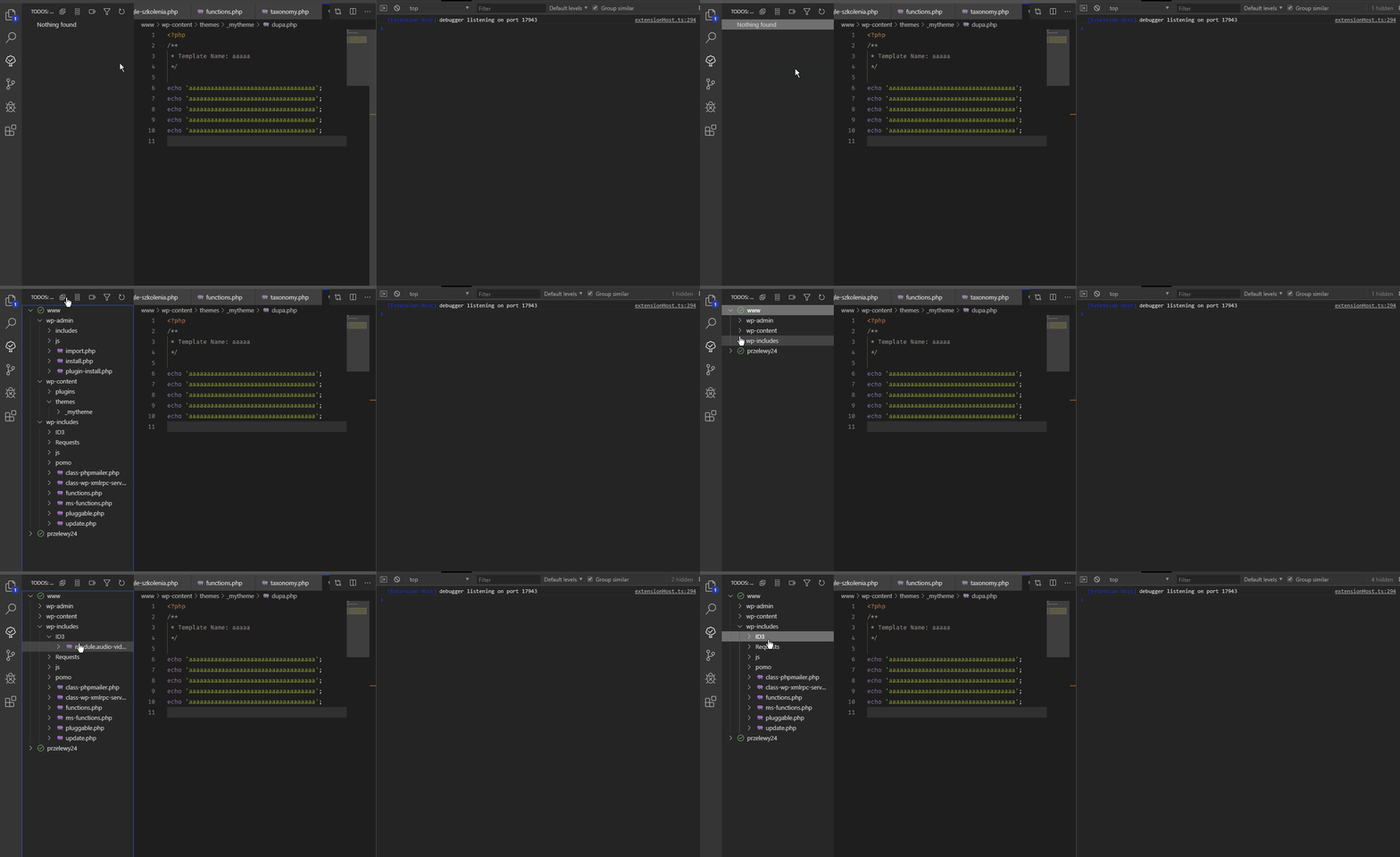
Below output debug ( this happened when I try to exclude ):
out.txt
kanlukasz
on 19 Sep 2019
When you select those options it basically creates include and exclude gobs. If you look at the command that is generated when you select Hide This Folder you should see -g "!x/y/z/**/*" added to the command. Can you see that happening?
Gruntfuggly
on 19 Sep 2019
I see this in the debug output:
-g "!c:\xampp\htdocs\my\website\www\wp-admin\includes/**/*"
kanlukasz
on 19 Sep 2019
OK, but you're still seeing TODOs found from in that folder after that command?
Can you post the whole command?
Gruntfuggly
on 19 Sep 2019
Yes, still i can't exclude
Of course, here is the whole command (another example):
Command: "c:\Program Files\Microsoft VS Code\resources\app\node_modules.asar.unpacked\vscode-ripgrep\bin\rg.exe" --no-messages --vimgrep -H --column --line-number --color never --max-columns=1000 -e "(//|#|<!--|/\*|^\s*\*)\s*(TODO)" -g "!c:\xampp\htdocs\xxxxx\xxxxxx\xxxxxx\wp-admin\includes/**/*" "c:\xampp\htdocs\xxxxxx\xxxxxx\wp-content\plugins\przelewy24"
kanlukasz
on 19 Sep 2019
So when the command above is run, do you see the results from being found in the output window, or is it just that they don't get removed from the tree?
Gruntfuggly
on 19 Sep 2019
Unfortunately, it has not been removed from the tree.
_I have an idea - let's try to reproduce this problem together._
To make sure it wasn't my fault, I tried again on a clean portable installation (the latest version of Insider) with no additional plugin except TodoTree, of course
Step to reproduce the problem:
- Run the clear VSCode installation with default settings
- Install ToDoTree with default settings
- Download Wordpress from the official website to local disk
- Open the Wordpress folder in VSCode
- Try to hide the
wp-adminfolder - Exclusion does not work 😞
Did it cause the same problem for you?
kanlukasz
on 20 Sep 2019
I'll try it and get back to you.
Gruntfuggly
on 20 Sep 2019
No - it works fine for me.
Do you have files open which are in the folder? The extension also searches in open files. Does it work if you close all files?
Gruntfuggly
on 20 Sep 2019
Hmm, that's weird 🤔
May i ask you what operating system are you using?
Is it Windows 10 like mine?
All files are closed - Hiding still not working
The extension finds all TODO correctly and works great, the only problem is excluding folders
Can we test something else?
kanlukasz
on 20 Sep 2019
Ps.:
I decided to try again on a more simplified structure to perform such a tests.
I hope this helps you find the problem
All detailed steps:
1. I created a simple app structure on the C hard drive (root folder)
2. I created portable fresh VSCode Insider on hard drive C (root folder)
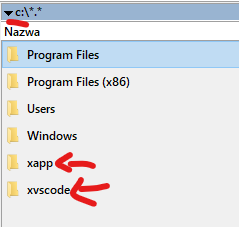
3. I open VSCode, install TodoTree, open my app folder in VSCode
TodoTree has found three todos in my app - that's fine
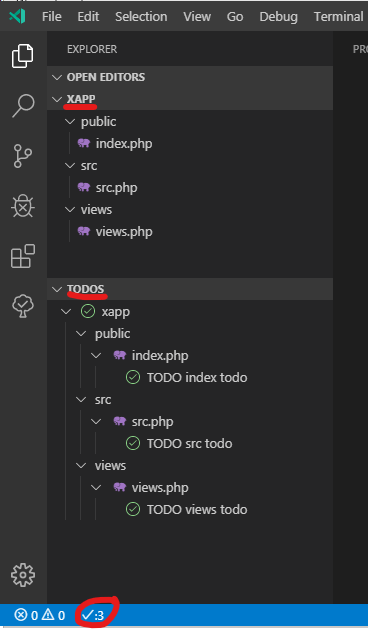
Here's what comes from the debug results:
Searching c:\xapp...
Command: "c:\xvscode\resources\app\node_modules.asar.unpacked\vscode-ripgrep\bin\rg.exe" --no-messages --vimgrep -H --column --line-number --color never --max-columns=1000 -e "((//|#|<!--|;|/\*|^)\s*(TODO|FIXME)|^\s*- \[ \])" "c:\xapp"
c:\xapp\public\index.php:5:1:// TODO: index todo
c:\xapp\src\src.php:5:1:// TODO: src todo

c:\xapp\views\views.php:5:1:// TODO: views todo

 Match (File): {"file":"c:\\xapp\\public\\index.php","line":"5","column":"1","match":"// TODO: index todo"}
 Match (File): {"file":"c:\\xapp\\src\\src.php","line":"5","column":"1","match":"// TODO: src todo"}
 Match (File): {"file":"c:\\xapp\\views\\views.php","line":"5","column":"1","match":"// TODO: views todo"}
Found 3 items
4. Run F1 and type Todo Tree: Reset Folder Filter (to make sure everything has been reset)
Here's what comes from the debug results:
Searching c:\xapp...
Command: "c:\xvscode\resources\app\node_modules.asar.unpacked\vscode-ripgrep\bin\rg.exe" --no-messages --vimgrep -H --column --line-number --color never --max-columns=1000 -e "((//|#|<!--|;|/\*|^)\s*(TODO|FIXME)|^\s*- \[ \])" "c:\xapp"
Folder filter include:[]
Folder filter exclude:[]
c:\xapp\src\src.php:5:1:// TODO: src todo
c:\xapp\views\views.php:5:1:// TODO: views todo

c:\xapp\public\index.php:5:1:// TODO: index todo

 Match (File): {"file":"c:\\xapp\\src\\src.php","line":"5","column":"1","match":"// TODO: src todo"}
 Match (File): {"file":"c:\\xapp\\views\\views.php","line":"5","column":"1","match":"// TODO: views todo"}
 Match (File): {"file":"c:\\xapp\\public\\index.php","line":"5","column":"1","match":"// TODO: index todo"}
Found 3 items
5. Now I clearing debug output and trying to hide the public folder
Here's what comes from the debug results:
Searching c:\xapp...
Command: "c:\xvscode\resources\app\node_modules.asar.unpacked\vscode-ripgrep\bin\rg.exe" --no-messages --vimgrep -H --column --line-number --color never --max-columns=1000 -e "((//|#|<!--|;|/\*|^)\s*(TODO|FIXME)|^\s*- \[ \])" -g "!c:\xapp\public/**/*" "c:\xapp"
Folder filter include:[]
Folder filter exclude:["c:\\xapp\\public/**/*"]
c:\xapp\public\index.php:5:1:// TODO: index todo
c:\xapp\src\src.php:5:1:// TODO: src todo

c:\xapp\views\views.php:5:1:// TODO: views todo

 Match (File): {"file":"c:\\xapp\\public\\index.php","line":"5","column":"1","match":"// TODO: index todo"}
 Match (File): {"file":"c:\\xapp\\src\\src.php","line":"5","column":"1","match":"// TODO: src todo"}
 Match (File): {"file":"c:\\xapp\\views\\views.php","line":"5","column":"1","match":"// TODO: views todo"}
Found 3 items
Applying globs to 3 items...
Remaining items: 3
The folder public has not hidden and TodoTree still sees 3 todos in my app
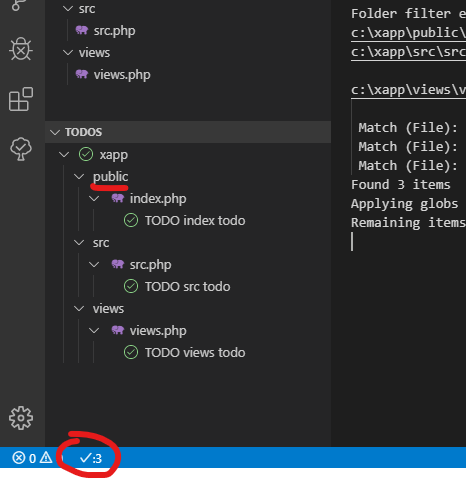
If I try to hide the public folder again several times
Here's what comes from the debug results:
Folder filter include:[]
Folder filter exclude:["c:\\xapp\\public/**/*"]
Folder filter include:[]
Folder filter exclude:["c:\\xapp\\public/**/*"]
Folder filter include:[]
Folder filter exclude:["c:\\xapp\\public/**/*"]
but still not working
6. Now (for example) if i try to use Only Show This Folder - Everything in TODO has disappeared:
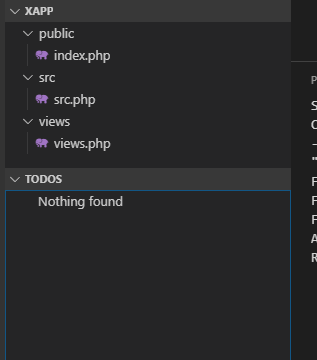
Here's what comes from the debug results:
Searching c:\xapp...
Command: "c:\xvscode\resources\app\node_modules.asar.unpacked\vscode-ripgrep\bin\rg.exe" --no-messages --vimgrep -H --column --line-number --color never --max-columns=1000 -e "((//|#|<!--|;|/\*|^)\s*(TODO|FIXME)|^\s*- \[ \])" -g "c:\xapp\src/*" "c:\xapp"
Folder filter include:["c:\\xapp\\src/*"]
Folder filter exclude:[]
Found 0 items
Applying globs to 0 items...
Remaining items: 0
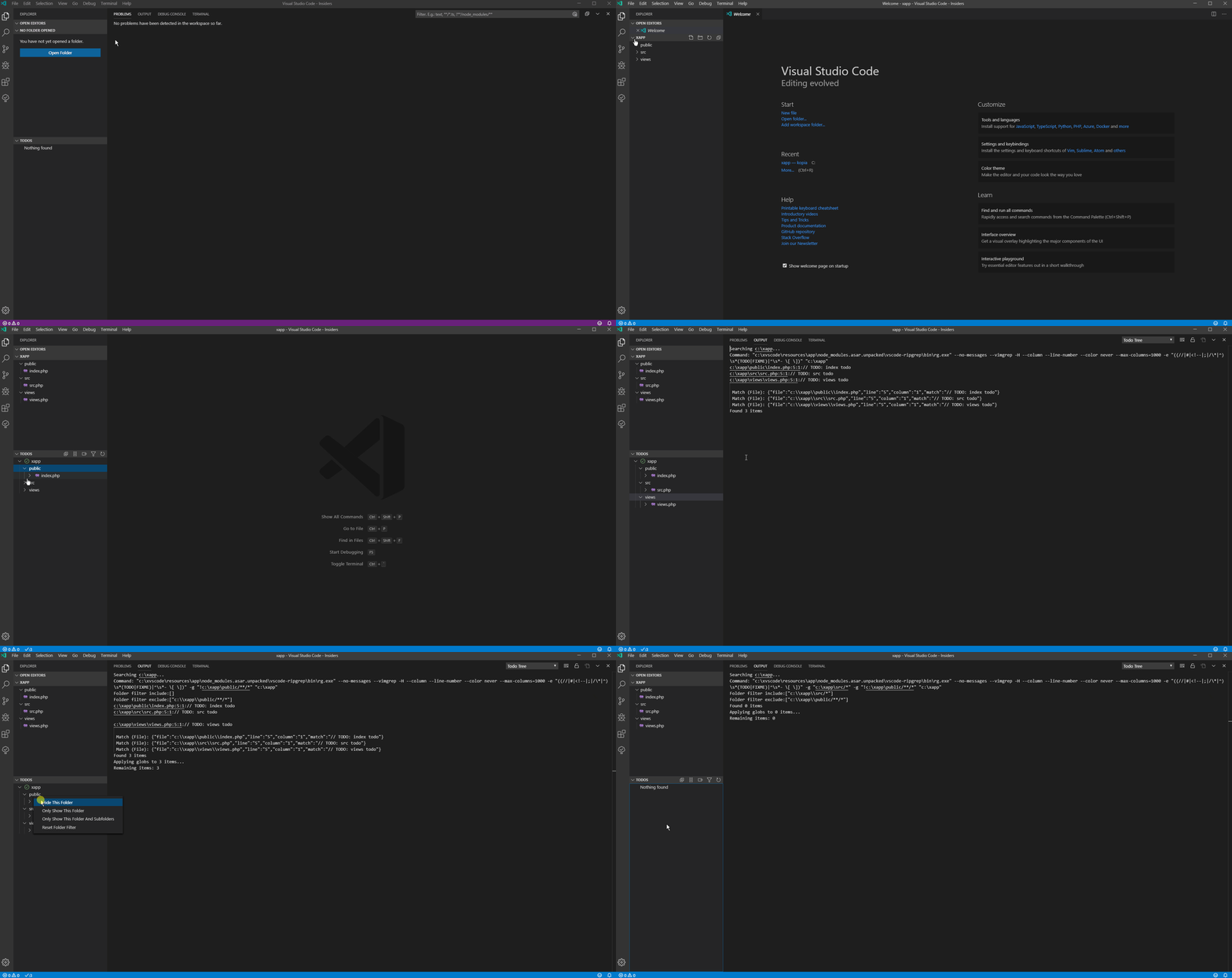
Here is a new gif with everything I described above
kanlukasz
on 21 Sep 2019
I have a windows machine at work so I'll try this tomorrow. Thanks for the detailed steps. 👍
Gruntfuggly
on 22 Sep 2019
OK - good news is that I can now reproduce this under Windows...
Gruntfuggly
on 24 Sep 2019
It's due to the glob patterns. I'm trying to find a work around.
Gruntfuggly
on 24 Sep 2019
OK, many thanks for quick reply. Very professional support 👍
kanlukasz
on 24 Sep 2019
I've got a fix - needs a little bit more testing before I release though.
Gruntfuggly
on 25 Sep 2019
I've just uploaded a new version with special handling for windows - it seems that the drive letter and backslashes are bad news for globs. There is potential for some issues if you have subfolders named the same as parent folders, but it should work better than before.
Let me know how you get on.
Gruntfuggly
on 26 Sep 2019
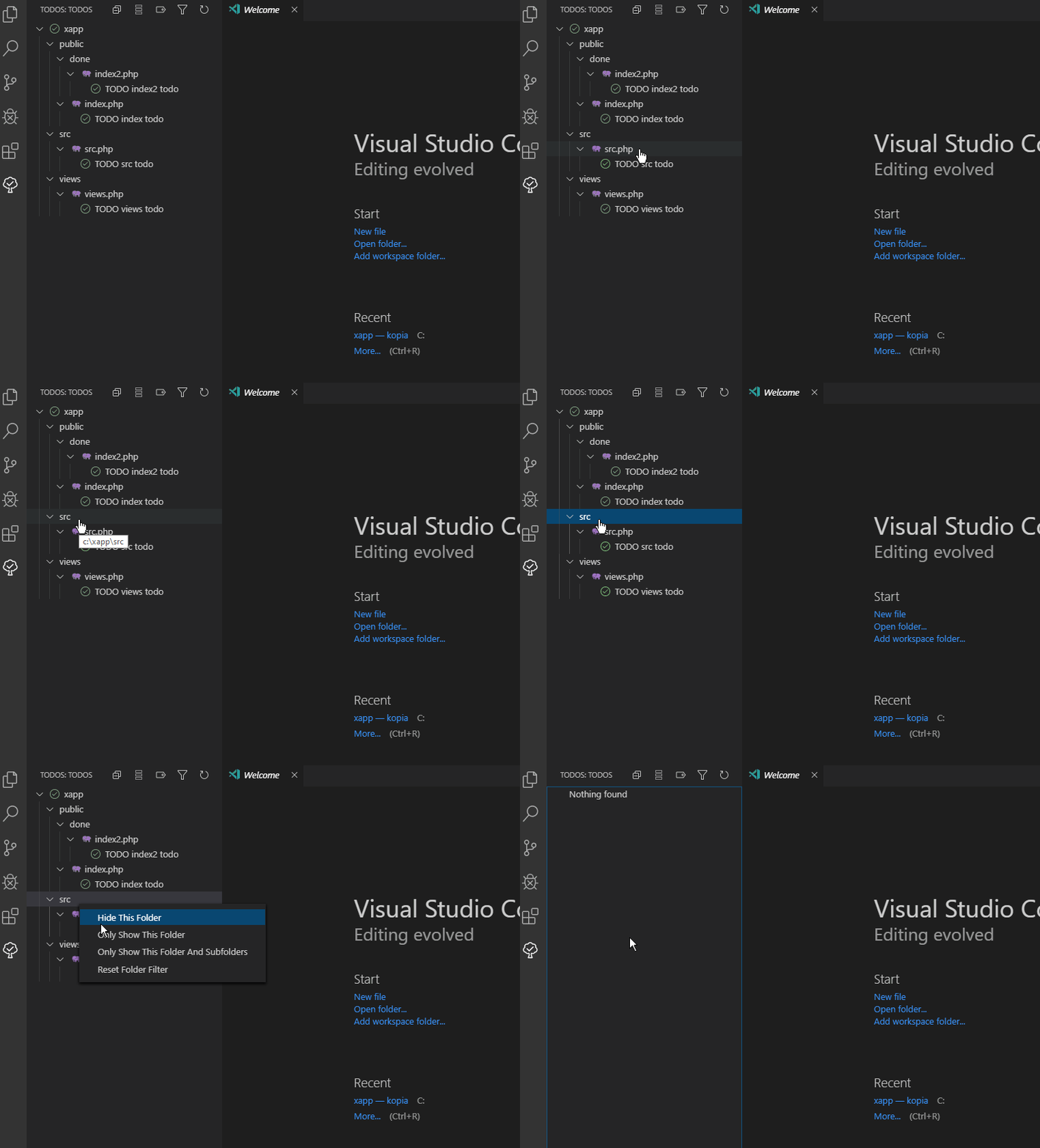
I did a quick test. Hiding folders works fine, but there is still a problem with the "Show this folder only" option. If I set it, everything disappears. Example gif below:
kanlukasz
on 26 Sep 2019
Can you post the contents of the output window? It should dump the globs that are generated.
Gruntfuggly
on 26 Sep 2019
Yes of course. I reset everything and did the test
Debug results after clicking Only Show This Folder
Searching c:\xapp...
Command: "c:\xvscode\resources\app\node_modules.asar.unpacked\vscode-ripgrep\bin\rg.exe" --no-config --no-messages --vimgrep -H --column --line-number --color never --max-columns=1000 -e "((//|#|<!--|;|/\*|^)\s*(TODO|FIXME)|^\s*- \[ \])" -g "**xapp/src/*" "c:\xapp"
Folder filter include:["**xapp/src/*"]
Folder filter exclude:undefined
c:\xapp\src\src.php:5:1:// TODO: src todo

 Match (File): {"file":"c:\\xapp\\src\\src.php","line":"5","column":"1","match":"// TODO: src todo"}
Found 1 items
Applying globs to 1 items...
Remaining items: 0
OK - it's malformed the glob because it's the top folder. Could you try a small fix for me? If you edit .vscode/extensions/gruntfuggly.todo-tree-0.0.154/utils.js (or whatever your path is) and change line 205 to:
return ( "**/" + fp + filter ).replace( /\/\//g, '/' );
ie - add the "/" after the "**".
Let me know if that works.
Gruntfuggly
on 26 Sep 2019
Line 205 after my change
return glob = ( "**/" + fp + filter ).replace( /\/\//g, '/' );
Works OK 😁
kanlukasz
on 26 Sep 2019
Great - thanks. I'll fix it in the next update!
Gruntfuggly
on 27 Sep 2019
Related issues
 emanuelenardi
·
3Comments
emanuelenardi
·
3Comments
 JonathanTroyer
·
5Comments
JonathanTroyer
·
5Comments
 alexwall
·
6Comments
alexwall
·
6Comments
 nickPietrass
·
9Comments
nickPietrass
·
9Comments
 fheinicke
·
6Comments
fheinicke
·
6Comments