Tmpe: Game crash (on Linux) TM:PE V11 STABLE
Describe the problem
I run Cities:Skylines on LInux (Manjaro),
Hardware if it matters: AMD FX 8370, Nvidia GeForce 750 Ti (Diver 440.64)
When I start a saved city everything is fine until I un-pause it, then it will either freeze or crash. When I unsubscribe to this mod the city will load and run.
Steps to reproduce
- Load saved city.
- un-pause game 3.
Log files
Savegame?
Screenshots?
None
Notes or questions?
 darthroe
All 249 comments
You haven't provided the TMPE.log, which might contain more information we need. Could you upload that somewhere?
This were two stacktraces I was able to fine. The first is near identical to a different error someone else reported on the Discord server back on Tuesday. The second I haven't seen before but seems unrelated to TMPE.
AchievemenStacktrace:


Native stacktrace:

    /home/darthroe/.local/share/Steam/steamapps/common/Cities_Skylines/Cities_Data/Mono/x86_64/libmono.so(+0x91f55) [0x7f458c5e1f55]
    /usr/lib/libpthread.so.0(+0x147ff) [0x7f4592ee47ff]
    /usr/lib/libc.so.6(gsignal+0x145) [0x7f45929dbce5]
    /usr/lib/libc.so.6(abort+0x12a) [0x7f45929c5856]
    ./Cities.x64() [0x9f864b]
    /home/darthroe/.local/share/Steam/steamapps/common/Cities_Skylines/Cities_Data/Mono/x86_64/libmono.so(+0xd1086) [0x7f458c621086]
    /home/darthroe/.local/share/Steam/steamapps/common/Cities_Skylines/Cities_Data/Mono/x86_64/libmono.so(+0x34c3d) [0x7f458c584c3d]
    /usr/lib/libpthread.so.0(+0x147ff) [0x7f4592ee47ff]
    [0x410a1f49]

Debug info from gdb:

ERROR: ld.so: object '/home/darthroe/.local/share/Steam/ubuntu12_32/gameoverlayrenderer.so' from LD_PRELOAD cannot be preloaded (wrong ELF class: ELFCLASS32): ignored.
I refuse to debug myself!
No threads.

=================================================================
Got a SIGABRT while executing native code. This usually indicates
a fatal error in the mono runtime or one of the native libraries
used by your application.
=================================================================
The LD_PRELOAD error is reportedly quite common with Steam games running on Linux and is usually safe to ignore. Still don't know anything about the stacktrace or the reason for SIGABRT yet though.
System.SystemException: Error running gmcs: Cannot find the specified file
  at Mono.CSharp.CSharpCodeCompiler.CompileFromFileBatch (System.CodeDom.Compiler.CompilerParameters options, System.String[] fileNames) [0x00000] in <filename unknown>:0
  at Mono.CSharp.CSharpCodeCompiler.CompileAssemblyFromFileBatch (System.CodeDom.Compiler.CompilerParameters options, System.String[] fileNames) [0x00000] in <filename unknown>:0
  at Mono.CSharp.CSharpCodeCompiler.CompileAssemblyFromFile (System.CodeDom.Compiler.CompilerParameters options, System.String fileName) [0x00000] in <filename unknown>:0
  at System.Xml.Serialization.XmlSerializer.GenerateSerializers (System.Xml.Serialization.GenerationBatch batch, System.CodeDom.Compiler.CompilerParameters cp) [0x00000] in <filename unknown>:0
  at System.Xml.Serialization.XmlSerializer.RunSerializerGeneration (System.Object obj) [0x00000] in <filename unknown>:0
Unknown prefab: Cosmopolitan Portland  [Serialization]
This second error seems related to a custom asset.
Could you verify the platform you're using to play the game and the game version you're using? I figure you're on Steam, but I cannot find references to the game version in your log.
 Xyrhenix
on 5 Apr 2020
Xyrhenix
on 5 Apr 2020
Hi, I suggest disabling Steam game overlay, to get rid of errors. Maybe that the cause??
 krzychu124
on 5 Apr 2020
krzychu124
on 5 Apr 2020
System.SystemException: Error running gmcs: Cannot find the specified file
  at Mono.CSharp.CSharpCodeCompiler.CompileFromFileBatch ...
That _might_ be caused by some mod that bundles it source code. Look in your workshop folders (on Windows they're in Steam\steamapps\workshop\content\255710 so probably something similar on Linux) and see if there are any Source folders buried in there and unsubscribe associated items.
 aubergine10
on 5 Apr 2020
aubergine10
on 5 Apr 2020
Okay, so I disabled Steam game overlay, but that doesn't seem to be the cause. In fact I'm not entirely sure TM:PE is the cause. I say this because I went through my log and removed some assets that were causing errors. I also cleaned up my RICO file and files that were responsible for a lot of log entries. I also didn't notice anything in the logs that would suggest TM:PE is the cause of the freeze or crash.
I then proceed to load that save a few times, and sometimes it ran without problem and sometimes it would freeze. So I then made a new city and it ran, but trying to load it again it would sometimes run and sometimes freeze or crash.
Here are the logs from the test city that crashed.
Player.log: https://ufile.io/mhznwnx9
TMPE log: https://ufile.io/8hku7vfk
darthroe
on 6 Apr 2020
Try _unsubscribing_ Surface Painter and see if that makes a difference.
Also, unsub this asset (despite what author says, it's horrendously broken).
Other than that I'm out of ideas. Does the problem remain if you unsub TMPE?
aubergine10
on 6 Apr 2020
I am also using Manjaro, here are my PC specs. I am also affected by this bug but I noticed it is not pausing itself when I try to load game with loading screen mod "remove all citizens, pedestrians and recover from simulations errors" on save load. Maybe it can be temporary workaround also for original issue poster? It is beaming fine for me for few loads after checking those settings – however after some time problem is returning...
On next time when I reproduce this issue I will upload required logs and my save game here – I sadly came into this issue after workarounding it...
System:    Host: klocek Kernel: 5.6.0-1-MANJARO x86_64 bits: 64 Desktop: KDE Plasma 5.18.3 Distro: Manjaro Linux
CPU:       6-Core: AMD Ryzen 5 3600 type: MCP speed: 4069 MHz
Graphics:  OpenGL: renderer: Radeon RX 580 Series (POLARIS10 DRM 3.36.0 5.6.0-1-MANJARO LLVM 9.0.1) v: 4.5 Mesa 19.3.5
Drives:    Local Storage: total: 462.05 GiB used: 85.48 GiB (18.5%)
Info:      Processes: 258 Uptime: 1d 13h 37m Memory: 31.38 GiB used: 21.57 GiB (68.7%) Shell: bash inxi: 3.0.37
 neuryt
on 6 Apr 2020
neuryt
on 6 Apr 2020
I found some info that mix Linux - AMD - Steam may cause similar issues.
I'm not sure how good you are at linux os, but I think you could try this: https://inxile.zendesk.com/hc/en-us/articles/115004658528-File-handles-bug-causing-crashes-Linux-
It shouldn't break anything, but since Cities Skylines tends to open and read a lot of files I think it's worth trying.
krzychu124
on 6 Apr 2020
To narrow things down, I uninstalled every asset and mod. I then reset CS configuration, I also cleaned up residual xml files and such left over from uninstalled mods.
I then re-subscribed to TM:PE and was able to play. I then re-subscribed to Loading Screen Mod. This is when I started to get freezing and crashes.
Basically with TM:PE alone, I seem to have no problem, with Loading Screen Mod alone I also seem to have no problem. Having both seems to cause random freezing/crashes.
Here's the latest log file from the city that crashed: https://ufile.io/ndrk6tta
TM:PE log file: https://ufile.io/ap4pelqv
darthroe
on 7 Apr 2020
I've just found that guide, I hope that there is an answer for this issue: https://steamcommunity.com/sharedfiles/filedetails/?id=467062052
Let us know if something from there help you
edit: I've just noticed that @aubergine10 is the author 😄
krzychu124
on 9 Apr 2020
I seem to also have this issue where both Stable and Labs causes a crash on, or shortly after, unpausing the game. (Arch Linux, nVidia GPU)
This happens even when TMPE is the only mod I am subscribed to. I load up the "Clean up Crew" scenario and the game will crash as soon as I unpause or very shortly after[1]. Unsubscribing from TMPE and the game runs without issue. I don't think the logs are very helpful though. Please let me know if I can do anything to help!
Player.log: http://dpaste.com/0DJAZEX
TMPE.log: http://dpaste.com/3PPJQ8D
EDIT #1: This is from a crash with TMPE Stable.
[1] For reference, I moved the water pump while it is paused, then unpause, then connect the water and then the electricity to the moved pump, but these aren't steps required to trigger the crash. Just noting!
 CandyAngel
on 9 Apr 2020
CandyAngel
on 9 Apr 2020
About this guide – nothing new, I have kernel 5.6.0, use LSM, it also happened once when I was playing offline due to my ISP outage so my steam was in offline mode I guess.
Oh. And my game is also playable when paused alter load and freeze after unpausing.
neuryt
on 9 Apr 2020
TL;DR: Possible workaround: load C:S, start a New Game, press "Play" (this seems to be important), then hit Esc and Load your "broken" game. If assets seem to be missing, Exit to Main Menu, and then Load your broken game again.
I have similar behaviour to that described here on a linux machine. I've got Industries/Parklife/Matchday DLCs and the only mods I have now are TMPE, Loading Screen, Metro Overhaul Mod, Network Extensions 2, Move It!, and their required dependencies. I had more mods when I started a city a couple of days ago and grew it to 8000 population before saving, but then I experienced the freezing/crashing described here. By unsubscribing from all mods and re-subscribing to the 5 mods listed (which are kind of essential for good gameplay), I was able to load that game (I'll call it Game 0) and proceed. But when I made a few modest developments to the city and saved it, I was unable to run this new save. So I've tried to troubleshoot methodically.
Issues arise when I add a new intersection (which makes me think it might have something to do with TM:PE). I can make minimal changes to Game 0 (just let it run for a minute, or just extend a road slightly) and save it (call it Game 1), then completely exit Steam and load Game 1 without problems. However, if I add an intersection (on an urban road or a highway) things start to go wrong. If I save this game (Game 2), I can exit to the main menu and continue, I can exit to the main menu and then continue by selecting "load game" and Game 2, but I cannot exit Cities:Skylines and load Game 2 from there.
What I can do is load Game 0 or Game 1 (which almost always works) and then hit Esc and choose "Load Game" and load Game 2, and it seems to be fine. In fact, I was able to load Game 1, then choose to load a game I'd abandoned at a population of 20k because it had been developed while mods were being updated to be compatible with Sunset Harbor and I had read that some of these had not been completely fixed. So this leads to the possible workaround at the start of this post.
This made me think it was something to do with the Loading Screen Mod, so I unsubscribed from that, but now even Game 1 crashed, so I resubscribed. What I've also noticed is that if the game freezes so badly I have to kill -9 it but leave Steam running, then all games will crash -- I have to exit Steam completely.
The last few lines in Player.log are always something like this:
Receiving unhandled NULL exception
#0  0x007ff5213ad240 in funlockfile
#1  0x007ff5213ad7e8 in (Unknown)
#2  0x007ff5213ad7f8 in (Unknown)
So this may or may not have anything to do with TM:PE, but it seems to have something to do with the way Steam/C:S caches which I know nothing about. I'm posting here mainly in the hope that other people who have this problem can try my workaround and maybe continue to enjoy the game.
 chris-simpson
on 10 Apr 2020
chris-simpson
on 10 Apr 2020
Can you try this mod - it exposes more details about errors, including some errors that are silently hidden by the vanilla game: https://steamcommunity.com/sharedfiles/filedetails/?id=2055465280
aubergine10
on 10 Apr 2020
Can you try this mod
Here is the Player.log from a crash after installing that mod: http://dpaste.com/1EGCWEG
CandyAngel
on 10 Apr 2020
I installed Manjaro Linux and can confirm issue with simulation freezing / crashing. I have no idea what is causing it and no option to test it easily because debugger cannot be attached under Linux :/ I suspect an issue with Harmony patching or sim thread lock/hang. In fact no errors were reported and simulation worked only for fraction of a second after starting.
No issues when TMPE disabled.
BTW, it looks like game runs way faster than on Windows (exactly the same settings) :thinking:
krzychu124
on 11 Apr 2020
What debugger are you using for cities? Maybe mono debugger from VS code will be helpful? (I just read than it can be used fro cities here: https://skylines.paradoxwikis.com/Debugging_Mods and Linux version of vs code also have mono debugger so this is just idea, I hope it is at least a bit helpful.)
And about this BTW – why do you think I am using Linux? It is free and it is working better. (I have to say it now – _wolne oprogramowanie_ means free software, not slow software xD)
My spec have on average 33% more FPS on Linux.
neuryt
on 11 Apr 2020
I use dnSpy and debug version of Mono.dll. I can't find debug binaries for linux so I can't use debugger (no way to attach it). Not to mention that laucher prevents from running game directly (debugger detaches itself) :/
krzychu124
on 11 Apr 2020
Oh. BTW, my TMPE log here, it finally crashed – I did my workaround (delete all vehicle agents by loading screen mod) and now it is again working again.
http://paste.asie.pl/vw4o <= log after freeze
I will try to build debug mono and attach it to cities myself maybe. If I succeed I will post my results here, I want to help.
neuryt
on 12 Apr 2020
Thanks, log is "empty" (nothing new there). I would check output_log(windows)/player.log(linux/macos), because if we(TMPE) fail to catch an error it should be logged there anyways.
I'll build debug mono too, but I have to figure out how to run game in debug mode, because mono has to start with these params to be visible for any debugger: --debugger-agent=transport=dt_socket,server=y,address=127.0.0.1:55555,defer=y,no-hide-debugger
krzychu124
on 12 Apr 2020
https://files.catbox.moe/86ilfl.log –> Player log, however I see this funlockfile null also here. :< Again delete all vehicle agents helped, this time i had to also restart steam.
neuryt
on 13 Apr 2020
I had the same issue on Ubuntu 19.10 and as aubergine10 suggested I found a directory named 'Source' under .steam/steam/steamapps/workshop/content/255710. It was in the directory of the mod 'Building Theme: European Suburbia Decorated'. I unsubscribed to this and it solved this issue for me.
thx.
 csupi
on 13 Apr 2020
csupi
on 13 Apr 2020
I tried the workaround that neuryt suggested (delete all vehicle agents by loading screen mod) and it seems to have worked. I was able to play without the city freezing. I'll try some more to ensure that it works each time.
darthroe
on 13 Apr 2020
Unfortunately the workaround I tried does not always work. I tried a few more times and the freezing then crash continue to happen.
darthroe
on 13 Apr 2020
I have this problem, but to get my game to play, I have to unsubscribe all my mods, exit, go back and subscribe again, exit...then I can play, but after saving game and exit I have to repeat it all to play. This is at the end of the saved game log which leads me here
NullReferenceException: Object reference not set to an instance of an object
at TrafficManager.LoadingExtension.OnReleased () [0x00000] in:0
at LoadingWrapper.OnLoadingExtensionsReleased () [0x00000] in:0
UnityEngine.DebugLogHandler:Internal_LogException(Exception, Object)
UnityEngine.DebugLogHandler:LogException(Exception, Object)
UnityEngine.Logger:LogException(Exception, Object)
UnityEngine.Debug:LogException(Exception)
LoadingWrapper:OnLoadingExtensionsReleased()
LoadingWrapper:Release()
LoadingManager:ReleaseRelay()
LoadingManager:OnDestroy()
Here is log after I've saved it
https://ufile.io/9hea9uvc
Here is the log when I try again after exiting and it crashes
https://ufile.io/9wjt4b34
I have the Mod Compatibility Checker which shows no conflicts
Ubuntu 19.10 Linux
steam v 020
 ScottNAtlanta
on 16 Apr 2020
ScottNAtlanta
on 16 Apr 2020
I think I'm seeing the same bug. Linux, Ubuntu 20.04, TMPE stable 10.3.2, Sunset Harbor.
I've noticed that it randomly works sometimes. Say, after loading the same save about 5-6 times, it suddenly just works fine, and remains stable for as long as I keep the game running.
Unsubscribing from TMPE makes it load correctly 100% of the time.
Not sure when it started happening, had a hiatus from january to Sunset Harbor.
Some timing related problem during startup?
 atomt
on 16 Apr 2020
atomt
on 16 Apr 2020
 jnnksdev
on 20 Apr 2020
jnnksdev
on 20 Apr 2020
The error from @jnnksdev seems to be different. All the other crashes noted in this thread indicate SIGABRT whereas the one from jnn was SIGILL. The end of the logfile's quoted below for convenience.
Colossal Handler caught: SIGILL


(Filename: /home/builduser/buildslave/unity/build/artifacts/generated/common/runtime/DebugBindings.gen.cpp Line: 51)

Runtime terminating: True

(Filename: /home/builduser/buildslave/unity/build/artifacts/generated/common/runtime/DebugBindings.gen.cpp Line: 51)

The game will now crash. Sorry for the inconvenience...

(Filename: /home/builduser/buildslave/unity/build/artifacts/generated/common/runtime/DebugBindings.gen.cpp Line: 51)

Receiving unhandled NULL exception
#0  0x007f53d06b5840 in funlockfile
#1  0x007f53d06b5df8 in _Unwind_GetTextRelBase
#2  0x007f53d06b5f48 in _Unwind_GetTextRelBase
#3  0x007f53d06b6108 in _Unwind_ForcedUnwind
#4  0x007f53d06b6348 in __pthread_unwind
#5  0x007f53d06b6358 in pthread_exit
#6  0x007f53d06b6368 in mono_pthread_key_for_tls
#7  0x007f53d06b6378 in mono_thread_exit
#8  0x007f53d06b6388 in mono_method_marked_as_wrapperless
#9  0x007f53d06b6648 in mono_amd64_throw_exception
#10 0x007f53d06b6808 in (Unknown)
With crash behaviour being the same, could this be an alternate presentation of the same bug or might it be unrelated? We have a little more to go on here, but with the different level of data available and lack of SIGABRT I'd suspect this to be a separate, but similar, problem.
I didn't note any errors in their TMPE.log, but there were one or two other errors in other mods in their Player.log.
Edit: This same pattern of SIGILL rather than SIGABRT is present in the logs from Scott as well.
Xyrhenix
on 21 Apr 2020
@atomt Could you share you logfiles? If you don't know how, read here.
Xyrhenix
on 21 Apr 2020
More logs:
labs_Player.log
labs_TMPE.log
stable_Player.log
stable_TMPE.log
tmpe labs has SIGABRTas well as SIGILL
Savegame:
TMPE_test.zip
(basically empty map)
Should be noted, that Cities.x64 is still running after the window crashes.
11.2.3 works fine for me. nevermind
jnnksdev
on 21 Apr 2020
This is a stab in the dark, but we are currently testing a version of TMPE that's migrated to Harmony 2.x - there's a chance it might fix the crash bug.
See this PR where you can get a zip containing updated dll files to try (just overwrite the dlls downloaded from Steam Workshop with the updated files fron the zip): https://github.com/CitiesSkylinesMods/TMPE/pull/866
To revert to workshop version at any time, ubsubscribe the resubscribe TMPE and it will refresh the local files with workshop versions.
aubergine10
on 28 Apr 2020
I tested it two days ago, no luck, still doesn't work.... I managed to create sort of debug build, not 100% functional, but issue might be totally somewhere else, because extended unity debug logs shows exception when game is trying to render overlay (not called by TM:PE) which is weird...
krzychu124
on 28 Apr 2020
I am glad I finally found this thread!
Of course it took me a while to figure out that it seems to be TM:PE causing my issues.
Similar to everyone else above:
Linux 18.04 Mint, running Cinnamon.
Saved game crashes to Desktop upon loading and un-pausing.
I also tested creating a new game. The new game works fine until I start to get some population moving in. I tested that with the built-in unlimited money cheat and a bunch of time (across three IRL days of opening and closing C:S) creating roads and networks and editing lanes and traffic signals. All worked great.
Just as soon as I added some residential zones and let Cims move in everything broke. I got the "funlockfile" error in the Player.log and the game CTD. This is with TM:PE enabled
Without TM:PE enabled, the game runs fine once cims start moving in.
I also tried enabling TM:PE on that new-start save file after ~15 hours of play with Cims present. Before unpausing, I can do everything that TM:PE allows. Change intersections, lane connectors, despawn traffic, etc. But as soon as I unpause... CTD
TMPE.log
Player.log
If I reload the same save file immediately after the CTD, but this time with TM:PE disabled in the mods list: It runs fine on unpause, no issues at all.
Not sure if this is useful, but I did a LOT of investigation on what this error was before I discovered it was TM:PE. This might be a rabbit-trail, but all info I found was related to errors within the Unity3D engine. Something about that engine doesn't play well with Linux at the moment. A known bug within Unity engine on linux_x64?
(https://ludeon.com/forums/index.php?topic=37241.15)
 HienrichJager
on 8 May 2020
HienrichJager
on 8 May 2020
OK i think I found something yesterday but surprisingly I can't reproduce issue now(didn't changed anything). Game works as usual, I loaded numerous savegames and it always worked without issue.
Since I can't check it again myself(everything works, somehow :/ ) I would be glad if anyone could help me.
Subscribe to ModTools, enable it(restart game) and load "locked" saved game, but don't start simulation. Use ModTools to check values below (Ctrl+E to open that window below):

- both values marked in blue should constantly change
- green one is not enabled (looks exactly like on screenshot)
I'm asking about that, because yesterday, the last time when game locked up for me after un-pausing I noticed that first blue value: m_currentTickIndex was not changing (it should, even when paused) and green one was enabled (it shouldn't afaik - at least not just after loading save) which indicates pending async tasks(Actions) _(scroll down below)_

When you click button marked yellow circle and m_hasActions above is checked (small white circle ) you should see queue of pending actions. If possible browse them and write down method names (or make screenshot)
If m_currentTickIndex is not changing it means that first of the tasks from queue is blocking whole simulation loop. I remember that I've had 8 there, two actions with "Pause" in name and one with very weird name, which I couldn't find in decompiled game code.
I suspect that one of the tasks(first?) is causing:
- deadlock (pending action that couldn't be finished)
or - crash (pending action managed to run some code causing game to crash)
krzychu124
on 9 May 2020
I just tried this on mine. Before unpausing, m_currentTickIndex and m_realTimer is increasing and m_hasActions is unlit(?).
On unpause, the simulation freezes, m_realTimer increases, m_currentTickIndex stops and m_hasActions remains unlit.
In both states, m_simulationActions is "Collection is empty".
CandyAngel
on 9 May 2020
Many thanks @CandyAngel , so if m_currentTickIndex doesn't change it means that LoadingManager.m_simulationDataLoaded is false(unlit) or value is true but LoadingManager.m_loadingComplete is false then.
In other words both values m_simulationDataLoaded and m_loadingComplete have to be true to increase SimulationManager.m_currentTickIndex, because they are guarding other parts of code from execution before loading process finishes (blocking all movement of simulated objects).
I have got a few more questions:
- does
SimulationManager.m_currentTickIndexchanged after unpausing game? (increased by 1 or more?) - what about
SimulationManager.m_currentFrameIndex? Does it changed after upausing? (increased by 1 or more?) - is
SimulationManager.m_updateCounterchanging before/after unpausing?
Would be nice to also check SimulationManager.m_simulationView, because values inside are changing after each camera movement(zoom/pan/angle change) If so, it means that simulation is not locked completely, but LoadingManager values I mentioned above (m_simulationDataLoaded and m_loadingComplete) are false (either one or both) indicating that loading process was not finished correctly or interrupted without any error, which is very weird and it will be even harder to track why 😕
You can also make an experiment changing both LoadingManager values to true by clicking on circle on the right from its name.
If simulation finally start and everything begin to move you can also try saving game under new name to try it next time - just don't do second load, but close game first(some values may persist between loads which might give us false positive or negative result)
If you could share savegame it would be great, maybe I'll be able to 'break' my game again :)
krzychu124
on 9 May 2020
SimulationManager.m_currentTickIndexupdates too quickly to tell if it continues to do so after unpause.SimulationManager.m_currentFrameIndexdoes increase by 2 on unpause.SimulationManager.m_updateCounteris 0 on load and goes up to 14 before stopping. In case it is important, this is the same asm_maxFramesBehindand if I change that, time passes in game untilm_updateCounter==m_maxFramesBehindbut the simulation still doesn't tick.
SimulationManager.m_simulationView values don't change as I move the camera during simulation lockup. m_loadingComplete and m_simulationDataLoaded are already both true.
CandyAngel
on 9 May 2020
My savegame has a tendency to crash on load, but this one seems to always load without problem, but shows this issue immediately on unpause: https://steamcommunity.com/sharedfiles/filedetails/?id=2090793273
Hope this helps!
CandyAngel
on 9 May 2020
Thanks for help, I'll try it :)
krzychu124
on 9 May 2020
@CandyAngel I think I found why does it hangs. Before you load savegame again in Loading Screen Mod options select 'Remove all citizen agents' and then try loading savegame. I noticed that after unpausing at the bottom of Player.log game threw an Array index out of range Exception in CitizenManager.SimulationStepImpl(Int32 subStep) and few lines below The game will now crash. Sorry, blah, blah... Game is still running but everything stopped, nothing works, obviously. At first glance it probably has nothing to do with TM:PE but I'm not 100% sure yet.
krzychu124
on 9 May 2020
Nope, it's not TM:PE for sure in your case.
Disable or completely unsubscribe Bulldoze It!
I modified game assembly to catch all errors from simulation thread and this mod is spamming my log after loading your savegame. Now simulation runs, but stutters, because exception catching is pretty expensive task.
krzychu124
on 9 May 2020
I unsubscribed from everything and then re-subscribed to NE2 and TM:PE.
Simulation ran on the first load, game crashed on unpause on the second, third, fourth and fifth load.
It's almost like the simulation is causing a crash but another mod (Loading Screen Mod maybe?) prevents the whole game crashing and only the simulation goes down.
Also, I can get the simulation to lock up in a new game with only TM:PE subscribed/enabled (https://github.com/CitiesSkylinesMods/TMPE/issues/817#issuecomment-611566556)..
EDIT #1: Fixed missing comma.
CandyAngel
on 9 May 2020
Something weird is happening because it sometimes works and sometimes not. Maybe I am wrong but it seems like simulation works only if I wait few seconds before i hit space to unpause it. When I do it immediately it crashes or locks up
krzychu124
on 9 May 2020
Ok it looks like in VehicleManager something is causing infinite loop or something crashed, because m_simulationProfiler.m_stopwatch is still waiting to be stopped. Stopwatch starts before call and ends just after simulationStep call to measure how much time game spend there
krzychu124
on 10 May 2020
@krzychu124
I finally had some time this morning to attempt the steps you listed above with the ModTools addon.
I had some interesting results, in that the first time I tried it the game locked up and CTD.
https://vimeo.com/416894577
The second attempt might prove more useful. This time instead of immediately crashing to desktop the game seemed to hang. I didn't get any "funlockfile" errors in my Player.log like I expected though....
Player.log
(Just ModTools complaining)
However, I also noticed that the AutoSave feature hung and didn't actually execute.
Since the game didnt CTD, I played around a bit with some settings and repeatedly tried to pause and unpause the game. See video below.
https://vimeo.com/416894897
Finally, I zoomed in and looked at a place where I had a high amount of traffic. In the third video linked below you will notice that the Cims on the walkway seem to be updating.... but SUPER SLOWLY? Is that relevant? No idea, but I found it an interesting artifact of the system response.
https://vimeo.com/416896235
The game never crashed and I had to end the process to get the window to crash/disappear.
Thanks for all your help so far Krzychu124, I feel like I am actually useful in tracking this problem down!
HienrichJager
on 10 May 2020
I'm also experiencing this. The game crashes just after unpause after startup, or sometimes while loading just before I would expect the city to first appear. For a while it was crashing about every other time, but reload and it would work. It then became more and more often, to where it just didn't work at all if I had TMPE enabled, even on a new city. I reinstalled TMPE with unsubscribe / subscribe, and it's back to crashing about half of the time.
The city is based on the Fix Traffic scenario, which I failed but kept going. The city is over 80K and all 9 tiles purchased. I have since installed the 81 tiles mod, but haven't been able to use it yet. No other enabled mods/assets other than TMPE stable.
Also, once (only once) as it crashed, a Null Pointer Exception popped up for about 1 second before the whole game screen disappeared. I am a programmer, but don't use .Net, and I didn't have time to see more than that. Nothing about a null pointer shows up in my TMPE.log
I changed ulimit for number of files as suggested above, no change.
Gentoo Linux, Kernel 5.6.13 (custom configured/compiled)
Intel i5-4670, 32GB ram
1TB SSD, plenty of free space on all partitions
AMD RX580, 8G ram
Game monitor is 4K on displayport
second monitor is 1080p on HDMI, rotated 90deg
 myoung008
on 25 May 2020
myoung008
on 25 May 2020
@myoung008 nullpointer should be logged in output_log.txt - it's the main game log, if our mod not caught it, game will do, leaving info in that log file
krzychu124
on 25 May 2020
Thank you for your help. I had quite a time finding the log, but finally did. For others following the thread, on Linux it's ~/.config/unity3d/Colossal Order/Cities_ Skylines/Player.log
It does in fact have the null pointer error after the crash.
I think this is the relevant part:
Colossal Handler caught: Object reference not set to an instance of an object
at TrafficManager.Custom.AI.CustomPassengerCarAI.CheckOverlap (UInt16 ignoreParked, ColossalFramework.Math.Bezier3& bezier, Single offset, Single length, System.Single& minPos, System.Single& maxPos) [0x00000] in
Log attached, edited to remove sensitive info.
Player_edited.log
Let me know if you need anything else from me. Thanks!
myoung008
on 25 May 2020
That's something new, many thanks for log.
I will try to check what could cause null pointer there.
TBH it's weird, because on Windows mod runs without any issues mentioned in this thread.
krzychu124
on 25 May 2020
@myoung008 I can't reproduce this on my machine.
I don't get such error but these were the last lines of my log:
Receiving unhandled NULL exception
0 0x007f68cf5cc680 in funlockfile
1 0x007f68cf5ccc28 in (Unknown)
But sometimes it crashes like the log above. Other times it freezes when unpausing and when I reload it gets stuck on loading. So it looks pretty random. Is this a race condition in the mod or mono? Something that doesn't happen in Windows because other optimizations?
EDIT:
another crash gave the following output:
Receiving unhandled NULL exception
0 0x007fa1cc8f86c0 in funlockfile
1 0x007fa1cc8f8c78 in (Unknown)
2 0x007fa1cc8f8c88 in (Unknown)
3 0x007fa1cc8f8c98 in (Unknown)
4 0x007fa1cc8f8ca8 in (Unknown)
5 0x007fa1cc8f8cb8 in (Unknown)
6 0x007fa1cc8f8cc8 in (Unknown)
7 0x007fa1cc8f8cd8 in (Unknown)
8 0x007fa1cc8f8ce8 in (Unknown)
9 0x007fa1cc8f8cf8 in mono_set_defaults
10 0x007fa1cc8f9d90 in mono_runtime_invoke
11 0x007fa1cc8f9dc0 in mono_thread_create
12 0x007fa1cc8f9e00 in mono_pthread_key_for_tls
13 0x007fa1cc8f9e20 in GC_start_blocking
14 0x007fa1cc8f9ec0 in start_thread
15 0x007fa1cc8f9f80 in clone
 thunder1410
on 3 Jun 2020
thunder1410
on 3 Jun 2020
This is likely due to Unity silently casting null to bool false which breaks != null, .? and ??.
I'll send a PR to add Unofficial.Microsoft.Unity.Analyzers to see if that helps track down where the problem occurs.
aubergine10
on 3 Jun 2020
I also have this issue, on Manjaro Linux
Happens in a newly created savegame, once I place a road.
Receiving unhandled NULL exception
#0  0x007ffce188a400 in funlockfile
#1  0x007ffce188aa88 in (Unknown)
#2  0x007ffce188aa98 in (Unknown)
#3  0x007ffce188aaa8 in (Unknown)
#4  0x007ffce188aab8 in (Unknown)
#5  0x007ffce188aac8 in (Unknown)
#6  0x007ffce188aad8 in (Unknown)
#7  0x007ffce188aae8 in (Unknown)
#8  0x007ffce188aaf8 in (Unknown)
#9  0x007ffce188ab08 in mono_set_defaults
#10 0x007ffce188d000 in mono_runtime_invoke
#11 0x007ffce188d030 in std::vector<core::basic_string<char, core::StringStorageDefault<char> >, std::allocator<core::basic_string<char, core::StringStorageDefault<char> > > >::~vector()
#12 0x007ffce188d060 in std::vector<core::basic_string<char, core::StringStorageDefault<char> >, std::allocator<core::basic_string<char, core::StringStorageDefault<char> > > >::~vector()
#13 0x007ffce188d080 in std::vector<core::basic_string<char, core::StringStorageDefault<char> >, std::allocator<core::basic_string<char, core::StringStorageDefault<char> > > >::~vector()
#14 0x007ffce188d200 in operator new(unsigned long)
#15 0x007ffce188d240 in std::vector<core::basic_string<char, core::StringStorageDefault<char> >, std::allocator<core::basic_string<char, core::StringStorageDefault<char> > > >::~vector()
#16 0x007ffce188d260 in zcfree
#17 0x007ffce188e060 in __libc_start_main
#18 0x007ffce188e130 in zcfree
My full log files:
Player.log: https://gist.github.com/JonathanBrouwer/88541550ef993d1f61a8c8c6078c414d
TMPE.log: https://gist.github.com/JonathanBrouwer/5df8312a27b43d37d7ea04e541a59eda
 JonathanBrouwer
on 3 Jun 2020
JonathanBrouwer
on 3 Jun 2020
funlockfile is where mine is stopping too. Is the mod accessing any file at that point? Maybe it wasn't properly opened? Not blaming the mod, just trying to eliminate possibilities.
I realize the funlockfile is probably not called by the mod itself, but by mono/cities skylines/unity. If the game is trying to handle threaded file access for the mods, it would be a some kind of read/write or status operation of some sort. Again, not a .net/mono programmer, so I've not been in the code (much).
I wrote a quick test for funlockfile:
$ cat test_funlockfile.c
include
int main() {
FILE *handle=0;
funlockfile(handle);
printf("program end\n");
}
$ gcc test_funlockfile.c
$ ./a.out
Segmentation fault (core dumped)
So funlockfile will crash with a null value passed in as the file handle. Mono probably catches this or tests beforehand to create the exception.
We would have a lot more answers if we didn't have the 7 lines of (unknown) in the backtrace. Can the mod be compiled with debug symbols? Does that even make sense in the .NET/mono world? Perhaps that is the purpose behind issue #916.
myoung008
on 3 Jun 2020
916 will just help us track down where we're not checking for null in the correct manner (because UnityEngine.Object does weird things with null due to some staggeringly bad design choices by Unity devs).
With regards to lock file, I suspect it might either be something to do with the TMPE.log (we've been having issues with that on both Windows and Mac) or the TMPE_GlobalConfig.xml file.
If anyone has time, two things to test:
- Unsubscribe
Ploppable Asphalt +mod - it borks XML files (I'm working on fixing that now). Unlikely to cause crashes, but worth testing. - Try building TMPE with file creating/writing code relating to
TMPE.logcommented out to see if that makes any difference.
aubergine10
on 3 Jun 2020
I did some tests but they need to be confirmed by someone else.
It seems that mod works only when it's DEBUG build, so if anyone wants to try, below is the latest debug build of TM:PE,
It's significantly slower than release version(because of more instructions created for easier debugging) but I just want to confirm that it might be a problem with build configuration.
Close game, completely unsubscribe current version and extract this version to local Addons/Mods directory
TMPE_11.6_DEBUG.zip
krzychu124
on 3 Jun 2020
Confirmed. Over a dozen game starts, two different cities, and after a (very rare for me) reboot. I can't get the debug version to crash.
myoung008
on 3 Jun 2020
EDIT: Just want to preface this with a warning that I may have tested this incorrectly and it was working because TMPE wasn't present.
Same here. With just that DEBUG version of TM:PE and NE2, I loaded up the savegame that would always crash-on-load/simfreeze-on-unpause 8 times (quit to desktop in between each load) and it worked fine every time!
CandyAngel
on 4 Jun 2020
I have wasted to much time setting up a build environment on my VM and searching if I can find the bug. Because it feels like a race condition and krzychu124 saw that some booleans don't get flipped which should happen.
I tried loading my save like normal (workshop version). Before resuming the game I went to htop and set the CPU affinity to only 1 core, resumed and set it back to normal.
htop will be in most/all distros package managers you set the marker on cities skylines then you can press 'a' for go in the CPU affinity list and then press space to select/deselect. Don't forget to confirm your changes by pressing enter before resuming.
Can someone confirm this works? If this works we can play with the workshop version with full performance.
(Is it possible to limit cities skylines on single core from the modding API?)
thunder1410
on 4 Jun 2020
Can someone confirm this works?
I tried three times and it was just a crash-to-desktop on unpause each time.
CandyAngel
on 4 Jun 2020
thunder1410, Thank you for your ongoing work. I know it's especially tough when you can't reproduce. As a cheesy workaround, maybe add a short sleep (200ms) to the first unpause, if that's possible? Or maybe just rearrange the startup order and see if it helps?
CPU affinity does not help, or more accurately, Cities is able to escape cpu affinity on my machine. I tried both taskset and htop.
It seems to stay on one core through most of the loading screen (which is not normal), then the progress bar stutters at around 80%, and cpu usage jumps to multiple cores. Afterward, htop does not show the affinity set by taskset, and when I change it using htop it does show the affinity, but the system ignores it. I have not enabled isolcpus, but I don't think that matters for what we are trying to accomplish here. I use isolcpus and taskset for my day job so I am familiar with their use, though I wouldn't call myself an expert.
Crashing is the usual mix of 50%-ish if I use "Play" and "Load", and about 80% if I use "Resume".
myoung008
on 4 Jun 2020
Another test build, I found one bug, this time it is Release Labs with optimized.
I hope that bugfix will solve all issues. Let me know if works.
krzychu124
on 5 Jun 2020
Thank you for your work, krzychu124!
This is definitely different, but does not solve the problem.
For my bigger city, previously less stable: Failed 1 of 4 tests (unpausing game at start) - this is an improvement.
For my smaller city, previously better at about 50% success: Failed all 8 of 8.
myoung008
on 5 Jun 2020
Could you post log again, maybe something changed?
krzychu124
on 5 Jun 2020
Sure thing.
This was one of those crashes where the simulation stops, you can still move the camera and access the menu, but can't make any city changes. After using the menu to quit, I had to send a KILL signal to get it to actually. It was not a full crash where the game just disappears. Both types were common before and still happen now, but the partial crash is more common with this TMPE build.
myoung008
on 5 Jun 2020
Something is wrong there. If you look inside TMPE.log - TM:PE must be on the list of scanned mods and it should be enabled (marked with asterisk), same goes for Harmony 2.0.1, it must be enabled, because from v11.6 it is core dependency responsible for patching game code (it's something new, before we've been using our own version).
If you try loading savegame without it or with that mod disabled, game will probably crash :(
We've not tested all possible scenarios yet.
krzychu124
on 6 Jun 2020
My previous tests I was disabling everything for simplicity, except TMPE and 81 tiles. I didn't know harmony was added for TMPE.
After enabling Harmony, all seems well. 10 game loads/unpauses, 6 on one city, 4 on the other. No crashes on unpause!
So it's just one set of tests by one person, but it may be fixed! I'll keep an eye on the bug in case there's more testing I can do as you finalize for release. Thanks!
myoung008
on 6 Jun 2020
I can also confirm version 11.6 works. My city loads with play/continue and resume. I can start the game with space or press the play button. No more crashes, have started the game 4 times with no issues. I'm running on Manjaro/Cinamon, kernel 5.6
Before I tried 11.6 i had 2 crashes in 2 game starts.
 hostlund
on 6 Jun 2020
hostlund
on 6 Jun 2020
Another test build, I found one bug, this time it is Release Labs with optimized.
I hope that bugfix will solve all issues. Let me know if works.
I think my previous testing was flawed and TMPE wasn't even active (I extracted it into the wrong "Addons/Mods" directory). Sorry!
However, I double checked "TMPE_11.6_Release_Optimized" was being loaded this time and can confirm it worked for the 5 tests I ran (and CS crashed when I removed it and subscribed to the workshop TMPE again).
CandyAngel
on 6 Jun 2020
Awesome, thank you all for testing. I've been testing that version so many times trying to crash my game, so I was a bit surprised when you said it still doesn't work 😅
Bugfix will be released in 11.6 Labs and included in 11.5 Stable
krzychu124
on 6 Jun 2020
I just got a crash with the labs version from krzychu124
Same error as always for me, log is below.
Player.zip
thunder1410
on 6 Jun 2020
@thunder1410 I see you have Receiving unhandled NULL exception which might be different problem.
Does that not optimized version work? Could you share that savegame?
krzychu124
on 6 Jun 2020
so I was a bit surprised when you said it still doesn't work
Err.. are you referring to when I tried thunder1410's suggestion of setting the CPU Affinity and found that didn't help?
Awesome, thank you all for testing.
And thank you for getting it fixed!
Bugfix will be released in
11.6 Labsand included in11.5 Stable
Yay! :D
CandyAngel
on 6 Jun 2020
@CandyAngel i was referring to https://github.com/CitiesSkylinesMods/TMPE/issues/817#issuecomment-639686036 ;)
krzychu124
on 6 Jun 2020
I just got a crash. Log looks similar to thunder1410's from a couple hours ago. Walked away from the game while loading, came back 5 min later and unpaused -- crash.
It's still in funlockfile, but the backtrace is different. Maybe the instance you fixed was not the only place that has an issue?
myoung008
on 7 Jun 2020
Yeah, problem is that I can't debug it like I can normally do on Windows (attach debbuger and wait for/provoke crash, catch that moment with stacktrace and investigate what went wrong at runtime with runtime decompiled sources)
krzychu124
on 7 Jun 2020
Is it that you can't do that on Linux or because you don't have the setup to do it? I may be able to help, but I have to be careful with how much time I commit to it.
myoung008
on 7 Jun 2020
The issue is that Unity debugging tools don't work on Linux (at least with the old verison of Mono/Unity the game uses). If the debugger cannot be attached, it cannot be debugged. So fallback to guesswork and trial and error.
aubergine10
on 7 Jun 2020
I can use GDB but without symbols for libmono.so it's like blindly hitting keyboard and hoping that would solve issue 😄
krzychu124
on 7 Jun 2020
@thunder1410 I see you have
Receiving unhandled NULL exceptionwhich might be different problem.
Does that not optimized version work? Could you share that savegame?
Here is my save
thunderCity.crp.zip
The not optimized version seemed to work, but I haven't tested much with it (could be luck).
Is it that you can't do that on Linux or because you don't have the setup to do it? I may be able to help, but I have to be careful with how much time I commit to it.
From what I noticed from all my crashed the backtrace is not always the same, but it always end in the funlockfile.
thunder1410
on 7 Jun 2020
aubergine10 and krzychu124. GDB is kinda a pain without a gui anyway. No symbols is even worse. Maybe a debug version with lots of extra logging added? I'll be the guinea pig.
myoung008
on 7 Jun 2020
If it's crashing to desktop the log might not even be written to disk at that point; it's likely to result in wild goose chase.
aubergine10
on 7 Jun 2020
Ok, let's try something simple first. TM:PE with stripped off logging to file (funlockfile might indicate problem with accessing to file).
TMPE_11.6_Optimized_NoLogging.zip
krzychu124
on 7 Jun 2020
Crashed on second start. TMPE.log was not updated. Player.log still was. End of the player.log, I can post the rest if needed:
Resolved '0Harmony, Version=2.0.0.9, Culture=neutral, PublicKeyToken=null' to 0Harmony, Version=2.0.1.0, Culture=neutral, PublicKeyToken=null
(Filename: /home/builduser/buildslave/unity/build/artifacts/generated/common/runtime/DebugBindings.gen.cpp Line: 51)
81 Tiles - DontUpdateNodeFlags enabled
(Filename: /home/builduser/buildslave/unity/build/artifacts/generated/common/runtime/DebugBindings.gen.cpp Line: 51)
81 Tiles - DontUpdateNodeFlags disabled
(Filename: /home/builduser/buildslave/unity/build/artifacts/generated/common/runtime/DebugBindings.gen.cpp Line: 51)
GfxDevice: creating device client; threaded=1
GfxDevice: creating device client; threaded=1
GfxDevice: creating device client; threaded=1
GfxDevice: creating device client; threaded=1
GfxDevice: creating device client; threaded=1
GfxDevice: creating device client; threaded=1
GfxDevice: creating device client; threaded=1
GfxDevice: creating device client; threaded=1
GfxDevice: creating device client; threaded=1
GfxDevice: creating device client; threaded=1
GfxDevice: creating device client; threaded=1
GfxDevice: creating device client; threaded=1
GfxDevice: creating device client; threaded=1
Colossal Handler caught: SIGILL
(Filename: /home/builduser/buildslave/unity/build/artifacts/generated/common/runtime/DebugBindings.gen.cpp Line: 51)
Runtime terminating: True
(Filename: /home/builduser/buildslave/unity/build/artifacts/generated/common/runtime/DebugBindings.gen.cpp Line: 51)
The game will now crash. Sorry for the inconvenience...
(Filename: /home/builduser/buildslave/unity/build/artifacts/generated/common/runtime/DebugBindings.gen.cpp Line: 51)
Receiving unhandled NULL exception
0 0x007f84b41d7f40 in funlockfile
1 0x007f84b41d84c8 in _Unwind_GetTextRelBase
2 0x007f84b41d8618 in _Unwind_GetTextRelBase
3 0x007f84b41d87d8 in _Unwind_ForcedUnwind
4 0x007f84b41d8a18 in __pthread_unwind
5 0x007f84b41d8a28 in pthread_exit
6 0x007f84b41d8a38 in mono_pthread_key_for_tls
7 0x007f84b41d8a48 in mono_thread_exit
8 0x007f84b41d8a58 in mono_method_marked_as_wrapperless
9 0x007f84b41d8d18 in mono_amd64_throw_exception
10 0x007f84b41d8ed8 in (Unknown)
11 0x007f84b41d8ee8 in (Unknown)
12 0x007f84b41d8ef8 in (Unknown)
13 0x007f84b41d8f08 in (Unknown)
14 0x007f84b41d8f18 in (Unknown)
15 0x007f84b41d8f28 in (Unknown)
16 0x007f84b41d8f38 in (Unknown)
17 0x007f84b41d8f48 in (Unknown)
myoung008
on 7 Jun 2020
By second start you mean return to Main menu and load savegame again or you closed the game and run again?
krzychu124
on 7 Jun 2020
Quit to desktop and restart.
myoung008
on 7 Jun 2020
TMPE_11.6_Optimized2.zip
Another round... Then I'll start testing it myself
krzychu124
on 7 Jun 2020
Optimized2: No change. Second run after quit to desktop. Backtrace is slightly different.
Resolved '0Harmony, Version=2.0.0.9, Culture=neutral, PublicKeyToken=null' to 0Harmony, Version=2.0.1.0, Culture=neutral, PublicKeyToken=null
(Filename: /home/builduser/buildslave/unity/build/artifacts/generated/common/runtime/DebugBindings.gen.cpp Line: 51)
GfxDevice: creating device client; threaded=1
GfxDevice: creating device client; threaded=1
GfxDevice: creating device client; threaded=1
81 Tiles - DontUpdateNodeFlags enabled
(Filename: /home/builduser/buildslave/unity/build/artifacts/generated/common/runtime/DebugBindings.gen.cpp Line: 51)
81 Tiles - DontUpdateNodeFlags disabled
(Filename: /home/builduser/buildslave/unity/build/artifacts/generated/common/runtime/DebugBindings.gen.cpp Line: 51)
GfxDevice: creating device client; threaded=1
GfxDevice: creating device client; threaded=1
GfxDevice: creating device client; threaded=1
GfxDevice: creating device client; threaded=1
GfxDevice: creating device client; threaded=1
GfxDevice: creating device client; threaded=1
GfxDevice: creating device client; threaded=1
GfxDevice: creating device client; threaded=1
GfxDevice: creating device client; threaded=1
GfxDevice: creating device client; threaded=1
GfxDevice: creating device client; threaded=1
GfxDevice: creating device client; threaded=1
Receiving unhandled NULL exception
0 0x007f25541249c0 in funlockfile
1 0x007f2554124f58 in (Unknown)
2 0x007f2554124f68 in (Unknown)
3 0x007f2554124f78 in (Unknown)
4 0x007f2554124f88 in (Unknown)
5 0x007f2554124f98 in (Unknown)
6 0x007f2554124fa8 in (Unknown)
7 0x007f2554124fb8 in (Unknown)
8 0x007f2554124fc8 in (Unknown)
myoung008
on 7 Jun 2020
TMPE_11.6_Optimized_NoInline.zip
Last try for today
krzychu124
on 7 Jun 2020
Hrm, wonder if it's borking on inlining across dlls? Will be interesting to see results of that test ^^
aubergine10
on 7 Jun 2020
I suspect that mono jitter doing weird shit after Harmony applies our patches, some of them are just one-line, so they are great candidates for inlining
krzychu124
on 7 Jun 2020
Sorry, no. NoInline doesn't work either. Crashed first time this time.
Resolved '0Harmony, Version=2.0.0.9, Culture=neutral, PublicKeyToken=null' to 0Harmony, Version=2.0.1.0, Culture=neutral, PublicKeyToken=null
(Filename: /home/builduser/buildslave/unity/build/artifacts/generated/common/runtime/DebugBindings.gen.cpp Line: 51)
GfxDevice: creating device client; threaded=1
GfxDevice: creating device client; threaded=1
GfxDevice: creating device client; threaded=1
81 Tiles - DontUpdateNodeFlags enabled
(Filename: /home/builduser/buildslave/unity/build/artifacts/generated/common/runtime/DebugBindings.gen.cpp Line: 51)
81 Tiles - DontUpdateNodeFlags disabled
(Filename: /home/builduser/buildslave/unity/build/artifacts/generated/common/runtime/DebugBindings.gen.cpp Line: 51)
GfxDevice: creating device client; threaded=1
GfxDevice: creating device client; threaded=1
GfxDevice: creating device client; threaded=1
GfxDevice: creating device client; threaded=1
GfxDevice: creating device client; threaded=1
GfxDevice: creating device client; threaded=1
GfxDevice: creating device client; threaded=1
GfxDevice: creating device client; threaded=1
GfxDevice: creating device client; threaded=1
GfxDevice: creating device client; threaded=1
GfxDevice: creating device client; threaded=1
GfxDevice: creating device client; threaded=1
Receiving unhandled NULL exception
0 0x007f14dfe6d0c0 in funlockfile
1 0x007f14dfe6d678 in (Unknown)
2 0x007f14dfe6d688 in (Unknown)
3 0x007f14dfe6d698 in (Unknown)
4 0x007f14dfe6d6a8 in (Unknown)
myoung008
on 7 Jun 2020
Not good. Without investigation what methods are under those pointers it will be wild goose chase, like @aubergine10 said
For now I suggest using not optimized version, since it magically works...
krzychu124
on 7 Jun 2020
Yeah, I realize this is a tough one, intermittent crash on only a few machines... Thanks for your help.
The first one after the debug version, the "11.6 labs" version worked pretty well. 90%+ success. I'd say finalize and release it anyway. It's better than what came before and anything since then, too.
myoung008
on 7 Jun 2020
I think it happens for all users but only some of them figured out that it might be a problem with mod and only a few people, the most determined for finding the cause, went here.
Anyways, while running @thunder1410 savegame, I found something. Game didn't crash but simulation locked.
mono_backtrace of mono thread looked like this:
#0 0x41193b4a in <0x41193b4a - JIT trampoline for TrainAI:CheckNextLane (uint16,Vehicle&,single&,PathUnit/Position,uint,byte,PathUnit/Position,uint,byte,ColossalFramework.Math.Bezier3)>
#1 0x415a3b54 in  TrainAI:UpdatePathTargetPositions (uint16,Vehicle&,UnityEngine.Vector3,UnityEngine.Vector3,uint16,Vehicle&,int&,int,int,single,single) + 0x1484 (0x415a26d0 0x415a48d4) [0x7f87ae670d48 - Unity Root Domain]
#2  0x0000000000000000 in ?? ()
and instruction under <0x41193b4a> like this: 0x41193b4a: JMP r11 where register r11 stores <0x41193b4a>...
Actually we are patching TrainAI:CheckNextLane using RedirectionFramework.
I will migrate that patch to Harmony and then I'll upload another version for tests 🙂
krzychu124
on 7 Jun 2020
TMPE_11.6_Optimized_NoInline_TrainAI_CheckNextLane_Harmony.zip
Problematic method redirection replaced with Harmony prefix, still works on Windows 😅 (not tested on Linux yet)
krzychu124
on 7 Jun 2020
I have to report that the harmony prefix doesn't work with Linux on my machine. I get the following error. Which returns if I close it.
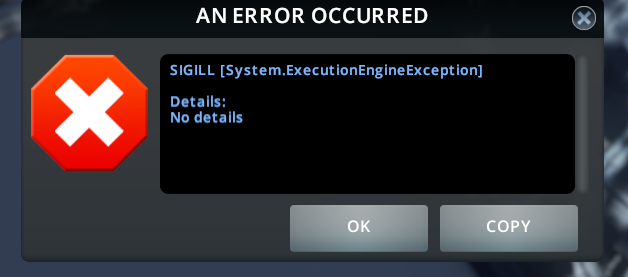
thunder1410
on 7 Jun 2020
That's really interesting... So instead of silent error who knows where, we know patching that particular method cause issues. Important question is... Why?
Mod logging is still disabled in that build and Player.log probably didn't registered stacktrace for that error :/
krzychu124
on 7 Jun 2020
I have a 10MB log file filled with this error:
Simulation error: SIGILL
  at TrafficManager.Custom.AI.CustomPassengerCarAI.FindParkingSpaceProp (Boolean isElectric, UInt16 ignoreParked, .PropInfo info, Vector3 position, Single angle, Boolean fixedHeight, Vector3 refPos, Single width, Single length, System.Single& maxDistance, UnityEngine.Vector3& parkPos, UnityEngine.Quaternion& parkRot) [0x00000] in <filename unknown>:0
  at TrafficManager.Manager.Impl.AdvancedParkingManager+<>c__DisplayClass27_0.<FindParkingSpaceBuilding>g__LoopHandler|0 (Int32 i, Int32 j) [0x00000] in <filename unknown>:0
  at TrafficManager.Util.LoopUtil+<>c__DisplayClass1_0.<SpiralLoop>b__0 (Int32 x, Int32 y) [0x00000] in <filename unknown>:0
  at TrafficManager.Util.LoopUtil.SpiralLoop (Int32 width, Int32 height, TrafficManager.Util.TwoDimLoopHandler handler) [0x00000] in <filename unknown>:0
  at TrafficManager.Util.LoopUtil.SpiralLoop (Int32 xCenter, Int32 yCenter, Int32 width, Int32 height, TrafficManager.Util.TwoDimLoopHandler handler) [0x00000] in <filename unknown>:0
  at TrafficManager.Manager.Impl.AdvancedParkingManager.FindParkingSpaceBuilding (.VehicleInfo vehicleInfo, UInt16 homeID, UInt16 ignoreParked, UInt16 segmentId, Vector3 refPos, Single maxBuildingDistance, Single maxParkingSpaceDistance, Boolean randomize, UnityEngine.Vector3& parkPos, UnityEngine.Quaternion& parkRot, System.Single& parkOffset) [0x00000] in <filename unknown>:0
  at TrafficManager.Manager.Impl.AdvancedParkingManager.FindParkingSpaceInVicinity (Vector3 targetPos, Vector3 searchDir, .VehicleInfo vehicleInfo, UInt16 homeId, UInt16 vehicleId, Single maxDist, TrafficManager.API.Traffic.Enums.ExtParkingSpaceLocation& parkingSpaceLocation, System.UInt16& parkingSpaceLocationId, UnityEngine.Vector3& parkPos, UnityEngine.Quaternion& parkRot, System.Single& parkOffset) [0x00000] in <filename unknown>:0
  at TrafficManager.Manager.Impl.VehicleBehaviorManager.ParkPassengerCar (UInt16 vehicleID, .Vehicle& vehicleData, .VehicleInfo vehicleInfo, UInt32 driverCitizenId, .Citizen& driverCitizen, UInt16 driverCitizenInstanceId, .CitizenInstance& driverInstance, TrafficManager.API.Traffic.Data.ExtCitizenInstance& driverExtInstance, UInt16 targetBuildingId, Position pathPos, UInt32 nextPath, Int32 nextPositionIndex, System.Byte& segmentOffset) [0x00000] in <filename unknown>:0
  at TrafficManager.Custom.AI.CustomPassengerCarAI.CustomParkVehicle (UInt16 vehicleId, .Vehicle& vehicleData, Position pathPos, UInt32 nextPath, Int32 nextPositionIndex, System.Byte& segmentOffset) [0x00000] in <filename unknown>:0
  at TrafficManager.Custom.AI.CustomVehicleAI.CustomUpdatePathTargetPositions (UInt16 vehicleId, .Vehicle& vehicleData, Vector3 refPos, System.Int32& targetPosIndex, Int32 maxTargetPosIndex, Single minSqrDistanceA, Single minSqrDistanceB) [0x00000] in <filename unknown>:0
  at CarAI.SimulationStep (UInt16 vehicleID, .Vehicle& vehicleData, .Frame& frameData, UInt16 leaderID, .Vehicle& leaderData, Int32 lodPhysics) [0x00000] in <filename unknown>:0
  at PassengerCarAI.SimulationStep (UInt16 vehicleID, .Vehicle& vehicleData, .Frame& frameData, UInt16 leaderID, .Vehicle& leaderData, Int32 lodPhysics) [0x00000] in <filename unknown>:0
  at VehicleAI.SimulationStep (UInt16 vehicleID, .Vehicle& vehicleData, UInt16 leaderID, .Vehicle& leaderData, Int32 lodPhysics) [0x00000] in <filename unknown>:0
  at TrafficManager.Custom.AI.CustomCarAI.CustomSimulationStep (UInt16 vehicleId, .Vehicle& vehicleData, Vector3 physicsLodRefPos) [0x00000] in <filename unknown>:0
  at TrafficManager.Custom.AI.CustomPassengerCarAI.CustomSimulationStep (UInt16 vehicleId, .Vehicle& vehicleData, Vector3 physicsLodRefPos) [0x00000] in <filename unknown>:0
  at VehicleManager.SimulationStepImpl (Int32 subStep) [0x00000] in <filename unknown>:0
  at SimulationManagerBase`2[Manager,Properties].SimulationStep (Int32 subStep) [0x00000] in <filename unknown>:0
  at VehicleManager.ISimulationManager.SimulationStep (Int32 subStep) [0x00000] in <filename unknown>:0
  at SimulationManager.SimulationStep () [0x00000] in <filename unknown>:0
  at SimulationManager.SimulationThread () [0x00000] in <filename unknown>:0   [Core]
Thanks, we will investigate it, because I didn't touch that area.
I've got a few questions.
- Does debug build behaves identical or only last version (or any of optimized)?
- Do you have any missing building assets?
- Can I use your savegame you've sent previously for debugging or it is just different/new savegame?
Just in case, could you verify game files integrity to be sure that all of game files are good?
krzychu124
on 7 Jun 2020
It is almost the same save, just continued building.
Somehow it managed to work again.
I only downloaded the file again.
At the moment not noticed any crashes, maybe luck.
maybe this build gives this error instead of the crash?
EDIT: I don't use any custom assets only DLC's
thunder1410
on 7 Jun 2020
With the update from 5 hours ago, first load went fine. No issues. Second crashed immediately on city showing up. Could not even click to unpause the game. The game was up for 10 seconds before it disappeared.
It seems like there is a bigger threading issue in the game or unity/mono. I am using the mono bundled with Steam. Though I could install it with the package manager, I don't think it would get used.
Is this what you mean by missing building assets? I don't have any custom assets installed.
snippet of Player.log:
There is no building that would upgrade to: H3 3x3 Shop17 [Core]
(Filename: /home/builduser/buildslave/unity/build/artifacts/generated/common/runtime/DebugBindings.gen.cpp Line: 51)
-OR- many like this:
Unknown prefab: Tsunami [Serialization]
(Filename: /home/builduser/buildslave/unity/build/artifacts/generated/common/runtime/DebugBindings.gen.cpp Line: 51)
The above happens whether it crashes or not, and it happens without the mod enabled.
End of log after today's crash:
Resolved '0Harmony, Version=2.0.0.9, Culture=neutral, PublicKeyToken=null' to 0Harmony, Version=2.0.1.0, Culture=neutral, PublicKeyToken=null
(Filename: /home/builduser/buildslave/unity/build/artifacts/generated/common/runtime/DebugBindings.gen.cpp Line: 51)
GfxDevice: creating device client; threaded=1
GfxDevice: creating device client; threaded=1
GfxDevice: creating device client; threaded=1
81 Tiles - DontUpdateNodeFlags enabled
(Filename: /home/builduser/buildslave/unity/build/artifacts/generated/common/runtime/DebugBindings.gen.cpp Line: 51)
81 Tiles - DontUpdateNodeFlags disabled
(Filename: /home/builduser/buildslave/unity/build/artifacts/generated/common/runtime/DebugBindings.gen.cpp Line: 51)
GfxDevice: creating device client; threaded=1
GfxDevice: creating device client; threaded=1
GfxDevice: creating device client; threaded=1
GfxDevice: creating device client; threaded=1
GfxDevice: creating device client; threaded=1
GfxDevice: creating device client; threaded=1
GfxDevice: creating device client; threaded=1
Receiving unhandled NULL exception
0 0x007ffd731f5a40 in funlockfile
1 0x007ffd731f5fe8 in (Unknown)
2 0x007ffd731f5ff8 in (Unknown)
3 0x007ffd731f6008 in (Unknown)
4 0x007ffd731f6018 in (Unknown)
5 0x007ffd731f6028 in (Unknown)
6 0x007ffd731f6038 in (Unknown)
7 0x007ffd731f6048 in mono_set_defaults
8 0x007ffd731f83a0 in mono_runtime_invoke
9 0x007ffd731f83d0 in std::vector >, std::allocator > > >::~vector()
10 0x007ffd731f8400 in std::vector >, std::allocator > > >::~vector()
11 0x007ffd731f8420 in std::vector >, std::allocator > > >::~vector()
12 0x007ffd731f85a0 in operator new(unsigned long)
13 0x007ffd731f85e0 in std::vector >, std::allocator > > >::~vector()
14 0x007ffd731f8600 in zcfree
15 0x007ffd731f9400 in __libc_start_main
16 0x007ffd731f94c0 in zcfree
myoung008
on 7 Jun 2020
@myoung I already have tried to remove the mono folder in the games folder but I couldn't get it to started on Ubuntu with the mono-runtime package installed. I think the game requires that specific mono version. I could be wrong, you can try.
thunder1410
on 7 Jun 2020
Yes, Unity game engine uses its own modified version of mono, actually you can build it from sources and it should work, but I couldn't force it to create libmono.so, probably because was compiling from Windows machine (99% sure)
krzychu124
on 7 Jun 2020
Is it possible to compile the custom mono version on Linux?
thunder1410
on 7 Jun 2020
Compiling your own mono in this case is probably a hairball. I have a separate libmono for each game that requires it.
@krzychu124 it would be .dll on windows even if it c
reated it. It's a different format of course, but conceptually the same.
myoung008
on 7 Jun 2020
Original version: https://github.com/0xd4d/dnSpy-Unity-mono/tree/master/unity-5.6.7
or modified debug version of mono which I tried to compile for dnSpy debugger I use normally on Windows (it instructs mono to start game with debugger automatically)
https://github.com/0xd4d/dnSpy-Unity-mono/tree/dnSpy/unity-5.6.7
krzychu124
on 7 Jun 2020
After some fiddling around I got this output after trying to build with the ./autogen.sh
output_autogen.txt
thunder1410
on 7 Jun 2020
@thunder1410 same here with autogen.sh. Not an expert with autotools, but will experiment and let you know if I figure something out.
myoung008
on 7 Jun 2020
@myoung008 I think you can give up. They don't support linux, mono does but dnSpy doesn't. They recommend to use wine....
https://github.com/0xd4d/dnSpy/issues/1038
EDIT: note that it isn't the unity version of dnSpy
thunder1410
on 7 Jun 2020
Yep. It seems to require older autotools, and the CMakeLists.txt is broken (old). Just an old unsupported thing. Hairball.
myoung008
on 7 Jun 2020
Note that the windows cities skylines seems to work for me with the workshop traffic manger, but with a major framerate hit.
thunder1410
on 7 Jun 2020
I took out my build enviroment for traffic manager and I logged the number of times the onBeforeSimulationFrame method in ThreadingExtension.cs is activated when crashing.
It managed to go through it for 11 times, counted from 0 to10. Do someone have other ideas where I can add print statements? No debugger, falling back on the good old print statements.
thunder1410
on 8 Jun 2020
Hello!
I think I have the same problem.
I have an AMD Ryzen 5 3600X, running OpenSuse Tumbleweed, and I have played Cities Skylines with TM:PE for more than 40 h with little problems (crash when loading, but saving and loading the game allowed me to play without any further problems).
Yesterday, I tried starting loading an old savegame and starting a new city but the game crashed seconds after I unpause. I tried disabling the TM:PE and the Roundabout builder (the only two mods I have active) and now the game works without a problem.
UPDATE:
OK, I have tried to disable ALL _assets_, and this time around the game would start with TM:PE without issues. I then enabled the assets I remembered to be using, and then without a problem. When I enabled Modern Condo by Smilies and TM:PE, the game would crash.
Maybe the problem is some incompatibility with an asset?
 ano1453
on 10 Jun 2020
ano1453
on 10 Jun 2020
@ano1453 Can you post a link to the specific asset? Smiles has a large collection of "Modern Condo" assets.
aubergine10
on 10 Jun 2020
@ano1453 As a fellow crash sufferer, it crashes without assets too. It appears to be a race condition, so any configuration change could make things better or worse.
myoung008
on 10 Jun 2020
For me (after another round of bugfixing) it started crashing at completely random places. Every time I run the game and load the same savegame, game crashes at different method. Since mod always work when non-optimized, I can try to find patch which can cause issues and mark it 'don't optimize' on compile time.
Problem is that we have about 50 patches...
krzychu124
on 10 Jun 2020
@aubergine10
I only took note of the name and maker before I unsubscribed, it didn't even occur to me that there could be many of the same maker with the same name. I do have a backup of the steam folder which contains a modern_condo4x4.crp under a 1812686836 with 2,3Mb of size and md5 hash of c25be0d22eda03fd12100042552e88d7.
I will try to reinstall the possible candidates and will let you know the result.
EDIT: It was this one: https://steamcommunity.com/sharedfiles/filedetails/?id=1812686836
@myoung008 Maybe you're right. I don't know programming, I just saw I had the same problem and thought of making a report. When I was trying to review my post with more info, I saw the problem went away.
If you guys can think of something for me to test, let me know
ano1453
on 10 Jun 2020
Hello! I have the same problem on Ubuntu :'(
Here is the TMPE.log file, tell me if you need anything else.
TMPE.log
Good luck to solve this!
 sol427
on 20 Jun 2020
sol427
on 20 Jun 2020
I have the same problem on Ubuntu
I can't find the log file on linux
 Arkantus85
on 29 Jun 2020
Arkantus85
on 29 Jun 2020
@Arkantus85
The TM:PE log is located: /home/YourUserName/.local/share/Steam/steamapps/common/Cities_Skylines/Cities_Data/
The Player log is located: /home/YourUserName/.config/unity3d/Colossal Order/Cities_ Skylines/
darthroe
on 29 Jun 2020
Arkantus85
on 29 Jun 2020
hi guys,
i find a temporary solution to avoid the crash.
used TMPE version: TMPE_11.6_Release_Optimized.zip from this issue thread
game steps:
- start Cities Skylines from Steam
- once paradox launcher started, select "Play"
- Content Manager
- Mods
- click the "options" in TMPE
- click through all option tabs (from "general" to "keybinds"). here i don't know which tab does the trick, but 5 clicks is simple :)
- back to main menu and start the game
the trick is maybe at step 5 and step 6, some data are loaded before game.
@krzychu124 has released several newer versions here. I haven't yet tested them. I also haven't tested with the stable version..
Another test build, I found one bug, this time it is Release Labs with optimized.
I hope that bugfix will solve all issues. Let me know if works.
 alvinrxg
on 29 Jun 2020
alvinrxg
on 29 Jun 2020
I found some info that mix
Linux - AMD - Steammay cause similar issues.
I'm not sure how good you are at linux os, but I think you could try this: https://inxile.zendesk.com/hc/en-us/articles/115004658528-File-handles-bug-causing-crashes-Linux-
It shouldn't break anything, but since Cities Skylines tends to open and read a lot of files I think it's worth trying.
This worked for me, but I had to quadruple the values listed to soft nofile 16284 and hard nofile 32568, using the 11.6 labs link in this thread, have not tested with stable, but will probably give it a try and report back.
edit
Okay, so this fix doesn't work with stable, but it does work with the 11.5.0 labs version.
 NolanSyKinsley
on 13 Jul 2020
NolanSyKinsley
on 13 Jul 2020
@NolanSyKinsley
I used that too but only doubled the values. I'm going to up the values to what you've indicated and see if it makes any difference for me.
darthroe
on 13 Jul 2020
Okay, I may have been wrong about it working with 11.5.0, it worked for a while and then all of a sudden it started happening again, switched to the 11.6 version linked in this thread and it started working again, will check back if it stops working again.
NolanSyKinsley
on 13 Jul 2020
Yeah, it's weird, especially if you are loading exact same savegame. At first it looks like it works, but after few restarts it starts crashing again 😕
krzychu124
on 13 Jul 2020
the 11.6 worked for opening a saved game that locked 100% of the time on 11.5 and stable. I also made the same changes to my limits that were suggested by NolanSyKinsley. Which did not fix the issue on 11.5 or stable.
 infinitevalence
on 17 Jul 2020
infinitevalence
on 17 Jul 2020
Sad to report that eventually the issue rears its head again even on 11.6 with the quadrupled values. I can disable the mod, save and load again, but all traffic management has to be re-done. I did downgrade to 1.15 to try and get the broken save to load, most of the time it would not, and the one time it did load and play it immediately errored about the advanced hearse AI repeatedly and my population shot up from 22k to 90k+ but I could never get the errors to stop. Tried a few things that did not work, reverted everything back and when I loaded the game and stopped the graveyard emptying before I unpaused that let the game resume oddly enough...
NolanSyKinsley
on 18 Jul 2020
@NolanSyKinsley AFAIK only this version works, but it is slower than optimized version, about 20-30%
krzychu124
on 18 Jul 2020
Phew, theres a lot of information in this thread. I have similar situation that is reported in this issue a many times already: a save game that crashes after unpausing the game. Crash only happens when TMPE is enabled (I'm using the stable release, but tried once with LABS but that crashed too).
I managed to get the save game unpaused without crashing by doing this:
- Start up the game
- Start a _new_ game and unpause it
- Load the save game
- Profit.
I think this was suggested in some of the comments here already. Running the game on linux.
 vhakulinen
on 2 Aug 2020
vhakulinen
on 2 Aug 2020
Sad to report that eventually the issue rears its head again even on 11.6 with the quadrupled values. I can disable the mod, save and load again, but all traffic management has to be re-done. I did downgrade to 1.15 to try and get the broken save to load, most of the time it would not, and the one time it did load and play it immediately errored about the advanced hearse AI repeatedly and my population shot up from 22k to 90k+ but I could never get the errors to stop. Tried a few things that did not work, reverted everything back and when I loaded the game and stopped the graveyard emptying before I unpaused that let the game resume oddly enough...
Confirming, eventually the issue will randomly start to show up again. I have noticed it seems to happen most after a reboot.
infinitevalence
on 3 Aug 2020
Same issue here, mint cinamon 19.3
I also have amd ryzen 3 3200g and nividia graphic.
Game sometimes worked, sometimes frezzed , It didn't crashed imminently sometimes, I could view city, and hear sounds animating, but I could not change anything in game, or see visual animations, everything was frozen, I also couldn't save game, after while game crashed.
It's such shame cause mod is so fine and really helps in traffic managing.
 C3x64
on 5 Aug 2020
C3x64
on 5 Aug 2020
As stated here, I had the exact same issue as @C3x64. I use Archlinux, and I have all my packages up to date, as well as Steam and CS. Ryzen 5 3600 and Nvidia GeForce GTX 1660 SUPER.
My workaround used to be clicking on the "Recovery" button of 81 Tiles before unpausing the game after loading a save.
I noticed this bug disappeared after installing the mono package when debugging an issue for Intersection Marking Tool. Without the latter installed, I ran the game with and without mono, but with all my other mods installed. See the (chubby) logs:
Now, when running the game without mono, it just plain crashes after loading a save. I can't do my old workaround anymore.
 damienwojtowicz
on 9 Aug 2020
damienwojtowicz
on 9 Aug 2020
I can confirm it seem to be working also for me (Manjaro Linux).
Since I installed mono some time ago (along with other packages I tested trying to debug this issue), I can't reproduce any of issues from this thread, no matter which version of TM:PE I use.
krzychu124
on 9 Aug 2020
Which package would that be on Ubuntu? I've tried this which seemed like it: https://linuxize.com/post/how-to-install-mono-on-ubuntu-20-04/ (except for switching bionic to focal in the repo source line as that's the Ubuntu 20.04 codename) but it till crashes for me either on load or right after I unpasue the game with TM:PE V11 STABLE.
 zubozrout
on 9 Aug 2020
zubozrout
on 9 Aug 2020
Unless I missed something, or maybe you installed it differently than me, I don't know how installing mono would help since it's not listed as a dependency or optional dependency for Steam so it's not going to use it.
That said, I though maybe I'll try it to see if it makes a difference and after installing mono it does nothing to fix the problem. I just playing a couple of times and on the second time I ran the game it froze and crashed.
darthroe
on 9 Aug 2020
AFAIK Steam may not be requiring that but I guess a mod can. And if such a dependency is missing in the system it will crash. On the other hand Cities: Skylines bundles some version of Mono with the game and even uses that with the base game and all mods are using it - being .dll files :). There is clearly some Mono stuff over in this directory: /home/username/.steam/steam/steamapps/common/Cities_Skylines/Mono
zubozrout
on 9 Aug 2020
Yes, Unity engine internals are written in C++ but managed side which game devs and modders use is running under Mono runtime. Bundled version of mono is custom build tailored specially for game engine.
Some programming features (processing XML files) needs mono runtime compiler and usually bundled version is ok, but when it's not enough, it will throw an error on Windows but may crash game on Linux/MacOs when full version is not available in the system libraries.
I usually don't play on Linux but last weekend I was trying to break my game. I was loading "broken" savegame multiple times, using launcher continue button or not, reloading multiple times in game and no luck, didn't crash or lock even once in probably 50 runs. Everything was working as it should.
Few minutes ago I decided to try and I uninstalled mono (6.4.0 was installed)
First game load of the same "broken" savegame and guess what...
Game crashed to desktop just after simulation started.
krzychu124
on 9 Aug 2020
Just to be clear, because brain fog is limiting reading comprehension. Installing updated Mono has fixed or improved the chances of unpausing the game and avoiding a CDT or hang?
infinitevalence
on 9 Aug 2020
@infinitevalence
Ok, I'll try a bit simpler, but I'm not 100% sure yet because I've had no time to test it multiple times.
I did only few quick tests so results may be different for you (I doubt).
_(BTW, I'm running Manjaro Linux)_
Here is quick test I made:
- before I uninstalled
monopackage I run game to try if it will crash - It won't, I even disabled pause on load to be sure that simulation will start automatically just after loading savegame. - I uninstalled
mono, and just after that I run game again - It crashed just after UI appeared (simulation bar turned green and bang! Game stopped and CTD) - I installed
monoagain and I did the same test. No issues, works like a charm.
When we first spotted this issue I've had game hangs and CTD but those situations were unpredictible and random but usually 1 of 3 runs was either CDT or simulation hang (sometimes few times in a row).
With mono installed I couldn't achieve simulation hang or CDT even one single time (~50 runs, 5 different "broken" savegames). I was a bit surprised but until yesterday @damienwojtowicz I couldn't find the cause of that drastic change (I've had no idea that mono package installed was solving all errors silently).
I doubt that game crash in the first run without mono was an accident.
Also some Linux users of Intersection Marking Tool mod had saving issues, which I couldn't reproduce myself (yes. I've had mono installed...).
There are multiple Linux distros, so it is still possible that proposed solution may not work for all possible cases.
krzychu124
on 9 Aug 2020
Thanks, I will give it a shot!
infinitevalence
on 10 Aug 2020
So I installed mono, from app store, and first time my game got glitched, but didn't crashed, I couldn't edit anything, or save , I could just view, but, It stayed like that and did not crash(it did before, once it froze my system for 20seconds), second time It run fine, and for now there aren't any crashes.(i was able to quit game and enter again from game menu, as before I wasn't cause it crashed imminently, no errors were saved too cause of fast crash)
I installed Mono-complete from app store.
version : 4.6.2.7+dfsg-1ubuntu1
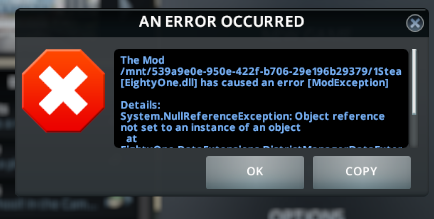
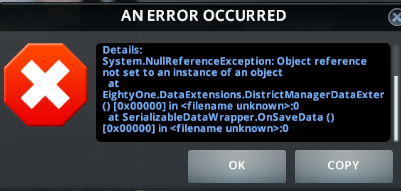
Full log of error:
It doesn't pop up, but if error occurs again I will sent error log here as well.
TM:PE labs runs fine as of now.
C3x64
on 10 Aug 2020
I had mono installed previously (and up to date) and did have the crash. Going through this thread i saw the comment by @damienwojtowicz and unsubscribed from the "Intersection Marking Tool" mod. That fixed the issue for me. So it might be 2 different issues.
 jpinnekamp
on 10 Aug 2020
jpinnekamp
on 10 Aug 2020
@jpinnekamp I've tried with Mono and am unsubscribed from the "Intersection Marking Tool". But it could be that on Ubuntu something else has to be done too or I have tried with a wrong Mono package.
zubozrout
on 10 Aug 2020
I installed Mono on Gentoo.
One crash before the city comes up, on the screen with the progress bar. This was fairly common before, too.
Second try came up with the message (paraphrase): TMPE did not load correctly, you can continue playing but it's not recommended because TMPE will not work. I had not seen this message before.
Then three more tries, all worked successfully, no crash on unpause.
So it looks like having Mono installed helped me too, but it's not perfect yet.
myoung008
on 10 Aug 2020
@myoung008 it depends on which version you tried. IIRC all version available for download in this issue require CitiesHarmony mod to work properly.
@C3x64 extracting just error message doesn't help at all with searching for issue. It could be effect of previous error or something else which was not reported to user(using dialog) while loading saved game. Have you tried uninstalling mono to check if it's the cause of issue?
NullReferenceException basically means that function expected object with some data but it wasn't found (maybe mod didn't created it while loading savegame or encountered some other problems(not game breaking)?)
@zubozrout, @jpinnekamp on my Manjaro Linux package is called mono I've been using version 6.4.0 and then updated to 6.10.0, still working as intended. As you said, maybe on Ubuntu it might be called differently or other dependency is also needed. I'll try to find a bit of free space on my second HDD and then install Ubuntu to test it myself. It has better debugging tools support so maybe I'll find what else it needs.
Intersection Marking Tool relies on two features: XML file support and compression. The latter seem to cause issues on Ubuntu, but some users, using different distro(like me) don't have such problems. I haven't tried saving markings without mono installed yet (will do).
krzychu124
on 10 Aug 2020
@krzychu124 TMPE 11.6.0 STABLE, Harmony 2.01 installed and enabled.
I've been playing scenarios lately so I've had all mods disabled and no crashing, though occasionally ( <10%) the game freezes up about 3/4 way through the loading progress bar. Obviously not TMPE related.
To run the tests with Mono I enabled Harmony along with TMPE and loaded an older city that I was using with TMPE a while ago. I did not revisit the mod screen or change anything else between any of the above tests. I did not grab the log on the TMPE loading failure, if it does it again I will.
myoung008
on 10 Aug 2020
I installed the mono-complete package on Pop!_Os, which seemed to work. But today I couldn't get my city to unpause. First it just wouldn't unpause, I also tested another city. Then I rebooted and it just crashed after unpausing. I uninstalled the mono-complete package (and its dependencies) and it also crashed.
I don't think it is related to the mono package. By installing and removing some packages you can decrease or increase the likelihood the crash appears, but it isn't the root problem.
I am using the workshop version of TM:PE stable.
thunder1410
on 11 Aug 2020
I had mono installed previously (and up to date) and did have the crash. Going through this thread i saw the comment by @damienwojtowicz and unsubscribed from the "Intersection Marking Tool" mod. That fixed the issue for me. So it might be 2 different issues.
Nevermind, It seems to work for me only on the first start after a reboot. If I run it after closing it before I have issues.
I also noticed that if I run it a second (or more) time, and continue directly from the launcher, the game crashes once I unpause, but if I go to the main menu and continue from there, the game does not unpause, but i can still scroll around.
jpinnekamp
on 12 Aug 2020
@C3x64 your error log came from the 81 Tiles mod, the log refer to the workshop item with id 576327847.
thunder1410
on 13 Aug 2020
Can some try this build of the stable version I made? It seems to work reliable for me, but we never know.
TMPE.zip
I made a new build configuration, copied the release configuration and disabled the TRACE constant. Code optimization is enabled so I expect to perform the same as the normal stable build.
thunder1410
on 13 Aug 2020
I made a new build configuration, copied the release configuration and disabled the TRACE constant.
Is this the only change? If so, there is no point to test it, because trace is guarding logging method which is used in the only one place - to log results of networkInfo scan (speed limits manager initialization, before start reading the mod savegame data).
I've been testing latest master without changes and without mono package it crash or lock simulation on Manjaro and Ubuntu, not in 100% tries but still.
I noticed that without mono-runtime package on Ubuntu, it's easier to lock simulation when IntersectionMarkingTool is also enabled. IMT needs mono to save and read marking data properly (missing compression code in built-in game version of mono) More info
After installing mono(Manjaro) or mono-runtime(Ubuntu) package it works for me without any issue.
krzychu124
on 13 Aug 2020
You are right that my build isn't special, I expected the workshop stable version to be the same as the release build. But I get consistent crashes with the workshop version and not with my own compiled version.
I also installed to mono-runtime package but that didn't help.
Workshop crash log: Player.log
Are there more dependencies needed to make it work? It is weird you got working on your machine.
thunder1410
on 13 Aug 2020
Are there more dependencies needed to make it work? It is weird you got working on your machine.
I doubt, I just installed fresh 20.04 Ubuntu and steam few days ago, then started trying my old "broken" savegames.
After few tries game started crashing and locking simulation. Then I installed mono-runtime and repeated those tests, but that time no luck, issue was gone.
To be sure I removed that package and started game again. I chose random "broken" save and bang!, game crashed after loading.
I was only loading saved games, no saves involved to be sure that game will start always from the same state. After another install of mono-runtime game was loaded correctly and worked without any issue
Same goes for my second linux (Manjaro). Just after uninstalling mono, game started crashing/simulation stop randomly (always after simulation start, but not each time I loaded the same savedgame)
_Side note, I was trying few different graphic drivers but I'm not sure if that could affect it_
krzychu124
on 13 Aug 2020
Gorgeous, thank you @krzychu124. It didn't work for me right away but after I Installed mono-runtime (no extra repositories needed) and rebooted my PC it started working just fine (not sure why a reboot or possibly just log-out was needed though). Works both with and without the "Intersection Marking Tool". That on its own worked just fine until I wanted to save the game but now works flawlessly too.
This is not heavily tested so will see over the following couple of weeks but this was the first time I was able to play with TM:PE after Sunset Harbor was released which makes me very happy as my city has quite a few traffic problems I can finally fix :). And both quick launch from Steam (resume) as well as launching through the main game menu works for me.
I guess it would be great to somehow report this to Colossal Order and ask them if they would be so nice and bundle all the necessary files with CS on Linux and possibly macOS so that this works out of the box for everyone.
zubozrout
on 13 Aug 2020
After installing the mono-runtime and rebooting the problem was gone. The first time I didn't reboot and that would be the cause it had no effect. I tested this for a few days. Thanks to @krzychu124 for figuring this out!
I will report back if I experience issues later down the line, but seems good for now.
People who have this issue: Install the mono-runtime package on Ubuntu (based) distro's or the mono package on arch (based) distro's. After that you may have to reboot until it works.
thunder1410
on 21 Aug 2020
Still got a crash today with the mono-runtime package installed. I have to say that I had some background applications running and I am pretty sure there was some swap (called pagefile in Windows) usage <1GB. I don't think the mono-runtime package is the source of the problem, but it only reduces the likelihood of it happening. Maybe under very rare conditions it could happen in Windows?
Player.log
thunder1410
on 21 Aug 2020
Running the game on fedora, issue can still be reproduced when installing the mono-complete package
 samtoxie
on 23 Aug 2020
samtoxie
on 23 Aug 2020
@C3x64 extracting just error message doesn't help at all with searching for issue. It could be effect of previous error or something else which was not reported to user(using dialog) while loading saved game. Have you tried uninstalling
monoto check if it's the cause of issue?
At beginning it run ok, but after 2 days glitch returned , it stooped after i installed mono again.
I'm no programmer so i have no idea why and what happens, but from my observation seem like installing mono averts crashes. I haven't got single one since it's installed. But imminently after deinstaling it there's no crashes, it's strange, but they eventually return after few reboots of system.
C3x64
on 27 Aug 2020
When i first encountered this bug i've started over new city with only this mod enabled. And i could play few hours and even (AFAIR) a few save / load and reboot cycles. But eventually it came back...
 moonwolf-github
on 27 Aug 2020
moonwolf-github
on 27 Aug 2020
Hm, interesting :/. It worked for me reliably for 2 weeks and now suddenly no matter what I do with the mono-runtime package I seem not to be able to unpause the game. It either crashes immediately after unpausing or keeps the game in a zombie-like state.
I've tried a bunch of reboots and installing/uninstalling/reinstalling the respective mono package and am still unable to load the game today. I suspect it could be caused by some update either to my Linux machine or Steam, but I am not sure at all.
zubozrout
on 27 Aug 2020
@zubozrout could you share that savegame? I couldn't reproduce this issue myself after installing mono-runtime.
Maybe your savegame will have something special (saved weird/locked state) which could help me find the cause of this weird behavior?
Additionally I realized there is one place in the mod code which can cause unexpected behavior, might be completely harmless, but I'm not 100% sure, because I couldn't test that manually.
Under very specific circumstances, mod may cause issues just after loading savegame - the time when TM:PE is swapping Pathfinder threads and then killing vanilla ones. It's 100% dependent on saved data, but after analyzing the code it seem to be possible.
I'll try to find some free time this weekend to eliminate that bug or at least move execution of the code a bit earlier (where I'm near 100% sure that any other code won't interrupt or interfere with PF thread switch process) and I'll post new version for tests.
krzychu124
on 28 Aug 2020
@krzychu124 @zubozrout I also have this issue with my save. It crashes after unpausing.
Network extension 2 is used in the save but is not required to make it crash.
Mono-runtime is installed on the system.
crashing_save.crp.zip
thunder1410
on 28 Aug 2020
Hi @krzychu124, it took me a while to figure out how to get the save game on Linux ... the location I would have expected is empty:
/home/USERNAME/.local/share/Colossal Order/Cities_Skylines, but then I have all my games saved in cloud.
So I have been able to get it when I clicked publish game to workshop and in the confirmation popup there was a open folder button which when clicked on opened up a file manager where I was able to find the save game one folder up the directory it opened on :).
Anyway, the game requires quite a few mods and assets :(, but I hope I am not overdoing that.
Here is the savegame: https://zubozrout.cz/data/cloud:Tropical%20Island.crp
zubozrout
on 28 Aug 2020
Ok, and I finally got around to try it even with a new game. The game loads fine and I can start building but crashes when I try to save it. Loading probably works because it is a new game and saving crashes because of the Intersection Marking Tool.
It just behaves as if Mono was not installed at all even though it is :(. I wonder what could have changed that Cities: Skylines (and its mods) doesn't see the system version of Mono anymore but I guess it could be somehow fighting with Mono bundled with the game which is missing the crucial bits required by some mods :(.
zubozrout
on 30 Aug 2020
Unfortunately I've tried all the suggestions here (installed mono, etc.), yet I too still get random crashes. I did find that using Loading Screen Mod's options to remove vehicle agents, fix simulation errors sometimes helped. Anyway when I uninstall this mod all saved games load and play without freezing.
darthroe
on 30 Aug 2020
Having similar issues here, Ubuntu 20.04 I tried installing mono no luck.
To me it appears that the issue only occurs after you have added in a large number of TM:PE "fixes" to the traffic, is there a database type limitation?
I started a city without TM:PE which grew to almost 100.000 population, then saved and reloaded with TM:PE enabled could start and save games OK
Then after modifying a large number of road lane lane marking, adding in timed traffic lights etc, and then saving the game
quit, restarted and the issue returned.
I was able to recover by disabling TM:PE again.
 dolanbaker
on 30 Aug 2020
dolanbaker
on 30 Aug 2020
To me it appears that the issue only occurs after you have added in a large number of TM:PE "fixes" to the traffic, is there a database type limitation?
It happens to me (on Fedora and GamerOS) with small town and one or two traffic changes, so it doesn't appear to be size limitation.
moonwolf-github
on 31 Aug 2020
The issue appears to have fixed itself!
There have been a series of recent updated on Ubuntu, so maybe one of these updated fixed the crash.
I can even now load up games that were previously broken.
dolanbaker
on 9 Sep 2020
Still no luck here, sadly.
moonwolf-github
on 9 Sep 2020
The issue appears to have fixed itself!
There have been a series of recent updated on Ubuntu, so maybe one of these updated fixed the crash.
I can even now load up games that were previously broken.
Doesn't seem to be the case for me on ubuntu 20.04 with latest updates
samtoxie
on 11 Sep 2020
the mono package does seems to have some impact on this issue, whenever I reinstall it and start a game with TM:PE it seems to work. However this would need to be done every time you want to start your game.
samtoxie
on 24 Sep 2020
@samtoxie I noticed the same behaviour recently. It's so weird mono has to be reinstalled before running the game and loading a save.
damienwojtowicz
on 24 Sep 2020
@samtoxie I noticed the same behaviour recently. It's so weird mono has to be reinstalled before running the game and loading a save.
Yes, I'm considering making a shell script which first reinstalls mono and rhen launches the game. And then use that shell script whenever I want to play CS
samtoxie
on 24 Sep 2020
For the people interested in the shell script: https://gist.github.com/samtoxie/f5fee768018b9da87371d46e15dc9767
Seems to work now for me as a temporary solution until the bug can be fixed. Of course replace the reinstall command with the appropriate one for your distro if you aren't on ubuntu or another debian based distro.
samtoxie
on 24 Sep 2020
So, i suppose there must be something in post-install script (or whatever it is called in apt-get realm). I think reinstalling mono in Fedora didn't help, but i'll give it a try.
moonwolf-github
on 24 Sep 2020
I am no expert, but I looked at the installation script from the mono package for Arch. It seems like post-install only does SSL certificate synchronization, and I doubt this is related to the TM:PE issue.
damienwojtowicz
on 24 Sep 2020
I just checked which version of mono is running on my ubuntu (Ubuntu 20.04.1 LTS) and it appears to have been upgraded just before the issue disappeared.
"Mono JIT compiler version 6.12.0.90 (tarball Fri Sep 4 14:01:23 UTC 2020)"
Not sure if this would help anyone.
replying to my earlier comment
The issue appears to have fixed itself!
There have been a series of recent updated on Ubuntu, so maybe one of these updated fixed the crash.
I can even now load up games that were previously broken.
dolanbaker
on 24 Sep 2020
I just checked which version of mono is running on my ubuntu (Ubuntu 20.04.1 LTS) and it appears to have been upgraded just before the issue disappeared.
"Mono JIT compiler version 6.12.0.90 (tarball Fri Sep 4 14:01:23 UTC 2020)"
Not sure if this would help anyone.replying to my earlier comment
The issue appears to have fixed itself!
There have been a series of recent updated on Ubuntu, so maybe one of these updated fixed the crash.
I can even now load up games that were previously broken.
I am on the same version, so that doesn't seem to be the reason
samtoxie
on 24 Sep 2020
I have the same problem. However, I did some digging and I think I have found another workaround to the problem that does not require re-installing Mono every time.
After checking my Player.log, I noticed is that the game is using Mono from Steam, while using native libthread and libc from /usr/lib.
Native stacktrace:

/home/karl/.local/share/Steam/steamapps/common/Cities_Skylines/Cities_Data/Mono/x86_64/libmono.so(+0x91f55) [0x7f74da37ff55]
/usr/lib/libpthread.so.0(+0x140ef) [0x7f752db7f0ef]
/usr/lib/libc.so.6(gsignal+0x145) [0x7f752d695615]
/usr/lib/libc.so.6(abort+0x115) [0x7f752d67e861]
./Cities.x64() [0x9f864b]
/home/karl/.local/share/Steam/steamapps/common/Cities_Skylines/Cities_Data/Mono/x86_64/libmono.so(+0xd1086) [0x7f74da3bf086]
/home/karl/.local/share/Steam/steamapps/common/Cities_Skylines/Cities_Data/Mono/x86_64/libmono.so(+0x34c3d) [0x7f74da322c3d]
/usr/lib/libpthread.so.0(+0x140ef) [0x7f752db7f0ef]
[0x402b7f78]
[0x402b186f]
[0x402b11be]
[0x402a29de]
[0x4185720e]
[0x4189e56e]
/home/karl/.local/share/Steam/steamapps/common/Cities_Skylines/Cities_Data/Mono/x86_64/libmono.so(+0x38d88) [0x7f74da326d88]
/home/karl/.local/share/Steam/steamapps/common/Cities_Skylines/Cities_Data/Mono/x86_64/libmono.so(mono_runtime_invoke+0x67) [0x7f74da422b34]
/home/karl/.local/share/Steam/steamapps/common/Cities_Skylines/Cities_Data/Mono/x86_64/libmono.so(+0x15f356) [0x7f74da44d356]
/home/karl/.local/share/Steam/steamapps/common/Cities_Skylines/Cities_Data/Mono/x86_64/libmono.so(+0x184ec6) [0x7f74da472ec6]
/home/karl/.local/share/Steam/steamapps/common/Cities_Skylines/Cities_Data/Mono/x86_64/libmono.so(+0x1a59d7) [0x7f74da4939d7]
/usr/lib/libpthread.so.0(+0x93e8) [0x7f752db743e8]
/usr/lib/libc.so.6(clone+0x42) [0x7f752d758292]

Debug info from gdb:

ERROR: ld.so: object '/home/karl/.local/share/Steam/ubuntu12_32/gameoverlayrenderer.so' from LD_PRELOAD cannot be preloaded (wrong ELF class: ELFCLASS32): ignored.
Workaround
To work around the issue, I forced Steam to use native libraries. I am on Manjaro, so the instructions might vary for other distros.
Note that I am using the Labs version of TM:PE, I have not tested the workaround with the Stable version. However, I experienced the crash also with Stable.
- Install this package:
https://www.archlinux.org/packages/multilib/x86_64/steam-native-runtime/
It installs a lot of dependency libraries for running games in Steam (although they appear to be mostly 32 bit libs, which are useless in this case, so it might work without the deps, no idea). - The package should also install a script for starting Steam using the native system libraries, but this did not happen in my case for some reason. Anyway, the Steam starting script is also available on Github:
https://github.com/archlinux/svntogit-community/blob/packages/steam-native-runtime/trunk/steam-native.sh - Exit Steam if it is running. Make sure that Steam is fully closed, not just minimized to the system tray.
- Run the downloaded script to launch Steam.
- Then, you can launch Cities Skylines normally from Steam and the game should not crash anymore with TM:PE enabled.
Final thoughts
- I have not tried the Mono re-install workaround. However, could it be that reinstalling Mono temporarily changes some system variables, which force the game to use the native version of Mono instead of the one that is bundled by Steam?
- Why do I see this error only when TM:PE enabled? I can have ~30 mods running without TM:PE enabled and the game runs just fine, no errors, no crashes. The moment I enable TM:PE, it will crash right after loading, unless I start Steam with the script mentioned above. This also happens if I unsubscribe from all other mods besides TM:PE.
- If I don't use the Script, the game loads fine when I disable all vehicle entities from Loading Screen Mod. However it sometimes still crashes at a later time.
 karljans
on 24 Sep 2020
karljans
on 24 Sep 2020
Sorry to add to the noise, but I'm pretty sure this is affecting me on Mac too, and has been for a couple months. I don't know if the mono/unity tools are any better or worse on Mac compared to Linux, but I'm happy to help out with debugging if it's useful.
Details:
Logs but nothing exciting in them. It freezes after unpausing with no error messages that I can find. I am using other mods, but I've been following this thread and I'm pretty sure they're irrelevant. If I disable all my other mods then the save loads and the simulation starts, but the simulation stutters forward and backward a little before continuing normally. I have a feeling that disabling the mods is behaving similarly to the "delete all vehicle agents" workaround by incidentally modifying a broken part of the game state. I think I could play a game with just TM:PE and reproduce the issue, but that's obviously less fun.
 mjstevens777
on 27 Sep 2020
mjstevens777
on 27 Sep 2020
This is looking good.
I tried installing mono-complete (I'm in Opensuse TW), and set as launch option STEAM_RUNTIME=0.
I don't know if this last part does anything, all I know is that I tried it out for two sessions of about 30min each without any crashes, while running TMPE (stable) and MoveIt Mod, and some other mods without any problems.
ano1453
on 27 Sep 2020
Thank you @ano1453. I've taken a bit less painful approach and so far it seems I can run my city with TM:PE enabled again.
So, just to sum up, I have:
mono-runtimepackage installed- following run options enabled:
__NV_PRIME_RENDER_OFFLOAD=1 __GLX_VENDOR_LIBRARY_NAME=nvidia STEAM_RUNTIME_PREFER_HOST_LIBRARIES=1 %command%(which includes Nvidia on-demand stuff, but I hope that has no effect)
In addition to the above I've saved my game once it loaded with the above bullet points done as I had constant crashes even with mono-complete and STEAM_RUNTIME=0 (I've tried reinstalling and rebooting a few times - I could also have missed some stuff Steam provides with that option). I have then closed Cities: Skylines and Steam and re-launched all over again and it worked after unpausing. So far I've been able to play the game again - but since it only took 2 weeks before things went wrong again the last time I was celebrating I fear this may not be the ultimate solution and considering how fuzzy things are with this it may not work for others :(.
zubozrout
on 28 Sep 2020
Looks like STEAM_RUNTIME=0 solved issue on Fedora. Not thoroughly tested yet.
moonwolf-github
on 29 Sep 2020
Huh, after a while I got into a weird state where my game was not able to load at all and all things that matched to what I googled were suggesting my save game is broken and doomed having to do something with the "PrefabCollection`1[RadioChannelInfo].GetPrefab (UInt32 index) [0x00000] in
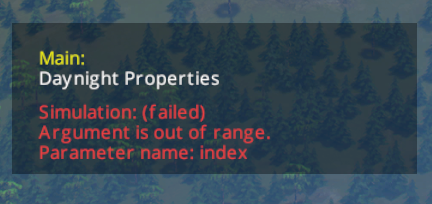
Setting STEAM_RUNTIME_PREFER_HOST_LIBRARIES=1 to 0 and unsubscribing from/disabling TM:PE solved this for me (not sure why unsubscribing from TM:PE alone was not enough). Then when I resaved the game and resubscribed to TM:PE it started working again but it has started with a bunch of Null pointer error popups (probably matching the number of intersections I had modified with TM:PE) and all these modifications were gone when I checked later. Then I was again unable to unpause the game without freezing/crashing until I've reset the launch properties to prefer host libraries.
This all happened because TM:PE was failing again and the game was crashing for me on load and I've tried to apply my "save game, exit and relaunch" workaround which once worked but not in this case - though it could have been because I've saved the game in the frozen unpaused state rather than right after it loaded and without unpausing it.
PS. If the broken savegame is of any use to anyone (I guess not) here it is: https://zubozrout.cz/data/Porto-broken.crp
zubozrout
on 3 Oct 2020
PrefabCollection'1[RadioChannelInfo].GetPrefab (UInt32 index) [0x00000] in :0 is just result of major error while savegame metadata has been loaded. You should spot that in the log - start of loading savegame process. Usually it is Tag missmatch
Savegame is just steam of bytes, tightly packed, each chunk of data has its metadata(data length, type and other important info) and some mods are messing with that data changing its structure. Obviously any change in structure will make in incompatible so savegame must be loaded with help of that mod.
I know few mods doing that, 81tiles (increased tiles array size and many other), MoreVehicles(changing vehicles+parked veh array sizes), TreesUnlimiter (increasing limit of trees - also array size change) and probably few others. If you saved game with any of those mods enabled then you won't be able to load that saved game again without that mod/mods.
PS. If the broken savegame is of any use to anyone (I guess not)
I'll check it, maybe spot something unusual :wink:
krzychu124
on 4 Oct 2020
Thank you @krzychu124. Well, I had 81tiles, but haven't disabled that one for a long time now. But yeah, the savegame was most probably broken as I've been saving it when the game was frozen because of this mono+tm:pe issue. When the mono issue appears the game often crashes after unpausing the game, but this time it just froze the game. Obviously it is my fault that I've been doing what I've been doing at such time but it is still weird it did load again with the combination of TM:PE disabled and local libraries ignored.
zubozrout
on 4 Oct 2020
Looks like
STEAM_RUNTIME=0solved issue on Fedora. Not thoroughly tested yet.
Unfortunately it didn't. Also STEAM_RUNTIME_PREFER_HOST_LIBRARIES=1 (and 0) wasn't helpful...
moonwolf-github
on 5 Oct 2020
Unfortunately it didn't. Also
STEAM_RUNTIME_PREFER_HOST_LIBRARIES=1(and 0) wasn't helpful...
Yeah, it is not working for me any more either :(. Weird that once in a while it works for me for a limited time (a few days) and then I am back in a non-working state for a much longer period again.
zubozrout
on 5 Oct 2020
It seems somehow random. I've loaded save and was able to play for several minutes without any issue. I've overwrited this save and we'll see if next time i'll be able to run it.
moonwolf-github
on 6 Oct 2020
It seems somehow random. I've loaded save and was able to play for several minutes without any issue. I've overwrited this save and we'll see if next time i'll be able to run it.
No, i'm not. It's broken now. I think i'll have to disable this mod...
moonwolf-github
on 7 Oct 2020
Has anyone tried running the game using proton to see if that would be a temporary workaround?
samtoxie
on 7 Oct 2020
I have. It basically doesn't work at all (on my Fedora).
moonwolf-github
on 9 Oct 2020
@samtoxie proton is running wine under the hood and also Windows build of the game, so if you can run game in that compatibility mode(at least enter main menu) it should work without any issues. It will run slower than native😉
krzychu124
on 9 Oct 2020
@samtoxie proton is running wine under the hood and also Windows build of the game, so if you can run game in that compatibility mode(at least enter main menu) it should work without any issues. It will run slower than nativewink
Yes I know how proton works, was just curious if anyone tried as I am not sure how well the game would run with it considering there are plenty of games that don't like it. I've been trying it out over the past few days and it generally seems to work best with the latest version of proton 4. I am however running into some issues where the game/launcher doesn't seem to launch. Not sure what the reason is for that but usually a restart seems to fix it. Not sure whether this is due to my particular setup or not. Performance seems alright to me, don't really notice any difference between native and using wine.
samtoxie
on 9 Oct 2020
I think i might have found a solution. I've loaded "broken" savegame and then clicked "Reset stuck cims and vehicles" (in "Maintenance" tab). And it seems it is working...
moonwolf-github
on 10 Oct 2020
Using TMPE on Ubuntu Mate 20.04
when the game freeze you can reload the savegame and it will probably works.
This occurs very often for me.
But i had the problem now that it crashes EVERYTIME after unpauseing and running for a second.
It occours out of nowhere, i didn't change anything, not even a mod...
I nearly went crazy. After i read this i deactivated TMPE and found out that it is running fine.
Because of @moonwolf-github i activated TMPE again and clicked everything in the Maintance Tab (Only "Reset stuck cims and vehicles" didn't work for me) and now it is working again for me.
TMPE is running for a long time now, perhaps old files are the problem?
 JokerGermany
on 11 Oct 2020
JokerGermany
on 11 Oct 2020
@JokerGermany Certainly not old files as "savegames weeks/months old" ... as I can start a new city and experience the issue in a few days again. However it is true that really new games tend to work for me and I haven't experienced any issue with those yet - though I haven't tried properly/too often either.
zubozrout
on 11 Oct 2020
I've built a city without TMPE enabled, then enabled TMPE and did some things. The save game with TMPE enabled exhibits the bug- crash on resume. I've attached the Player and TMPE logs
save game with tmpe enabeled
save game without tmpe enabeled)
Player.log
TMPE.log
 UniqueUserajs
on 24 Oct 2020
UniqueUserajs
on 24 Oct 2020
I experience the same issue, especially in recent weeks. The game freezes or crashes as soon as I press the play button.
Playing (mostly) on Xubuntu 18.04 with TM:PE 11 Stable.
 sea75300
on 26 Oct 2020
sea75300
on 26 Oct 2020
Mono fixed the crash, but introduced a SIGILL in CustomPassengerCarAI.FindParkingSpaceProp:
Simulation error: SIGILL
  at TrafficManager.Custom.AI.CustomPassengerCarAI.FindParkingSpaceProp (Boolean isElectric, UInt16 ignoreParked, .PropInfo info, Vector3 position, Single angle, Boolean fixedHeight, Vector3 refPos, Single width, Single length, System.Single& maxDistance, UnityEngine.Vector3& parkPos, UnityEngine.Quaternion& parkRot) [0x00000] in <filename unknown>:0
  at TrafficManager.Manager.Impl.AdvancedParkingManager+<>c__DisplayClass27_0.<FindParkingSpaceBuilding>g__LoopHandler|0 (Int32 i, Int32 j) [0x00000] in <filename unknown>:0
  at TrafficManager.Util.LoopUtil+<>c__DisplayClass1_0.<SpiralLoop>b__0 (Int32 x, Int32 y) [0x00000] in <filename unknown>:0
  at TrafficManager.Util.LoopUtil.SpiralLoop (Int32 width, Int32 height, TrafficManager.Util.TwoDimLoopHandler handler) [0x00000] in <filename unknown>:0
  at TrafficManager.Util.LoopUtil.SpiralLoop (Int32 xCenter, Int32 yCenter, Int32 width, Int32 height, TrafficManager.Util.TwoDimLoopHandler handler) [0x00000] in <filename unknown>:0
  at TrafficManager.Manager.Impl.AdvancedParkingManager.FindParkingSpaceBuilding (.VehicleInfo vehicleInfo, UInt16 homeID, UInt16 ignoreParked, UInt16 segmentId, Vector3 refPos, Single maxBuildingDistance, Single maxParkingSpaceDistance, Boolean randomize, UnityEngine.Vector3& parkPos, UnityEngine.Quaternion& parkRot, System.Single& parkOffset) [0x00000] in <filename unknown>:0
  at TrafficManager.Manager.Impl.AdvancedParkingManager.FindParkingSpaceInVicinity (Vector3 targetPos, Vector3 searchDir, .VehicleInfo vehicleInfo, UInt16 homeId, UInt16 vehicleId, Single maxDist, TrafficManager.API.Traffic.Enums.ExtParkingSpaceLocation& parkingSpaceLocation, System.UInt16& parkingSpaceLocationId, UnityEngine.Vector3& parkPos, UnityEngine.Quaternion& parkRot, System.Single& parkOffset) [0x00000] in <filename unknown>:0
  at TrafficManager.Manager.Impl.AdvancedParkingManager.FindParkingSpaceForCitizen (Vector3 endPos, .VehicleInfo vehicleInfo, TrafficManager.API.Traffic.Data.ExtCitizenInstance& extDriverInstance, UInt16 homeId, Boolean goingHome, UInt16 vehicleId, Boolean allowTourists, UnityEngine.Vector3& parkPos, .Position& endPathPos, System.Boolean& calculateEndPos) [0x00000] in <filename unknown>:0
  at TrafficManager.Manager.Impl.ExtCitizenInstanceManager.InternalStartPathFind (UInt16 instanceID, .CitizenInstance& instanceData, TrafficManager.API.Traffic.Data.ExtCitizenInstance& extInstance, TrafficManager.API.Traffic.Data.ExtCitizen& extCitizen, Vector3 startPos, Vector3 endPos, .VehicleInfo vehicleInfo, Boolean enableTransport, Boolean ignoreCost, Boolean adhocDebugLog) [0x00000] in <filename unknown>:0
  at TrafficManager.Manager.Impl.ExtCitizenInstanceManager.StartPathFind (UInt16 instanceID, .CitizenInstance& instanceData, TrafficManager.API.Traffic.Data.ExtCitizenInstance& extInstance, TrafficManager.API.Traffic.Data.ExtCitizen& extCitizen, Vector3 startPos, Vector3 endPos, .VehicleInfo vehicleInfo, Boolean enableTransport, Boolean ignoreCost) [0x00000] in <filename unknown>:0   [Core]
about 10-20 of those pop up every few seconds (sometimes with different call stacks, but always ending in a SIGILL in FindParkingSpaceProp), while all cars are just stuck in place without a brain
(note this trace is the current LABS, but STABLE behaves the same)
EDIT: setting STEAM_RUNTIME_PREFER_HOST_LIBRARIES=1 seems to have done the trick, i guess it was just a conflict between the system mono libs and steam's.
 nonchip
on 1 Nov 2020
nonchip
on 1 Nov 2020
With the clue that this could be related to Mono, I searched for "Mono funlockfile" on the web and found this chain of issues:
1) https://github.com/mono/mono/issues/19131
2) https://github.com/gentoo/gentoo/commit/f01fbee8c17e524942fc58adeb766a3e0afe7bce
3) https://github.com/alsa-project/alsa-lib/issues/27
It seems that there's a known crash on funlockfile caused by a bug in how Unity uses libasound2. This started being a problem in ALSA 1.2.2 and a workaround was added in v1.2.3. However, the problem version made its way into a lot of distros including Ubuntu 20.04 and Fedora 32.
Based on this info, I would assume that the STEAM_RUNTIME_PREFER_HOST_LIBRARIES=1 workaround will only help if you're running a distro version that doesn't have the problem ALSA version. For me, using that option with libasound 1.2.3.2 on Debian bullseye/sid seems to make the funlockfile crash-to-desktop _less common_. However, with this set I'm still seeing simulation crashes with some mention of SIGILL in Player.log, but (strangely enough) no complete traceback.
For those who have ALSA 1.2.2 (Ubuntu 20.04 and Fedora 32, etc.), this might be a relevant workaround? https://github.com/alsa-project/alsa-lib/issues/27#issuecomment-590064611
I can't be sure that this ALSA bug is related, since funlockfile is a fairly general method and the tracebacks from the other threads don't match. But I hope this can help narrow down the issue anyways.
 jlu5
on 1 Nov 2020
jlu5
on 1 Nov 2020
@nonchip try this version TrafficManager_linux_2.zip
We use framework to reverse redirect private method FindParkingSpaceProp (expose public method for our use which in game will be pointing to private method - eliminates C# Reflection performance issues),
I changed the way we patch it, using another library we use, but we haven't migrated all patches yet. I hope it'll fix the problem.
I remember that similar issue was with TrainAI.CheckOverlap()(also reverse redirect), so I assume that most of currently reverse redirected methods can cause problems (deadlocks, funlocks or SIGILLs).
krzychu124
on 1 Nov 2020
using the ZIP file caused in error on startup
Last lines in Player.log
Receiving unhandled NULL exception
#0  0x007ffcd86177c0 in funlockfile
#1  0x007ffcd8617d50 in (Unknown)
#2  0x007ffcd8617d60 in (Unknown)
#3  0x007ffcd8617d70 in (Unknown)
#4  0x007ffcd8617d80 in (Unknown)
#5  0x007ffcd8617d90 in (Unknown)
#6  0x007ffcd8617da0 in (Unknown)
#7  0x007ffcd8617db0 in mono_set_defaults
#8  0x007ffcd861a100 in mono_runtime_invoke
#9  0x007ffcd861a130 in std::vector<core::basic_string<char, core::StringStorageDefault<char> >, std::allocator<core::basic_string<char, core::StringStorageDefault<char> > > >::~vector()
#10 0x007ffcd861a160 in std::vector<core::basic_string<char, core::StringStorageDefault<char> >, std::allocator<core::basic_string<char, core::StringStorageDefault<char> > > >::~vector()
#11 0x007ffcd861a180 in std::vector<core::basic_string<char, core::StringStorageDefault<char> >, std::allocator<core::basic_string<char, core::StringStorageDefault<char> > > >::~vector()
#12 0x007ffcd861a300 in operator new(unsigned long)
#13 0x007ffcd861a340 in std::vector<core::basic_string<char, core::StringStorageDefault<char> >, std::allocator<core::basic_string<char, core::StringStorageDefault<char> > > >::~vector()
#14 0x007ffcd861a360 in zcfree
#15 0x007ffcd861b160 in __libc_start_main
#16 0x007ffcd861b230 in zcfree
 lindesbs
on 4 Nov 2020
lindesbs
on 4 Nov 2020
on startup
At the game launch or after loading savegame?
Harmony mod is required to run that version
krzychu124
on 4 Nov 2020
I've loaded a savegame from yesterday. It starts in pause mode. After unpause it, it takes 2-3 seconds and it crashed. When TMPE is disabled, everything works fine.
TM:PE 11.5.3 PREVIEW
Harmony 2.0.1
Should i provide this savegame?
lindesbs
on 4 Nov 2020
I just tried it on my Ubuntu... I didn't even unpaused, game crashed with exactly the same error :confused:
krzychu124
on 4 Nov 2020
I'm also hitting (presumbably) the same bug: saves seem to load fine and then the game crashes on unpausing. In the past couple of days I had success with disabling TM:PE (Stable) and then loading, unpausing, saving, reenabling TM:PE, and then loading the actual city. Saving, quitting and then loading (via "Resume" in the launcher) may work, but it it fails, it fails reproducibly.
Here are what I assume are the relevant parts of Player.log (with some context lines)
Achievement image idx 131 Speedup now loading
Achievement image idx 132
Native stacktrace:

        /mnt/games/Steam2/steamapps/common/Cities_Skylines/Cities_Data/Mono/x86_64/libmono.so(+0x91f55) [0x7f1ad36acf55]
        /lib64/libpthread.so.0(+0x12f1f) [0x7f1adb455f1f]
        /lib64/libc.so.6(gsignal+0x141) [0x7f1adaeed461]
        /lib64/libc.so.6(abort+0x126) [0x7f1adaed753a]
        ./Cities.x64() [0x9f864b]
        /mnt/games/Steam2/steamapps/common/Cities_Skylines/Cities_Data/Mono/x86_64/libmono.so(+0xd1086) [0x7f1ad36ec086]
        /mnt/games/Steam2/steamapps/common/Cities_Skylines/Cities_Data/Mono/x86_64/libmono.so(+0x34bfe) [0x7f1ad364fbfe]
        /lib64/libpthread.so.0(+0x12f1f) [0x7f1adb455f1f]
        /usr/lib/gcc/x86_64-pc-linux-gnu/9.3.0/libgcc_s.so.1(+0xfe54) [0x7f1adb07de54]
        /usr/lib/gcc/x86_64-pc-linux-gnu/9.3.0/libgcc_s.so.1(+0x10355) [0x7f1adb07e355]
        /usr/lib/gcc/x86_64-pc-linux-gnu/9.3.0/libgcc_s.so.1(_Unwind_ForcedUnwind+0x35) [0x7f1adb07eaf5]
        /lib64/libpthread.so.0(__pthread_unwind+0x3f) [0x7f1adb454a2f]
        /lib64/libpthread.so.0(pthread_exit+0x2b) [0x7f1adb44c11b]
        /mnt/games/Steam2/steamapps/common/Cities_Skylines/Cities_Data/Mono/x86_64/libmono.so(+0x184e09) [0x7f1ad379fe09]
        /mnt/games/Steam2/steamapps/common/Cities_Skylines/Cities_Data/Mono/x86_64/libmono.so(mono_thread_exit+0x54) [0x7f1ad3777114]
        /mnt/games/Steam2/steamapps/common/Cities_Skylines/Cities_Data/Mono/x86_64/libmono.so(+0x91229) [0x7f1ad36ac229]
        /mnt/games/Steam2/steamapps/common/Cities_Skylines/Cities_Data/Mono/x86_64/libmono.so(+0xcc4c3) [0x7f1ad36e74c3]
        [0x7f1a46505844]
        [0x40d169f8]

Debug info from gdb:


=================================================================
Got a SIGABRT while executing native code. This usually indicates
a fatal error in the mono runtime or one of the native libraries
used by your application.
=================================================================

pid 201988 != 201847, skipping destruction (fork without exec?)
naged/UnityEngine.UI.dll into Unity Child Domain
Platform assembly: /mnt/games/Steam2/steamapps/common/Cities_Skylines/Cities_Data/Managed/UnityEngine.Networking.dll (this message is harmless)
Loading /mnt/games/Steam2/steamapps/common/Cities_Skylines/Cities_Data/Managed/UnityEngine.Networking.dll into Unity Child Domain
This is well before the save game is loaded. After the save game is loaded, the log ends with:
GfxDevice: creating device client; threaded=1
GfxDevice: creating device client; threaded=1
Colossal Handler caught: SIGILL


(Filename: /home/builduser/buildslave/unity/build/artifacts/generated/common/runtime/DebugBindings.gen.cpp Line: 51)

Runtime terminating: True

(Filename: /home/builduser/buildslave/unity/build/artifacts/generated/common/runtime/DebugBindings.gen.cpp Line: 51)

The game will now crash. Sorry for the inconvenience...

(Filename: /home/builduser/buildslave/unity/build/artifacts/generated/common/runtime/DebugBindings.gen.cpp Line: 51)

Receiving unhandled NULL exception
#0  0x007f1a11ef2780 in funlockfile
#1  0x007f1a11ef2d38 in _Unwind_GetTextRelBase
#2  0x007f1a11ef2e88 in _Unwind_GetTextRelBase
#3  0x007f1a11ef3048 in _Unwind_ForcedUnwind
#4  0x007f1a11ef3288 in __pthread_unwind
#5  0x007f1a11ef3298 in pthread_exit
#6  0x007f1a11ef32a8 in mono_pthread_key_for_tls
#7  0x007f1a11ef32b8 in mono_thread_exit
#8  0x007f1a11ef32c8 in mono_method_marked_as_wrapperless
#9  0x007f1a11ef3588 in mono_amd64_throw_exception
#10 0x007f1a11ef3748 in (Unknown)
#11 0x007f1a11ef3758 in (Unknown)
So, different traces, but funlockfile appears nonetheless.
This is on gentoo, using the steam runtime and with alsa-1.2.3 installed.
 chdoc
on 12 Nov 2020
chdoc
on 12 Nov 2020
Two more bits of information: Installing mono-6.6.0.161 makes the first Native stacktrace disappear, even though I have the steam runtime _enabled_ and I had no mono installed beforehand. Also Player.log contains the line unchanged line:
Loading Mono
Mono location: /mnt/games/Steam2/steamapps/common/Cities_Skylines/Cities_Data/Mono/x86_64
But this folder doesn't even exist. So there is some mono that runs when there is no system-wide installation and the behavior changes when providing a system installation, even with STEAM_RUNTIME=1. Moreover, the Mono location provided by the Player.log is evidently false. I'm lost :fearful:
chdoc
on 13 Nov 2020
@chdoc what do you mean that directory doesn't exist? It's perfectly valid folder. libmono.so is the mono runtime.

(list of game files from Linux version https://steamdb.info/depot/255713/)
Here is one version that users report it work - it's slower for about 20-40% than release: https://github.com/CitiesSkylinesMods/TMPE/issues/817#issuecomment-638459750
krzychu124
on 13 Nov 2020
Sorry about the confusion, I may have confused Mono with Cities_Data/Mono. It still makes me wonder how this mono runtime interacts with a potential system-wide mono. After all, the Player.log changes significantly with a system-mono present, even when nominally using the steam runtime. :thinking:
How does the zip you mentioned above differ from the one you posted two weeks ago?
chdoc
on 13 Nov 2020
Sorry about the confusion, I may have confused
MonowithCities_Data/Mono. It still makes me wonder how this mono runtime interacts with a potential system-wide mono. After all, thePlayer.logchanges significantly with a system-mono present, even when nominally using the steam runtime. thinkingHow does the zip you mentioned above differ from the one you posted two weeks ago?
Considering you're both linking to the same comment, there is no difference 😀
samtoxie
on 13 Nov 2020
No? @krzychu124 liked to a comment from June 3 with a file named TMPE_11.6_DEBUG.zip, I linked to comment from November 1 with a file named TrafficManager_linux_2.zip. :thinking:
chdoc
on 13 Nov 2020
No? @krzychu124 liked to a comment from June 3 with a file named
TMPE_11.6_DEBUG.zip, I linked to comment from November 1 with a file namedTrafficManager_linux_2.zip. thinking
Oh mb you're right, I was sure it redirected me to the same comments when I said that. Maybe I just opened the wrong tab
samtoxie
on 13 Nov 2020
Considering you're both linking to the same comment, there is no difference
It's debug version of the mod, means, contains a lot of empty debugging instructions to helps debugging. It is slower because of those additional instructions(more than half of actual code)
That version from not a while ago seem to be broken, it's crashing the game after loading save (invalid memory access)
krzychu124
on 13 Nov 2020
Here is one version that users report it work - it's slower for about 20-40% than
release: #817 (comment)
I can report that the linked mod-version allows me to load my my city and continue playing, so far without crashes. However, I'm not sure I agree with the assessment that this points to a build configuration issue. I gather that funlockfile is part of the linux stdio.h and is for thread-safe IO. So if TM:PE works with debug symbols, which completely changes the timing behavior of everything involved, my bets are on some multi-threaded code (either within TM:PE or within the bundled mono) not really being thread-safe. Proof? None. Just a wild guess.
chdoc
on 13 Nov 2020
I tried version without file logging. No luck. If it's something not thread-safe it's probably inside mono runtime on linux since it works perfectly well on Windows. All game dlls, where game logic is located, is identical.
krzychu124
on 17 Nov 2020
I agree, but I have no good understanding of how the mono setup of the Linux version works. I mean, there is (among others):
Cities_Data/Mono/x86_64/libmono.so
Cities_Data/Mono/x86_64/libMonoPosixHelper.so
Mono/EmbedRuntime/libmono.so
Mono/EmbedRuntime/libMonoPosixHelper.so
Mono/EmbedRuntime/mono.dll
Mono/bin/mono.dll
And the relevant section of the wiki page on debugging mods starts with "This is for Winodws:". Interestingly it says:
Build mono.dll from source https://github.com/thardie/mono/tree/unity-5.6
This is a fork of Unity-Technologies/mono, which in turn is a widely diverged (992 commits ahead, 8954 commits behind) fork of mono/mono. And mono, at it's core, is a reimplementation of Microsoft .NET. I gather that the Unity fork is a game engine rather than a "mono runtime". Also, according to steamdb, the Cities_Data/Mono/x86_64 folder is missing on Windows. :fearful:
chdoc
on 17 Nov 2020
Also, according to steamdb, the Cities_Data/Mono/x86_64 folder is missing on Windows
There is no such folder in steamdb, make sure you are checking Windows build (255711), not linux(255712) or mac(255713)
It's modified version of Unity mono repository to run Mono in debug mode (search for env variable), normally run via commanline options mono --debugger-agent blah, blah, blah dll_to_launch. Game is using Cities_Data/Mono/x86_64/libmono.so
You would have to build it on linux to generate so (shared object) file. I tried, configuration seem to be incomplete.
Unity use mono runtime(open source) to run managed code (C#, F#) on it. "Backend" is written in C++ (proprietary, no sources, obviously).
krzychu124
on 17 Nov 2020
Just to add to the tally, I have this problem also. Running Ubuntu 18.04
 Ryan-pelo
on 21 Nov 2020
Ryan-pelo
on 21 Nov 2020
since people seem to be guessing thread magic and build configurations here, i'd like to reiterate SIGILL is the signal for an invalid cpu instruction... pretty sure that doesn't just happen due to a build config.
nonchip
on 23 Nov 2020
Yeah, but mod uses two kinds of assembly patchers, one redirects method pointers directly, the other library rebuilds IL code to insert method calls. The letter is better because multiple mods can insert call before some method call. Problem is that runtime mono jitter can inline some instructions at runtime causing above issues. We have no idea when and if ever instructions are inlined. We also have no way to force or block that behaviour.
It does not happen on Windows version of Mono runtime but does on some MacOS and probably most Linux distros.
It appears to be random which is the worst case for debugging. Even if I was starting game and loading the same savegame I've got different results. Simulation state was the same each time, but once crashed to desktop the other time just lock.
krzychu124
on 23 Nov 2020
I have the same problem on Manjaro Linux with TMPE 11.5.1 occurring with a crash after unpausing.
So far, none of these methods I've tried worked:
- The build 11.5.3 PREVIEW from the 1st of November.
- The command bypass to use native libs.
- Using steam runtime / native.
- Using only TMPE.
If it passes the unpause after loading, it works really stable until the next loading :)
However, using the 11.6 LABS optimized build worked :) Thank you!!
 dbkblk
on 11 Dec 2020
dbkblk
on 11 Dec 2020
@dbkblk can you explain where this 11.6 version can be found. Cause the LABS version in Steam workshop is still 11.5. Did you built yourself?
 mederel
on 13 Dec 2020
mederel
on 13 Dec 2020
@mederel I don't know what he's using, but the 11.6 Debug version was linked in this thread: https://github.com/CitiesSkylinesMods/TMPE/issues/817#issuecomment-638459750 and is definitely working (although it's around 30% slower)
 Gr3q
on 13 Dec 2020
Gr3q
on 13 Dec 2020
@mederel I'm using the optimized RELEASE build (DEBUG is only useful if you encounter a bug, and want to give a detailled output to a dev), linked previously.
Check there:
DEBUG version:
https://github.com/CitiesSkylinesMods/TMPE/issues/817#issuecomment-638459750
RELEASE version
https://github.com/CitiesSkylinesMods/TMPE/issues/817#issuecomment-639230185
dbkblk
on 13 Dec 2020
Hi @Gr3q @dbkblk thanks for sharing. This issue is getting a VERY long stream. Hopefully when 11.6 is released we could close it :-) Indeed I confirm too with the 11.6 RELEASE build of this issue runs well on my Manjaro with native runtime. Thanks for taking the time to give me the info! Appreciate it!
mederel
on 13 Dec 2020
Still not working for me with 11.6 using Manjaro KDE
TMPE.log
Player.log
samtoxie
on 14 Dec 2020
Still not working for me with 11.6 using Manjaro KDE
TMPE.log
Player.log
I think you're using the wrong version. Your log says "Build 11.5.0.31575" but the DLL version says 11.6.0.39849.
Have you unsuscribed the mod before to install this one?
dbkblk
on 14 Dec 2020
Still not working for me with 11.6 using Manjaro KDE
TMPE.log
Player.logI think you're using the wrong version. Your log says "Build 11.5.0.31575" but the DLL version says 11.6.0.39849.
Have you unsuscribed the mod before to install this one?
Hmm it seems you're right, weird. I had removed it prior to launching the game but I still loaded it anyway. Indeed on 11.6 it seems to work currently
samtoxie
on 15 Dec 2020
Current master seems to work fine better.
Since I was stuck with the same problem, today I took the time to clone TMPE, fix up the project files for working with MonoDevelop (xbuild and linux file paths, ...) and to test a local build of the mod. I just wanted to try find the error, instead I found that I can load my city without big delay or crashes.
I confirmed it to work with both Debug and Release builds. I tried by starting the game from Steam as well as from "Cities.x64" launcher in filesystem (I found that the game tends to crash less with this startup compared to Steam with the workshop version). In all combinations I could unpause immediately a few seconds after loading the map. With the workshop version, this would be a sure-as-hell crash and I would have to wait a longer, randomly zooming in and out before sending my prayers and unpausing.
Some edge data of my environment, in case it matters:
Solus with boogie desktop, AMD Ryzen 7 1700 CPU, 16GB Ram, Nvidia GTX 1050 TI
Mods:
  * (local)      TM:PE 11.5.3 STABLE
  * 667342976    Loading Screen Mod
  * 2034713132   Auto Repair
  * 2055465280   Extended Error Reporting
  * 1777173984   Broken Node Detector 0.5
  * 1625704117   Roundabout Builder
  * 1844440354   Klyte's Fine Road Anarchy 2.0.2
  * 1619685021   Move It 2.9.0
  * 787611845    Prop Snapping
  * 791221322    Prop Precision 1.0.1
  * 593588108    Prop & Tree Anarchy
  * 403798635    25 Spaces
  * 2040656402   Harmony 2.0.1
I'll stay with the self-built version for now and I'll try to get some more data about the cases where the game still crashes. Initially I thought the problem was gone, but then I had another crash when I unpaused really quick after loading.
Update: so far I was unable to reproduce the crash with current master version. One time I got a traffic freeze in Release Build instead, but was unable to reproduce it as well...
One suspicious detail I found in the code is the use of Monitor.Enter(some_lock);
- Why not use
lock (some_lock) { ... }? - The "proper" way to use would be to enter before the try:
Monitor.Enter(some_lock); try { ... } catch { Monitor.Exit(some_lock); }because otherwise, if Monitor.Enter throws, the code tries to exit a lock that was not really acquired. However, this should produce aSynchronizationLockExceptioninstead of being the culprit of a freeze / uncommented crash.
 matthiaszoellner
on 23 Dec 2020
matthiaszoellner
on 23 Dec 2020
@matthiaszoellner yup, that Monitor was suspicious, so I changed it in the https://github.com/CitiesSkylinesMods/TMPE/issues/817#issuecomment-639230185 and I'll add PR with fix for that.
The real problem is that crash may be caused by either CheckOverlap on CustomTrainAI(check free space in front of vehicle) or FindParkingSpace(X) from CustomPassengerAI(find parking prop/building/roadside position).
Both methods are reverse redirected(function pointer redirection to original method) to increase performance - no need to use reflection.
I could use Reflection but... those methods might be called from 300-500(empty city, dummy traffic) up to n * 10k times/sec (at worst case):
- 16k vehicles (or 64k with More Vehicles mod),
- 1k/step(or 4k with More Vehicles mod)
- 64 steps/sec. - 1x speed (4x more with More Vehicles mod),
- 256 steps/sec - 3x speed (4x more with More Vehicles mod - I doubt there is a CPU which could handle that amount without slowing down simulation).
I think that mono jitter(runtime compiler) is inlining original method call _(sometimes)_ so method redirector produce invalid pointer which can cause either crash or infinite loop(I've seen that case with GDB on Linux).
We have no control over mono jitter and inlining appears to be random. I tried Harmony to reverse redirect it(since we also use it for patching), but I've got 100% crash every time I tried - the same code was working correctly on Windows. As I said before I compared Assembly-CSharp.dll (Windows vs Linux) and parts we patch are 100% the same in terms of compiled IL code.
BTW you don't have to build master manually - compiled artifacts can be found here: Appveyor (link always points to the latest master branch build at that time)
krzychu124
on 27 Dec 2020
I wonder is it possible to simply install windows version of game and run it via proton, and avoid this issue , but it would be kinda cheating and not actually figuring out where problem lays.
C3x64
on 27 Dec 2020
I wonder is it possible to simply install windows version of game and run it via proton, and avoid this issue , but it would be kinda cheating and not actually figuring out where problem lays.
From my expierence rhe game runs and everything goes well, but the game crashes every so often. Note I am using Manjaro Kde
samtoxie
on 27 Dec 2020
Pop_OS user here. Been experiencing this crash bug for most of 2020, usually when unpausing the game.
Tried installing the 11.6 release build provided by @krzychu124 in https://github.com/CitiesSkylinesMods/TMPE/issues/817#issuecomment-639230185, and while it seems to significantly reduce the frequency of the crashes, it doesn't prevent them entirely. Here's the end of my Player.log after tonight's crash:
~/.config/unity3d/Colossal Order/Cities_ Skylines/Player.log
...
GfxDevice: creating device client; threaded=1
GfxDevice: creating device client; threaded=1
Auto save requested  [Core]

(Filename: /home/builduser/buildslave/unity/build/artifacts/generated/common/runtime/DebugBindings.gen.cpp Line: 51)

Saved simulation data to: /home/zarino/.local/share/Colossal Order/Cities_Skylines/Saves/Temp/ea724522-a88d-4669-9fda-8fead80b4be3.ccs  [Serialization]

(Filename: /home/builduser/buildslave/unity/build/artifacts/generated/common/runtime/DebugBindings.gen.cpp Line: 51)

Adding package 'AutoSave' [Transient]  [Packer - Internal]

(Filename: /home/builduser/buildslave/unity/build/artifacts/generated/common/runtime/DebugBindings.gen.cpp Line: 51)

Saving package 'AutoSave' [Transient]  [Packer - Internal]

(Filename: /home/builduser/buildslave/unity/build/artifacts/generated/common/runtime/DebugBindings.gen.cpp Line: 51)

Receiving unhandled NULL exception
#0  0x007f1b7eb4c840 in funlockfile
#1  0x007f1b7eb4cec8 in (Unknown)
#2  0x007f1b7eb4ced8 in (Unknown)
#3  0x007f1b7eb4cee8 in (Unknown)
#4  0x007f1b7eb4cef8 in (Unknown)
#5  0x007f1b7eb4cf08 in (Unknown)
#6  0x007f1b7eb4cf18 in (Unknown)
#7  0x007f1b7eb4cf28 in (Unknown)
#8  0x007f1b7eb4cf38 in (Unknown)
#9  0x007f1b7eb4cf48 in (Unknown)
As usual, the crash happened when unpausing the game.
Here's the entire contents of TMPE.log in case it's useful:
~/.steam/debian-installation/steamapps/common/Cities_Skylines/Cities_Data/TMPE.log
Info 0.0007920: TM:PE enabled. Version 11.6.0, Build 11.6.0.39850 LABS for game version 1.13.0-f8
Info 0.0035513: Enabled TM:PE has GUID c222aebf-f6b3-460a-8f97-021b6133aa53
Info 0.0071549: Mono version: 2.6.5 (tarball)
Info 8.7461547: Loading translations: TrafficManager.Resources.Translations.Menu.csv
Info 8.7481651: Loading translations: TrafficManager.Resources.Translations.Options.csv
Info 8.7506476: Loading translations: TrafficManager.Resources.Translations.JunctionRestrictions.csv
Info 8.7507915: Loading translations: TrafficManager.Resources.Translations.LaneRouting.csv
Info 8.7511323: Loading translations: TrafficManager.Resources.Translations.ModConflicts.csv
Info 8.7513002: Loading translations: TrafficManager.Resources.Translations.ParkingRestrictions.csv
Info 8.7514264: Loading translations: TrafficManager.Resources.Translations.PrioritySigns.csv
Info 8.7516100: Loading translations: TrafficManager.Resources.Translations.SpeedLimits.csv
Info 8.7519238: Loading translations: TrafficManager.Resources.Translations.TrafficLights.csv
Info 8.7529275: Loading translations: TrafficManager.Resources.Translations.VehicleRestrictions.csv
Info 8.7531523: Loading translations: TrafficManager.Resources.Translations.Tutorials.csv
Info 8.7553735: Loading translations: TrafficManager.Resources.Translations.Guide.csv
Info 8.7557077: Loading translations: TrafficManager.Resources.Translations.AI_Citizen.csv
Info 8.7558714: Loading translations: TrafficManager.Resources.Translations.AI_Car.csv
Info 8.7565199: Loading global config from file 'TMPE_GlobalConfig.xml'...
Info 8.7583584: Global config loaded.
Info 8.7617301: Writing global config to file 'TMPE_GlobalConfig.xml'...
Info 10.2699551: TrafficManager.Resources.incompatible_mods.txt contains 52 entries
Info 10.2713762: TM:PE Incompatible Mod Checker (True,True):

  * (local)      TM:PE 11.6.0 LABS
    787611845    Prop Snapping
    791221322    Prop Precision 1.0.1
  * 576327847    81 Tiles (Fixed for C:S 1.2+)
    672248733    Ultimate Eyecandy 1.5.2
  * 422603366    Destroy Chirper
  * 408760323    Auto Line Color
  * 515489008    Extra Train Station Tracks
  * 812125426    Network Extensions 2
    1643902284   Watch It!
  * 1844440354   Klyte's Fine Road Anarchy 2.0.2
    563229150    Advanced Toolbar
  * 1844442251   Klyte's Fine Road Tool 2.0.4
  * 405810376    All Areas purchaseable
  * 1625704117   Roundabout Builder
    1274199764   Network Tiling
    650436109    Quay Anarchy
  * 1658679290   Forest Brush
    837734529    Find It! 1.5.4
    625608461    Adaptive Prop Visibility Distance
    593588108    Prop & Tree Anarchy
  * 427258853    Pedestrian Crossings
  * 2040656402   Harmony 2.0.1
  * 667342976    Loading Screen Mod
  * 1619685021   Move It 2.9.0
  * 523824395    Clouds & Fog Toggler
  * 666425898    No Radioactive Desert And More!
    2055465280   Extended Error Reporting
  * 1440928803   Parallel Road Tool 2.0.3
  * 465318661    ToggleableWhiteness

Info 10.2714378: Scan complete: 0 incompatible mod(s) found
Info 101.4205014: Loading Traffic Manager: PE Data
Info 101.4205716: Initializing flags
Info 101.4223901: OnBeforeLoadData: ExtNodeManager
Info 101.4224805: OnBeforeLoadData: ExtSegmentManager
Info 101.4293569: OnBeforeLoadData: ExtSegmentEndManager
Info 101.4294384: OnBeforeLoadData: GeometryManager
Info 101.4299899: OnBeforeLoadData: AdvancedParkingManager
Info 101.4300566: OnBeforeLoadData: CustomSegmentLightsManager
Info 101.4301362: OnBeforeLoadData: ExtBuildingManager
Info 101.4301824: OnBeforeLoadData: ExtCitizenInstanceManager
Info 101.4302371: OnBeforeLoadData: ExtCitizenManager
Info 101.4302819: OnBeforeLoadData: ExtPathManager
Info 101.4303274: OnBeforeLoadData: TurnOnRedManager
Info 101.4361927: OnBeforeLoadData: LaneArrowManager
Info 101.4362753: OnBeforeLoadData: LaneConnectionManager
Info 101.4363204: OnBeforeLoadData: OptionsManager
Info 101.4363643: OnBeforeLoadData: ParkingRestrictionsManager
Info 101.4383464: OnBeforeLoadData: RoutingManager
Info 101.4384009: OnBeforeLoadData: SpeedLimitManager
Info 101.4411053: SpeedLimitManager.OnBeforeLoadData: 623 NetInfos loaded. Verifying...
- Skipped: NetInfo #452 (1357091375.Gravel Road Elevated0) - no vehicle support (decorative or bike path?)
- Skipped: NetInfo #453 (1357091375.Gravel Road Bridge0) - no vehicle support (decorative or bike path?)
- Skipped: NetInfo #454 (1357091375.Overpass support network_Data) - no vehicle support (decorative or bike path?)
SpeedLimitManager.OnBeforeLoadData: Scan complete.

Info 101.5149016: OnBeforeLoadData: TrafficLightManager
Info 101.5149881: OnBeforeLoadData: TrafficLightSimulationManager
Info 101.5150370: OnBeforeLoadData: TrafficMeasurementManager
Info 101.5150811: OnBeforeLoadData: TrafficPriorityManager
Info 101.5151237: OnBeforeLoadData: UtilityManager
Info 101.5151633: OnBeforeLoadData: VehicleRestrictionsManager
Info 101.5152119: OnBeforeLoadData: ExtVehicleManager
Info 101.5152560: OnBeforeLoadData: JunctionRestrictionsManager
Info 101.5180649: Initialization done. Loading mod data now.
Info 101.5184081: Loading Data from New Load Routine! Length=15084
Info 101.5359206: Loading State from Config
Info 101.5361521: Loading 0 extended citizens
Info 101.5365103: Loading 0 extended citizen instances
Info 101.5365619: Priority segments data structure (old) undefined!
Info 101.5368491: Loading 59 priority segments (new method)
Info 101.5421766: Loading parking restrictions data. 2 elements
Info 101.5428071: Loading lane vehicle restriction data. 0 elements
Info 101.5456957: Loading 0 timed traffic lights (new method)
Info 101.5463750: Loading junction traffic light data (old method)
Info 101.5467676: Loading toggled traffic lights (new method)
Info 101.5468279: Lane arrow data structure (old) undefined!
Info 101.5470271: Loading lane arrow data (new method)
Info 101.5523793: Loading 19 lane connections
Info 101.5544220: Loading custom default speed limit data. 0 elements
Info 101.5547091: Loading lane speed limit data. 4 elements
Info 101.5557797: Loading junction restrictions. 50 elements
Info 101.6395022: OnLoadData completed successfully.
Info 101.6395872: OnAfterLoadData: ExtNodeManager
Info 101.6396548: OnAfterLoadData: ExtSegmentManager
Info 101.6397350: OnAfterLoadData: ExtSegmentEndManager
Info 101.6397843: OnAfterLoadData: GeometryManager
Info 101.6398341: OnAfterLoadData: AdvancedParkingManager
Info 101.6398879: OnAfterLoadData: CustomSegmentLightsManager
Info 101.6399335: OnAfterLoadData: ExtBuildingManager
Info 101.6400003: OnAfterLoadData: ExtCitizenInstanceManager
Info 101.6400456: OnAfterLoadData: ExtCitizenManager
Info 101.6400882: OnAfterLoadData: ExtPathManager
Info 101.6401353: OnAfterLoadData: TurnOnRedManager
Info 101.6401828: OnAfterLoadData: LaneArrowManager
Info 101.6484451: OnAfterLoadData: LaneConnectionManager
Info 101.6485223: OnAfterLoadData: OptionsManager
Info 101.6485671: OnAfterLoadData: ParkingRestrictionsManager
Info 101.6486100: OnAfterLoadData: RoutingManager
Info 101.6843557: OnAfterLoadData: SpeedLimitManager
Info 101.6844549: OnAfterLoadData: TrafficLightManager
Info 101.6845162: OnAfterLoadData: TrafficLightSimulationManager
Info 101.6845641: OnAfterLoadData: TrafficMeasurementManager
Info 101.6846079: OnAfterLoadData: TrafficPriorityManager
Info 101.6846508: OnAfterLoadData: UtilityManager
Info 101.6846925: OnAfterLoadData: VehicleRestrictionsManager
Info 101.6847441: OnAfterLoadData: ExtVehicleManager
Info 101.6897247: OnAfterLoadData: JunctionRestrictionsManager
Info 103.3565709: OnLevelLoaded(LoadGame) called. updateMode=LoadGame
Info 103.3567074: Detected game version v1.13.1-f1
Info 103.3567480: Pathfinder Compatible. Setting up CustomPathManager and SimManager.
Info 103.3594574: Pathfinder logic: Using CustomPathFind_Current
Info 103.3611634: Pathfinder logic: Using CustomPathFind_Current
Info 103.3628251: Pathfinder logic: Using CustomPathFind_Current
Info 103.4189399: Init detours
Info 103.4189906: Performing Harmony attribute-driven patching
Info 103.5804192: Harmony attribute-driven patching successfull!
Info 103.5804753: Deploying attribute-driven detours
Info 103.5822683: Found 23 types for redirection.
Info 103.5823166: Processing redirectes in type TrafficManager.Custom.PathFinding.CustomPathFind.
Info 103.5852971: Redirecting PathFind.CalculatePath with 2 parameters -> TrafficManager.Custom.PathFinding.CustomPathFind.CalculatePath
Info 103.5875363: Processing redirectes in type TrafficManager.Custom.PathFinding.CustomPathManager.
Info 103.5879557: Redirecting PathManager.ReleasePath with 1 parameters -> TrafficManager.Custom.PathFinding.CustomPathManager.ReleasePath
Info 103.5886746: Processing redirectes in type TrafficManager.Custom.AI.CustomBuildingAI.
Info 103.5890302: Redirecting BuildingAI.CustomGetColor with 3 parameters -> TrafficManager.Custom.AI.CustomBuildingAI.CustomGetColor
Info 103.5901177: Processing redirectes in type TrafficManager.Custom.AI.CustomBusAI.
Info 103.5905924: Redirecting BusAI.CustomStartPathFind with 7 parameters -> TrafficManager.Custom.AI.CustomBusAI.CustomStartPathFind
Info 103.5916425: Processing redirectes in type TrafficManager.Custom.AI.CustomAmbulanceAI.
Info 103.5920163: Redirecting AmbulanceAI.CustomStartPathFind with 7 parameters -> TrafficManager.Custom.AI.CustomAmbulanceAI.CustomStartPathFind
Info 103.5929979: Processing redirectes in type TrafficManager.Custom.AI.CustomCitizenAI.
Info 103.5933250: Redirecting CitizenAI.CustomStartPathFind with 7 parameters -> TrafficManager.Custom.AI.CustomCitizenAI.CustomStartPathFind
Info 103.5941602: Processing redirectes in type TrafficManager.Custom.AI.CustomFireTruckAI.
Info 103.5944946: Redirecting FireTruckAI.CustomStartPathFind with 7 parameters -> TrafficManager.Custom.AI.CustomFireTruckAI.CustomStartPathFind
Info 103.5954551: Processing redirectes in type TrafficManager.Custom.AI.CustomPoliceCarAI.
Info 103.5958077: Redirecting PoliceCarAI.CustomStartPathFind with 7 parameters -> TrafficManager.Custom.AI.CustomPoliceCarAI.CustomStartPathFind
Info 103.5967566: Processing redirectes in type TrafficManager.Custom.AI.CustomPostVanAI.
Info 103.5970931: Redirecting PostVanAI.CustomStartPathFind with 7 parameters -> TrafficManager.Custom.AI.CustomPostVanAI.CustomStartPathFind
Info 103.5982099: Processing redirectes in type TrafficManager.Custom.AI.CustomResidentAI.
Info 103.5985552: Redirecting ResidentAI.CustomGetLocalizedStatus with 3 parameters -> TrafficManager.Custom.AI.CustomResidentAI.CustomGetLocalizedStatus
Info 103.5991447: Redirecting ResidentAI.CustomGetVehicleInfo with 4 parameters -> TrafficManager.Custom.AI.CustomResidentAI.CustomGetVehicleInfo
Info 103.5999734: Reverse-redirecting TrafficManager.Custom.AI.CustomResidentAI.GetTaxiProbability -> ResidentAI.GetTaxiProbability
Info 103.6000947: Reverse-redirecting TrafficManager.Custom.AI.CustomResidentAI.GetBikeProbability -> ResidentAI.GetBikeProbability
Info 103.6002783: Reverse-redirecting TrafficManager.Custom.AI.CustomResidentAI.GetCarProbability -> ResidentAI.GetCarProbability
Info 103.6003837: Reverse-redirecting TrafficManager.Custom.AI.CustomResidentAI.GetElectricCarProbability -> ResidentAI.GetElectricCarProbability
Info 103.6009129: Processing redirectes in type TrafficManager.Custom.AI.CustomShipAI.
Info 103.6012634: Redirecting ShipAI.CustomStartPathFind with 6 parameters -> TrafficManager.Custom.AI.CustomShipAI.CustomStartPathFind
Info 103.6021597: Processing redirectes in type TrafficManager.Custom.AI.CustomTaxiAI.
Info 103.6025038: Redirecting TaxiAI.CustomStartPathFind with 7 parameters -> TrafficManager.Custom.AI.CustomTaxiAI.CustomStartPathFind
Info 103.6036551: Processing redirectes in type TrafficManager.Custom.AI.CustomTouristAI.
Info 103.6040040: Redirecting TouristAI.CustomGetLocalizedStatus with 3 parameters -> TrafficManager.Custom.AI.CustomTouristAI.CustomGetLocalizedStatus
Info 103.6044521: Redirecting TouristAI.CustomGetVehicleInfo with 4 parameters -> TrafficManager.Custom.AI.CustomTouristAI.CustomGetVehicleInfo
Info 103.6052810: Reverse-redirecting TrafficManager.Custom.AI.CustomTouristAI.GetTaxiProbability -> TouristAI.GetTaxiProbability
Info 103.6053736: Reverse-redirecting TrafficManager.Custom.AI.CustomTouristAI.GetBikeProbability -> TouristAI.GetBikeProbability
Info 103.6054651: Reverse-redirecting TrafficManager.Custom.AI.CustomTouristAI.GetCarProbability -> TouristAI.GetCarProbability
Info 103.6055474: Reverse-redirecting TrafficManager.Custom.AI.CustomTouristAI.GetElectricCarProbability -> TouristAI.GetElectricCarProbability
Info 103.6056489: Reverse-redirecting TrafficManager.Custom.AI.CustomTouristAI.GetCamperProbability -> TouristAI.GetCamperProbability
Info 103.6059675: Processing redirectes in type TrafficManager.Custom.AI.CustomTransportLineAI.
Info 103.6063672: Redirecting TransportLineAI.CustomStartPathFind with 6 parameters -> TrafficManager.Custom.AI.CustomTransportLineAI.CustomStartPathFind
Info 103.6074934: Reverse-redirecting TrafficManager.Custom.AI.CustomTransportLineAI.GetStopLane -> TransportLineAI.GetStopLane
Info 103.6076400: Reverse-redirecting TrafficManager.Custom.AI.CustomTransportLineAI.CheckSegmentProblems -> TransportLineAI.CheckSegmentProblems
Info 103.6077992: Reverse-redirecting TrafficManager.Custom.AI.CustomTransportLineAI.CheckNodeProblems -> TransportLineAI.CheckNodeProblems
Info 103.6082358: Processing redirectes in type TrafficManager.Custom.AI.CustomTramBaseAI.
Info 103.6086225: Redirecting TramBaseAI.CustomSimulationStep with 3 parameters -> TrafficManager.Custom.AI.CustomTramBaseAI.CustomSimulationStep
Info 103.6091021: Redirecting TramBaseAI.CustomStartPathFind with 6 parameters -> TrafficManager.Custom.AI.CustomTramBaseAI.CustomStartPathFind
Info 103.6095382: Redirecting TramBaseAI.CustomCalculateSegmentPosition with 13 parameters -> TrafficManager.Custom.AI.CustomTramBaseAI.CustomCalculateSegmentPosition
Info 103.6104521: Redirecting TramBaseAI.CustomCalculateSegmentPosition with 8 parameters -> TrafficManager.Custom.AI.CustomTramBaseAI.CustomCalculateSegmentPosition
Info 103.6107347: Redirecting TramBaseAI.CustomSimulationStep with 6 parameters -> TrafficManager.Custom.AI.CustomTramBaseAI.CustomSimulationStep
Info 103.6145955: Reverse-redirecting TrafficManager.Custom.AI.CustomTramBaseAI.UpdatePathTargetPositions -> TramBaseAI.UpdatePathTargetPositions
Info 103.6155735: Reverse-redirecting TrafficManager.Custom.AI.CustomTramBaseAI.GetMaxSpeed -> TramBaseAI.GetMaxSpeed
Info 103.6157410: Reverse-redirecting TrafficManager.Custom.AI.CustomTramBaseAI.CalculateMaxSpeed -> TramBaseAI.CalculateMaxSpeed
Info 103.6158646: Reverse-redirecting TrafficManager.Custom.AI.CustomTramBaseAI.InitializePath -> TramBaseAI.InitializePath
Info 103.6162773: Processing redirectes in type TrafficManager.Custom.AI.CustomTrolleybusAI.
Info 103.6166869: Redirecting TrolleybusAI.CustomCalculateSegmentPosition with 13 parameters -> TrafficManager.Custom.AI.CustomTrolleybusAI.CustomCalculateSegmentPosition
Info 103.6175929: Redirecting TrolleybusAI.CustomStartPathFind with 6 parameters -> TrafficManager.Custom.AI.CustomTrolleybusAI.CustomStartPathFind
Info 103.6184861: Processing redirectes in type TrafficManager.Custom.AI.CustomVehicleAI.
Info 103.6188685: Redirecting VehicleAI.CustomCalculateSegmentPosition with 13 parameters -> TrafficManager.Custom.AI.CustomVehicleAI.CustomCalculateSegmentPosition
Info 103.6190840: Redirecting VehicleAI.CustomCalculateSegmentPosition with 8 parameters -> TrafficManager.Custom.AI.CustomVehicleAI.CustomCalculateSegmentPosition
Info 103.6192801: Redirecting VehicleAI.CustomUpdatePathTargetPositions with 7 parameters -> TrafficManager.Custom.AI.CustomVehicleAI.CustomUpdatePathTargetPositions
Info 103.6224461: Reverse-redirecting TrafficManager.Custom.AI.CustomVehicleAI.FindBestLane -> VehicleAI.FindBestLane
Info 103.6228899: Processing redirectes in type TrafficManager.Custom.AI.CustomCarAI.
Info 103.6232801: Redirecting CarAI.CustomSimulationStep with 3 parameters -> TrafficManager.Custom.AI.CustomCarAI.CustomSimulationStep
Info 103.6239496: Redirecting CarAI.CustomTrySpawn with 2 parameters -> TrafficManager.Custom.AI.CustomCarAI.CustomTrySpawn
Info 103.6241449: Redirecting CarAI.CustomCalculateSegmentPosition with 13 parameters -> TrafficManager.Custom.AI.CustomCarAI.CustomCalculateSegmentPosition
Info 103.6245743: Redirecting CarAI.CustomCalculateSegmentPosition with 8 parameters -> TrafficManager.Custom.AI.CustomCarAI.CustomCalculateSegmentPosition
Info 103.6249653: Redirecting CarAI.CustomStartPathFind with 7 parameters -> TrafficManager.Custom.AI.CustomCarAI.CustomStartPathFind
Info 103.6254186: Redirecting CarAI.CustomCheckOtherVehicle with 12 parameters -> TrafficManager.Custom.AI.CustomCarAI.CustomCheckOtherVehicle
Info 103.6272579: Reverse-redirecting TrafficManager.Custom.AI.CustomCarAI.CheckOverlap -> CarAI.CheckOverlap
Info 103.6274935: Reverse-redirecting TrafficManager.Custom.AI.CustomCarAI.CheckCitizen -> CarAI.CheckCitizen
Info 103.6277668: Reverse-redirecting TrafficManager.Custom.AI.CustomCarAI.CalculateMaxSpeed -> CarAI.CalculateMaxSpeed
Info 103.6281167: Processing redirectes in type TrafficManager.Custom.AI.CustomCargoTruckAI.
Info 103.6285125: Redirecting CargoTruckAI.CustomSimulationStep with 3 parameters -> TrafficManager.Custom.AI.CustomCargoTruckAI.CustomSimulationStep
Info 103.6287726: Redirecting CargoTruckAI.CustomStartPathFind with 7 parameters -> TrafficManager.Custom.AI.CustomCargoTruckAI.CustomStartPathFind
Info 103.6296536: Reverse-redirecting TrafficManager.Custom.AI.CustomCargoTruckAI.RemoveOffers -> CargoTruckAI.RemoveOffers
Info 103.6300373: Processing redirectes in type TrafficManager.Custom.AI.CustomHumanAI.
Info 103.6303978: Redirecting HumanAI.CustomSimulationStep with 3 parameters -> TrafficManager.Custom.AI.CustomHumanAI.CustomSimulationStep
Info 103.6310040: Redirecting HumanAI.CustomCheckTrafficLights with 2 parameters -> TrafficManager.Custom.AI.CustomHumanAI.CustomCheckTrafficLights
Info 103.6315432: Reverse-redirecting TrafficManager.Custom.AI.CustomHumanAI.PathfindFailure -> HumanAI.PathfindFailure
Info 103.6317685: Reverse-redirecting TrafficManager.Custom.AI.CustomHumanAI.PathfindSuccess -> HumanAI.PathfindSuccess
Info 103.6319634: Reverse-redirecting TrafficManager.Custom.AI.CustomHumanAI.Spawn -> HumanAI.Spawn
Info 103.6321956: Reverse-redirecting TrafficManager.Custom.AI.CustomHumanAI.GetBuildingTargetPosition -> HumanAI.GetBuildingTargetPosition
Info 103.6324671: Reverse-redirecting TrafficManager.Custom.AI.CustomHumanAI.WaitTouristVehicle -> HumanAI.WaitTouristVehicle
Info 103.6326079: Reverse-redirecting TrafficManager.Custom.AI.CustomHumanAI.ArriveAtDestination -> HumanAI.ArriveAtDestination
Info 103.6328686: Processing redirectes in type TrafficManager.Custom.AI.CustomPassengerCarAI.
Info 103.6332562: Redirecting PassengerCarAI.CustomSimulationStep with 3 parameters -> TrafficManager.Custom.AI.CustomPassengerCarAI.CustomSimulationStep
Info 103.6334167: Redirecting PassengerCarAI.CustomGetLocalizedStatus with 3 parameters -> TrafficManager.Custom.AI.CustomPassengerCarAI.CustomGetLocalizedStatus
Info 103.6337824: Redirecting PassengerCarAI.CustomStartPathFind with 7 parameters -> TrafficManager.Custom.AI.CustomPassengerCarAI.CustomStartPathFind
Info 103.6341778: Redirecting PassengerCarAI.CustomUpdateParkedVehicle with 2 parameters -> TrafficManager.Custom.AI.CustomPassengerCarAI.CustomUpdateParkedVehicle
Info 103.6343347: Redirecting PassengerCarAI.CustomParkVehicle with 6 parameters -> TrafficManager.Custom.AI.CustomPassengerCarAI.CustomParkVehicle
Info 103.6351925: Reverse-redirecting TrafficManager.Custom.AI.CustomPassengerCarAI.GetDriverInstance -> PassengerCarAI.GetDriverInstance
Info 103.6353641: Reverse-redirecting TrafficManager.Custom.AI.CustomPassengerCarAI.FindParkingSpaceRoadSide -> PassengerCarAI.FindParkingSpaceRoadSide
Info 103.6354810: Reverse-redirecting TrafficManager.Custom.AI.CustomPassengerCarAI.FindParkingSpace -> PassengerCarAI.FindParkingSpace
Info 103.6356790: Reverse-redirecting TrafficManager.Custom.AI.CustomPassengerCarAI.FindParkingSpaceProp -> PassengerCarAI.FindParkingSpaceProp
Info 103.6357727: Reverse-redirecting TrafficManager.Custom.AI.CustomPassengerCarAI.CheckOverlap -> PassengerCarAI.CheckOverlap
Info 103.6361030: Processing redirectes in type TrafficManager.Custom.AI.CustomRoadBaseAI.
Info 103.6365123: Redirecting RoadBaseAI.CustomClickNodeButton with 3 parameters -> TrafficManager.Custom.AI.CustomRoadBaseAI.CustomClickNodeButton
Info 103.6374840: Processing redirectes in type TrafficManager.Custom.AI.CustomTrainAI.
Info 103.6378617: Redirecting TrainAI.CustomSimulationStep with 3 parameters -> TrafficManager.Custom.AI.CustomTrainAI.CustomSimulationStep
Info 103.6385193: Redirecting TrainAI.CustomSimulationStep with 6 parameters -> TrafficManager.Custom.AI.CustomTrainAI.CustomSimulationStep
Info 103.6421961: Redirecting TrainAI.CustomCalculateSegmentPosition with 8 parameters -> TrafficManager.Custom.AI.CustomTrainAI.CustomCalculateSegmentPosition
Info 103.6424954: Redirecting TrainAI.CustomStartPathFind with 6 parameters -> TrafficManager.Custom.AI.CustomTrainAI.CustomStartPathFind
Info 103.6429962: Redirecting TrainAI.CustomCheckNextLane with 10 parameters -> TrafficManager.Custom.AI.CustomTrainAI.CustomCheckNextLane
Info 103.6438194: Redirecting TrainAI.CustomForceTrafficLights with 3 parameters -> TrafficManager.Custom.AI.CustomTrainAI.CustomForceTrafficLights
Info 103.6446139: Reverse-redirecting TrafficManager.Custom.AI.CustomTrainAI.CheckOverlap -> TrainAI.CheckOverlap
Info 103.6448564: Reverse-redirecting TrafficManager.Custom.AI.CustomTrainAI.CheckOverlap -> TrainAI.CheckOverlap
Info 103.6451797: Reverse-redirecting TrafficManager.Custom.AI.CustomTrainAI.InitializePath -> TrainAI.InitializePath
Info 103.6453638: Reverse-redirecting TrafficManager.Custom.AI.CustomTrainAI.UpdatePathTargetPositions -> TrainAI.UpdatePathTargetPositions
Info 103.6463008: Reverse-redirecting TrafficManager.Custom.AI.CustomTrainAI.Reverse -> TrainAI.Reverse
Info 103.6464752: Reverse-redirecting TrafficManager.Custom.AI.CustomTrainAI.GetMaxSpeed -> TrainAI.GetMaxSpeed
Info 103.6466310: Reverse-redirecting TrafficManager.Custom.AI.CustomTrainAI.CalculateMaxSpeed -> TrainAI.CalculateMaxSpeed
Info 103.6469787: Detours successful
Info 103.6470202: Notifying managers...
Info 103.6470672: OnLevelLoading: ExtNodeManager
Info 103.6471344: OnLevelLoading: ExtSegmentManager
Info 103.6471785: OnLevelLoading: ExtSegmentEndManager
Info 103.6608502: OnLevelLoading: GeometryManager
Info 103.6609154: OnLevelLoading: AdvancedParkingManager
Info 103.6609659: OnLevelLoading: CustomSegmentLightsManager
Info 103.6613001: OnLevelLoading: ExtBuildingManager
Info 103.6613533: OnLevelLoading: ExtCitizenInstanceManager
Info 103.6614022: OnLevelLoading: ExtCitizenManager
Info 103.6614435: OnLevelLoading: ExtPathManager
Info 103.6614873: OnLevelLoading: TurnOnRedManager
Info 103.6615275: OnLevelLoading: LaneArrowManager
Info 103.6615694: OnLevelLoading: LaneConnectionManager
Info 103.6616154: OnLevelLoading: OptionsManager
Info 103.6616603: OnLevelLoading: ParkingRestrictionsManager
Info 103.6617053: OnLevelLoading: RoutingManager
Info 103.6617497: OnLevelLoading: SpeedLimitManager
Info 103.6617931: OnLevelLoading: TrafficLightManager
Info 103.6618359: OnLevelLoading: TrafficLightSimulationManager
Info 103.6618819: OnLevelLoading: TrafficMeasurementManager
Info 103.6619252: OnLevelLoading: TrafficPriorityManager
Info 103.6619682: OnLevelLoading: UtilityManager
Info 103.6620071: OnLevelLoading: VehicleRestrictionsManager
Info 103.6620589: OnLevelLoading: ExtVehicleManager
Info 103.6621038: OnLevelLoading: JunctionRestrictionsManager
Info 103.6642549: OnLevelLoaded complete.
Info 104.2315881: Setting main menu button position to [414,988]
Info 104.2521584: Initializing traffic manager tool...
Info 104.2530993: TrafficManagerTool: Initialization running now.
Info 104.2624388: TrafficManagerTool: Initialization completed.
Info 574.1844042: ModUI.DisableTool: CurrentTool is not traffic manager tool!
Info 705.2990671: OnBeforeSaveData: ExtNodeManager
Info 705.2991566: OnBeforeSaveData: ExtSegmentManager
Info 705.2992121: OnBeforeSaveData: ExtSegmentEndManager
Info 705.2992668: OnBeforeSaveData: GeometryManager
Info 705.2993119: OnBeforeSaveData: AdvancedParkingManager
Info 705.2993549: OnBeforeSaveData: CustomSegmentLightsManager
Info 705.2993965: OnBeforeSaveData: ExtBuildingManager
Info 705.2994389: OnBeforeSaveData: ExtCitizenInstanceManager
Info 705.2994891: OnBeforeSaveData: ExtCitizenManager
Info 705.2995304: OnBeforeSaveData: ExtPathManager
Info 705.2995739: OnBeforeSaveData: TurnOnRedManager
Info 705.2996157: OnBeforeSaveData: LaneArrowManager
Info 705.3078277: OnBeforeSaveData: LaneConnectionManager
Info 705.3079184: OnBeforeSaveData: OptionsManager
Info 705.3079602: OnBeforeSaveData: ParkingRestrictionsManager
Info 705.3080006: OnBeforeSaveData: RoutingManager
Info 705.3080403: OnBeforeSaveData: SpeedLimitManager
Info 705.3080797: OnBeforeSaveData: TrafficLightManager
Info 705.3081223: OnBeforeSaveData: TrafficLightSimulationManager
Info 705.3081985: OnBeforeSaveData: TrafficMeasurementManager
Info 705.3082376: OnBeforeSaveData: TrafficPriorityManager
Info 705.3082769: OnBeforeSaveData: UtilityManager
Info 705.3083178: OnBeforeSaveData: VehicleRestrictionsManager
Info 705.3083587: OnBeforeSaveData: ExtVehicleManager
Info 705.3083980: OnBeforeSaveData: JunctionRestrictionsManager
Info 705.3084403: Saving Mod Data.
Info 705.3400300: Save data byte length 15282
Info 705.3404278: OnAfterSaveData: JunctionRestrictionsManager
Info 705.3404999: OnAfterSaveData: ExtVehicleManager
Info 705.3405451: OnAfterSaveData: VehicleRestrictionsManager
Info 705.3405857: OnAfterSaveData: UtilityManager
Info 705.3406251: OnAfterSaveData: TrafficPriorityManager
Info 705.3406678: OnAfterSaveData: TrafficMeasurementManager
Info 705.3407065: OnAfterSaveData: TrafficLightSimulationManager
Info 705.3407461: OnAfterSaveData: TrafficLightManager
Info 705.3407874: OnAfterSaveData: SpeedLimitManager
Info 705.3408262: OnAfterSaveData: RoutingManager
Info 705.3408646: OnAfterSaveData: ParkingRestrictionsManager
Info 705.3409024: OnAfterSaveData: OptionsManager
Info 705.3409430: OnAfterSaveData: LaneConnectionManager
Info 705.3409821: OnAfterSaveData: LaneArrowManager
Info 705.3410221: OnAfterSaveData: TurnOnRedManager
Info 705.3410616: OnAfterSaveData: ExtPathManager
Info 705.3411018: OnAfterSaveData: ExtCitizenManager
Info 705.3411438: OnAfterSaveData: ExtCitizenInstanceManager
Info 705.3411825: OnAfterSaveData: ExtBuildingManager
Info 705.3412206: OnAfterSaveData: CustomSegmentLightsManager
Info 705.3412622: OnAfterSaveData: AdvancedParkingManager
Info 705.3413085: OnAfterSaveData: GeometryManager
Info 705.3413484: OnAfterSaveData: ExtSegmentEndManager
Info 705.3413886: OnAfterSaveData: ExtSegmentManager
Info 705.3414278: OnAfterSaveData: ExtNodeManager
And my system details:
OS: Pop!_OS 20.04 LTS x86_64
Kernel: 5.8.0-7630-generic
Resolution: 1920x1080
DE: GNOME
WM: Mutter
CPU: Intel i5-8400 (6) @ 4.000GHz
GPU: Radeon RX Vega 56 (VEGA10, DRM 3.38.0, 5.8.0-7630-generic, LLVM 11.0.0)
Memory: 13846MiB / 32034MiB
 zarino
on 5 Jan 2021
zarino
on 5 Jan 2021
I got this SIGILL crash aswell, it happend consistently after un-pausing. There is not backtrace unfortunately. It went away after disabling TMPE, and after re-enabling the error still does not come back. I have an i5-6600 kernel is 5.4.87-1-lts.
I'm not sure if any mods are to blame for this if they have no compiled code.
 atlesn
on 9 Jan 2021
atlesn
on 9 Jan 2021
So.. I'm new to mono/C# programming, but I have been a SWE for ~20 years in various languages, so I thought I'd take a look. I think I may have found something helpful.
TL;DR - I suggest either calling the method using reflection once first before the jump code, or call RuntimeHelpers.PrepareMethod on the method handles BEFORE calling GetFunctionPointer.
If the methods are inlined or have never been called GetFunctionPointer won't return what is expected (as mentioned above). At best it will return the location of the stub loader for the JIT compiler. At worst, you'll get random uninitialized cruft.
My research found that each function in C# initially points to a loader function. This loader function compiles the code into native code in memory for execution, and then updates the function pointer for the code to run. So, basically, you have to force the loader function to run and compile the function into memory. If the function is inlined or never called, the function is (probably) pointing to the loader function.
The code in redirection helper is writing some machine code OVER the existing function to jump to the new function. this means that we need the following preconditions:
- The "from" function has at least 13 unique bytes of code space allocated to it's function so that we can write the jump IL.
- The "to" function is already compiled into memory and replaced.
Assuming that any function will have more than 13 bytes allocated is possibly ok, but overwriting the stub function (which is what I assume is happening) might cause weird behaviors, if that stub is not unique. So that brings me to my suggestions:
First Suggestion: Prepare the methods
Forcing the code to compile looks like it is possible by using the RuntimeHelpers.PrepareMethod method from System.Runtime.CompilerServices (Stack Overflow Link) This would look something like this in "Redirection Helper":
public static RedirectCallsState RedirectCalls(MethodInfo from, MethodInfo to) {
    RuntimeHelpers.PrepareMethod(from.MethodHandle);
    RuntimeHelpers.PrepareMethod(to.MethodHandle);
    var fptr1 = from.MethodHandle.GetFunctionPointer();
    var fptr2 = to.MethodHandle.GetFunctionPointer();

    // ... logging, call to PatchJumpTo(fptr1, fptr2), etc;
}
Second Suggestion: Call the method via reflection
In this suggestion, we replace the method body with a call to the original method via reflection, one time, first. We call via reflection, because this will (probably) force the method to have a non-inline impl created on that first call.
This means that you only have to eat the reflection overhead once, then you are back to the close to native perfromance.
public static RetType Method(... args ...) {
    MethodInfo from = /* ... */;
    MethodInfo to = /* ... */;
    RetType ret = to.invoke(this, args);
    var fptr1 = from.MethodHandle.GetFunctionPointer();
    var fptr2 = to.MethodHandle.GetFunctionPointer();

    // hope that the above is at least 13 bytes of code!
    // logging, call to PatchJumpTo(fptr1, fptr2), overwriting myself (should be 13 bytes in already)
    return ret;  // return the result of the first call.
}
I'd test it, but I haven't figured out how to find/fix the assembly errors yet in monodevelop. I'll keep working on that. If someone has instructions on compiling/building the refrences in monodevelop or another freely available IDE, I'd happily test it out locally to see if either of these work.
Hope this helps!
 eriede
on 19 Jan 2021
eriede
on 19 Jan 2021
Hi eriede,
in order to develop and build locally with linux/mono, I had to change a few things. I just created a fork and uploaded my work in case it might help you.
https://github.com/matthiaszoellner/TMPE/tree/linux-mono (diff: https://github.com/CitiesSkylinesMods/TMPE/compare/master...matthiaszoellner:linux-mono)
Key Differences:
- In project files, change
ToolsVersion="4.0"(from 15.0) - Replaced ~ by $(HOME) and some backslashes by forward slashes in path settings
- Replaced inline script of postbuild event with a call to an external script. Tried to translate the executed statements from batch to linux shell
In my folder structure I created the path $(HOME)/Library/Application Support and inside I created a symlink to the actual Steam installation path. As far as I remember, this was the "least changes" way of providing the referenced assemblies to monodevelop.
It might be a good idea to disable the postbuild event until you reviewed whether the script matches your use case. I did not write it with the intention to make it general purpose...
matthiaszoellner
on 19 Jan 2021
Like many of you, I've been experiencing this issue for the better part of a year. I think I might have found a reliable workaround. I realized that this might just be a classic example of Linux dependency hell. Something has changed in a shared library on all of our systems that has introduced this bug. I'm using TMPE STABLE from the workshop and have a save that crashes to desktop every time on unpause. With the former in mind, I did the following:
- Open Steam's properties for C:S.
- Select Compatibility from the left column.
- Click the checkbox next to "Force the use of a specific SteamPlay Compatibility tool."
- Select "Steam Linux Runtime" (Not Proton!!!)
The SLR is Valve's curated environment of shared libraries to ensure compatibility as commercial games get older and our open source shared libs keep changing. My cursed save loaded up and unpaused without crashing each of the three cycles of starting C:S, loading the save, unpausing, playing a few minutes with TMPE, and quitting. During the last cycle, I played for a solid 20-25 minutes with no issue. I noticed no detrimental effects from running the game with the SLR.
 mmatis
on 21 Jan 2021
mmatis
on 21 Jan 2021
I might found momentary fix?
When I try steam linux runtime, game doesn't even open, it straight crashes.
When I try steam linux runtime - solidier, it takes a while, status "launching " lasts for 3 seconds and then crashes.
Game launches fine with out runtime.
However once TM:PE mod is even selected, it will crash soon after opening ingame, It works fine with out mod.
HOWever.....
I discovered something Interesting
When I launch game with TM:PE labs It crashes with out unpausing BUT, when I add recommended mod by krzychu:
mini fps booster <
It doesn't crash!
Runs absolutely fine so far with no issues.
I will test it further and report.
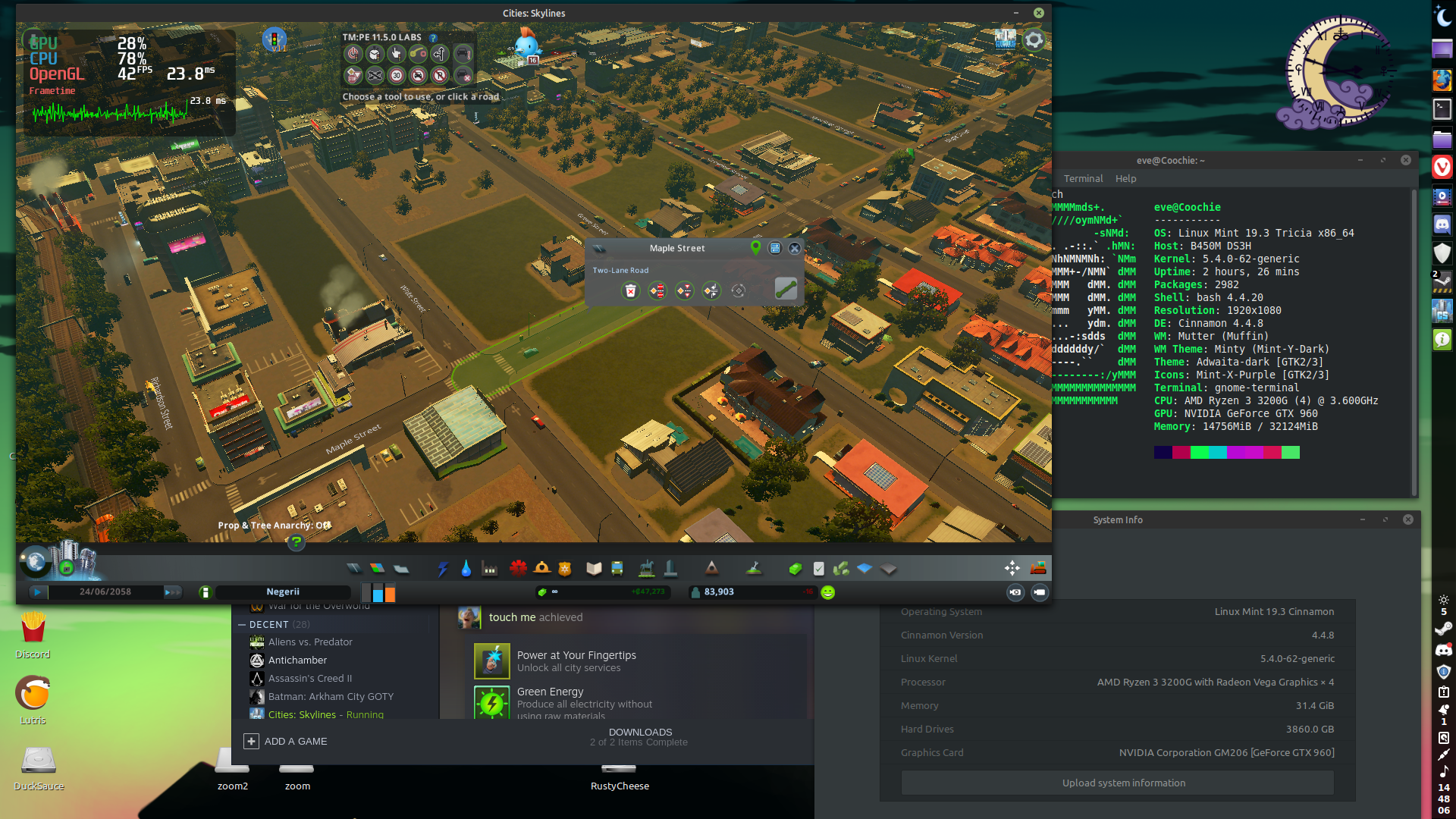
I tested it , every time I unselect mini fps booster, it crashes straight up.
When I select it back on, It runs fine.
As you can see My specs aren't bad, So mini fps booster needs to do something that prevents crash from occurring. Might be rewrites? or something with inproper command management in background? I wouldn't know, I am not programmer.
C3x64
on 21 Jan 2021
@C3x64 - This is the behavior of a race condition. A race condition is triggered by the order that thing happen in. Basically, some process has a "precondition" that is not guaranteed to occur, and it if that "precondition" is not satisfied, the bug shows up.
The fix is to guarantee the precondition in all situations, or to eliminate the precondition. Maybe the mini-fps booster guarantees the mystery precondition? That would be great! Need more testers to be sure. It is best for the mod to stand alone though, which involves identifying and resolving said preconditions.
Any mod, could increase, decrease or guarantee the likelihood of the preconditions that cause this bug on any particular combination of hardware and software, as a mod would change the order in which things happen.
Anyways, it's helpful though to get reports like that to debug, because it could give clues to what those hidden preconditions are.
eriede
on 21 Jan 2021
I have been playing game for 4h, turning it on and off again, stretching and doing various stuff, No crashes so far. I will report if there will be.
I have mini fps booster installed ofc*
game runs quite well, and I enjoy TM:PE features, very nice mod.
C3x64
on 22 Jan 2021
I forgot to thank every developer who works to fix this mod on linux, many developers of mods that I meet with, most of the time straight say "Just get windows, it works fine on windows" _(short_ for "I never used linux as much Idk how it works but i am too ashamed to admit so i will "poor shame" user for using linux, and blame it on them" * i wouldn't had problems if they straight admit that , or say they have little time to understand what's happening, instead of acting like I specified)_
So thank you for actually trying to fix issue , dedicating your time to it and working on it.
People really appreciate your commitment even if they don't say it straight up, as linux is actually great at gaming and squishing last bit of performance from your pc, I compared how cities skylines ran on windows and it was very visible on performance end, I can't imagine switching back.
And mod is absolutely amazing, imo something like that is worth being included in main game.
I hope you have great day : )
C3x64
on 22 Jan 2021
Attempted to run the game with mod on Ubuntu 20.04.
The Mini FPS Booster workaround failed on its first time, replicating this bug instead of solving it.
The Steam Linux Runtime workaround failed to load the game launcher, let alone get to loading my bugged city.
 BrythonLexi
on 23 Jan 2021
BrythonLexi
on 23 Jan 2021
@eriede : This is the behavior of a race condition
I agree on that as the problem comes and goes as people enable and disable different mods and what not. But why would it cause a SIGILL? The only SIGILLs I've seen myself in practice is when programs intentionally run certain instructions to check if the CPU supports it (they then trap the signal).
atlesn
on 23 Jan 2021
Update:
I noticed, second run of game(after you shut game off after you save it and system off), will only work if I first launch game with out mini fps booster, and then let it crash, then add mini fps booster and launch game again.
This bug is really strange lol
I use steam beta client.
C3x64
on 23 Jan 2021
@mmatis solution is working for me so far, I've been playing for the last 3 days and using TMPE without problems.
1. Open Steam's properties for C:S.
2. Select Compatibility from the left column.
3. Click the checkbox next to "Force the use of a specific SteamPlay Compatibility tool."
4. Select "Steam Linux Runtime" **(Not Proton!!!)**
 eduardoweiland
on 24 Jan 2021
eduardoweiland
on 24 Jan 2021
I played for a solid 6-8 hours over the weekend with no crashes by using Steam Linux Runtime. I even (slowly) added some more mods with no adverse effects.
EDIT: I should add that C:S goes right back to crashing after unpause if I switch the game back to using system libs instead of SLR.
mmatis
on 25 Jan 2021
@eriede : This is the behavior of a race condition
But why would it cause a SIGILL?
@atlesn (Just my educated guess), I think this is what happens when we loose the race. And given the history of the bug with what works and what doesn't and the different manifestations, my guess would be that it has something to do with the injection code. There is direct instruction injection in the code that hooks TMPE to Cities. So it _could_ be a jump to nowhere, a wayward rewrite target, calling a function mid rewrite, or maybe some kind of compiler order of arguments optimization. Or maybe, it's none of that.
eriede
on 25 Jan 2021
@eriede : This is the behavior of a race condition
But why would it cause a SIGILL?@atlesn (Just my educated guess), I think this is what happens when we loose the race. And given the history of the bug with what works and what doesn't and the different manifestations, my guess would be that it has something to do with the injection code. There is direct instruction injection in the code that hooks TMPE to Cities. So it _could_ be a jump to nowhere, a wayward rewrite target, calling a function mid rewrite, or maybe some kind of compiler order of arguments optimization. Or maybe, it's none of that.
I agree with this one.
Giving an eye on the crashes of over the couple of months, the crash for me mostly occurs depending on the combination of active mod. I do use the combination of
- TM:PE
- MoveIt
- First Person Camera: Updated
- Vehicle Effects + Ambient Sounds Tuner + Sound packages
- Roundabout Builder
plus a few other mods such as Mod Compatibility Checker, Fine Road Anarchy, Loading Screen Mod & Co. On Windows, everything works fine. However, enable the combination of the TM:PE and all the named three mods seem to heavily increase the probability of a crash. At the moment, I need to disable MoveIt, First Person Camera: Updated, Vehicle Effects, Ambient and co. to play.
sea75300
on 25 Jan 2021
Related issues
aubergine10
·
33Comments
 VictorPhilipp
·
34Comments
aubergine10
·
41Comments
aubergine10
·
25Comments
VictorPhilipp
·
34Comments
aubergine10
·
41Comments
aubergine10
·
25Comments
 FireController1847
·
28Comments
FireController1847
·
28Comments
Most helpful comment
I forgot to thank every developer who works to fix this mod on linux, many developers of mods that I meet with, most of the time straight say "Just get windows, it works fine on windows" _(short_ for "I never used linux as much Idk how it works but i am too ashamed to admit so i will "poor shame" user for using linux, and blame it on them" * i wouldn't had problems if they straight admit that , or say they have little time to understand what's happening, instead of acting like I specified)_
So thank you for actually trying to fix issue , dedicating your time to it and working on it.
People really appreciate your commitment even if they don't say it straight up, as linux is actually great at gaming and squishing last bit of performance from your pc, I compared how cities skylines ran on windows and it was very visible on performance end, I can't imagine switching back.
And mod is absolutely amazing, imo something like that is worth being included in main game.
I hope you have great day : )