Tmpe: Shortcut for fixing all round about rules in one click
people use a lot of roundabouts in their cities. the vanilla roundabout can get a massive boost if pimped by traffic manager. while the roundabout mod automatically adds TMPE rules when creating them, I still want to be able to add traffic rules after creating roundabouts for example because I might modify my roundabout or I am trying to fix other peoples cities.
I am planning to add a simple shortcut to fix all the traffic rules for a roundabout with one click.
I prefer to avoid adding a roundabout tool to traffic manager. I think its best to use the already existing junction priority tool. select the tool and then press alt+shift+click on a round about to do all of the following:
- give way entering the roundabout
- enter blocked junctions if you are already on the roundabout
- enter blocked junctions if you are entering the roundabout
- separate turning lanes on the roundabout
- choose lanes when entering the roundabout in cases where highway rules apply.
- no lane changing in the nodes in the roundabout (using lane connection tool).
- etc
I also wish to add options so that people can individually choose any of these features.
 kianzarrin
All 53 comments
please assign to me.
kianzarrin
on 1 Nov 2019
I am thinking that I can write code that auto detects a roundabout when we use priority tool>shift+click
kianzarrin
on 1 Nov 2019
I am thinking that I can write code that auto detects a roundabout
That will be the hardest part :)
 krzychu124
on 1 Nov 2019
krzychu124
on 1 Nov 2019
Random thoughts:
- Assuming roundabouts are always 1-way roads, that could help filter out _some_ segments at junctions?
- There is also the curvature of roundabouts - given a starting segment, and knowing which side traffic drives on, you could perhaps use that to help identify segments that are part of roundabout?
- Not all roundabouts are round; some have strange shapes such as being more oval, etc.
- I've seen several instances - both in-game and in real life - where two roundabouts connect to each other. In real life, good examples can be found by googling "magic roundabout road".
- Sometimes nodes on roundabouts can have traffic lights on some or all of the entrances to roundabout.
As an example of something that might prove difficult to detect, take this concoction from a city I'm currently making:

It started out as two roundabouts (one around the train station, and one around the park) which were merged together, sharing a straight section of road (between park and station). I've since changed some of the road around station to two-way to make traffic more fluid, but the 'oval-about' around the park is still one-way and acts as roundabout.
In cases where roundabouts can be detected, it would be good if the segments could be highlighted to give some visual confirmation to user as to which part of their road network will be affected.
However, it might also be beneficial to have an option to allow users to define which segments comprise the roundabout. For example, here I've used routes tool to turn the roundabout in to a named route:

As for what happens at the junctions:
- I assume you mean "yield" when entering the roundabout (ie. if no oncoming traffic the vehicle doesn't have to wait, unless there is a traffic light without an active 'turn on red').
- It would be worth checking that the 'Yield' sign interacts properly with 'enter blocked junctions' in this scenario
- For junctions with traffic lights, could possibly have two mod options in an "At roundabouts" section on the Policies tab in mod options:
- Vehicles leaving the roundabout can turn on red
- Vehicles entering the roundabout can turn on red
- Separate turning lanes are good, but there also needs to be opportunities for vehicles to change lanes within the roundabout (depending on size and complexity, and whether there are nodes between junctions, etc).
- Could possibly just limit to 1 lane change per node? (in other words: vehicle can move in to adjacent lane if desired)
Possibly related issues:
Tagging #472 , #73 , #424 , https://github.com/krzychu124/Cities-Skylines-Traffic-Manager-President-Edition/issues/41#issuecomment-462362185
 aubergine10
on 1 Nov 2019
aubergine10
on 1 Nov 2019
@krzychu124 @aubergine10
Guys take it easy! TMPE already can find a roundabout! look:

kianzarrin
on 2 Nov 2019
@aubergine10
The objective of this issue is to setup traffic rules for common roundabouts with one click and save time. I will be using already existing features of TMPE. Adding more features to TMPE should be under a different issue. rare and exceptional situations can always use manual tweaking of traffic rules using TMPE. That said I am all for adding cool features. but it should be done under different issue.
It would be worth checking that the 'Yield' sign interacts properly with 'enter blocked junctions' in this scenario
I use a lot of roundabouts with the rules I have suggested so I am certain yeild +enter blocked junctions works just fine in this scenario. :)
For junctions with traffic lights, could possibly have two mod options in an "At roundabouts" section on the Policies tab in mod options:
Vehicles leaving the roundabout can turn on red
Vehicles entering the roundabout can turn on red
I don't think adding traffic lights to roundabout is a good idea. In any case I think you might have misunderstood me. What I intend to do is to shift+click on the round about to setup common traffic rules for a normal roundabout. Why should it add a traffic light? You can of course add traffic light manually using TMPE. TMPE junction restriction tool can allow you to do right turn on red if you like.
Separate turning lanes are good, but there also needs to be opportunities for vehicles to change lanes within the roundabout (depending on size and complexity, and whether there are nodes between junctions, etc).
Could possibly just limit to 1 lane change per node? (in other words: vehicle can move in to adjacent lane if desired)
In options you can define which one of these rules you like and which one you don't like. I personally don't like changing lanes in roundabout in this game. I don't think cars change more than one lane anyway. Just to be clear I am taking about changing lane on nodes without junctions and two segments with same number of lanes. and I intend to achieve it by using the lane connection tool.
kianzarrin
on 2 Nov 2019
@aubergine10
it might also be beneficial to have an option to allow users to define which segments comprise the roundabout.
Wow that's a good idea. Never though of that. This is what TMPE does already.


Not what you wanted. I will raise another issue to fix this. I prefer to keep my changes small.
kianzarrin
on 2 Nov 2019
@aubergine10 Before raising the issue about road segments I need to give this some though. But if you like you can go ahead and do the honors :)
Edit: created #542
kianzarrin
on 2 Nov 2019
@aubergine10
it might also be beneficial to have an option to allow users to define which segments comprise the roundabout.
By the way its possible to use #541 #537 on a roundabout to setup rules for each junction individually and that mostly does the job :)
kianzarrin
on 2 Nov 2019
7 is also related to this
kianzarrin
on 2 Nov 2019
A bit of progress on the roundabout rules.


TODO:
- highways chose lanes when joining highway roundabout.
- provide user options.
- only traverse oneway paths.
- roundabout detection
My code is here: https://github.com/kianzarrin/TMPE-kian/tree/PriorityRoad
kianzarrin
on 5 Nov 2019
only traverse oneway paths.
roundabout detection
For these features I may need to modify the traverse function to use one more input and output variable.
I wonder how hard is it going to be to write a breadth-first traversal functions that trims path that don't form a loop.
kianzarrin
on 5 Nov 2019
I wonder how hard is it going to be to write a breadth-first traversal functions that trims path that don't form a loop.
Its just going to be like breadth first search of binary search tree. I just have too keep pointers to parent.
kianzarrin
on 5 Nov 2019
Ok I have arrived at a dilemma:
Traverse all one directional roots that form a loop and:
A) prefer shortest path (Red Paths)
B) prefer straight path (Grean Paths)
C) Only go straight ( works with a normal roundabout but none of the ones bellow ).


What should I do? choose option C which is full proof but not inclusive leaving strange roundabouts to issue #542 ? or choose option A or B that are more inclusive but may suggest strange paths that the user can see by looking at the highlight?
I personally prefer option A. But I need other peoples opinions before I can progress with this.
kianzarrin
on 5 Nov 2019
How about a shortest loop of the same road type. If the user changes road type to a smaller or larger road and breaks the loop, its on them to fix it manually. In your top picture, there is no roundabout with a single road type, so it should not be detected as such.
 kvakvs
on 5 Nov 2019
kvakvs
on 5 Nov 2019
@kvakvs
The problem with the same road type restriction is that in many cases people reasonably change the number of lanes in the round about like bellow:

kianzarrin
on 5 Nov 2019
after giving it some though I changed my opinion (lol I cannot make up my mind!) to option "B) prefer straight path (Grean Paths)".
If the user ALT-clicks over specific part of the roundabout that he wants to be covered it will work in all cases above. There will be super weird cases in which it won't work but that's on the user.
besides TMPE already gets confused in exceptional cases:

Option C has the advantage of making the code much shorter though.
kianzarrin
on 5 Nov 2019
B makes no sense at all, it extends onto the highway, i do not want highway be modified, if i am only doing a roundabout. Just prefer the same type road. Also maybe you can also query the Game Engine and get the road assigned the same street name somehow.
kvakvs
on 5 Nov 2019
@kianzarrin
What about:
"Choose the most similar one-way road path which leads to a loop and break ambiguity with shortest?"
The main idea is to choose the roads based on possibilities and priorities.
- Can do a complete loop with close-enough roads (in lane count) and changes in lane count must be in diverging or converging roads.
- If a connection loses lanes, consider that likely to be the continuation of the roundabout.
- The one with least lanes is, more likely, an exit (if it then merge into a two-way, it's disqualified).
- If there's a 1 or 2-node-long triangle connection, likely that's part of an exit and that triangle is not part of the roundabout.
- If one passage has straight nodes (too small turning angle), penalize those in the decision.
- If the road type changes without changing the number of lanes, it's less likely to be part of the roundabout (penalize).
Choose the one with highest score. If there's a tie (give a margin of error), choose the shortest path.
Comments?
 brunoais
on 5 Nov 2019
brunoais
on 5 Nov 2019
@brunoais Wow that's so clever! It sounds to be an epic feature to me. I prefer a simpler method in my first pull request and then we can decide if there is a demand for something more clever.
kianzarrin
on 5 Nov 2019
@kvakvs
B makes no sense at all, it extends onto the highway, i do not want highway be modified, if i am only doing a roundabout. Just prefer the same type road. Also maybe you can also query the Game Engine and get the road assigned the same street name somehow.
Option B (go straigh at junctions) might make more sense than you think! In almost all cases we stay on the round about. Keep in mind that the roundabout in question is very weird and rare because to go to the highway you need to go straight ahead but to stay in the roundabout you need to turn. almost all roundabouts are the other way around. But even in this extreme case you can move the mouse on the one lane segment of the roundabout for it to work.
kianzarrin
on 5 Nov 2019
@brunoais Wow that's so clever!
Thanks.
It sounds to be an epic feature to me. I prefer a simpler method in my first pull request and then we can decide if there is a demand for something more clever.
Sounds good to me.
For this first PR, I'm already fine with the current road finder with just the extra restrictions of one-way and circular.
brunoais
on 5 Nov 2019
I created mass edit options tab

kianzarrin
on 8 Nov 2019
Now wait a second.
The tooltip has to be updated to let people know the key combination.
If we hide these settings in Options, many people will have no idea that they exist. We can offset this by having sane defaults.
I'd love to have a way to document these options without writing an entire new Wiki article. Something like a tiny ❔ next to each option. Many people play without even knowing that Wiki exists and remain unaware forever. If you decide to work on that ❔ thingy, don't cram it into this pull request, do another separate.
kvakvs
on 8 Nov 2019
@kvakvs I forgot to push updated translations and tooltip ;) I thought about different issue 😄
krzychu124
on 8 Nov 2019
Now wait a second.
The tooltip has to be updated to let people know the key combination.
Of course I will add tool-tip. this is a work in progress.
And so is this cool feature:

CTRL-shift on the roundabout will optionally cause Stay in lane if a node is too close to roundabout. this option can automatically solve a lot of my city traffic issues.
Creating roundabouts with the roundabout mode usually results in this problem. Its a good idea for roundabout builder to delete nodes that are too close to roundabout. but meanwhile its a good idea for us to ban lane switching too close to the roundabout.
kianzarrin
on 9 Nov 2019
@kianzarrin That one example you show doesn't help at all. There's only one lane in and one lane out.
Additionally, I believe only the lanes going into the roundabout need to have prevention from changing lane. Do you have other data?
brunoais
on 9 Nov 2019
@brunoais
I believe only the lanes in need to have prevention from changing lane
What does this mean
That one example you show doesn't help at all.
This works if there are more lanes too. I can put an exception for one lane, but does it even matter?
Also note that you can activate more options for more features in the options menu. I have not done that in here.
if you want to try it for your self, you know where my code is :)
https://github.com/kianzarrin/TMPE-kian/tree/PriorityRoad
kianzarrin
on 9 Nov 2019
I believe only the lanes in need to have prevention from changing lane
What does this mean
Ups. I changed it a bit. I mean, only the lanes into the roundabout need to have the changing lane restriction. When coming out of the roundabout, it appears there's no need to restrict lane changing
brunoais
on 9 Nov 2019
@brunoais
I mean, only the lanes into the roundabout need to have the changing lane restriction. When coming out of the roundabout, it appears there's no need to restrict lane changing
The lane on the round about also have this option. I hope you have paid attention to the fact the the lanes leading to round about (optionally) ONLY stay in lane when the node is TOO CLOSE to the roundabout. if cars do not have enough space to change lanes, there is going to be congested traffic.
God knows how many cities I have fixed who had congestion because of this very common issue. Its very common because this is what the round about mod does.
kianzarrin
on 9 Nov 2019
Oh... In the image you show, both leading to the roundabout and from the roundabout are prevented from changing lanes (at least, to my understanding)
brunoais
on 9 Nov 2019
@Strdate
As you can see in the picture bellow while the round about builder does remove nodes touching the roundabouts it does not remove those close to the round abouts causing all sorts of traffic issues.

Also you can see that my not yet committed roundabout mass-edit feature fixes this issue by banning lane switching near the roundabout (but only if the node is too close like 5 units away).
I have some other features to like stay in lane inside a round about (optional of course).
Since you created the roundabout builder tool I am interested in your thoughts in this. Can you please telll me what do you prefer:
A) ban lane changing close to the roundabouts
B) remove the node to eliminate the problem in the first place.
Here are my thoughts on this:
I like fixing other peoples cities and one common problem is traffic jams caused by lane switching on nodes too close to the roundabouts created by roundabout-builder tool. Another problem is that some times it causes odd elevation issues as in picture bellow:

So I think its better to remove the node. this might make the segments a little bit longer than usual but that's no biggie.
PS: not that I have tried it but I think the following code change might help:
//'//https://github.com/Strdate/AutomaticRoundaboutBuilder/blob/master/RoundaboutBuilder/Tools/EdgeIntersections2.cs#L218
if (VectorDistance(bezier2.a, bezier2.d) < /*MIN_BEZIER_LENGTH*/ 30 ) // 30 = 5 units * 8 meters per units.
{
   VectorDistance(bezier2.a, bezier2.d));
   nextSegmentInfo(oldSegmentW, ref endNodeW, ref endDirection);
}
@kianzarrin Did you play with different values? I don't even know now what MIN_BEZIER_LENGTH is set to.
 Strdate
on 11 Nov 2019
Strdate
on 11 Nov 2019
@Strdate
I opened new issue on the roundabout builder to discuss this since some of the issues like the creepy steep slope near the round about has nothing to do with TMPE.
kianzarrin
on 11 Nov 2019
I created mass edit options tab
We can't add more tabs. Some languages (*cough* German, Polish...) have long words. We already had to simplify tab names to make everything fit so adding another tab is a non-starter IMO.
We should instead make tabs scrollable so they can fit more options. (Look at code for mod compatibility checker to see how to do scroll panels).
The options depicted ( https://github.com/krzychu124/Cities-Skylines-Traffic-Manager-President-Edition/issues/539#issuecomment-551866591 ) all look like they belong on Policies tab, in an "At roundabouts:" section maybe?
aubergine10
on 13 Nov 2019
Some more thoughts:
- Mod options shouldn't "negate" (it's confusing in some cultures if activating an option has the effect of deactivating something). If I turn an option on, something should be turned on, not off.
- When mass changes are being made via user interaction, we need visual feedback to show where (or, ideally, what) changes are being made:
- At simplest level this could be highlighting the segments (and nodes?) on the 'route' that will be affected
- Better still, would be show relevant overlays depicting the end result
- Visualising what will happen before user applies it gives user confidence to apply it
- In cases where it gets route wrong (for whatever reason) I might still choose to apply and then make some manual corrective adjustments
- Visualisation will help with any future bug fixing and enhancement work
- In terms of visualising the roundabout customisations, which comprise multiple TM:PE tools, there are, I think, two viable approaches:
- Just turn on the relevant persistent overlays - less work, but they will show customisations for everything on screen, which could be confusing to users. However, this could cause some lag because we've not fully optimised those overlays yet. Each overlay builds a list of all segments/nodes on the map (as applicable to the overlay), then filters that list to stuff that's currently within camera view, then checks if any of that stuff has customisations that differ from defaults, then renders it.
- Considering we know specifically which segments/nodes will be affected, maybe we could refactor the overlays so they get passed in a list of segments/nodes (as applicable) to process. This would cut out all the "scan whole map, work out what's on screen" stuff, and potentially lay some foundations for future optimisation (namely: caching) of what's in camera view for the normal use of overlays?
- If TM:PE gets this new feature, configurable in mod options, we should provide an API for "Roundabout Builder" mod to use
- Roundabout builder can provide a list of segment id's that comprise the main roundabout (so TM:PE does not need to guess the route)
- TM:PE then applies the user-configured roundabout settings to those segments, the nodes between them and any entry/exit segments (Roundabout Builder no longer needs to worry about all the minutiae of the different TM:PE features, it just says "here's a roundabout, work your magic")
aubergine10
on 13 Nov 2019
@aubergine10 I already turn on relavant overlays. if you hold ctrl then relavant overlays are turned on. Also ofcourse the round about is highlighted when holding shift. My code is in github so you can take a look.i upload my latest version tomorrow.
kianzarrin
on 13 Nov 2019
Wow look at this cool implementation of magic roundabout:
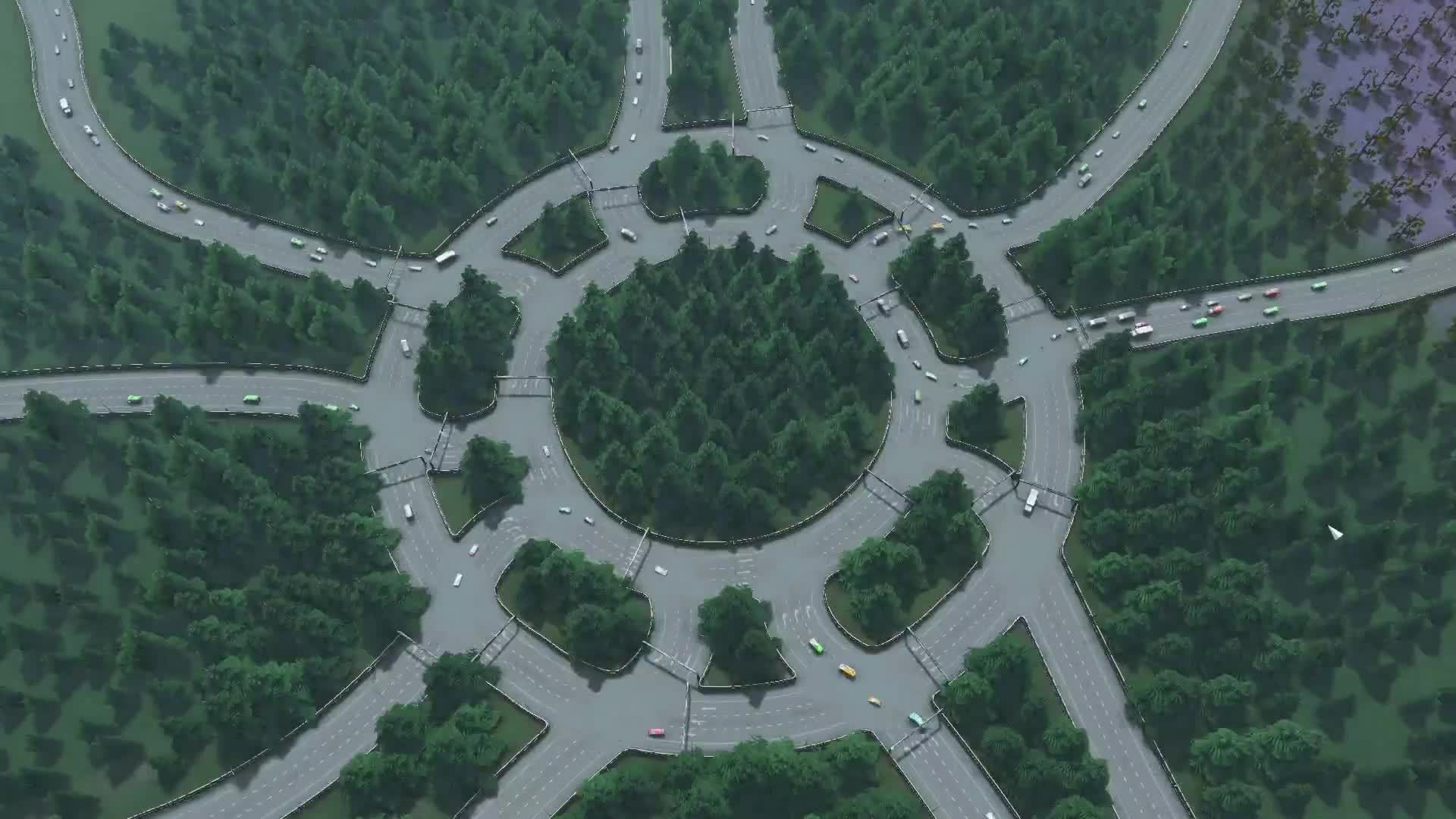
and another type of roundabout: https://www.google.co.uk/maps/@51.8845308,0.9327983,122m/data=!3m1!1e3

I will see how my roundabout mass edit feature works out here.
kianzarrin
on 24 Nov 2019
I think there are some of those in workshop. Here, try some of these ready made intersection assets :)
- https://steamcommunity.com/sharedfiles/filedetails/?id=1910302061
- https://steamcommunity.com/sharedfiles/filedetails/?id=1910417290
- https://steamcommunity.com/sharedfiles/filedetails/?id=705074476
- https://steamcommunity.com/sharedfiles/filedetails/?id=877114598
- https://steamcommunity.com/sharedfiles/filedetails/?id=884787937 - bidirectional roundabout lol
- https://steamcommunity.com/sharedfiles/filedetails/?id=1266280103
- https://steamcommunity.com/sharedfiles/filedetails/?id=622616395
- https://steamcommunity.com/sharedfiles/filedetails/?id=561554476 - requires NExt2
- https://steamcommunity.com/sharedfiles/filedetails/?id=852984562
- https://steamcommunity.com/sharedfiles/filedetails/?id=829552245
- https://steamcommunity.com/sharedfiles/filedetails/?id=1907883944
- https://steamcommunity.com/sharedfiles/filedetails/?id=1908121926 - I think this is the one from your google earth image! Requires several mods/assets to use.
- https://steamcommunity.com/sharedfiles/filedetails/?id=596679166
- https://steamcommunity.com/sharedfiles/filedetails/?id=643466950
- https://steamcommunity.com/sharedfiles/filedetails/?id=535467797
- https://steamcommunity.com/sharedfiles/filedetails/?id=779009510
- https://steamcommunity.com/sharedfiles/filedetails/?id=878101221 - requires NExt2
- https://steamcommunity.com/sharedfiles/filedetails/?id=1329382648 - requires NExt2
I'm still searching for another very unique roundabout from some years back, but the list above should give you some nightmares for now :)
aubergine10
on 25 Nov 2019
Still searching for that other roundabout but found this on my travels which might be worth trying out in-game:

aubergine10
on 25 Nov 2019
Still not found the one I'm looking for, but another to test:
https://steamcommunity.com/sharedfiles/filedetails/?id=662904182
Lots of very short roads between junctions, will likely cause problems with UI or even the various tools.
aubergine10
on 25 Nov 2019
This is the crazy roundabout I was trying to find: https://steamcommunity.com/sharedfiles/filedetails/?id=467233288
aubergine10
on 25 Nov 2019
Sp3ctre18 is doing some interesting roundabout designs which can be found in this collection:
https://steamcommunity.com/workshop/filedetails/?id=1762964190
aubergine10
on 26 Nov 2019
@aubergine10
My roundabout detection algorithms works with most of those crazy roundabouts.
In every case my roundabout detection algorithm is successful, All the traffic rules are setup properly.
As said in https://github.com/krzychu124/Cities-Skylines-Traffic-Manager-President-Edition/issues/539#issuecomment-549898578 I prefer to upgrade the roundabout finding algorithm in second phase of this issue (or should I open a new issue?). @brunoais I can see now that there is certainly a demand for it. #542 is an alternative solution to the problem.Regardless I prefer to make the roundabout traversal algorithm more clever.
Here are some screenshots:


kianzarrin
on 27 Nov 2019
@kvakvs Do I need unit tests here?
kianzarrin
on 27 Nov 2019
I notice there's some cases where there's only one entry road to a junction, and the entry is given priority.

Does this incur performance impact over just leaving the junction as vanilla setup?
aubergine10
on 27 Nov 2019
@kianzarrin You don't _need_ them to release this work, but if you find a way to test this in some reasonable non-complicated way, absolutely do it.
kvakvs
on 27 Nov 2019
Does this incur performance impact over just leaving the junction as vanilla setup?
@aubergine10 It shouldn't but I'm curious why is this even possible?
krzychu124
on 27 Nov 2019
Does this incur performance
@krzychu124 It shouldn't but I'm curious why is this even possible?
It's what the code does. To avoid it we can check for node onewayout flag
kianzarrin
on 28 Nov 2019
It's what the code does. To avoid it we can check for node onewayout flag
Well, priority signs are about _entrance_ to junction, not leaving junction.
So, specifically, we should ideally disable priority sings on junctions that have one way IN, as that one way in has no competition (and thus no need for priorities to be set).
aubergine10
on 28 Nov 2019
Just a random thought: Looking at some of the glitches identified in the test images (great work btw!!) would it be worth having something that classifies as segment as "clockwise, anti-clockwise, or bidirectional"?
That way, if the starting segment is clockwise travel direction (such as roundabout on LHT cities), for example, it would make it easier to filter adjacent segments if, in relation to previous segment, they are going clockwise.
If starting segment is bi-directional, then pick a direction relevant to city setup: LHT = clockwise, RHT = anti-clockwise, and follow that curve?
Rough mockup: based on direction of traffic (on current segment) entering a node, and knowing if clockwise vs. anti-clockwise, could something like this work?

Example above would be for clockwise travel. So one line is "straight ahead", the other is at some angle of tolerance, and any outgoing segment in between would be considered candidate for "continuation of the road in the (anti)clockwise direction".
aubergine10
on 28 Nov 2019
Just a random thought: Looking at some of the glitches identified in the test images (great work btw!!) would it be worth having something that classifies as segment as "clockwise, anti-clockwise, or bidirectional"?
I can't see how to implement the clockwise direction thing since the code is not aware of the bigger picture when its focusing on one segment. I have some simple ideas to fix it
- currently i check if
currentSegment =! initaialSegment && segmentList.constains(currentSegment)then its not a roundabout. A better check would beif nodeList.Contains(CurrentSegment.headNode) - Instead of following a preferred direction (forward) follow all possible paths in all directions. if the path is not a roundabout then discard it. among the paths that are roundabout I choose the one that has the list amount of left/right turns within the roundabout. if the number of turns are equal then choose the shortest paths
kianzarrin
on 28 Nov 2019
I now check for nodeList.Contains(CurrentSegment.headNode) instead of segmentList.constains(currentSegment) Didn't solve the problem but made it a little bit better. No more zig zags.
before


After


kianzarrin
on 29 Nov 2019
Related issues
 FireController1847
·
28Comments
FireController1847
·
28Comments
 SevenQM
·
25Comments
aubergine10
·
29Comments
SevenQM
·
25Comments
aubergine10
·
29Comments
 22Pilots
·
27Comments
kianzarrin
·
38Comments
22Pilots
·
27Comments
kianzarrin
·
38Comments
Most helpful comment
@krzychu124 @aubergine10

Guys take it easy! TMPE already can find a roundabout! look: