Tmpe: UI: More accurate lane routing arcs
The lane routing lines at junctions don't follow the actual path the vehicles take, they just use a very basic arc between source lane and destination lane.
Would it be possible to use the same approach that the vehicle AIs use in order to create more accurate lines to depict the lane routing? They'd still be an arc, but the properties of the arc would be more accurate based on the actual trajectory the vehicles take.
While this in itself is a minor and somewhat superfluous enhancement, it would be very useful for several other enhancements which I'll post as separate tickets.
 aubergine10
All 8 comments
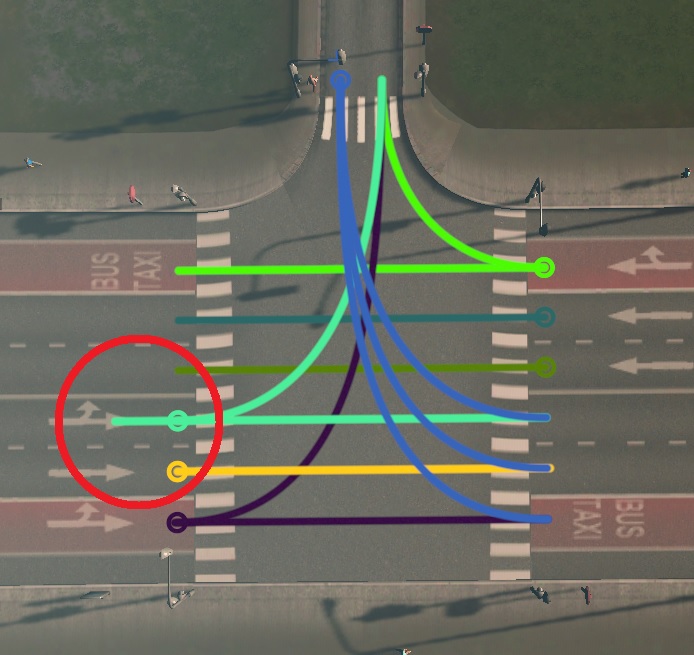
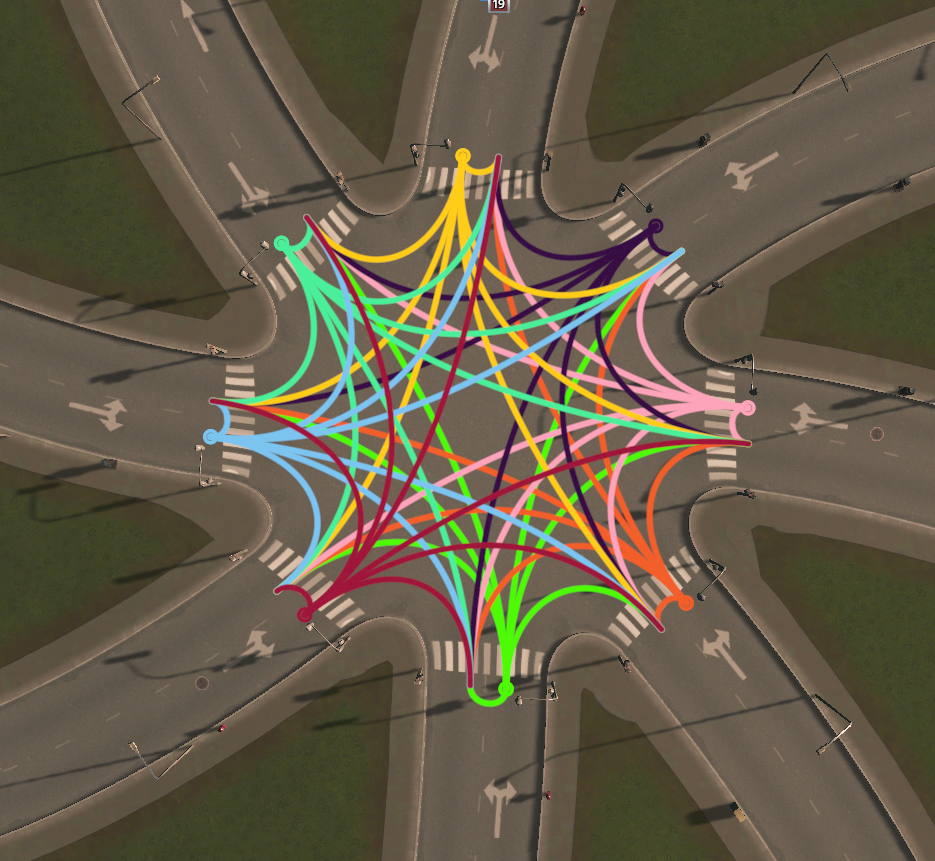
Current state of develoment...
- Perfect
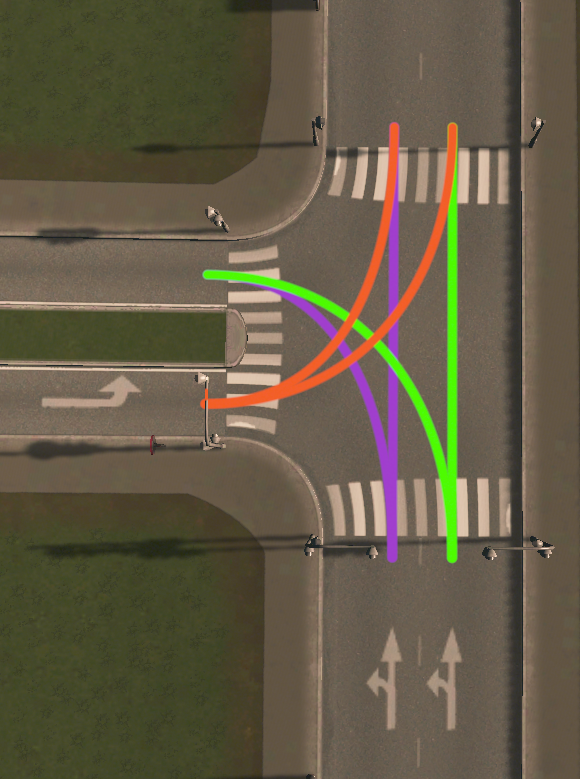
Perfect
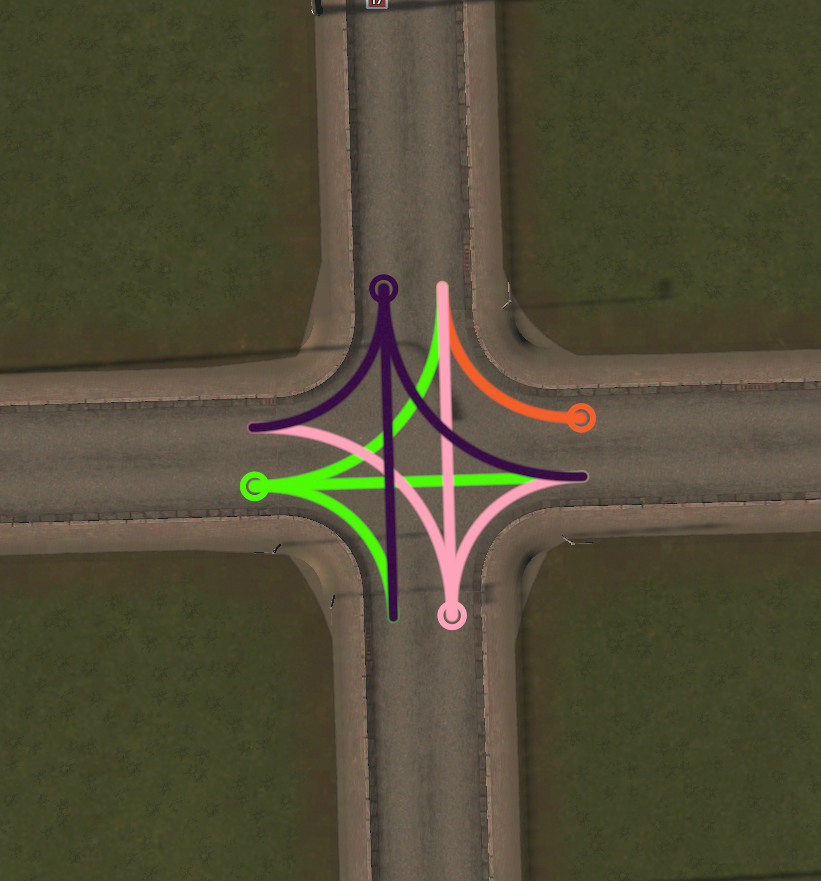
Still not the best path and I have no idea how to catch this type of connection yet (diverge - merge)
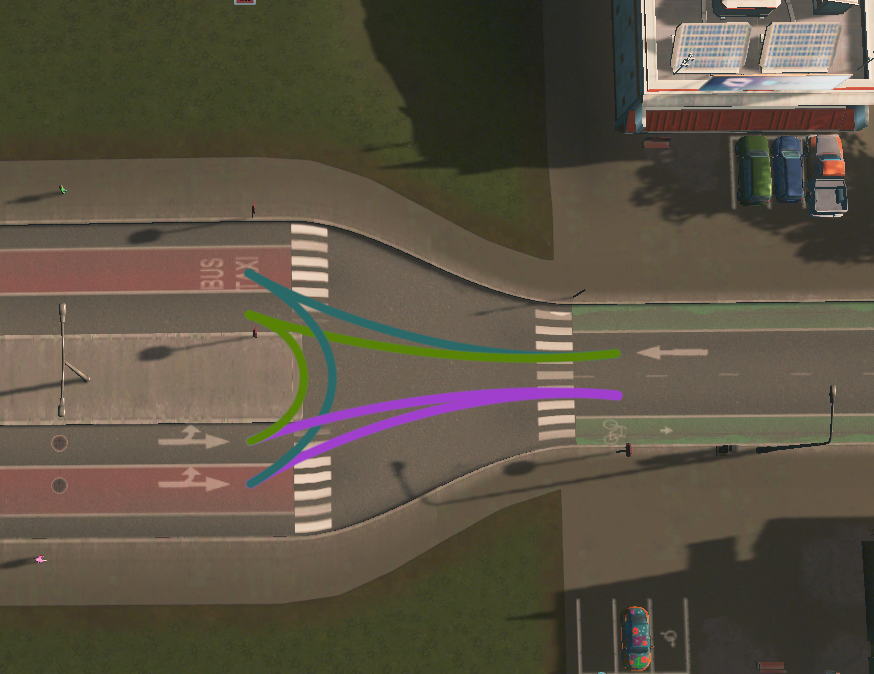
Again problem with diverging lanes (pink)
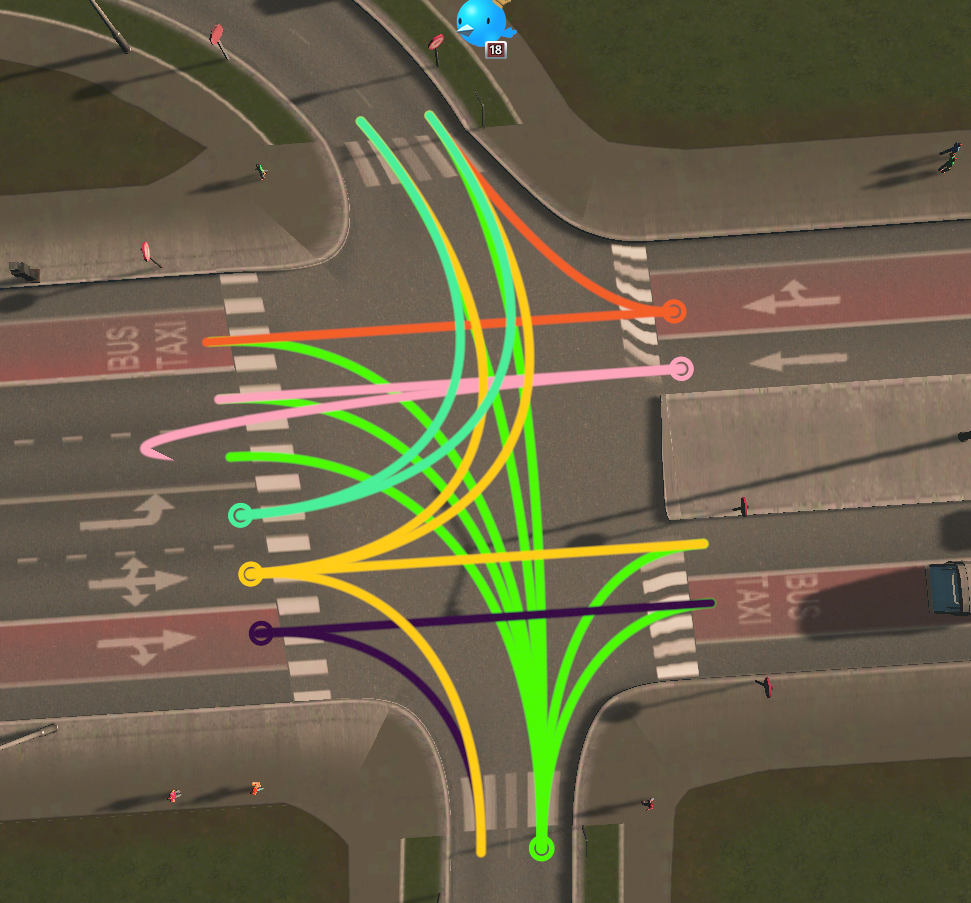
In addition, sometimes path connecting straight lanes is not calculated correctly
Bonus
 krzychu124
on 15 Feb 2019
krzychu124
on 15 Feb 2019
omfg that is huge improvement!
I note also on the last image the u-turn at the bottom is upside down.
For catching the connection types, I think there's already something in TMPE that does that - specifically the code that works out default lane connections I think - see bottom section of this wiki page in old docs: https://tmpe.viathinksoft.com/wiki/index.php?title=Junction_%26_transition_routing
aubergine10
on 15 Feb 2019
I note also on the last image the u-turn at the bottom is upside down.
I know that was bonus of the bonus 😉
I am sure you've noticed too that there are no straight lane connections because they are bugged now 😄
Moreover I have to work on performance because last image have been eating few fps per added connection 😕 (currently every connection is calculated on the fly while rendering - no caching)
I think the best would be create textures/ meshes from connection (on the fly) and cache somewhere to greatly increase performance - similar as path visualizer is doing it and intersections of connection curves would be easier to detect, I think.
Additionally I think I will need textures for those triangles and squares, but I will try to generate them using code first.
krzychu124
on 16 Feb 2019
How are textures done for the arrows that flow along bus route lines done? Remember we'll need to be able to colourise them (eg. yellow for arrows on the source segment) and fill them (for lanes that have at least one incoming connection), etc.
As for path visualiser, I assume that it's already dealing with everything we'd need for the lane connector visualisation? Like, when I route a bus through a junction, the route line is already showing accurately where the bus will go (as far as I can tell). We'd just need thinner line.
aubergine10
on 16 Feb 2019
Not sure if it's any use, but there's various node/segment/lane flags that could be inspected, many of which are described here: https://cslmodding.info/asset/network/#flags
aubergine10
on 16 Feb 2019
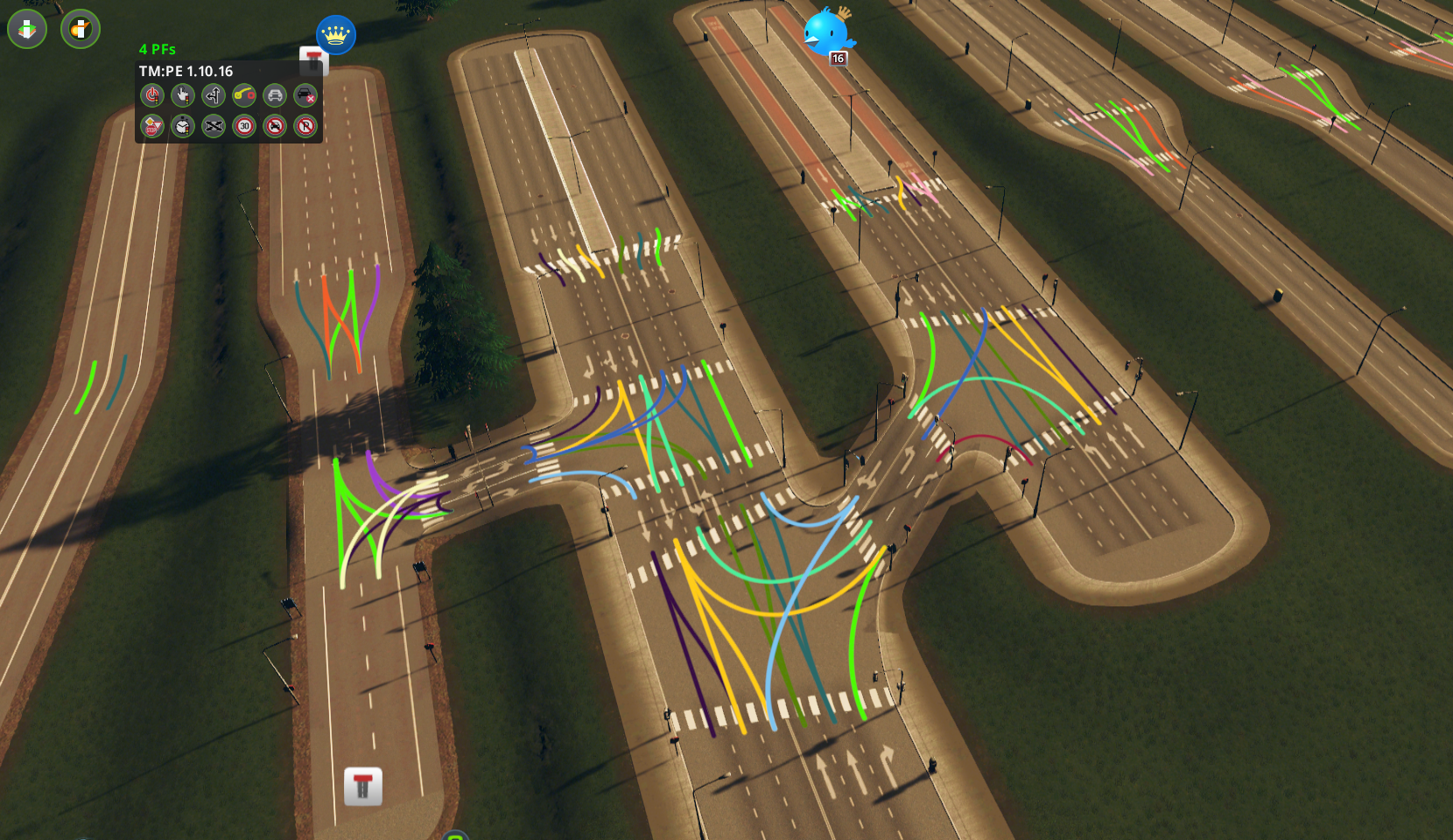
Finally managed to create most accurate lane connections ever! 🤣 🤣
krzychu124
on 25 Feb 2019
That's freaking awesome!
aubergine10
on 25 Feb 2019
Nice work, this got me thinking. Perhaps this is a nice idea:
When you start to work on manually connecting lanes, perhaps it would be nice that per default all the lanes are drawn, so you will only have to remove the ones you don't like. Because in my experience i usually want to keep 80% of the default lane connections...
 Sipke82
on 23 May 2019
Sipke82
on 23 May 2019
Related issues
aubergine10
·
30Comments
 SevenQM
·
25Comments
SevenQM
·
25Comments
 scottmcm
·
29Comments
scottmcm
·
29Comments
 22Pilots
·
27Comments
aubergine10
·
41Comments
22Pilots
·
27Comments
aubergine10
·
41Comments
Most helpful comment
Current state of develoment...
Perfect

Still not the best path and I have no idea how to catch this type of connection yet (diverge - merge)

Again problem with diverging lanes (pink)

In addition, sometimes path connecting straight lanes is not calculated correctly

Bonus