Tiptap: How do I update attributes for a Mark?
Hi - I am trying to create a text highlight feature where a user can select some text and add a highlight color to it.
I created a custom mark as follows -
export default class annotation extends Mark
{
    get name()
    {
        return 'annotation'
    }

    get schema()
    {
        return {
            attrs: {
                "highlight-color" : {
                    default: "default"
                },
            },
            // inclusive: false,
            parseDOM: [
                {
                    tag: 'annotation',
                    getAttrs: dom => ({
                        "highlight-color" :dom.getAttribute('highlight-color'),
                    }),
                },
            ],
            toDOM: node => ['annotation', {
                "highlight-color" : node.attrs["highlight-color"]
            }, 0],
        }
    }
    commands({ type, schema })
    {
        return attrs =>
        {
            return updateMark(type, attrs);
        }
    }
    get view()
    {
        return hightlight;
    }
I created a custom Vue component to render it
<template>
    <span class="highlight" @click="changeColor()">
        <span :class="[colorClass]"
        >
            {{ node.textContent }}
        </span>
    </span>
</template>

<script>
export default {
    name: "Hightlight",
    props: ['node', 'updateAttrs', 'editable', 'options', 'view', 'getPos'],
    computed:
    {
        colorClass : function()
        {
            return this.node.attrs["highlight-color"];
        }

    },
    mounted()
    {
        console.log(this.node);
    },
    methods : {
        changeColor : function()
        {
            console.log("Change Color");
            let newClass = "yellow"

            **HOW DO I SET THIS NEW CLASS ON THE MARK??**
        }
    }
}
</script>
I'm trying to add a new class to the mark based on user interaction. How do I update the color class? I tried using the "updateAttrs" prop but I keep getting "this.getPos is not a function".
I am a bit lost so any help/direction would be really helpful.
Thanks!
 kshitizshankar
All 12 comments
i was a bit on the same point end ended up in useing a node block instead of a mark, which have a p inside.
I am not sure if there is a way to carry attributes on marks, I would like to know how as well, however, this is how i get it working for a span around a p:
import { Node } from "tiptap";
import { toggleBlockType, textblockTypeInputRule } from "tiptap-commands";

export default class Span extends Node {
  get name() {
    return "span";
  }

  get schema() {
    return {
      attrs: {
        class: {
          default: null
        },
        style: {
          default: null
        }
      },
      content: "text*",
      group: "block",
      draggable: false,
      parseDOM: [
        {
          tag: "span",
          getAttrs: dom => ({
            class: dom.getAttribute("class"),
            style: dom.getAttribute("style")
          })
        }
      ],

      toDOM: node => [
        "span",
        {
          class: node.attrs.class,
          style: node.attrs.style
        },
        ["p", 0]
      ]
    };
  }
  commands({ type }) {
    return () => toggleBlockType(type);
  }

  inputRules({ type }) {
    return [textblockTypeInputRule(/^<span>$/, type)];
  }
}
 dev7ch
on 14 May 2019
dev7ch
on 14 May 2019
Hey - Thanks for the reply -
How do I "toggleBlockType" just for the selection? Right now - It changes the whole node instead of just the selection.
So for example - considering the following HTML -
````
This is a paragraph
- This is list item 1
- This is list item 2
This is a heading #2
If the selection is as follows -
This **is a paragraph
- This is list ** item 1
- This is list item 2
This is a heading #2
````
[From "is a paragraph" to "this is list"]
I need to get the output as
````
This is a paragraph
- This is list item 1
- This is list item 2
This is a heading #2
````
So - I need to wrap all the text nodes into the new custom node that I can render using a Vue component...
kshitizshankar
on 15 May 2019
i assume somewhere in this part:
     toDOM: node => [
        "span",
        {
          class: node.attrs.class,
          style: node.attrs.style
        },
        ["p", 0]
      ]
to
     toDOM: node => [
        "span",
        {
          class: node.attrs.class,
          style: node.attrs.style
        }, 0
      ]
but i am not sure but it m ight replace the paragraph
dev7ch
on 15 May 2019
or (not tested, guessing only)
toDOM: node => [
        "p",
        {
          class: node.attrs.class,
          style: node.attrs.style
        },
        ["span", 0]
      ]
or is there a way for marks @philippkuehn ? 🤔
dev7ch
on 15 May 2019
Marks are the way to go. this.getPos is not a function is a bug here (which is used in updateAttrs()). It's because marks are handled different in node views at ProseMirror. Because of marks can overlap each other, there is no exact start and end position for a mark. Look at this document:
{
  "type": "doc",
  "content": [
    {
      "type": "paragraph",
      "content": [
        {
          "type": "text",
          "marks": [
            {
              "type": "bold"
            }
          ],
          "text": "foo "
        },
        {
          "type": "text",
          "marks": [
            {
              "type": "bold"
            },
            {
              "type": "italic"
            }
          ],
          "text": "bar"
        }
      ]
    }
  ]
}
foo is bold and bar is bold and italic. For resolving the start and end position you have to check all sibling nodes. There is already a getMarkRange helper function in tiptap-utils for doing that but I think it doesn't compare attrs at the moment. This would be a problem if there are two annotations with different colors next to each other.
So my plan would be to fix that getPos() for marks.
 philippkuehn
on 15 May 2019
philippkuehn
on 15 May 2019
@philippkuehn Oh - Didn't know it was a bug...
I've been fiddling around with Prosemirror and Tiptap for a few days now and am starting to get a better understanding of it. The deeper I go into it - the more appreciation I have for Tiptap - so THANK YOU!
For my Annotations use case - I went for brute force (given my limited understanding right now) to replace all the Textblock nodes that are part of the selection with the custom nodes. I reached out on the Prosemirror forum as well which helped me understand some basic concepts
https://discuss.prosemirror.net/t/replace-selection-across-multiple-nodes/1953
That's what I have so far -
commands({ type, schema})
    {

        return attrs => (state, dispatch) =>
        {
            const { empty, $from, $to, from, to } = state.selection;
            if(!empty && $from.sameParent($to) && $from.parent.inlineContent)
            {
                const { tr } = state;
                let content = $from.parent.content.cut($from.parentOffset, $to.parentOffset);
                if(content)
                {
                    const node = type.create({}, content);
                    dispatch(tr.replaceSelectionWith(node, attrs));
                    return true;
                }
                else
                {
                    return false;
                }
            }
            else if(!empty)
            {
                const { doc, tr } = state;
                let start = from;
                let end = to;
                let trx = tr;
                let textBlocks = [];
                doc.nodesBetween(start, end, (node, startpos, parent, index) =>
                {
                    if(node.isTextblock)
                    {
                        textBlocks.unshift({
                            node : node,
                            startpos : startpos,
                            parent: parent,
                            index: index
                        })
                    }
                });

                for(let i=0; i<textBlocks.length; i++)
                {
                    let child = textBlocks[i];
                    let selPos = getSelectionRange({from: from, to: to}, child.startpos, child.node.content.size);

                    let relPos = selPos.slice;

                    console.log(child.node);
                    console.log(relPos.start, relPos.end);
                    let slice = child.node.slice(relPos.start, relPos.end);
                    let newNode = type.create({}, slice.content);
                    trx = trx.setSelection(new TextSelection(trx.doc.resolve(selPos.start), trx.doc.resolve(selPos.end + 1)));
                    trx = trx.replaceSelectionWith(newNode, attrs);
                }
                dispatch(trx);
            }
            else
            {
                return false;
            }
        }
    }
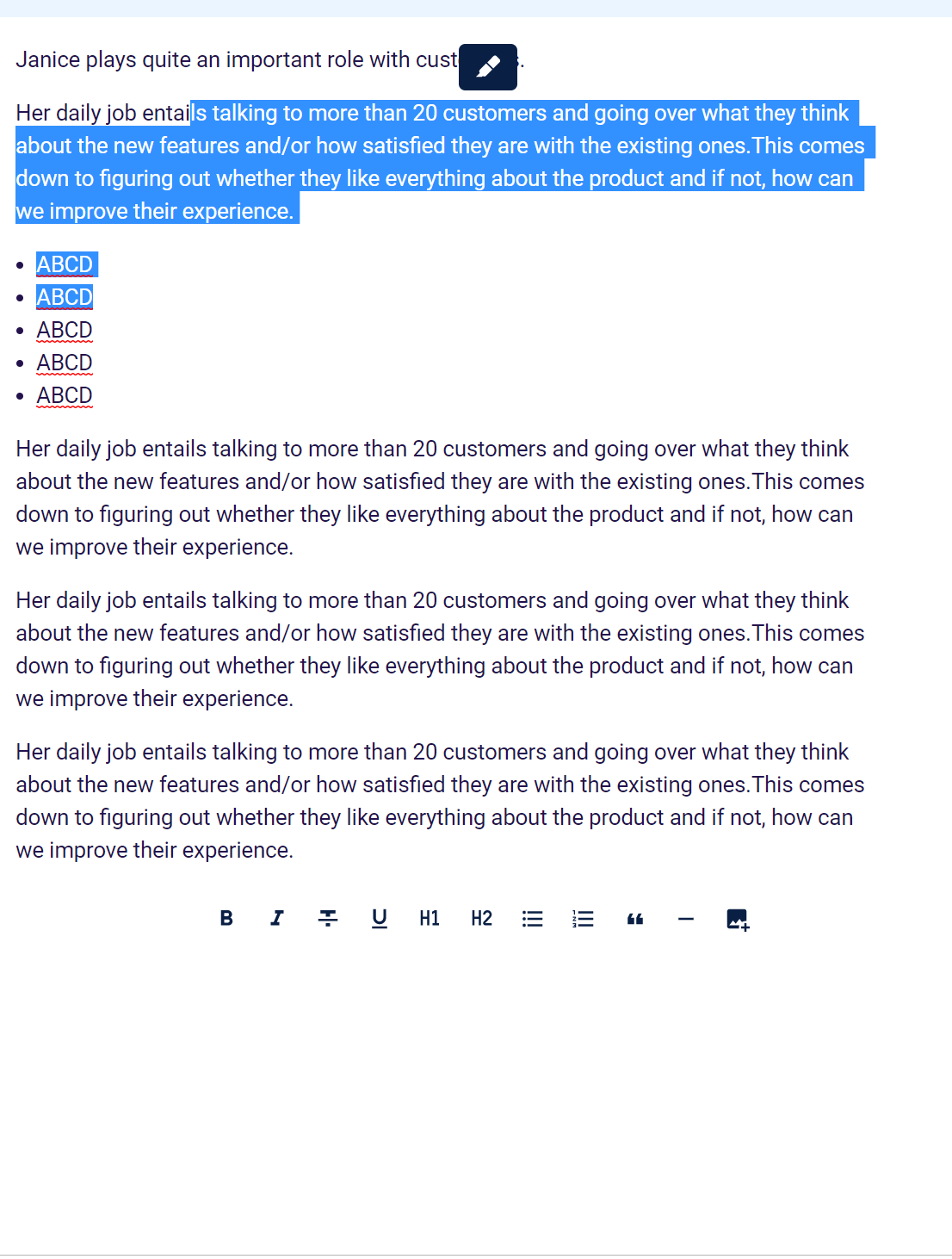
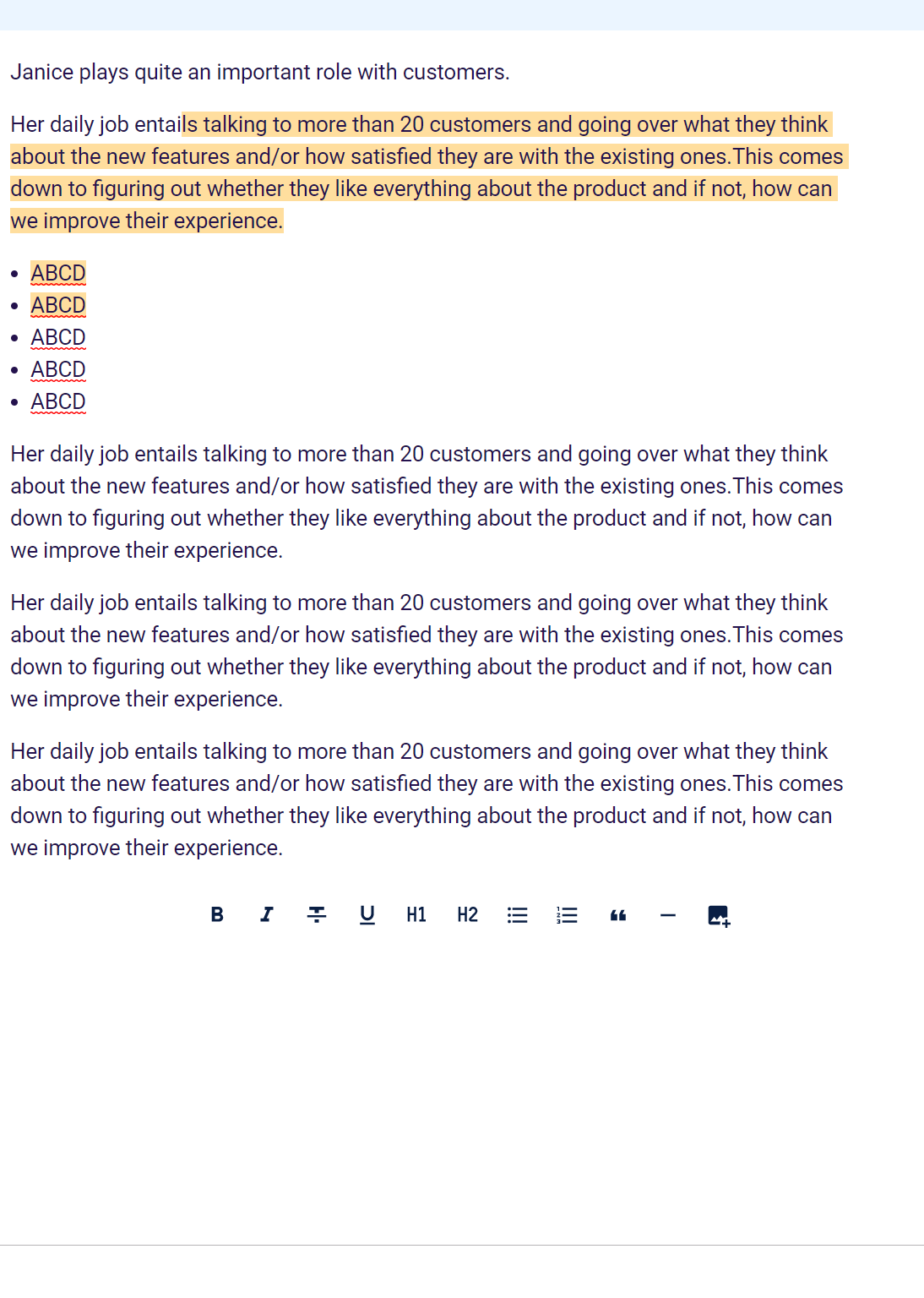
It seems to be working for the cases that I am exploring.
I do have another problem though -
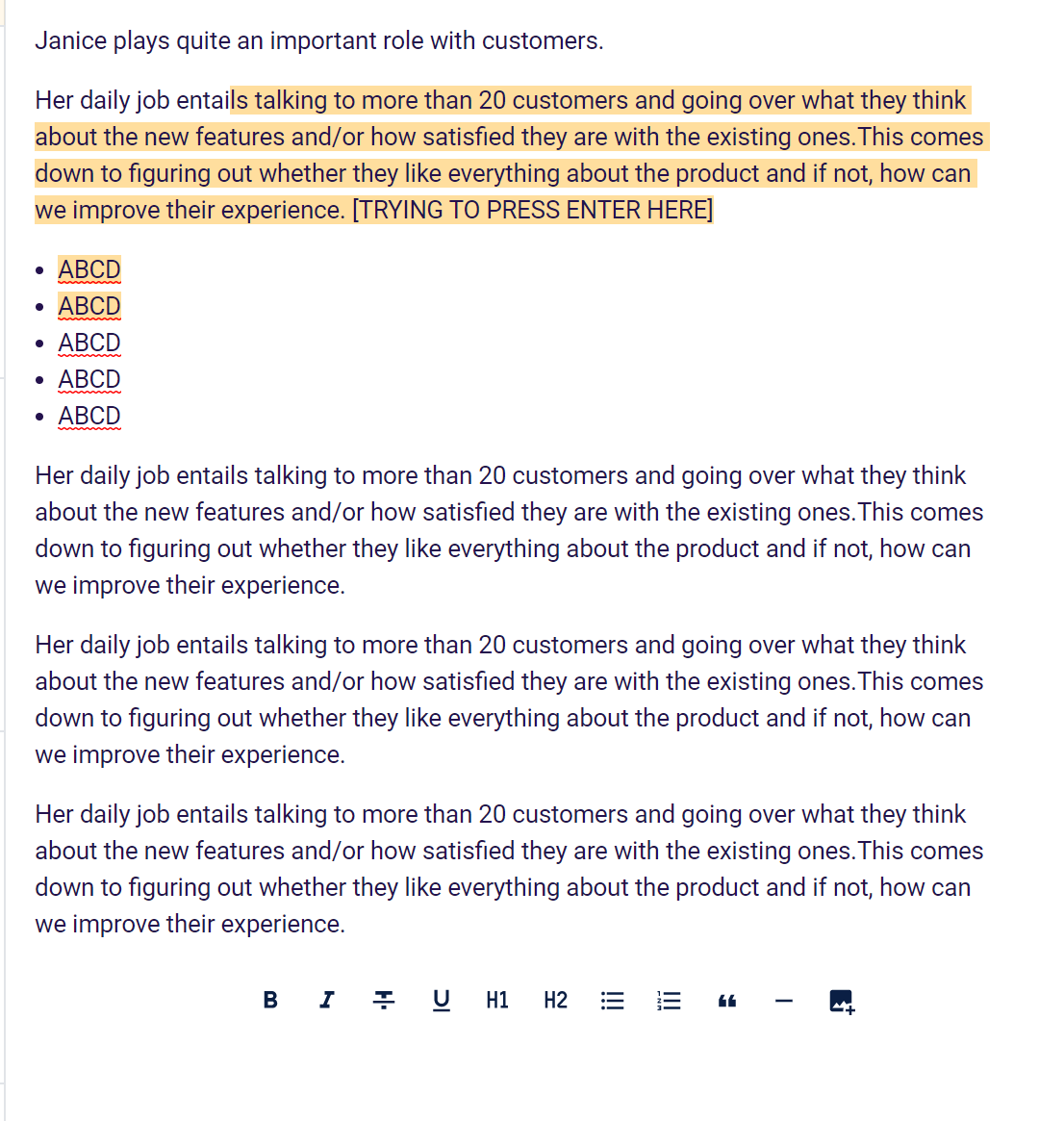
How do I enable the "Enter" button at the end of the line?
Expected - Executes the "Enter" action for the parent block?
Shift+Enter works fine so I am guessing it's an issue with placing the cursor outside of the Highlight Node.. - Is there any option or setting that I missed here?
My Schema has
    content: 'inline*',
    group: 'inline',
    inline: true,
Thanks a ton!
kshitizshankar
on 15 May 2019
Got it working with Marks for now with custom component. Am storing only the highlight-id in the attributes which I don't really need to update. I am querying my API with the ID to render additional details like color etc. (Storing them outside of the document made the most sense for my use case).
The approach for creating slices and replacing data ended up causing a lot more issues, and marks seem the right way to go for this.
Thanks a lot for all the help!
In case it helps anyone else - here is the code I'm using for now -
export default class highlight extends Mark
{
    get name()
    {
        return 'highlight'
    }

    get schema()
    {
        return {
            attrs: {
                "highlight-id": {
                    default: null
                }
            },
            inclusive: true,
            parseDOM: [
                {
                    tag: 'highlight',
                    getAttrs: dom => ({
                        "highlight-id": dom.getAttribute('highlight-id'),
                    }),
                },
            ],
            toDOM: mark => ['highlight', {
                "highlight-id": mark.attrs["highlight-id"],
            }, 0],
        }
    }

    commands({ type, schema })
    {
        return attrs =>
        {
            let newHighlightId;
            if(attrs && attrs["highlight-id"])
            {
                newHighlightId = attrs["highlight-id"];
            }
            else
            {
                newHighlightId = parseInt(Math.random()*10000000);
            }
            return updateMark(type, {"highlight-id" : newHighlightId});
        }
    }

    get view()
    {
        return HightlightView;
    }
}
HighlightView.vue
<template>
    <span class="highlight" @click="openDetails()">
        <span ref="content"
              class=""
              :highlight-id="idhighlight"
        /></span>
</template>
export default {
    name: "HighlightView",
    props: ['node', 'updateAttrs', 'editable'],
    data()
    {
        return {
        }
    },
    computed:
    {
        idhighlight: {
            get()
            {
                return this.node.attrs["highlight-id"];
            },
        },
    },
    methods :
    {
        openDetails : function()
        {
            //Do Stuff
        }
    }
I've released a new version with a fix for getPos(). You should now be able to call updateAttrs() for marks. Currently this is limited to the parent node of a mark because of the current implementation of getMarkRange. https://github.com/scrumpy/tiptap/blob/master/packages/tiptap-utils/src/utils/getMarkRange.js
But it should be absolutely possible to extend getMarkRange to lookup in its siblings to improve it even further. Maybe someone will create a PR for that 😅
philippkuehn
on 15 May 2019
Perfect! 👍
kshitizshankar
on 16 May 2019
@philippkuehn Is there a way to prevent marks from getting broken up for this use case? As in - can we have a continuous range?
I've been redoing the highlight bit and realized that the current way enables user to break up the content which isn't something that fits my use case - I tried it with Decorations like in the collaboration demo of Prosemirror but quickly realized that it breaks the undo/redo bits.
For now, I ended up creating a plugin which -
- Finds all the inline nodes with the relevant mark with attr (id)
- Build a range for each specific mark
- Figure out if the range of the mark is broken (has inline nodes that don’t have the mark)
- Fix broken ranges using appendTransaction to dispatch addMark for each of the broken range
Just wanted to make sure if there is any conceptual flaw in this flow.
Also - How do I actually get access to "MarkType" inside the Plugin? I've been using "state.schema.marks.highlight" which feels like it is definitely the wrong way to access it...
kshitizshankar
on 23 Jun 2019
@kshitizshankar What do you mean with "broken mark"?
philippkuehn
on 26 Jul 2019
Related issues
 agentq15
·
3Comments
agentq15
·
3Comments
 santicros
·
3Comments
santicros
·
3Comments
 winterdedavid
·
3Comments
winterdedavid
·
3Comments
 git-mischa
·
3Comments
git-mischa
·
3Comments
 pk-pressf1
·
3Comments
pk-pressf1
·
3Comments
Most helpful comment
I've released a new version with a fix for
getPos(). You should now be able to callupdateAttrs()for marks. Currently this is limited to the parent node of a mark because of the current implementation ofgetMarkRange. https://github.com/scrumpy/tiptap/blob/master/packages/tiptap-utils/src/utils/getMarkRange.jsBut it should be absolutely possible to extend
getMarkRangeto lookup in its siblings to improve it even further. Maybe someone will create a PR for that 😅