Tippyjs: Popup is not flipping (3rd party plugin using tippy.js)
Hello,
I was looking into shepherd.js which uses tippy.js' absolute amazing work as a basis.
Unfortunately, the created popups are not flipping and are therefore cut off sometimes.
I did some sandbox testing but could not find the error that causes that behavior.
That's why I came here full of hope that someone could point out the error?
I described the bug here: https://github.com/shipshapecode/shepherd/issues/498
Thanks a lot in advance :)
 dipiana
All 18 comments
Flipping wouldn't solve this problem because there's not enough space on either side anyway. What it should be doing by default (not sure what config Shepherd is using) is overlapping the reference (cut out mask part I guess), but that also wouldn't be great.
So solution is to dynamically set the width of the popup based on the remaining space in the viewport on each popper.onUpdate -- but even that isn't foolproof because when resizing the window, there's a point in which the popup would have zero width. So the problem here lies in the UI itself.
 atomiks
on 14 Aug 2019
atomiks
on 14 Aug 2019
I was looking into this now. We actually do have flipping enabled, but as @atomiks said, flipping doesn't help.
What it should be doing by default (not sure what config Shepherd is using) is overlapping the reference (cut out mask part I guess), but that also wouldn't be great.
How would we achieve this? I'm okay with it being less than ideal, if we can get the tippy to be cutoff less often.
It would be nice to have an option to disregard placement when flipping, so if left and right both did not have room, attach it to the top or bottom, etc.
 rwwagner90
on 14 Aug 2019
rwwagner90
on 14 Aug 2019
How would we achieve this? I'm okay with it being less than ideal, if we can get the tippy to be cutoff less often.
It's default behavior so not sure what config you have preventing it from happening
It would be nice to have an option to disregard placement when flipping, so if left and right both did not have room, attach it to the top or bottom, etc.
flipBehavior: Placement[] option should solve that problem
atomiks
on 14 Aug 2019
Alright it's escapeWithReference: true, need to keep it false for it to overlap (tried on the dev website):
$('.tippy-popper')
  ._tippy
  .popperInstance
  .modifiers.find(m => m.name === 'preventOverflow')
  .escapeWithReference = false;
It's default behavior so not sure what config you have preventing it from happening
To my knowledge, we are not setting anything that would override this.
I do not believe escapeWithReference fixes the issue. I tried playing with that yesterday. It only applies if the reference is fully outside the viewport, right? Either way, it doesn't change anything for Shepherd. The tooltip does not move, just stays cut off.
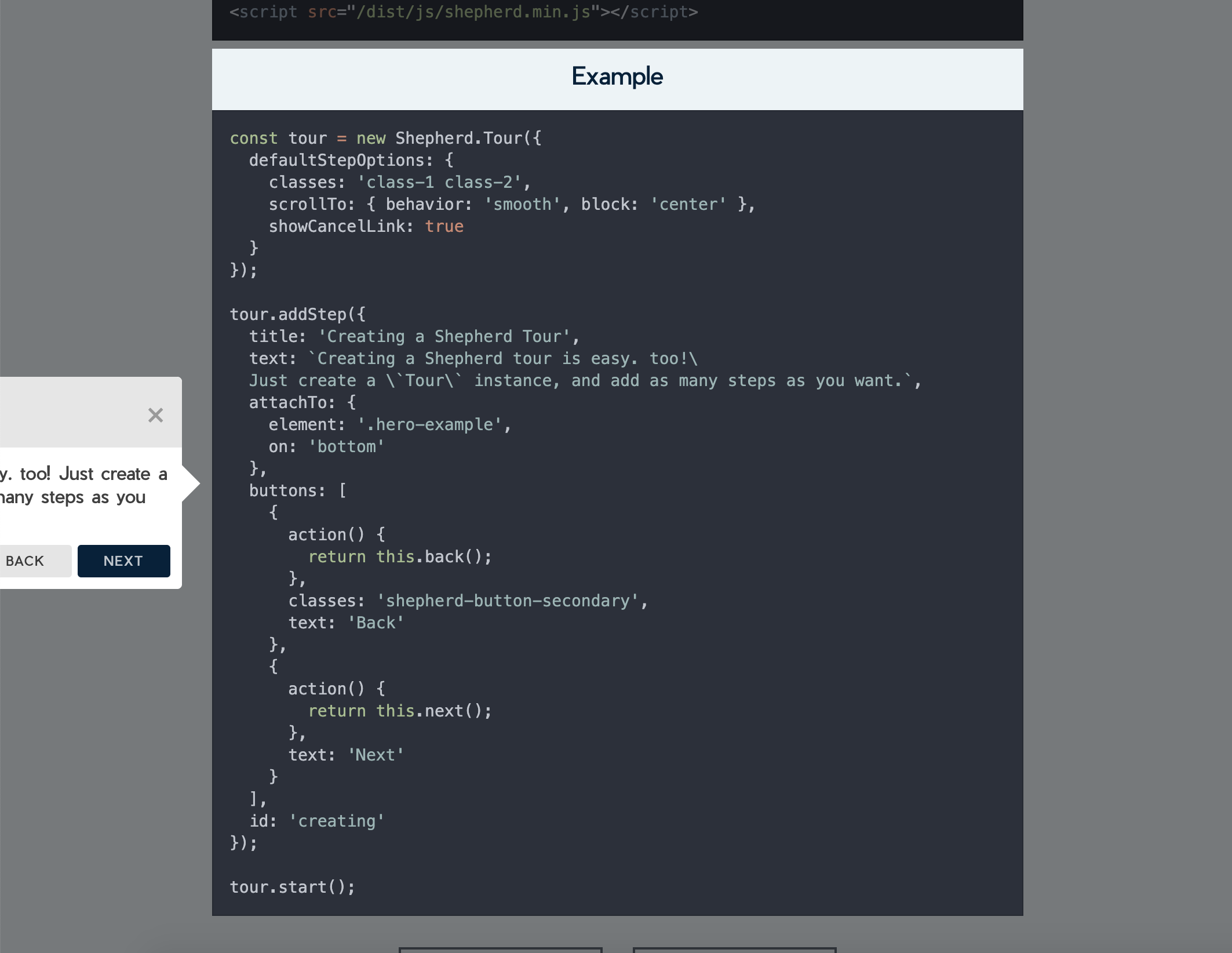
rwwagner90
on 14 Aug 2019
If you paste it in the console then scroll (to trigger an update) it will overlap
atomiks
on 14 Aug 2019
@atomiks I believe the issue is it is not possible to pass the modifiers in popperOptions
We need to merge the passed options, instead of spread, to allow overriding defaults, right?
Perhaps this should also be the tippy default?
rwwagner90
on 14 Aug 2019
Everything gets spread, including nested objects.
e.g. on dev site
$('.tippy-popper')._tippy.setProps({
  popperOptions: {
    modifiers: {
      preventOverflow: {
        escapeWithReference: false,
      },
    },
  },
})
Ah okay, I did not realize spread worked nested and would not be overridden by the modifiers below it. This should work then 👍
rwwagner90
on 14 Aug 2019
Awesome, thanks a lot @atomiks and @rwwagner90 !
dipiana
on 14 Aug 2019
Btw, one thing I noticed with Sherpherd is the mask seems to be delayed and doesn't catch up with the layout on each frame: https://streamable.com/p94gt
Hope the above solved the overlapping issues. And flipping to choose any placement:
flipBehavior: ['left', 'right', 'top', 'bottom']
Btw, one thing I noticed with Sherpherd is the mask seems to be delayed and doesn't catch up with the layout on each frame: https://streamable.com/p94gt
That is a known issue, as we have to recalculate the opening placement on scroll. It would be awesome to sync them up. Do you have any insights into this?
rwwagner90
on 14 Aug 2019
My first thought would be to try removing the debounce wrapper? + otherwise apply the state changes natively, outside of Preact's .setState() assuming it's async.
atomiks
on 14 Aug 2019
Btw, one thing I noticed with Sherpherd is the mask seems to be delayed and doesn't catch up with the layout on each frame: https://streamable.com/p94gt
That is a known issue, as we have to recalculate the opening placement on scroll. It would be awesome to sync them up. Do you have any insights into this?
Would it be possible to check the position of the element to highlight and position the SVG mask accordingly? If the element to be highlighted is positioned absolute / relative (and therefore changes position on scroll) we include the SVG in the DOM positioned absolute, so that it scrolls at the same pace.
If the element to be highlighted is positioned fixed (and therefore does not move on scroll), we simply position the SVG layer fixed as well, without updating its position on scroll?
Just an idea..
dipiana
on 14 Aug 2019
@atomiks
My first thought would be to try removing the debounce wrapper? + otherwise apply the state changes natively, outside of Preact's .setState() assuming it's async.
This has been an issue since before we started using Preact. I tried removing debounce before and it still is an issue.
@dipiana we position the opening using x, y, etc. I tried setting position: absolute and some other things, and nothing seemed to change. Would you want to give it a shot?
rwwagner90
on 14 Aug 2019
@dipiana we position the opening using
x,y, etc. I tried settingposition: absoluteand some other things, and nothing seemed to change. Would you want to give it a shot?
Sure, I will try it tonight / tomorrow!
dipiana
on 14 Aug 2019
@dipiana I think we can fix it with requestAnimationFrame playing with it now 😃
rwwagner90
on 14 Aug 2019
@dipiana I think we can fix it with
requestAnimationFrameplaying with it now 😃
Great! Any update? Should I still try the other approach?
dipiana
on 14 Aug 2019
Related issues
 KubaJastrz
·
3Comments
KubaJastrz
·
3Comments
 Wyzix33
·
4Comments
Wyzix33
·
4Comments
 bfirsh
·
3Comments
bfirsh
·
3Comments
 skazhikadyadya
·
3Comments
skazhikadyadya
·
3Comments
 gclark18
·
4Comments
gclark18
·
4Comments