Hi,
I am using Tippy.js v2.5.2.
In my web page the tooltip content get dynamically created by the user with Javascript. the problem is that each time the user updates the same tooltip content, I have a new tooltip bubble displays upon the old one, and I end up with multiple tooltips display upon each other, rather than display just the latest.
Do you have any idea on how to display only the latest updated content ?
 aboumekh
All 10 comments
 atomiks
on 12 Jun 2018
atomiks
on 12 Jun 2018
I am using html rather than title:
tippy(ref, {
html: '#Template'
})
Is there a solution for this please ?
aboumekh
on 13 Jun 2018
Save the template to a reference to modify it later
const template = document.querySelector("#Template")
tippy(ref, {
html: template
})
template.innerHTML = "new tooltip"
I am sorry, but that's exactly what I am doing. You can probably try a test on your side and reproduce this issue.
Thanks
aboumekh
on 13 Jun 2018
It looks like tippy cumulate the content, and not just update it
aboumekh
on 13 Jun 2018
https://codepen.io/anon/pen/aKWeOm
Here the template content is updated every 250ms. You must be doing multiple tippy() calls to cause the duplicate tooltips.
atomiks
on 13 Jun 2018
All right, thank you :)
aboumekh
on 16 Jun 2018
Here is my code snipet, it looks like the popper.innerText does not get updated when I update the comment content:
myTemplate.innerHTML =comment;
id = '#'+ myTemplate.id;
if(item.firstTip === 0){
item.firstTip = 1;
tippy(ref, {
html: id,
});
}
I use firstTip to not call tippy() a second time.
Do you have any idea ?
Thanks
aboumekh
on 2 Jul 2018
@atomiks My humble opinion is that I will put this example in the documentation, this example is super easy to understand.
https://github.com/atomiks/tippyjs/issues/247#issuecomment-396778756
 itsalb3rt
on 7 Sep 2018
itsalb3rt
on 7 Sep 2018
@itsalb3rt current docs show this:
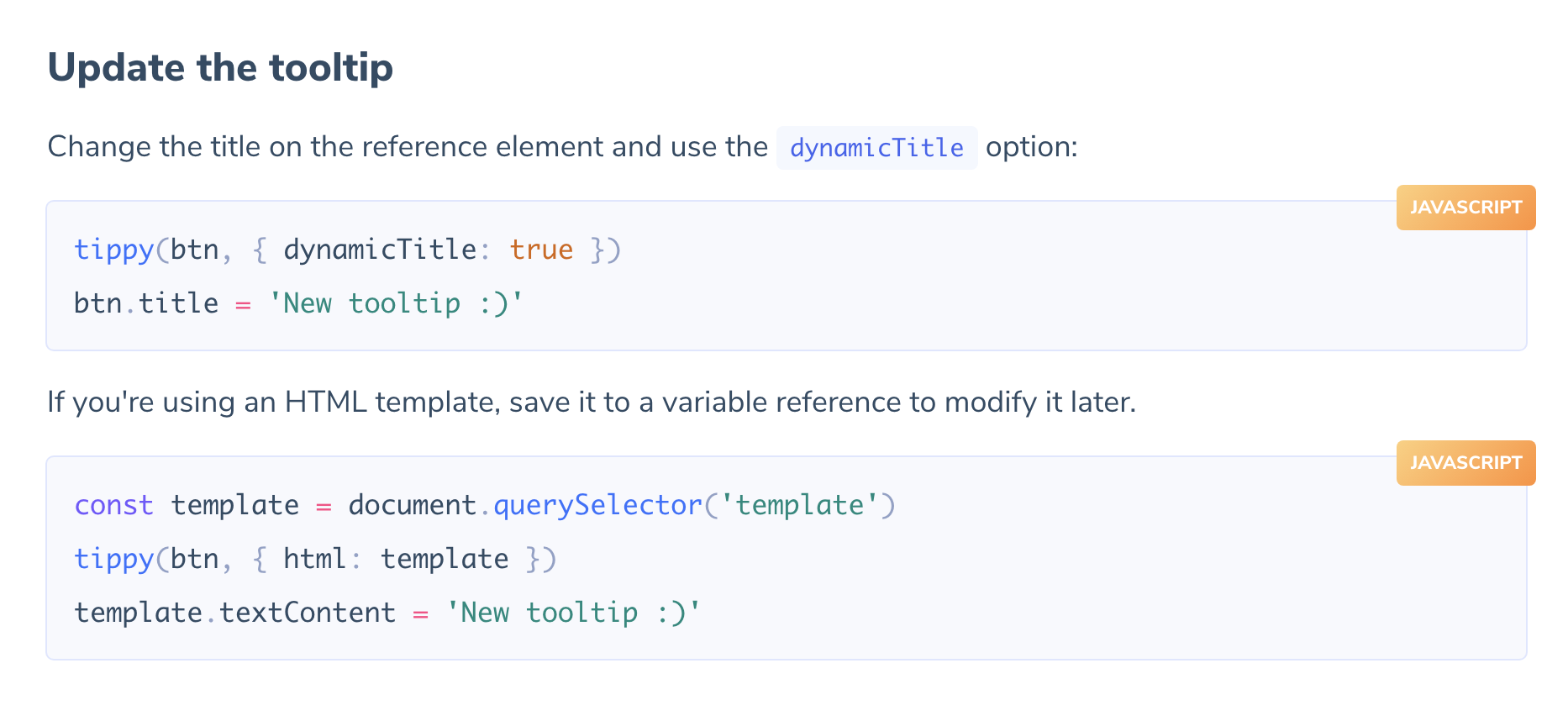
Is that not easy to understand?
In V3, it's:
tippy(ref, { content: 'Hello' })
ref._tippy.setContent('Bye')
Related issues
 Wyzix33
·
4Comments
Wyzix33
·
4Comments
 madjennsy
·
4Comments
madjennsy
·
4Comments
 patrickhlauke
·
3Comments
patrickhlauke
·
3Comments
 ciaoben
·
5Comments
ciaoben
·
5Comments
 faroukcharkas
·
4Comments
faroukcharkas
·
4Comments
Most helpful comment
@itsalb3rt current docs show this:
Is that not easy to understand?
In V3, it's: