Tippyjs: setting theme to 'light' doesn't have any effect
With the newest version of tippy, setting the theme to light doesn't have any effect anymore. Here's my code:
$('.tooltip').each(function() {
  let $btn = $(this);
  let templateId = $btn.attr('data-template-id');
  let args = {
    arrow: true,
    trigger: 'click',
    theme: 'light',
    duration: 150,
    interactive: true,
    offset: '0, 30',
    // hideOnClick: false
  };

  if( $(templateId).length ) {
    args.html = templateId;
    $(templateId).click(function(e) {
      e.stopPropagation();
    });
  }
  tippy( $btn.get(0), args );
});
 hirasso
All 9 comments
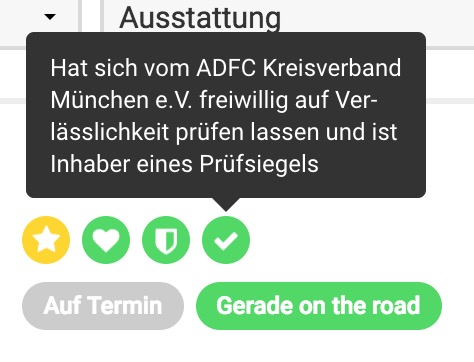
This should be white with black text, right?
hirasso
on 21 Feb 2018
Themes aren't included in the CSS by default. They are under the themes folder now.
 atomiks
on 21 Feb 2018
atomiks
on 21 Feb 2018
Great, thanks for your help!
hirasso
on 22 Feb 2018
For those wondering where to find it :
adding this should do the trick ;)
import 'tippy.js/dist/themes/light.css'
 webwakko
on 10 Oct 2018
webwakko
on 10 Oct 2018
It would be great to add this in the documentation cause the _getting started_ section says:
tippy.all.js is all dependencies (Tippy + Popper + CSS) in a single file. The CSS is injected into the document head.
 weber-d
on 12 Nov 2018
weber-d
on 12 Nov 2018
Yep, definitely caused unnecessary confusion.
 Radilx
on 23 Nov 2018
Radilx
on 23 Nov 2018
Sorry for the confusion. The Themes demo showed they are included in dist/themes but yeah it was not worded clearly anywhere else! 😢
atomiks
on 24 Nov 2018
For others like me, note that the themes are not in the dist folder anymore.
    <script src="https://unpkg.com/popper.js@1"></script>
    <script src="https://unpkg.com/tippy.js@5"></script>
    <link rel="stylesheet" href="https://unpkg.com/tippy.js@5/dist/backdrop.css" />
    <link rel="stylesheet" href="https://unpkg.com/tippy.js@5/themes/light.css" />
 spsaucier-bakkt
on 21 Jun 2020
spsaucier-bakkt
on 21 Jun 2020
Not confusing at all :)
 Benjoyo
on 31 Jan 2021
Benjoyo
on 31 Jan 2021
Related issues
 madjennsy
·
4Comments
madjennsy
·
4Comments
 gclark18
·
4Comments
gclark18
·
4Comments
 Wyzix33
·
4Comments
Wyzix33
·
4Comments
 kmanolis
·
4Comments
kmanolis
·
4Comments
 Neill83
·
3Comments
Neill83
·
3Comments
Most helpful comment
Themes aren't included in the CSS by default. They are under the
themesfolder now.