Tiny-slider: Mousedrag doesn't release the slider after mouseUp
__Issue description__:
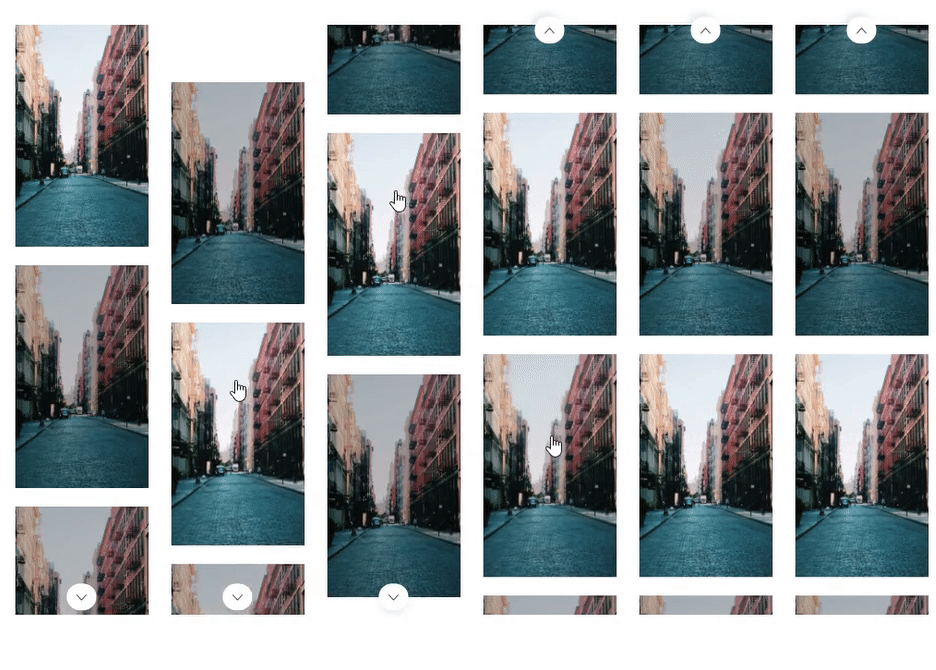
Currently having an issue (with both horizontal and vertical axis) where if you click one of the items in the slider it keeps dragging the slider. Seems as it isn't releasing it after mouseUp, see the gif below. In the gif I am not holding down the mouse but I am releasing it and it gets stuck. I've tried swipeAngle but that doesn't seem to help.
__Demo link/slider setting__:
_Tiny-slider version_: 2.6.0
_Browser name && version_: Chrome (latest)
_OS name && version_: Windows 10
 viktorlarsson
All 22 comments
I'm experiencing the same issue - the mouse remains 'stuck' and the carousel continues to drag even though I've clicked and released.
options: {
  items: 2,
  edgePadding: 0,
  slideBy: 1,
  loop: false,
  mouseDrag: true,
  nav: false,
  responsive: {
    577: {
      items: 3,
      slideBy: 3,
    },
    992: {
      edgePadding: 40,
      items: 3,
      slideBy: 3,
    }
  }
}
 jondotblack
on 24 Apr 2018
jondotblack
on 24 Apr 2018
Any idea here @ganlanyuan ?
viktorlarsson
on 27 Apr 2018
Will check this shortly.
 ganlanyuan
on 27 Apr 2018
ganlanyuan
on 27 Apr 2018
You are fantastic!
viktorlarsson
on 27 Apr 2018
Hi, May I know your slider options?
ganlanyuan
on 28 Apr 2018
@ganlanyuan
options: {
  axis: 'vertical',
  loop: false,
  mouseDrag: true,
  items: 3,
  controlsText: ['',''],
  gutter: 20,
  nav:  true,
  swipeAngle: false // tried everything here but same issue occurs
}
Any luck here?
viktorlarsson
on 14 May 2018
Hi,
I created a new branch raf in which touch/drag functions are significantly updated.
Could you check if the issue fixed in that branch?
Thanks
ganlanyuan
on 14 May 2018
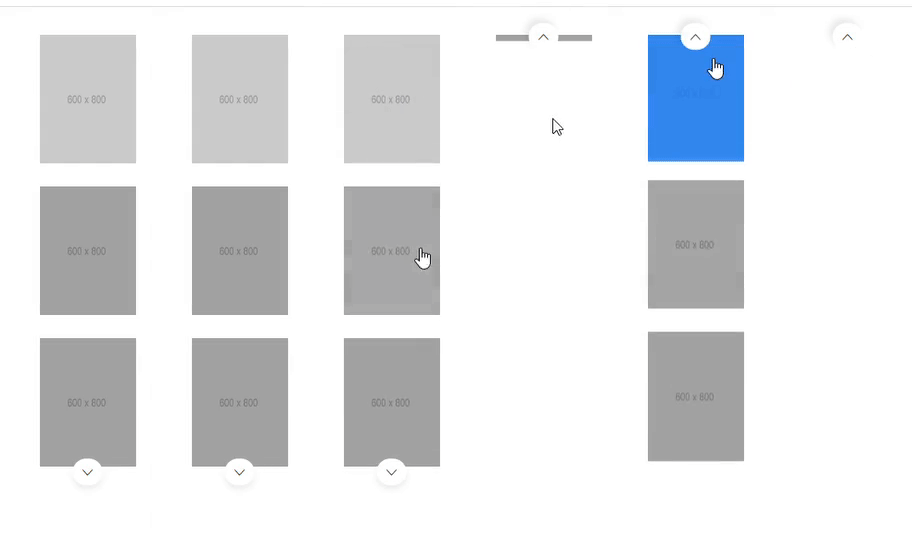
Cheers! I tried it out bit it kinda made it worse :/
viktorlarsson
on 15 May 2018
Could you create a demo on codepen or somewhere?
Because I actually couldn't reproduce the issue on my side.
ganlanyuan
on 15 May 2018
@ganlanyuan Thank you for the raf branch, I had the same bug on this configuration:
_Tiny-slider version: 2.6.0
Browser name && version: Chrome (latest)
OS name && version: Windows 7_
But with the raf branch code all is Ok.
 Aharito
on 19 May 2018
Aharito
on 19 May 2018
@ganlanyuan Unfortunately, more extensive testing has shown that the error still exists.
Error occurs when mouseDrag: true. Then mouse click on the slider element, the elements of the slider are move forward.
Aharito
on 19 May 2018
@ganlanyuan ,
Any update on the issue?
 sachinsinghi
on 21 May 2018
sachinsinghi
on 21 May 2018
Think we need to create a codepen or something similar to show it.
viktorlarsson
on 21 May 2018
Here is the codepen https://codepen.io/ssinghi/pen/OZqWXp
sachinsinghi
on 22 May 2018
@viktorlarsson Could you check out this commit on raf branch?
@sachinsinghi There is an issue with the demo: the fixedWidth option is missing from the main options. It should be:
    var slider = tns({
        container: '.js-upsell-slider',
        slideBy: 1,
        fixedWidth: 296, // ← move to here
        autoplay: false,
        arrowKeys: false,
        loop: false,
        nav: false,
        mouseDrag: true,
        responsive: {
            320: {
                gutter: 8,
                items: 2,
                // fixedWidth: 296,
                controls: false,
                swipeAngle: 25
            },
            1200: {
                gutter: 16,
                items: 3,
                fixedWidth: 356,
                controls: true
            }
        },
        controlsText: [
            '<svg class="icon icon-fill" xmlns="http://www.w3.org/2000/svg" width="16" height="16" viewBox="0 0 16 16"><path class="currentColor" d="M8.7 7.5c.3.3.3.7 0 1l-2.9 2.9c-.3.3-.3.7 0 1l.5.5c.3.3.7.3 1 0L11.2 9c.5-.5.5-1.4 0-2L7.3 3.1c-.3-.3-.7-.3-1 0l-.5.5c-.3.3-.3.7 0 1l2.9 2.9z"/></svg>',
            '<svg class="icon icon-fill" xmlns="http://www.w3.org/2000/svg" width="16" height="16" viewBox="0 0 16 16"><path class="currentColor" d="M8.7 7.5c.3.3.3.7 0 1l-2.9 2.9c-.3.3-.3.7 0 1l.5.5c.3.3.7.3 1 0L11.2 9c.5-.5.5-1.4 0-2L7.3 3.1c-.3-.3-.7-.3-1 0l-.5.5c-.3.3-.3.7 0 1l2.9 2.9z"/></svg>'
        ]
    });
Otherwise, it won't be consider as a fixed width slider.
ganlanyuan
on 22 May 2018
@ganlanyuan Seems to be working! Fantastic!
viktorlarsson
on 25 May 2018
Fix added in v2.7.0
ganlanyuan
on 1 Jun 2018
Can confirm in v2.8.1 and 2.8.2 this bug is present. Had to disable mouseDrag for the time being. Ocurring on a div element with an image background.
 DMCK96
on 19 Jul 2018
DMCK96
on 19 Jul 2018
@DMCK96 Could you make a demo?
I didn't see this issue (on div elements with background image) when tested locally.
ganlanyuan
on 19 Jul 2018
I'm experiencing the same issue on version 2.8.5 with background images on the slides and the following settings?
{
    items: 4,
    lazyLoad: true,
    loop: false,
    nav: false,
    controls: false,
    arrows: false,
    container: this.navSliderNode,
    mouseDrag: true,
    fixedWidth: 70,
    gutter: 8,
    responsive: {
    768: {
        fixedWidth: 140,
    },
}
HTML structure is:
<div class="slider">
    <div class="slide">
        <button style="background-image: url('...')">
            <img src="..." />
        </button>
    </div>
    ...
</div>
I assume the script is listening for a mouse up / mouse down function, but is there any possibility that the propagation is being stopped by another event somewhere? The issue occurs about 80% of the time I use the slider, so 20% of the time it works correctly.
 mitch-rickman
on 27 Aug 2018
mitch-rickman
on 27 Aug 2018
Update, So I incorrectly updated my version of tiny slider before, after actually updating the slider version to the latest things started to work for my slider... but the issue appeared on another slider.
The new broken slider was functioning before the update. I did some testing with the latest version of the slider and I realized the issue was that my slider had a full width and height tag, so I am assuming there were event conflicts.
Digging deeper, I started looking at the onPanStart method, which uses on the preventDefaultBehavior function upon certain conditions. I adjusted the conditional (!isTouchEvent(e) && ['img', 'a'].indexOf(getLowerCaseNodeName(getTarget(e))) >= 0) so preventDefaultBehavior would be called every time the event is not a touch event. This seemed to be fix the issue, and all of my sliders are running as expected.
@ganlanyuan, Can you foresee the removal of && ['img', 'a'].indexOf(getLowerCaseNodeName(getTarget(e))) >= 0 causing any issues?
Also, do you have instructions on how to get the build running. I tried npm install, bower install and then gulp min found out there were a handful of missing packages and a missing /www/package.json file
mitch-rickman
on 11 Sep 2018
Related issues
 movationdesign
·
5Comments
movationdesign
·
5Comments
 DuckThom
·
5Comments
DuckThom
·
5Comments
 DimaGashko
·
3Comments
DimaGashko
·
3Comments
 youradds
·
3Comments
youradds
·
3Comments
 martincapek
·
4Comments
martincapek
·
4Comments