Tinacms: Block Settings Modal Exit Options
Description
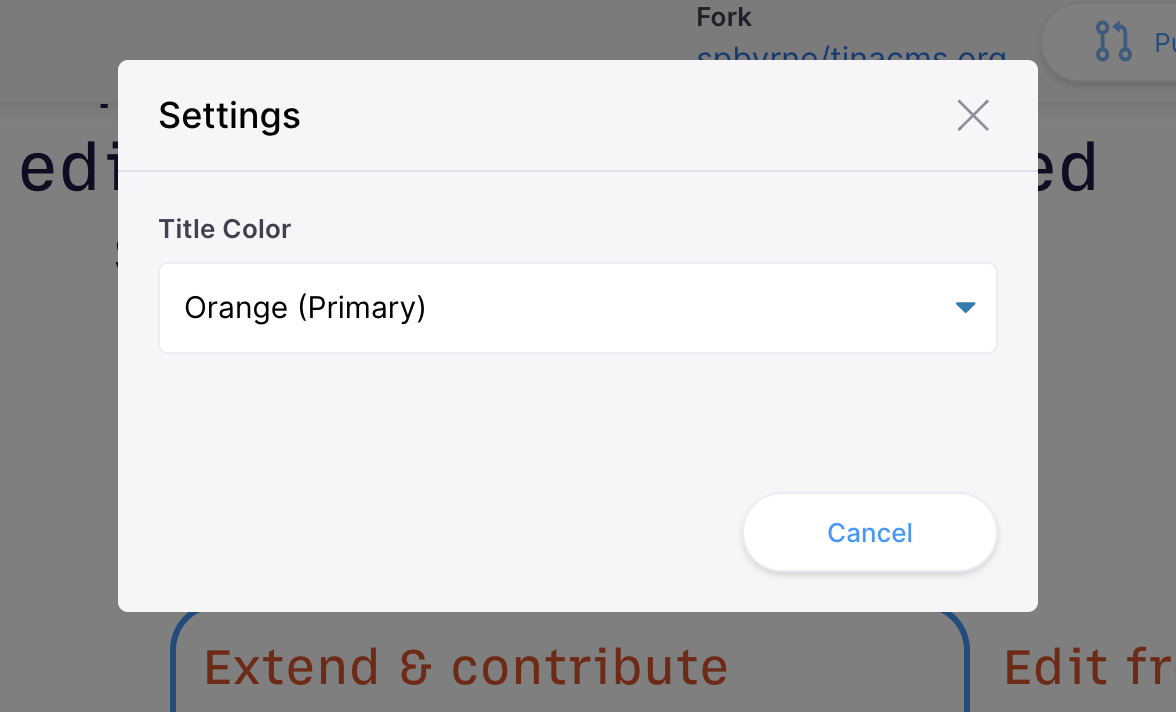
The block settings modal doesn't provide a way to confirm your changes, and the 'cancel' button doesn't undo any changes you've made.
Steps to reproduce
On TinaCMS.org, enter edit mode on the homepage. Under the demo video, there's three blocks with settings cogs. Click the cog to open the settings modal.
Expected result
I'd expect there's a way to confirm my changes to dismiss the modal, and I'd expect that clicking 'cancel' would undo my changes.
Actual result
No 'save' or 'confirm' option is presented, so you have to click the 'x' close button or 'cancel' to get out of the modal.
 spbyrne
All 4 comments
I can take a look at it. So basically we need a save button and we need to make sure that cancel will undo the changes?
 maciekgrzybek
on 16 Apr 2020
maciekgrzybek
on 16 Apr 2020
For sure @maciekgrzybek
You've got the right idea. There's two approaches that we could take:
- Cancel is undo and Save is close. This would probably involve saving a copy of the form values when the modal and then form.updateValues to put them all back on
cancel. - Cancel is close and Save is make the change. This would involve putting a separate form in the modal and updating the original with it's values on Save.
I think I prefer the first, but I'm not exactly sure. Does anyone else have opinions? Maybe @DirtyF?
 ncphillips
on 16 Apr 2020
ncphillips
on 16 Apr 2020
I think that the first one sounds more logical.
maciekgrzybek
on 16 Apr 2020
Fine by me, as long as there's a primary action button to save the changes.
 DirtyF
on 18 Apr 2020
DirtyF
on 18 Apr 2020
Related issues
 scottgallant
·
4Comments
scottgallant
·
4Comments
 canrozanes
·
3Comments
canrozanes
·
3Comments
 aratner
·
4Comments
aratner
·
4Comments
 jpuri
·
4Comments
jpuri
·
4Comments
 lyleunderwood
·
4Comments
lyleunderwood
·
4Comments
Most helpful comment
I think that the first one sounds more logical.