Tinacms: remarkForm HOC get `not recognize tinaForm` error
Description
I'm trying add tinacms to my gatsby project,
When I add remarkForm hoc,
browser's console will get some error,
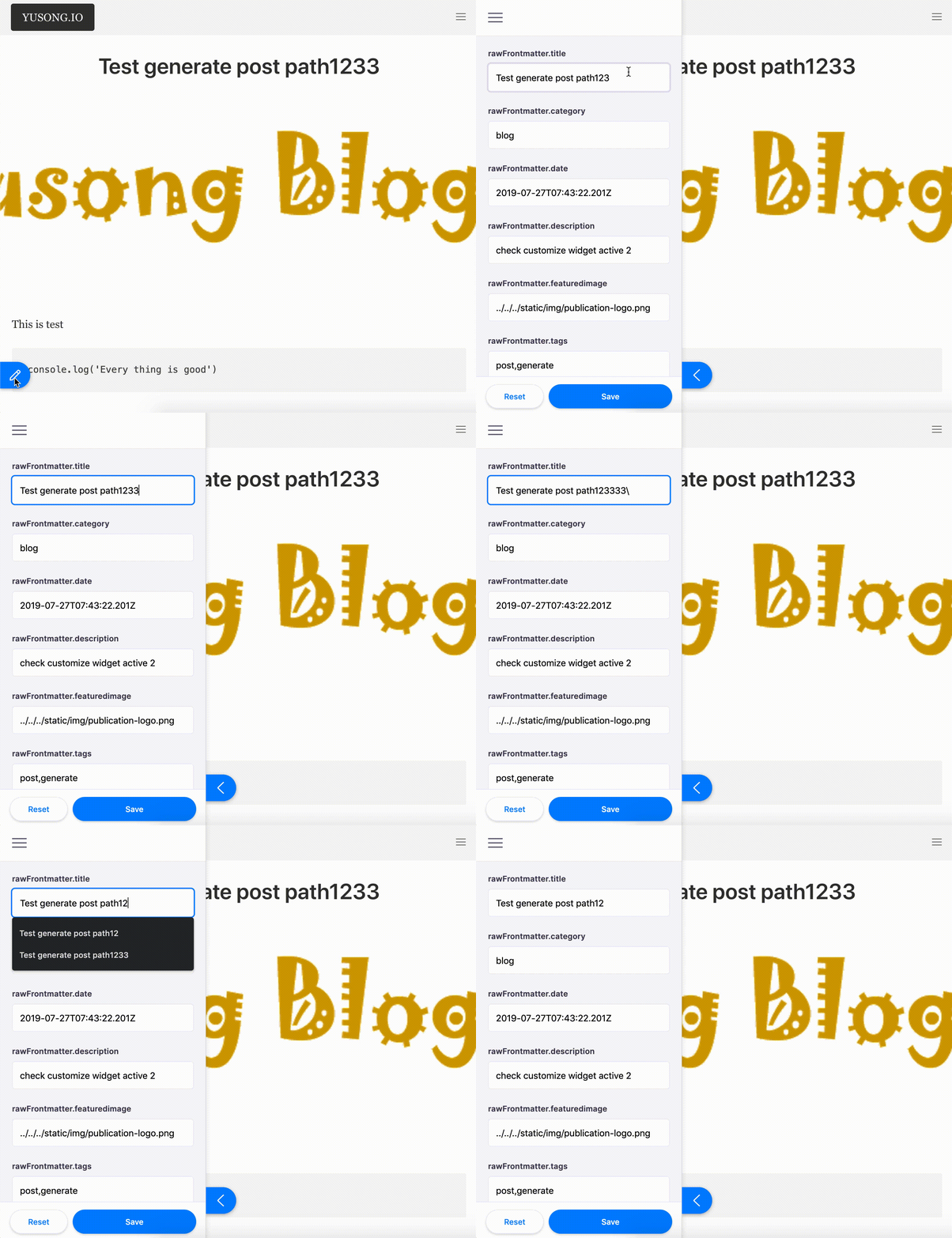
and it doesn't hot reload when I change content
index.js:2177 Warning: React does not recognize the `tinaForm` prop on a DOM element. If you intentionally want it to appear in the DOM as a custom attribute, spell it as lowercase `tinaform` instead. If you accidentally passed it from a parent component, remove it from the DOM element.
    in div
    in Unknown (created by Context.Consumer)
    in StyledComponent (created by Styled(Component))
    in Styled(Component)
    in Unknown (created by Context.Consumer)
    in StyledComponent (created by Styled(Component))
Steps to reproduce
- clone repo https://github.com/sky172839465/yusong.io
- step by step https://tinacms.org/docs/gatsby/markdown/#3-the-higher-order-component-remarkform in
./src/templates/blog-post.js npm start- go to http://localhost:8000/blog/test-generate-post-path-1233
- open tinacms editor and change the title
Expected result
Title should show what I type in textbox, and shouldn't show error message in console.
Environment
| Tool | Version |
| ------- | ------- |
| browser |Chrome|
| os |MacOS|
| node |10.14.1|
| npm |6.10.1|
| tinacms |0.11.0|
 sky172839465
All 4 comments
Thanks for the reporot @sky172839465!
The message in the console is unrelated to what you're seeing. Could you post the tinacms section from your gatsby-config.js?
 ncphillips
on 11 Jan 2020
ncphillips
on 11 Jan 2020
@ncphillips thanks for reply, this is my tinacms config.
    {
      resolve: `gatsby-plugin-tinacms`,
      options: {
        plugins: [
          `gatsby-tinacms-git`,
          `gatsby-tinacms-remark`
        ]
      }
    }
Finally got around to troubleshooting this.
It looks like the issue is that the URL of your page is being generated by the title field.
Changing the title field deletes the node from Gatsby and the page your on stops existing. Changing other fields doesn't cause any problems.
I would recommend changing this so that the path is generated based on the filepath instead. The gatsby-starter-blog has an example of this.
ncphillips
on 22 Jan 2020
Oh! I got the point! It’s so interesting 😂
sky172839465
on 25 Jan 2020
Related issues
 canrozanes
·
3Comments
canrozanes
·
3Comments
 jpuri
·
4Comments
jpuri
·
4Comments
 scottgallant
·
4Comments
scottgallant
·
4Comments
 employee451
·
3Comments
employee451
·
3Comments
 jhuggett
·
3Comments
jhuggett
·
3Comments
Most helpful comment
Finally got around to troubleshooting this.
It looks like the issue is that the URL of your page is being generated by the
titlefield.Changing the title field deletes the node from Gatsby and the page your on stops existing. Changing other fields doesn't cause any problems.
I would recommend changing this so that the path is generated based on the filepath instead. The gatsby-starter-blog has an example of this.