Hi,
Sometimes, can't really figure out what triggers this, tilix creates an invisible window with a few pixels in side on my desktop. This window sits over all content and can't be sent to the background, it also blocks the cursor from selecting anything below.
I know the window is from tilix because if I close all terminals it disappears.
I'm running Arch Linux with Gnome (latest version). Tilix was instead from here and I have the latest version.
xprop output when clicking on the invisible window:
WM_STATE(WM_STATE):
        window state: Normal
        icon window: 0x0
_GTK_EDGE_CONSTRAINTS(CARDINAL) = 170
_NET_WM_STATE(ATOM) = _NET_WM_STATE_SKIP_PAGER, _NET_WM_STATE_SKIP_TASKBAR
_NET_WM_ALLOWED_ACTIONS(ATOM) = _NET_WM_ACTION_CHANGE_DESKTOP, _NET_WM_ACTION_ABOVE, _NET_WM_ACTION_BELOW
_NET_WM_WINDOW_OPACITY(CARDINAL) = 8194797
WM_HINTS(WM_HINTS):
        Client accepts input or input focus: True
        Initial state is Normal State.
        window id # of group leader: 0x2800001
XdndAware(ATOM) = BITMAP
_NET_WM_WINDOW_TYPE(ATOM) = _NET_WM_WINDOW_TYPE_DND
_NET_WM_SYNC_REQUEST_COUNTER(CARDINAL) = 42883992, 42883993
_NET_WM_USER_TIME_WINDOW(WINDOW): window id # 0x28e5b97
WM_CLIENT_LEADER(WINDOW): window id # 0x2800001
_NET_WM_PID(CARDINAL) = 2022
WM_LOCALE_NAME(STRING) = "en_US.UTF-8"
WM_CLIENT_MACHINE(STRING) = "machine"
WM_NORMAL_HINTS(WM_SIZE_HINTS):
        program specified minimum size: 192 by 115
        program specified base size: 0 by 0
        window gravity: NorthWest
WM_PROTOCOLS(ATOM): protocols  WM_DELETE_WINDOW, WM_TAKE_FOCUS, _NET_WM_PING, _NET_WM_SYNC_REQUEST
WM_ICON_NAME(STRING) = "tilix"
_NET_WM_ICON_NAME(UTF8_STRING) = "tilix"
WM_NAME(STRING) = "tilix"
_NET_WM_NAME(UTF8_STRING) = "tilix"
 NelsonBrandao
All 23 comments
Any chance this is happening after a drag and drop of terminals, I'm just guessing based on this _NET_WM_WINDOW_TYPE_DND from your output. Tilix uses a Window for the drag image but it should be getting cleaned up after the drag completes, perhaps in your case it is not for some reason. If you can figure out how to reproduce it I would be happy to have a look.
 gnunn1
on 5 Jan 2018
gnunn1
on 5 Jan 2018
I haven't been able to consistently reproduce it, but it doesn't seem to be related with dragging terminals since I rarely do this. I will keep trying.
NelsonBrandao
on 9 Jan 2018
Same thing here on a Fedora 27 with tilix-1.7.3-1.fc27.x86_64
It's a quite odd bug which render a quite invisible gray area-box in the center of the screen and makes the mouse-pointer completely unusable (you can't click or select anything inside this area).
Unfortunately it also have impact on other applications (for ex. firefox, chrome) and the only thing you can do to restore the screen is to kill tilix. I've just discovered that the cause of this issue was tilix-terminal as i tried to launch xkill and point to the gray box: tilix suddently was closed.
I still cannot reproduce the issue but it happens so many time during the day that i'm thinking of switching to another terminal 'till this bug is fixed :(
 angystardust
on 16 Jan 2018
angystardust
on 16 Jan 2018
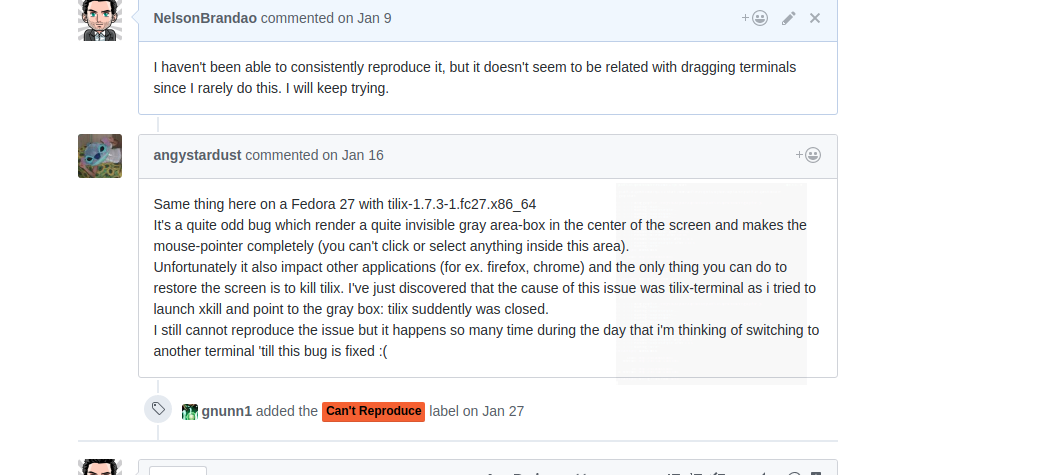
Just had this happen when dragging a split and "_alt-tabbing_" at the same time. The preview next to the mouse became stuck.
Check the screenshot below
NelsonBrandao
on 12 Mar 2018
I'm not sure what the screenshot is showing, what am I missing?
I just tried dragging and alt-tabbing at the same time and it worked fine for me unfortunately. Are you able to reproduce it consistently using that technique?
gnunn1
on 12 Mar 2018
@gnunn1 There is a black overlay box on the screenshot, its almost transparent but you should be able to see it. Added a red line around it.
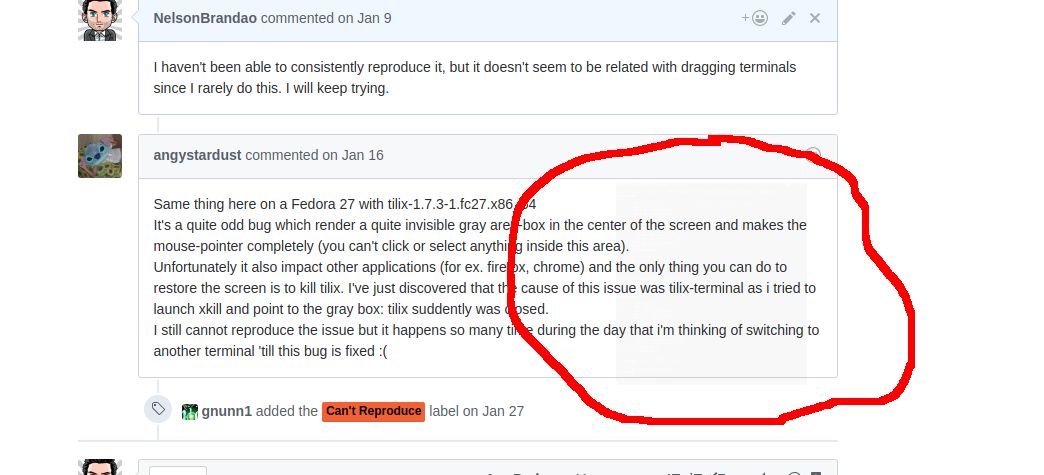
I'm not able to get it 100% of the times but I was able to reproduce it at least another time. The first time was by mistake, I was just trying to alt-tab but touch the touchpad.
NelsonBrandao
on 12 Mar 2018
Thanks, I see it now. Is it reproduceable?
gnunn1
on 12 Mar 2018
Thanks for the bug report however given I cannot reproduce it I'm not planning on spending any time investigating it further at this point. As a result I am closing the issue has part of cleaning up older issues, feel free to re-open if you disagree and we can discuss.
gnunn1
on 23 Jun 2018
I managed to reproduce it by repeatedly dragging the titlebar of a terminal and drop it on itself. The drag preview window sticks there one time out of 20 maybe. I'm not quite sure what triggers it but in this case it looks like it could be caused by dropping it while the window is already in-flight because of a previous drag.
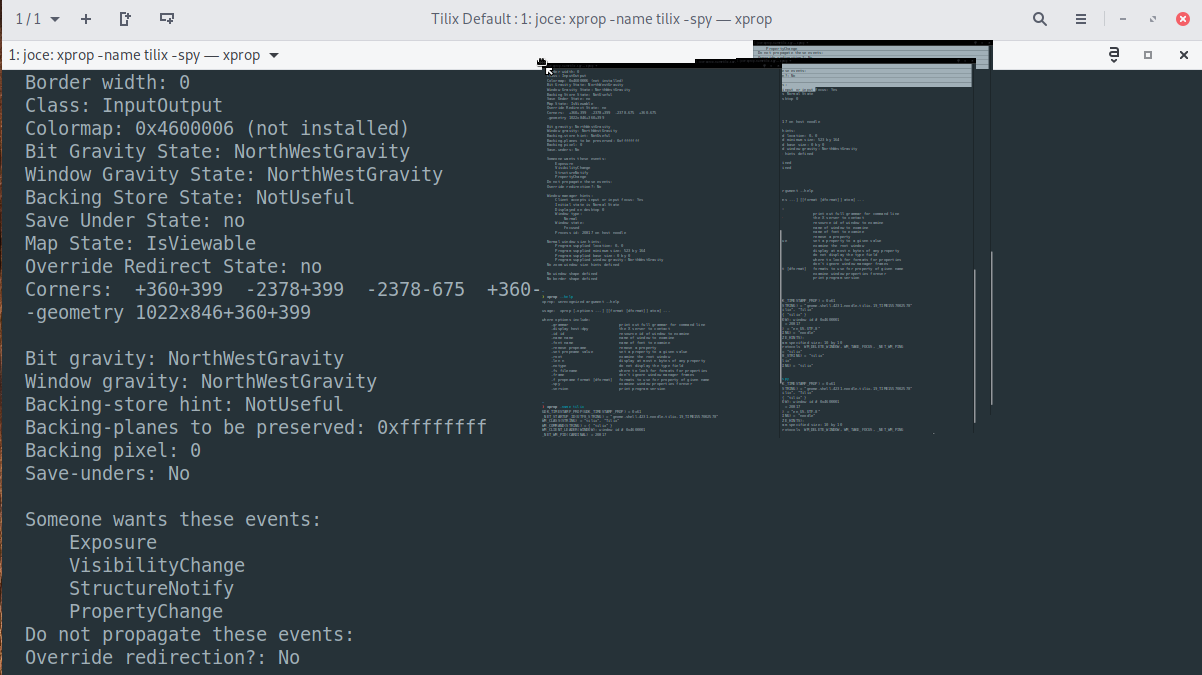
I had the almost invisible window issue a couple of times before and it's possible that it's a different cause though. In this case the window doesn't have time to fade out at all, but the size of the window seems to match so it could also be related to a terminal drag going wrong.
 jturcotte
on 26 Oct 2018
jturcotte
on 26 Oct 2018
I'm not able to reproduce it myself, but I've added some code based on a hunch to try to help with this. Thanks for the report, appreciate it.
gnunn1
on 28 Oct 2018
Observing this with Tilix 1.7.7-1ubuntu2, adding notes in case it's helpful. Keyword: :ghost: ghost window :)
The rectangle is near invisible except at some angles (see attached photos front on then at angle; rectangle is inside the "Add comment" box). Unable to interact with the (supposedly) frontmost app behind this window when ghost window is present.
Confirmed that it's Tilix via xwininfo. Thought it was gnome-screenshot for ages!
 xurizaemon
on 20 Jan 2019
xurizaemon
on 20 Jan 2019
This has been fixed in later versions, please upgrade.
gnunn1
on 21 Jan 2019
I'm using Debian/testing, with Xfce, and Tilix 1.8.9.
Unfortunately, this is not fixed. I'm having this once in a while, especially after Tilix is launched for a long time (>4days).
Is there any other solution than closing all Tilix windows? Is it possible to disable those small preview windows when drag'n'dropping?
 Glandos
on 7 Mar 2019
Glandos
on 7 Mar 2019
@Glandos Do you have reasons to believe that this is also related to drag'n drop?
Not sure if this is relevant information, but I haven't seen the issue once since the fix in October. I'm using Tilix also over many days, currently at version 1.8.9 but in Gnome Shell. So I'm wondering if it's somehow triggered by something else in your case.
jturcotte
on 7 Mar 2019
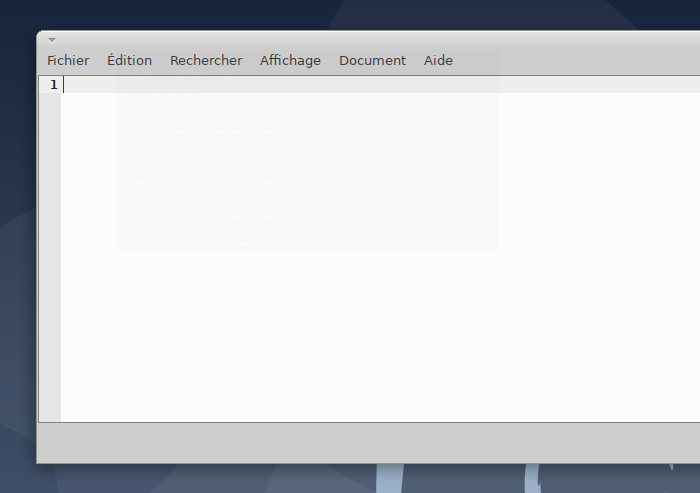
And running xprop on it:
> xprop
_NET_WM_WINDOW_OPACITY(CARDINAL) = 72516227
WM_HINTS(WM_HINTS):
        Client accepts input or input focus: True
        Initial state is Normal State.
        window id # of group leader: 0x4200001
XdndAware(ATOM) = BITMAP
_NET_WM_WINDOW_TYPE(ATOM) = _NET_WM_WINDOW_TYPE_DND
_NET_WM_SYNC_REQUEST_COUNTER(CARDINAL) = 69822425, 69822426
_NET_WM_USER_TIME_WINDOW(WINDOW): window id # 0x42967d8
WM_CLIENT_LEADER(WINDOW): window id # 0x4200001
_NET_WM_PID(CARDINAL) = 24551
WM_LOCALE_NAME(STRING) = "fr_FR.UTF-8"
WM_CLIENT_MACHINE(STRING) = "poulpe"
WM_NORMAL_HINTS(WM_SIZE_HINTS):
        program specified minimum size: 383 by 201
        program specified base size: 0 by 0
        window gravity: NorthWest
WM_PROTOCOLS(ATOM): protocols  WM_DELETE_WINDOW, WM_TAKE_FOCUS, _NET_WM_PING, _NET_WM_SYNC_REQUEST
WM_ICON_NAME(STRING) = "tilix"
_NET_WM_ICON_NAME(UTF8_STRING) = "tilix"
WM_NAME(STRING) = "tilix"
_NET_WM_NAME(UTF8_STRING) = "tilix"
The window just happened today.
Just another idea: I don't really use drag'n'drop, but I often use double-click on terminal title to maximize/minimize a terminal.
Glandos
on 7 Mar 2019
@Glandos FWIW I updated to 1.9.1 and the shadow window stopped appearing.
 vkaracic
on 10 Jul 2019
vkaracic
on 10 Jul 2019
it is still happening after upgrading to 1.9.1
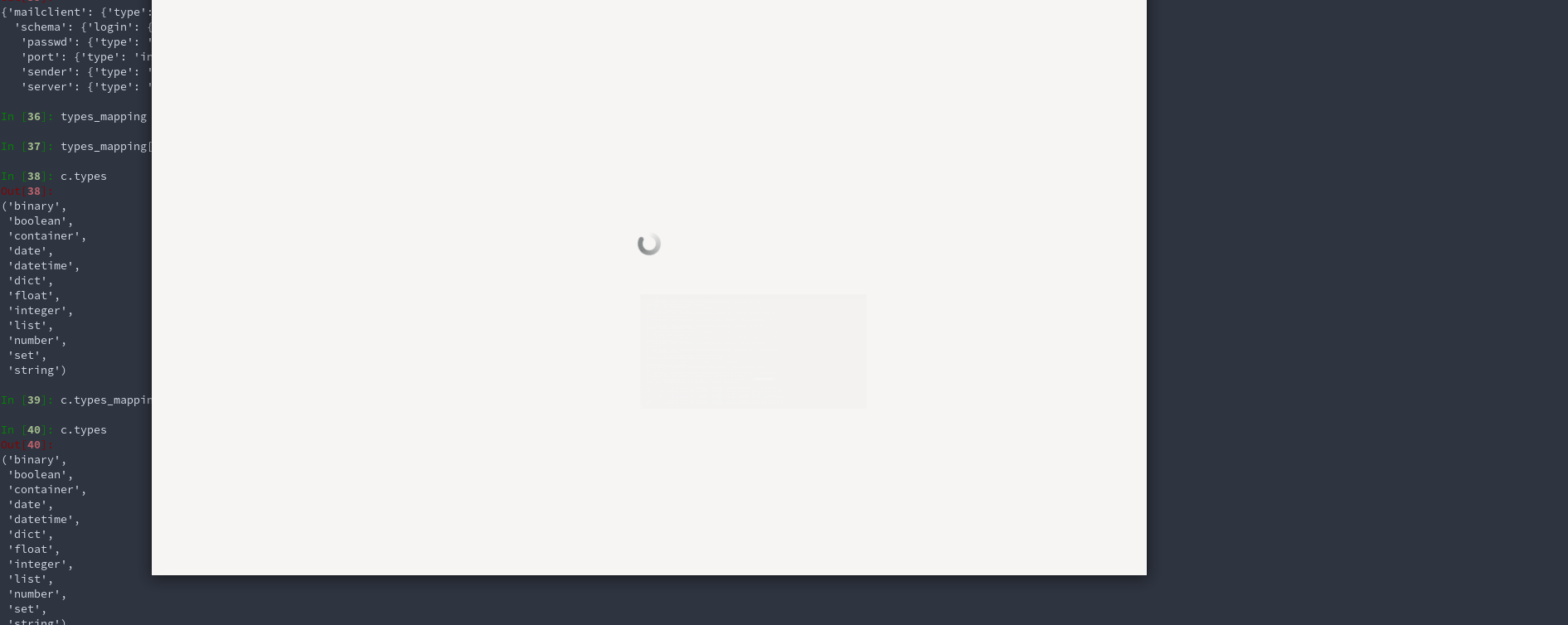
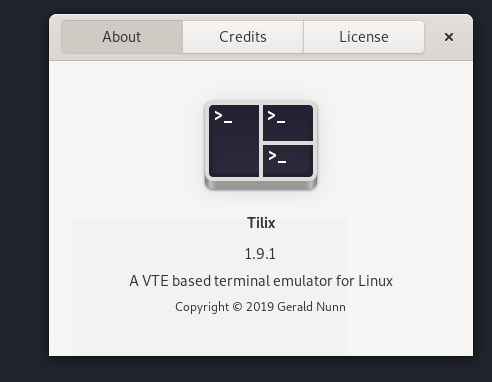
 ashraffouda
on 30 Jul 2019
ashraffouda
on 30 Jul 2019
@ashraffouda sadly that's why I stopped using Tilix for Terminator
angystardust
on 30 Jul 2019
Confirming that it still happens to me too, but on 1.9.1 it is every 2 or 3rd time I reposition a window.
vkaracic
on 10 Sep 2019
@gnunn1 Would you be interested in a core dump?
Glandos
on 11 Sep 2019
No, I'm not actively maintaining Tilix anymore except for things that affect me personally, see #1700
Having said that I suspect the issue is something is broken with GtkD or the D GC as I'm seeing objects not being GC'ed properly anymore (VTE for example). It's something I'll look at but don't have a timeline as my priorities are elsewhere and it's not affected me using Tilix.
gnunn1
on 11 Sep 2019
I have a workaround for those who do not want to restart Tilix just to get rid of that "ghost" window, which prevents you from interacting with other windows that occupy the same coordinates.
Install xdotool (I use Ubuntu).
$ sudo apt-get install xdotool
Get the window ID assuming you can see it! Just click on any point in the window.
$ xwininfo
Resize the window down to practically nothing
$ xdotool windowsize WINDOW_ID 2 2
Move the window anywhere (I moved all the way to the right at current y location)
$ xdotool windowmove WINDOW_ID 1920 y
That should do it. Hope this helps.
EDITED to include WINDOW_ID in the command. For some reason angle brackets aren't shown.
 PD-Extron
on 30 Oct 2019
PD-Extron
on 30 Oct 2019
And here the same thing as a tiny bash script that you can wrap up as hide_window.sh:
#!/bin/bash
windowId="$(xwininfo | awk '{ if ($2 == "Window" && $3 == "id:") { print $4 } }')"
xdotool windowsize "$windowId" 2 2
xdotool windowmove "$windowId" 1920 y
 teeberg
on 13 Oct 2020
teeberg
on 13 Oct 2020
Related issues
 sliddjur
·
3Comments
sliddjur
·
3Comments
 honze-net
·
3Comments
honze-net
·
3Comments
 wesselih
·
4Comments
wesselih
·
4Comments
 tomtobac
·
3Comments
tomtobac
·
3Comments
 zsrinivas
·
4Comments
zsrinivas
·
4Comments
Most helpful comment
I have a workaround for those who do not want to restart Tilix just to get rid of that "ghost" window, which prevents you from interacting with other windows that occupy the same coordinates.
Install xdotool (I use Ubuntu).
$ sudo apt-get install xdotool
Get the window ID assuming you can see it! Just click on any point in the window.
$ xwininfo
Resize the window down to practically nothing
$ xdotool windowsize WINDOW_ID 2 2
Move the window anywhere (I moved all the way to the right at current y location)
$ xdotool windowmove WINDOW_ID 1920 y
That should do it. Hope this helps.
EDITED to include WINDOW_ID in the command. For some reason angle brackets aren't shown.