Tilix: [Feature Request] Blur like Opacity in Tilix / VTE
is that doable?
 alex285
All 31 comments
No it is not, Cairo has no blur operator AFAIK.
 gnunn1
on 3 Nov 2017
gnunn1
on 3 Nov 2017
tata! with elementary's Gala Blur experimental API
https://github.com/elementary/gala/commits/optimized-blur-vala

alex285
on 4 Mar 2018
Cool, did you have to change code in Tilix to do it?
gnunn1
on 4 Mar 2018
@gnunn1 nop! i activated it with DBus! it is Gala feature, that you can enable for each app! if they push it that in their master, i will open an issue to add an Blur switch next to opacity, if someone runs Tilix on elementary!
alex285
on 4 Mar 2018
While it's cool please don't bother opening an issue, i don't have any plans to support gala or elementary.
gnunn1
on 4 Mar 2018
@gnunn1 thats absolutely fine! if they use it on Juno, i can PR it anyway! it is pretty trivial patch! plus it can work with KWin too!
alex285
on 4 Mar 2018
@alex285 wow! does it cause any major slowdowns? <3 big fan
 aviwad
on 20 Mar 2018
aviwad
on 20 Mar 2018
@GNOME-IS-LIFE it shouldn't, Deepin has already same implementation as the one elementary uses, but we should wait elementary Juno final release first
alex285
on 21 Mar 2018
@alex285 really? so KDE Plasma just used the same "new" technique Deepin had been doing for years?
aviwad
on 21 Mar 2018
@alex285 How do I enable the blur background in Tilix with KWin?
 ryu-ketsueki
on 2 Jun 2018
ryu-ketsueki
on 2 Jun 2018
Blur working in KDE Neon 5.13.2 and tilix 1.8.1!!!
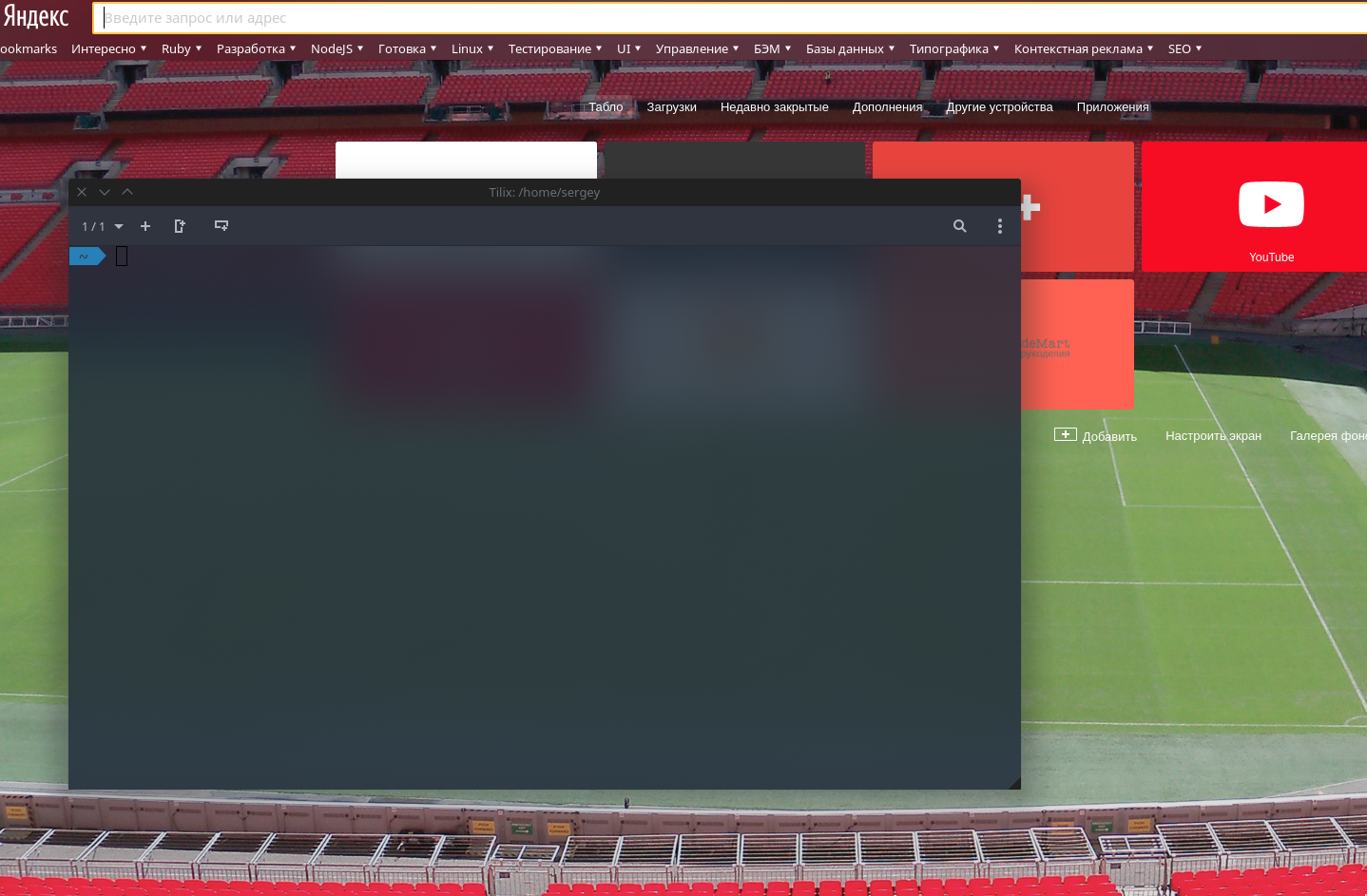
 belozer
on 7 Jul 2018
belozer
on 7 Jul 2018
@alex285 please try ;)
belozer
on 7 Jul 2018
@belozer how did you do it? I'm running Manjaro with KDE Plasma 5.13.2 and Tilix 1.8.1 here.
ryu-ketsueki
on 7 Jul 2018
@belozer i dont want to spam Tilix Github, but for one time i will :p
alex285
on 8 Jul 2018
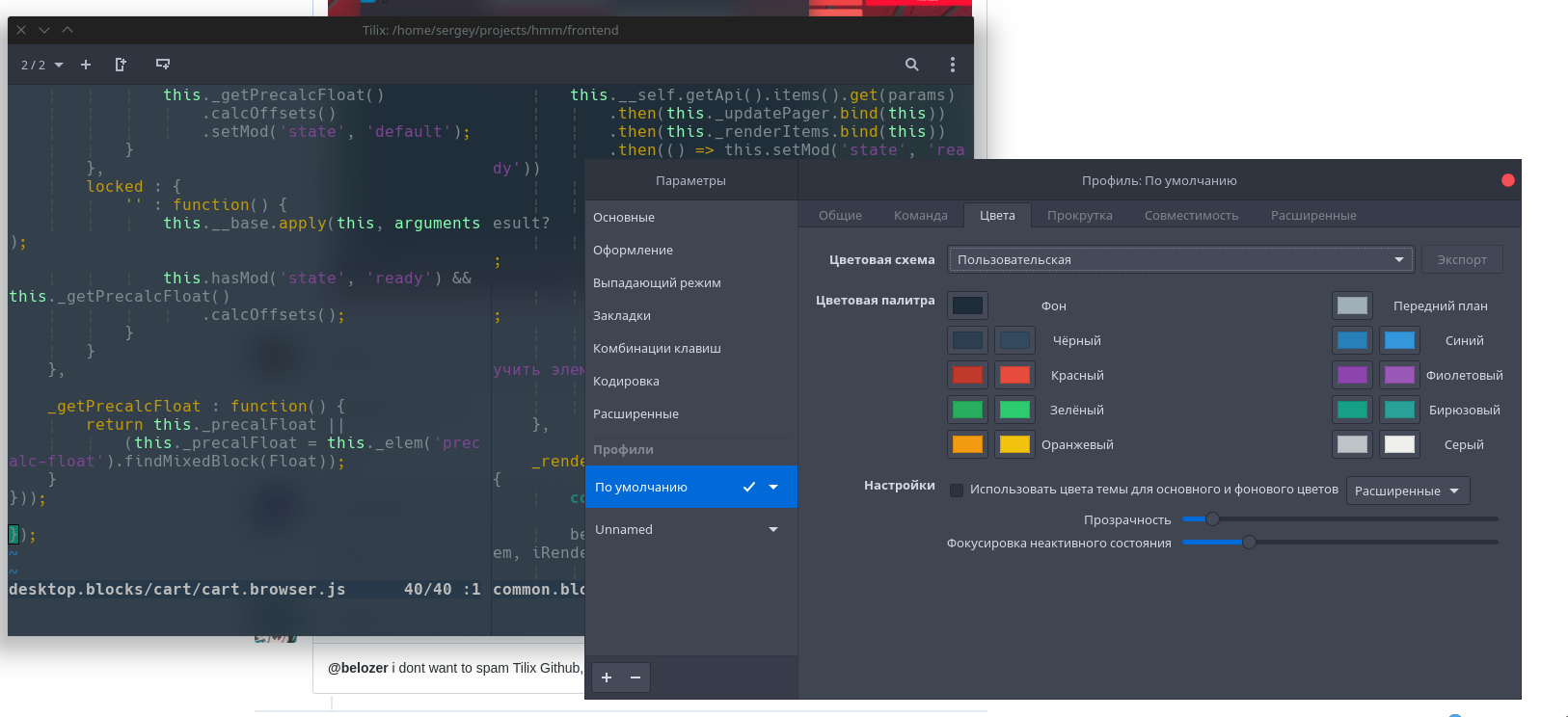
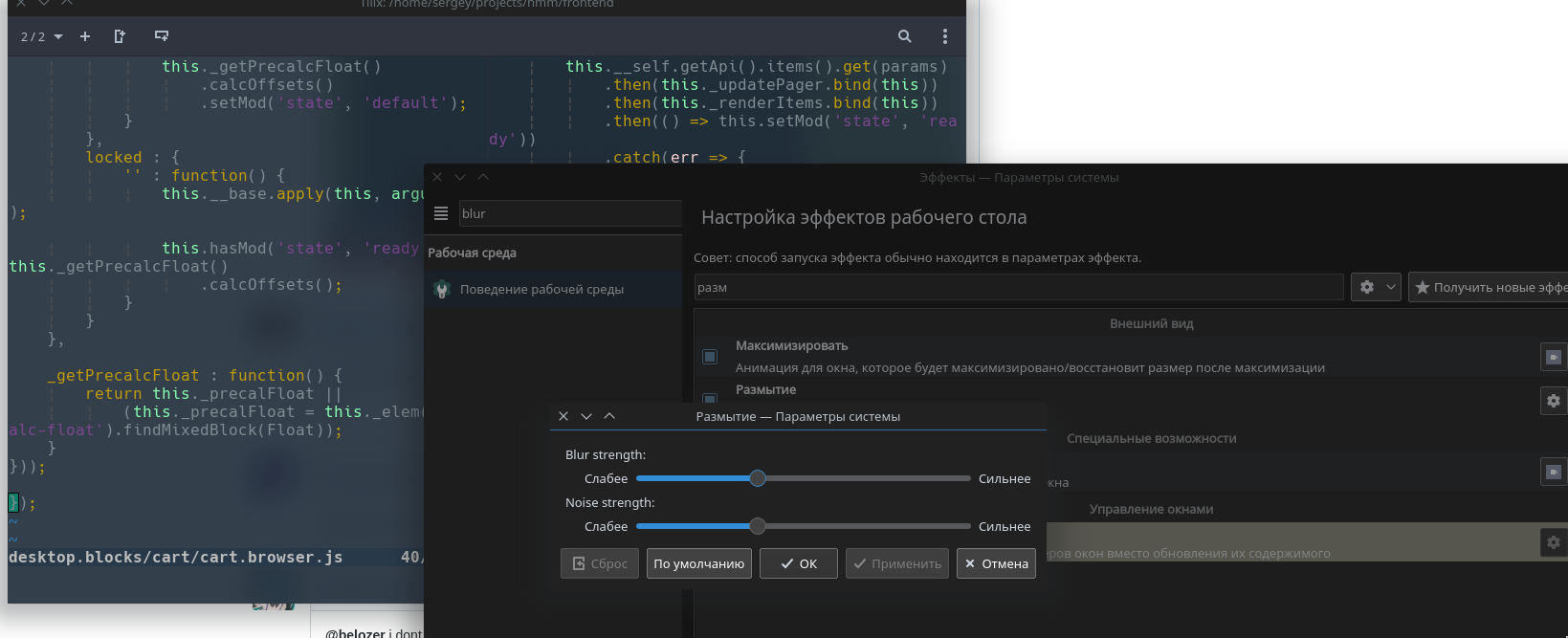
@ryu-ketsueki
Set opacity in Tilix
Set Blur in effects
belozer
on 8 Jul 2018
@belozer Just did that and KDE still refuses to blur Tilix's background.Perhaps it's something with my GTK theme? I'm using Gnome OSC
ryu-ketsueki
on 9 Jul 2018
@ryu-ketsueki @alex285 Oops. I forgot I have one code in my .zshrc.
if [[ $(ps --no-header -p $PPID -o comm) =~ tilix ]]; then
    for wid in $(xdotool search --pid $PPID); do
        xprop -f _KDE_NET_WM_BLUR_BEHIND_REGION 32c -set _KDE_NET_WM_BLUR_BEHIND_REGION 0 -id $wid; done
fi
Please try.
I mistakenly believed that this is due to the Plasma 5.13.2 :crying_cat_face: ..........
belozer
on 9 Jul 2018
@belozer I'm using fish as my default shell. Is there a code that works for it?
ryu-ketsueki
on 10 Jul 2018
@ryu-ketsueki I don't use fish. But you can try to adapt the code https://axionl.me/2018/01/27/blur-for-terminal/
belozer
on 10 Jul 2018
@ryu-ketsueki
Try in your fish config
set -l ppid (cat /proc/(echo %self)/status | grep PPid | cut -f2)
if string match -r 'tilix' (ps --no-headers -p $ppid -o comm) 1> /dev/null
    for wid in (xdotool search --pid $ppid)
        xprop -f _KDE_NET_WM_BLUR_BEHIND_REGION 32c -set _KDE_NET_WM_BLUR_BEHIND_REGION 0 -id $wid
    end
end
from https://www.reddit.com/r/kde/comments/7szqqk/i_implemented_a_new_blur_effect_in_kde_it/dtsfbbn/
belozer
on 10 Jul 2018
if test (ps --no-header -p $PPID -o comm) =~ tilix
    for wid in (xdotool search --pid $PPID)
        xprop -f _KDE_NET_WM_BLUR_BEHIND_REGION 32c -set _KDE_NET_WM_BLUR_BEHIND_REGION 0 -id wid
    end
end
should work
 FFY00
on 10 Jul 2018
FFY00
on 10 Jul 2018
@FFY00 @belozer Alright. I tested both and none worked. Here's what might be causing it:
1 - ps --no-header -p $PPID -o comm is not equal to "tilix", but to "fish" in my end.
2 - xdotool search --pid $PPID is not giving an output, not even when I type the command manually with my PPID. (Just installed xdotool from Manjaro Repositories). Because of this, the xprop command won't work, not even manually.
Now I'm trying to use the fish code for blur that appeared for Konsole and Yakuake here as base to work for Tilix. I'll tell you guys if I do any progress;
The code for Konsole and Yakuake is:
if test $DISPLAY
    for ID in (qdbus | grep -E "konsole" | cut -f 2 -d\ )
            xprop -f _KDE_NET_WM_BLUR_BEHIND_REGION 32c -set _KDE_NET_WM_BLUR_BEHIND_REGION 0 -id (qdbus $ID /konsole/MainWindow_1 winId)
    end
    for ID in (qdbus | grep org.kde.yakuake)
            xprop -f _KDE_NET_WM_BLUR_BEHIND_REGION 32c -set _KDE_NET_WM_BLUR_BEHIND_REGION 0 -id (xwininfo -name Yakuake | grep "Yakuake" | sed 's/xwininfo: Window id: //g' | sed 's/"Yakuake"//g')
    end
end
The code from @belozer works perfectly for me on fish! Thanks
 dougmaitelli
on 29 Oct 2018
dougmaitelli
on 29 Oct 2018
@belozer did you see? :)
https://www.youtube.com/watch?v=F_H0F_B7r-g&feature=youtu.be&t=160
alex285
on 23 Nov 2018
@alex285 yes :tada: thanks! ;)
belozer
on 23 Nov 2018
I recommend using the devilspie tool instead of modifying the .zshrc script.
Following is my ~/.devilspie/tilix.ds configuration.
(if (is (application_name) "tilix")
    (begin
        (spawn_async (str "xprop -id " (window_xid) " -f _KDE_NET_WM_BLUR_BEHIND_REGION 32c -set _KDE_NET_WM_BLUR_BEHIND_REGION 0 "))
        (spawn_async (str "xprop -id " (window_xid) " -f _NET_WM_WINDOW_OPACITY 32c -set _NET_WM_WINDOW_OPACITY 0xdfffffff"))
    )
)
And register the devilspie tool to autorun.
 webispy
on 6 Dec 2018
webispy
on 6 Dec 2018
If the .config/fish/config.fish of @belozer above doesn't work for you, try adding a short pause to the script. That did the trick for me:
set -l ppid (cat /proc/(echo %self)/status | grep PPid | cut -f2)
if string match -r 'tilix' (ps --no-headers -p $ppid -o comm) 1> /dev/null
    sleep 0.01
    for wid in (xdotool search --pid $ppid)
        xprop -f _KDE_NET_WM_BLUR_BEHIND_REGION 32c -set _KDE_NET_WM_BLUR_BEHIND_REGION 0 -id $wid
    end
end
 alexschomb
on 26 May 2019
alexschomb
on 26 May 2019
Are those settings only work for KDE?
 danielwangksu
on 4 Oct 2019
danielwangksu
on 4 Oct 2019
@ryu-ketsueki @alex285 Oops. I forgot I have one code in my
.zshrc.if [[ $(ps --no-header -p $PPID -o comm) =~ tilix ]]; then for wid in $(xdotool search --pid $PPID); do xprop -f _KDE_NET_WM_BLUR_BEHIND_REGION 32c -set _KDE_NET_WM_BLUR_BEHIND_REGION 0 -id $wid; done fiPlease try.
I mistakenly believed that this is due to the Plasma 5.13.2 ..........
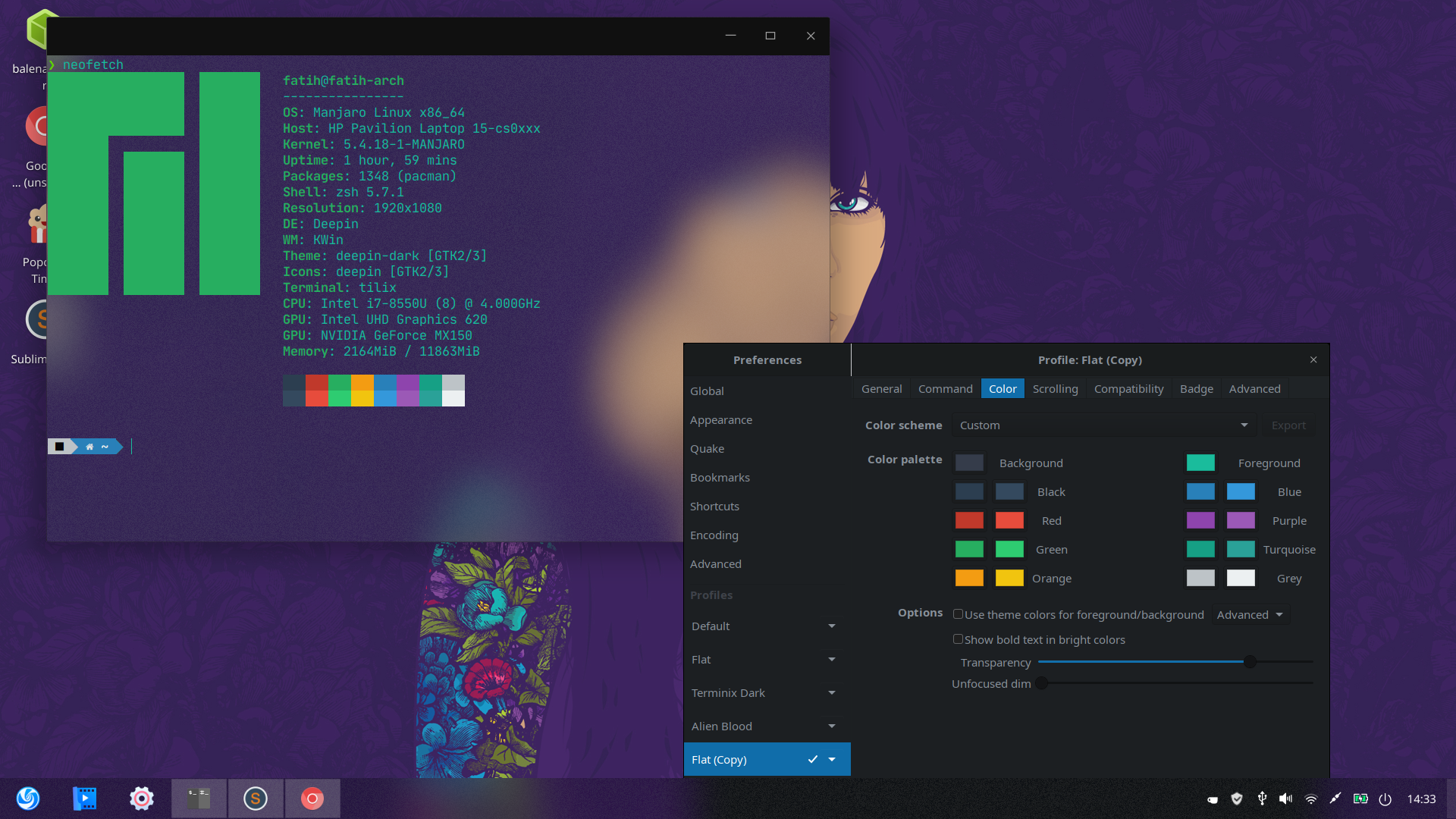
Thank, it works in deepin
 ghost
on 12 Feb 2020
ghost
on 12 Feb 2020
the solution provided by belozer is great, but wasn't quite functioning how i liked; it'd only blur if you opened it twice.
i fixed this by adding a simple sleep function, here's the updated code for if anyone has the same problem
https://hastebin.com/fufiyavaza.bash (github code syntax wasn't really working)
 Paralusion
on 16 Feb 2020
Paralusion
on 16 Feb 2020
@belozer, I have a particular issue. The blur effect goes beyond the window:

Would you mind give me some tips?
 mykahveli
on 1 Jul 2020
mykahveli
on 1 Jul 2020
Related issues
 pkkid
·
3Comments
pkkid
·
3Comments
 gregflynn
·
4Comments
gregflynn
·
4Comments
 sliddjur
·
3Comments
sliddjur
·
3Comments
 vaijab
·
3Comments
vaijab
·
3Comments
 milisarge
·
3Comments
milisarge
·
3Comments
Most helpful comment
@ryu-ketsueki @alex285 Oops. I forgot I have one code in my
.zshrc.Please try.
I mistakenly believed that this is due to the Plasma 5.13.2 :crying_cat_face: ..........