start/stop Gif recording by pressing F9
enhancement
 nesbox
👍8
All 2 comments
Any update here?
 HomineLudens
on 3 Aug 2017
HomineLudens
on 3 Aug 2017
press F9 to start/stop GIF recording (you'll see REC label in the top-right corner)
also properly works with the scanline effect
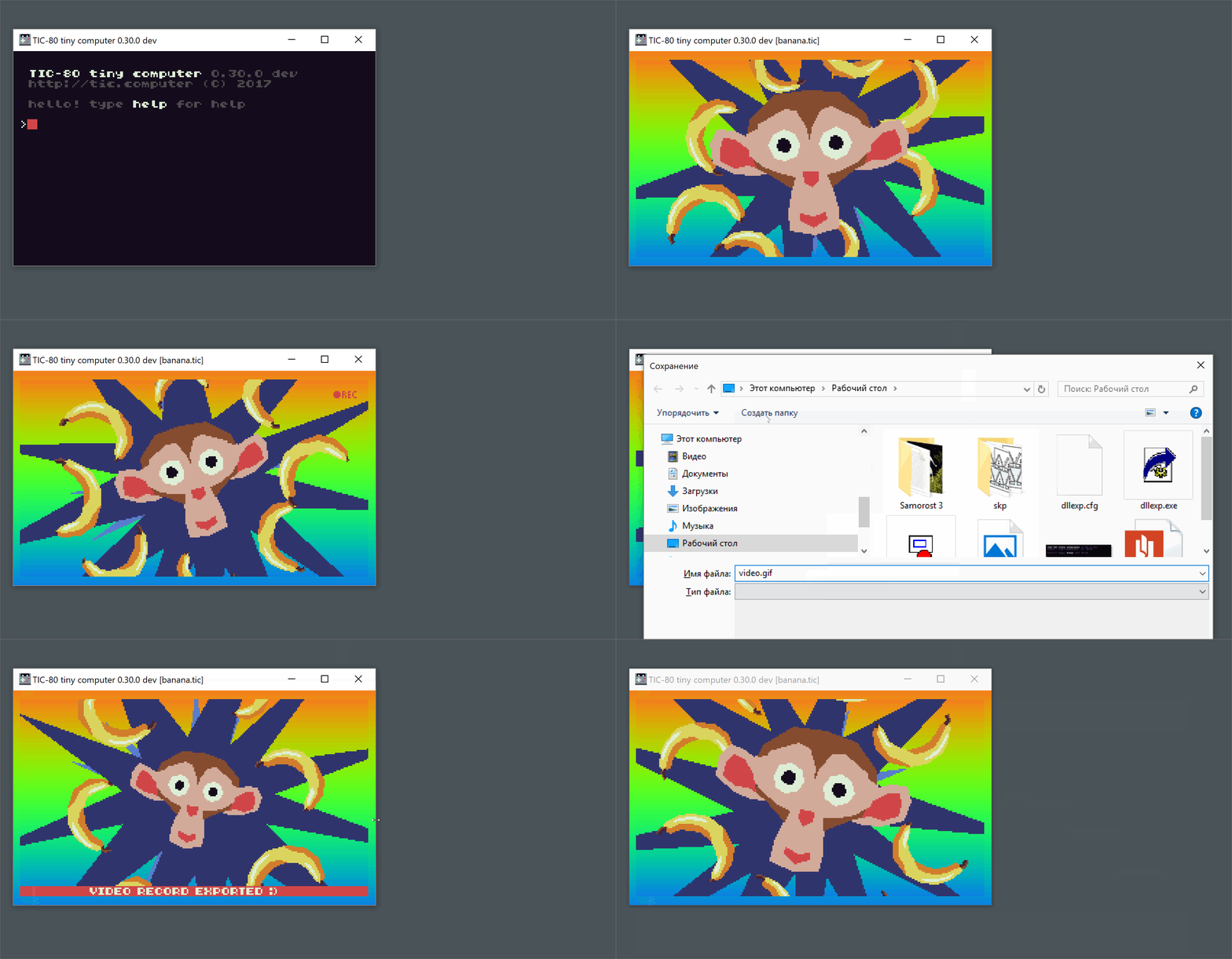
also added variables to the _config.lua_
...
VIDEO_LENGTH = 20 -- in seconds
VIDEO_SCALE = 2
...
done in .31
nesbox
on 15 Aug 2017
🎉4
Was this page helpful?
0 / 5 - 0 ratings
Related issues
 Terumoc
·
6Comments
Terumoc
·
6Comments
 sssilver
·
3Comments
sssilver
·
3Comments
 Spreit
·
4Comments
Spreit
·
4Comments
 ambyra
·
6Comments
ambyra
·
6Comments
 carlsmith
·
6Comments
carlsmith
·
6Comments
Most helpful comment
press F9 to start/stop GIF recording (you'll see REC label in the top-right corner)

also properly works with the scanline effect
also added variables to the _config.lua_
done in .31