Three.js: Special particle effects with SkinnedMesh
Description of the problem
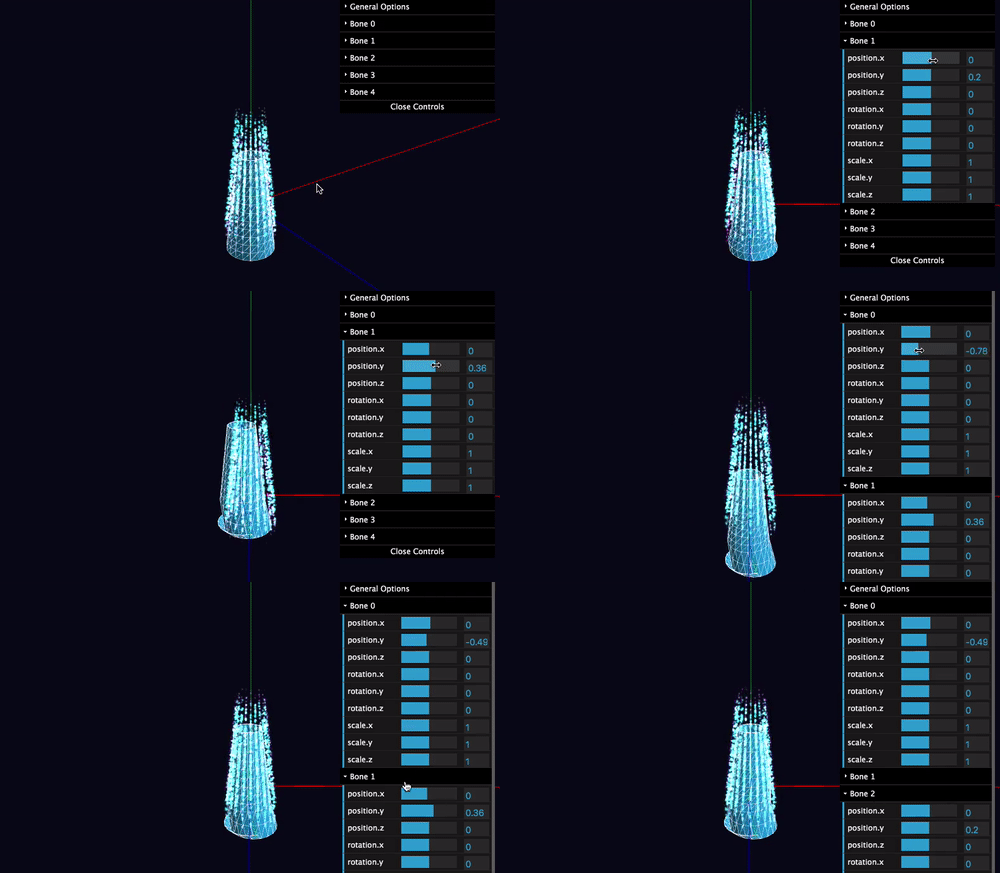
Does SkinnedMesh can be rendered with PointsMaterial?
Three.js version
- [ ] Dev
- [x] r109
- [ ] ...
Browser
- [x] All of them
- [ ] Chrome
- [ ] Firefox
- [ ] Internet Explorer
OS
- [x] All of them
- [ ] Windows
- [ ] macOS
- [ ] Linux
- [ ] Android
- [ ] iOS
Help (please use the forum)
 fouber
All 2 comments
I've never seen skinning done with a point cloud. In any event, it does not work with three.js since PointsMaterial does not support skinning.
Consider to use morph targets instead.
 Mugen87
on 13 Oct 2019
Mugen87
on 13 Oct 2019
This can be done. like this:
1 - create points instance using the skinned mesh geometry and a material.
2 - assign props from the skinned mesh to the points.
const getSkinnedPoints = skinnedMesh => {
    scene.updateMatrixWorld();
    skinnedMesh.skeleton.update();

    camera.updateProjectionMatrix();

    const points = new THREE.Points(skinnedMesh.geometry, new THREE.MeshStandardMaterial({
        skinning:true,
        color:0xffffff
    }));
    scene.add(points);

    points.matrixWorld.copy(skinnedMesh.matrixWorld);

    points.skeleton = skinnedMesh.skeleton;
    points.bindMatrix = skinnedMesh.bindMatrix;
    points.bindMatrixInverse = skinnedMesh.bindMatrixInverse;
    points.bindMode = skinnedMesh.bindMode;
   // points.drawMode = skinnedMesh.drawMode;
    points.name = skinnedMesh.name;
    points.parent = skinnedMesh.parent;
    points.uuid = skinnedMesh.uuid;
    points.type = skinnedMesh.type;

    points.isSkinnedMesh = true;
    points.bind = skinnedMesh.bind;
    points.clone = skinnedMesh.clone;
    points.initBones = skinnedMesh.initBones;
    points.normalizeSkinWeights = skinnedMesh.normalizeSkinWeights;
    points.pose = skinnedMesh.pose;

    return points;
}
You can use this to create the Three.Points instance.
Hope this helps.
 snolot
on 19 Apr 2020
snolot
on 19 Apr 2020
❤3
Was this page helpful?
0 / 5 - 0 ratings
Related issues
 Bandit
·
3Comments
Bandit
·
3Comments
 akshaysrin
·
3Comments
akshaysrin
·
3Comments
 alexprut
·
3Comments
alexprut
·
3Comments
 clawconduce
·
3Comments
clawconduce
·
3Comments
 jlaquinte
·
3Comments
jlaquinte
·
3Comments
Most helpful comment
This can be done. like this:
1 - create points instance using the skinned mesh geometry and a material.
2 - assign props from the skinned mesh to the points.
You can use this to create the Three.Points instance.
Hope this helps.