Three.js: Physical and Standard Material shading problem with orthographic camera
Description of the problem
Hello there. I noticed that both MeshPhysicalMaterial and MeshStandardMaterial had a bug related to the shading when using an orthographic camera.
I made a post in the forum looking for help: https://discourse.threejs.org/t/physical-material-artifact-when-using-orthographic-camera/9243?u=avena
Here is a codepen
And some screenshots of the issue (notice the hard edge at the left side of the spheres):

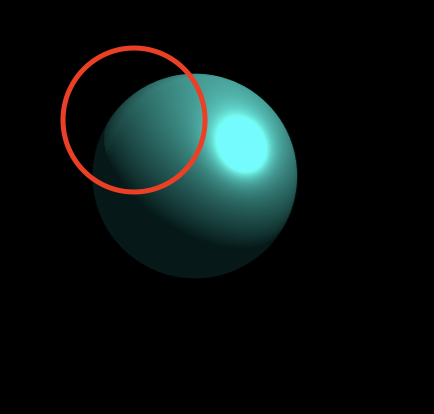
The problem occurs or become noticeable when you have big objects (like a sphere with a radius of 64 units) and move the object away from the center of the screen when using an orthographic camera.
Everything looks fine in perspective camera. Tested in r107 and r108. The issue doesn't happen in Phong or Lambert materials.
Three.js version
- [ ] Dev
- [x] r108
- [ ] ...
Browser
- [x] All of them
- [ ] Chrome
- [ ] Firefox
- [ ] Internet Explorer
OS
- [x] All of them
- [ ] Windows
- [ ] macOS
- [ ] Linux
- [ ] Android
- [ ] iOS
 alelepd
All 8 comments
This is not a three.js bug. Please do not repost forum help questions here.
MeshStandardMaterial exhibits retro-reflection with rough surfaces; MeshPhongMaterial does not.
 WestLangley
on 29 Aug 2019
WestLangley
on 29 Aug 2019
Hey @WestLangley sorry If I misunderstood this as a bug. But I am not doing a repost.
I was reporting the issue here because I believed the expected behavior is not happening. I think it was a little harsh to close the issue like that :(
Maybe I didn't explain the issue properly. Right now the size of the object and its position on the screen affect the way the standard material look; none of that should happen in orthographic camera, or at least I don't think that's the expected behavior.
alelepd
on 31 Aug 2019
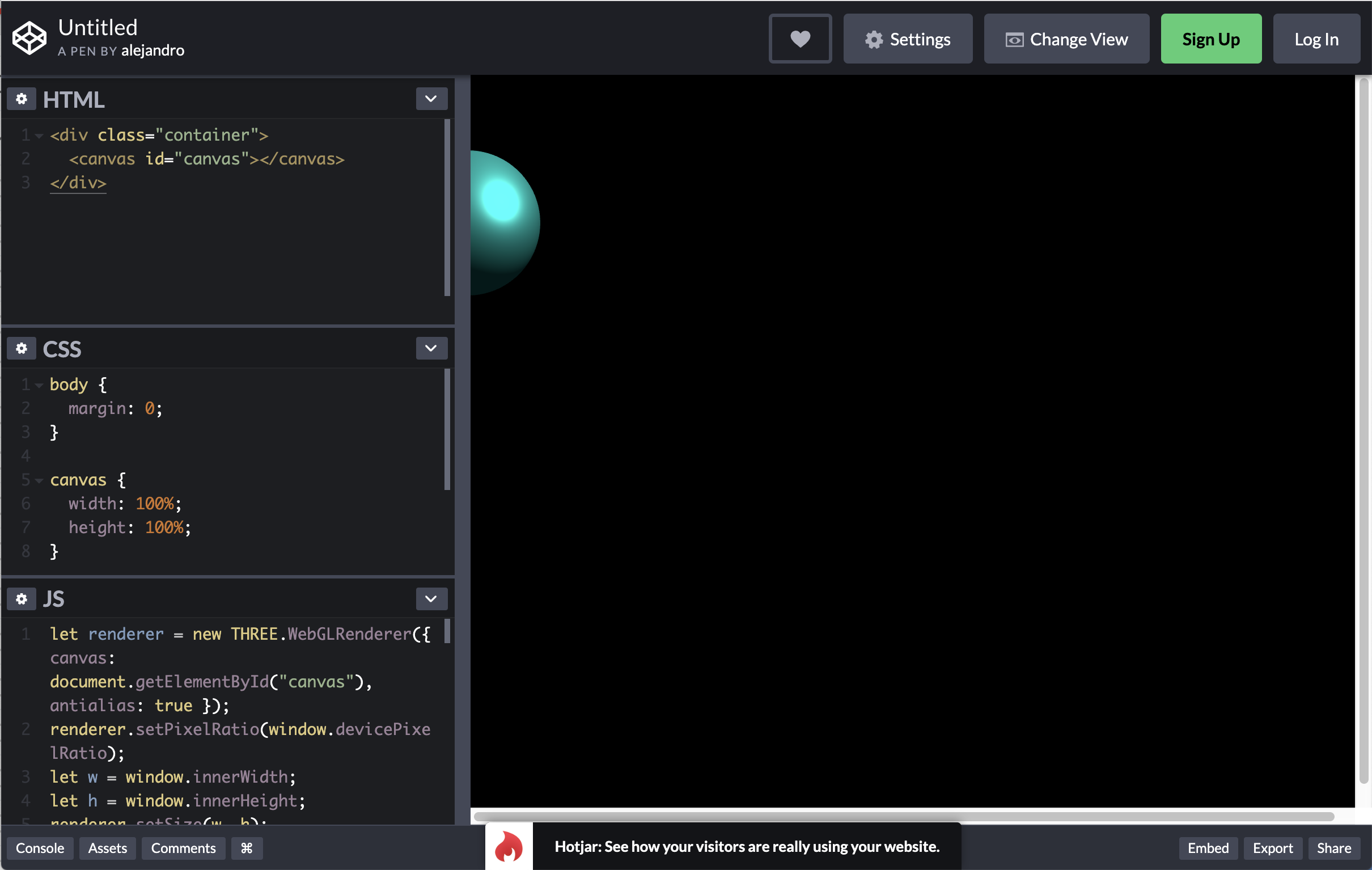
I don't get to see the ball here...
 mrdoob
on 31 Aug 2019
mrdoob
on 31 Aug 2019
Oh. You can try by using the horizontal layout in codepen (the issue is noticeable when the object moves away from the center, that's why the sphere is so off).
I recorded another view from my local setup (using a bigger sphere):
https://jmp.sh/Vpns5Pc
alelepd
on 31 Aug 2019
Thanks for the video.
@WestLangley PBR is not supposed to look "correctly" in when using OrthographicCamera?
mrdoob
on 31 Aug 2019
I don't fully understand how fresnel is supposed to work when using an OrthographicCamera, but the behavior definitely doesn't look correct.
I'm just not 100% sure if there's a fix for it. I believe this should be re-opened until we have a clear answer.
 sciecode
on 7 Sep 2019
sciecode
on 7 Sep 2019
I was reporting the issue here because I believed the expected behavior is not happening. I think it was a little harsh to close the issue like that :(
@alelepd Apologies for being too harsh. I will reopen this so it can be discussed further by others.
WestLangley
on 4 Oct 2019
Thanks @WestLangley!
alelepd
on 4 Oct 2019
Related issues
 yqrashawn
·
3Comments
yqrashawn
·
3Comments
 Bandit
·
3Comments
Bandit
·
3Comments
 jens-duttke
·
3Comments
jens-duttke
·
3Comments
 donmccurdy
·
3Comments
donmccurdy
·
3Comments
 scrubs
·
3Comments
scrubs
·
3Comments
Most helpful comment
@alelepd Apologies for being too harsh. I will reopen this so it can be discussed further by others.