Three.js: PointsMaterial's size can't go larger than 256 in on Intel GPU
Description of the problem
On MacBooks with only the integrated Intel GPU (or force using the intel GPU with gfxcardstatus on other MacBooks), the size of PointsMaterial with sizeAttenuation: false cannot go larger than 256. (Larger sizes always fall down to 256 * 256)
Live sample: https://jsfiddle.net/govizlora/k0jwaf6q/6/
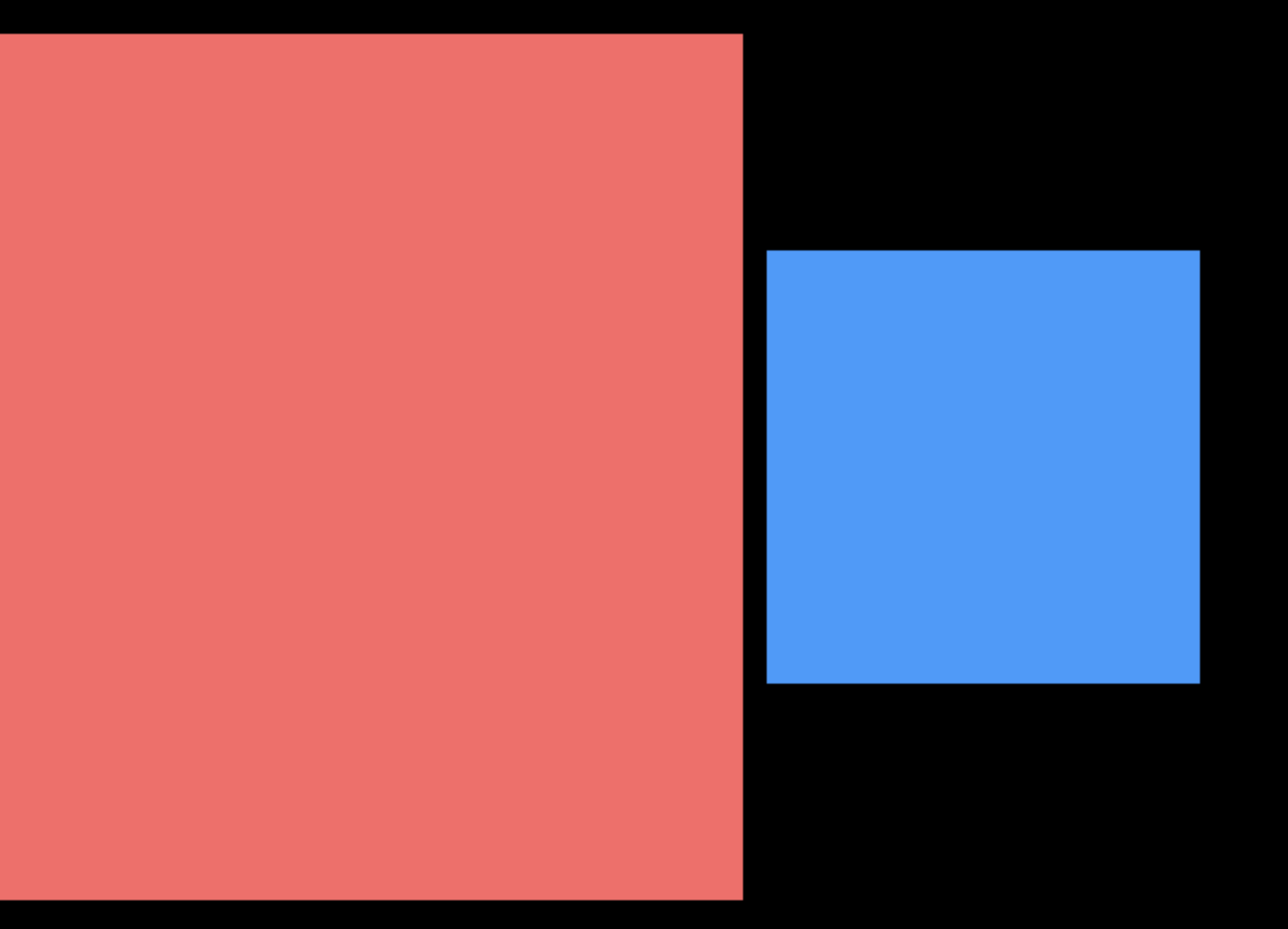
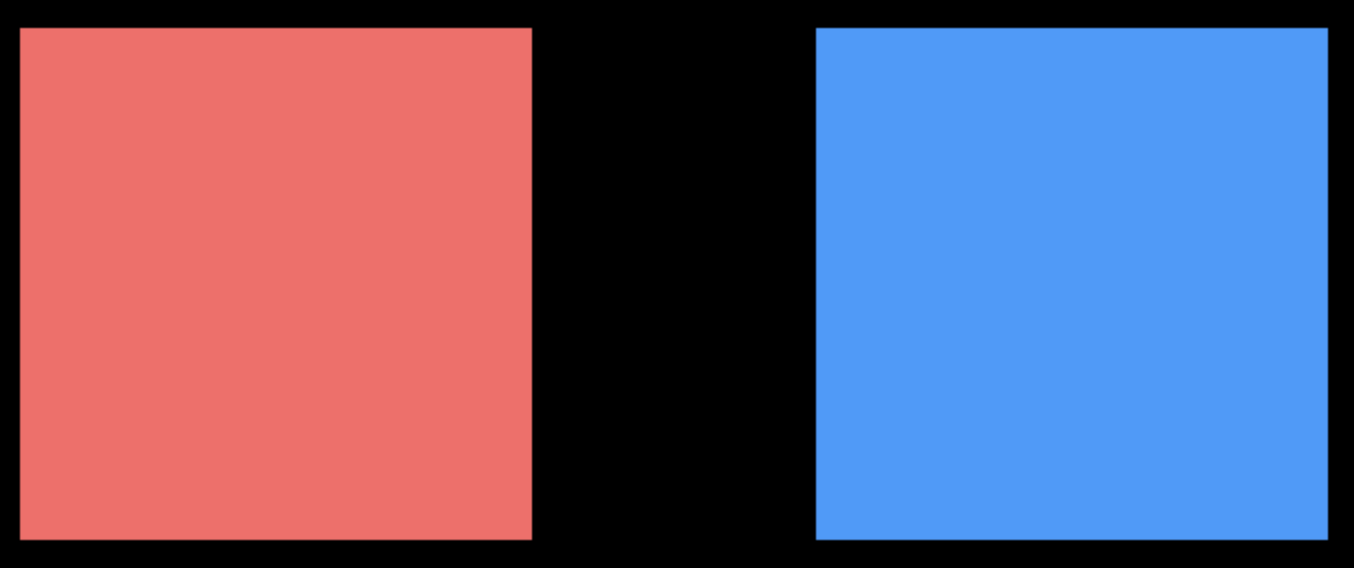
I rendered two squares: red (512 * 512) and blue (256 * 256)
- On discrete GPU, the red square is bigger:
- On Intel GPU, the red square and the blue square are of the same size (which is the bug):
Three.js version
- [x] Dev
- [x] r104
Browser
- [x] Chrome
- [x] Firefox
OS
- [x] macOS
Hardware Requirements (graphics card, VR Device, ...)
Intel HD Graphics 630
Intel Iris Pro
Intel Iris Plus Graphics 650
(Maybe all intel GPUs)
 govizlora
All 8 comments
This is a GPU limitation and not related to three.js.
 WestLangley
on 26 Apr 2019
WestLangley
on 26 Apr 2019
@WestLangley similarly to replacing THREE.Line with Line2 (some day...). Would it make sense to do our own THREE.Points shader were we draw (instanced?) quads. We can then have THREE.GLLine and THREE.GLPoints for people that want to still use the native code.
 mrdoob
on 27 Apr 2019
mrdoob
on 27 Apr 2019
@mrdoob Yes, we could do that. I am not sure what the use case is for points that big, though.
Maybe someone will tell me... :-)
WestLangley
on 27 Apr 2019
@WestLangley I use it for text labels. The use case is similar to the labels on Google Maps. Sometimes there are thouands of labels to display, and I found this is the way that provides best perfoamance and quality (compared to DOM + CSS or Bitmap Fonts). Though, storing the textures occupies a lot of RAM... I'm happy to hear if there are better ways to do that :)
govizlora
on 27 Apr 2019
I use it for text labels.
Maybe you can build your own instanced solution based on THREE.Sprite. Just an idea...
 Mugen87
on 28 Apr 2019
Mugen87
on 28 Apr 2019
@Mugen87 Thanks! It should be a good solution for the 256 * 256 bug, but would instancing help improve performance? In my understanding, each label still need its own texture, so they cannot share a material and cannot benefit from instancing...
govizlora
on 29 Apr 2019
You can create a single sprite sheet that contains all your text labels and use instancing with a billboard shader.
Or you can continue to use THREE.Points and use a sprite sheet. See this SO answer.
Or you can use CSS Labels. See this codepen.
Or https://threejs.org/examples/css2d_label.html.
Please use the three.js forum for follow-up questions. Good luck.
WestLangley
on 30 Apr 2019
Closing, since this is a device issue.
WestLangley
on 30 Apr 2019
Related issues
 yqrashawn
·
3Comments
yqrashawn
·
3Comments
 scrubs
·
3Comments
scrubs
·
3Comments
 zsitro
·
3Comments
zsitro
·
3Comments
 konijn
·
3Comments
konijn
·
3Comments
 jens-duttke
·
3Comments
jens-duttke
·
3Comments
Most helpful comment
You can create a single sprite sheet that contains all your text labels and use instancing with a billboard shader.
Or you can continue to use
THREE.Pointsand use a sprite sheet. See this SO answer.Or you can use CSS Labels. See this codepen.
Or https://threejs.org/examples/css2d_label.html.
Please use the three.js forum for follow-up questions. Good luck.