Three.js: FBX loader problem with transparency
Description of the problem
When importing FBX, some transparency information is lost.
Using the FBX loader example from Threejs.org site, just loading different model. Model at pearl_walk.fbx to http://webglworkshop.com/fbx/standing_idle.fbx
Looks like this

Should look like this (from PlayCanvas) Note: PlayCanvas uses "Alpha to coverage"

or this (from SketchFab)
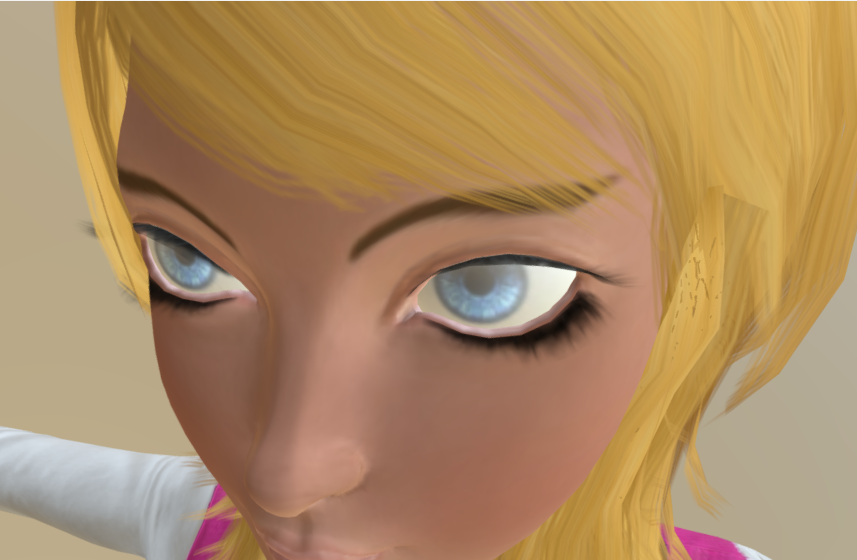
Three.js version
- [ ] Dev
- [x] r65
Browser
- [x] All of them
OS
- [ ] All of them
- [x] Windows
- [ ] macOS
- [ ] Linux
- [ ] Android
- [ ] iOS
 CarlBateman
All 6 comments
I am having the very same problem here with another FBX file. I cannot use transparency on my model
And I am facing this output on the console
FBXLoader.js:542
THREE.FBXLoader: Unknown texture application of type "TransparentColor, skipping texture.
FBXLoader.js:542
THREE.FBXLoader: Unknown texture application of type "SpecularColor, skipping texture.
 tauba
on 14 Sep 2017
tauba
on 14 Sep 2017
Yes, FBXLoader.js doesn't manage some options, like transparency.
I ended up adding alphaTest to parseParameters function of FBXLoader:
function parseParameters( properties, textureMap, childrenRelationships ) {

      var parameters = {};

      if (properties.TransparentColor && properties.TransparentColor.value === 1) {

         parameters.alphaTest = 0.3;

      }
      ...
It works ok with use of PNG for maps.
 SntsDev
on 19 Sep 2017
SntsDev
on 19 Sep 2017
I have a fix that work perfectly for make human export, maybe it will fix this too ! I will make a PR as soon as possible
 Itee
on 8 Oct 2017
Itee
on 8 Oct 2017
I added support for several more material parameters and map types in #12317
@CarlBateman can you test with the latest dev version of FBXLoader and see if this problem is fixed?
 looeee
on 8 Oct 2017
looeee
on 8 Oct 2017
Ok i didn't see mine, @looeee would/could you add this one, or need i do a new PR ? It manage transparency map like models from make human:
case 'TransparencyFactor':
case ' "TransparencyFactor':
    parameters.map = textureMap.get( relationship.ID );
    parameters.transparent = true;
    break;
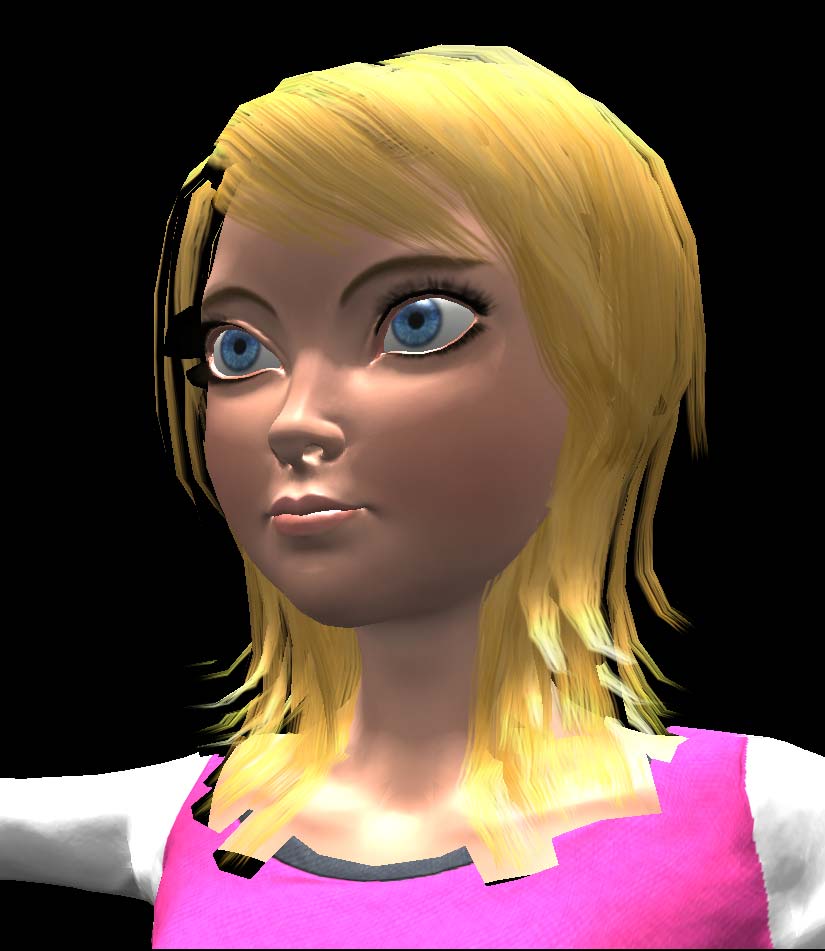
I've tested this with the latest dev version and the transparency map is now loaded correctly.
There's still some issues (the black cutting off part of her hair and hair cutting off her shirt), which I was able to nearly completely fix by setting parameters.alphaTest to ~0.4.
I'm not sure that this should be added to the loader though - it might be something that is more model specific and should be left up to the user.
looeee
on 9 Oct 2017
Related issues
 jack-jun
·
3Comments
jack-jun
·
3Comments
 donmccurdy
·
3Comments
donmccurdy
·
3Comments
 alexprut
·
3Comments
alexprut
·
3Comments
 jens-duttke
·
3Comments
jens-duttke
·
3Comments
 filharvey
·
3Comments
filharvey
·
3Comments
Most helpful comment
I've tested this with the latest dev version and the transparency map is now loaded correctly.
There's still some issues (the black cutting off part of her hair and hair cutting off her shirt), which I was able to nearly completely fix by setting
parameters.alphaTestto ~0.4.I'm not sure that this should be added to the loader though - it might be something that is more model specific and should be left up to the user.