Three.js: is it possible for Shadow Darkness based on object opacity ?
I know you can alter the darkness of the shadow cast based on the light itself:
light.shadowDarkness = 0.5;
but say i have objects with materials of various opacities:
var material = new THREE.MeshPhongMaterial( { color : 0x000000, opacity:0.1} );
material.transparent = true;
all of the shadows are the same darkness. Is there any way for to make the shadows adjust the darkness based on the shadow-casting objects opacity? (more translucent objects cast a lighter shadow)
 drs5ma
All 16 comments
With the current shadow system it's, sadly, not possible...
 mrdoob
on 14 Aug 2015
mrdoob
on 14 Aug 2015
is this still true for r75? i know the shadow map code was refactored for r74
 zkourouma
on 24 Mar 2016
zkourouma
on 24 Mar 2016
We could support this a bit now, but the artifacts are going to arise soon. People will want to have 2 transparent objects affecting each other, and that's not doable...
mrdoob
on 25 Mar 2016
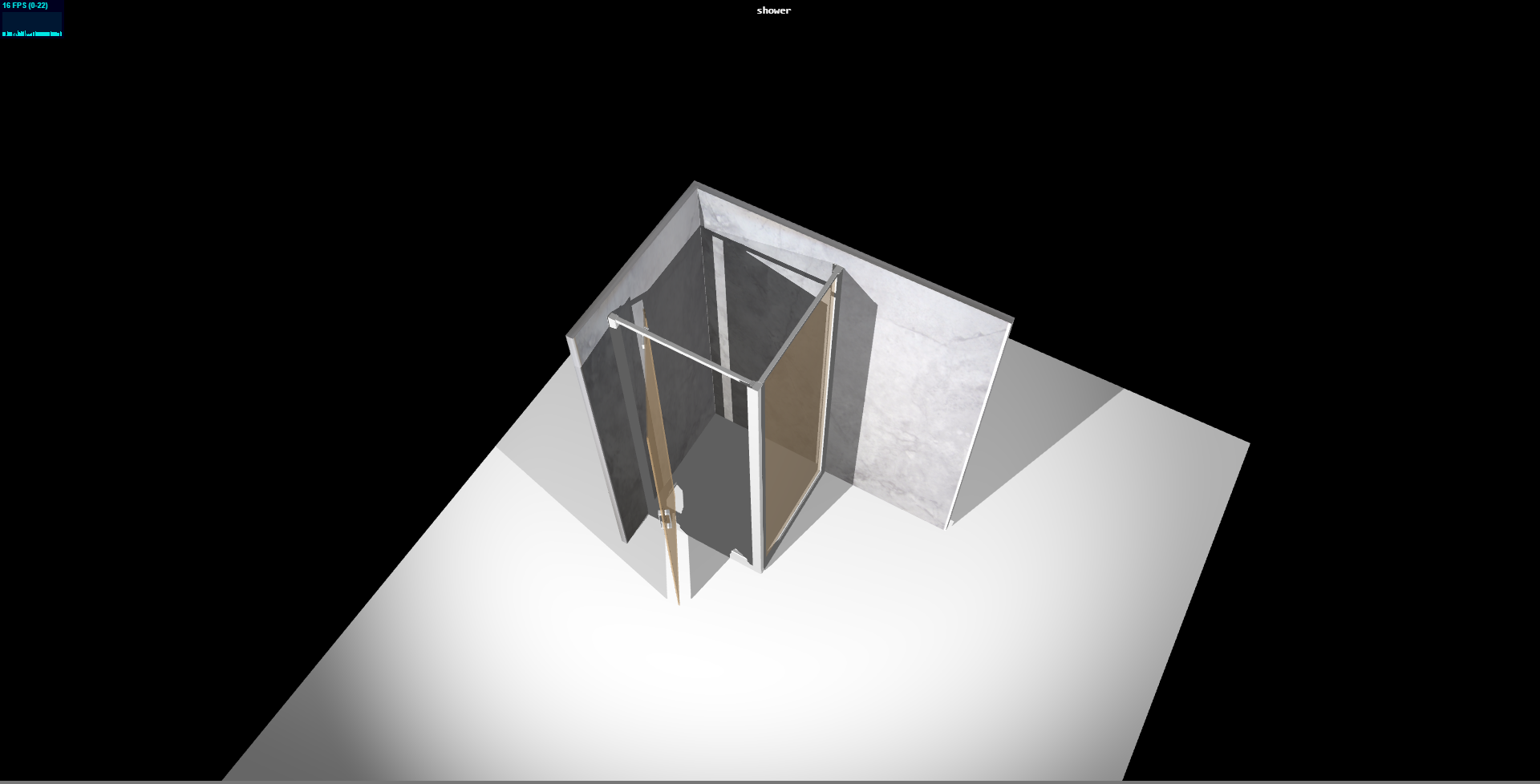
@mrdoob is it possible to adjust cast shadow properties for transparent mesh because i am getting dark shadow for my transparent mesh. if yes please let me know how i can achieve that and here i am attaching my working model i did based on three js and thanks for the library its awesome and note : i want to customize my individual mesh shadow property not all meshes. i know that for all i can use ambient light or bias.
 saisoft00
on 28 Jul 2017
saisoft00
on 28 Jul 2017
@saisoft00 Objects are opaque from the point of view of the light. three.js.r.86
 WestLangley
on 28 Jul 2017
WestLangley
on 28 Jul 2017
so @WestLangley could you suggest some solution for me what could be the good option for me to do to get the shadow nice and clean for transparent mesh and controlling of shadow for meshes
saisoft00
on 28 Jul 2017
@saisoft00 Sorry, you will have to determine acceptable workarounds yourself.
WestLangley
on 28 Jul 2017
The only approach I can think of would be to bake the shadows into a texture using a 3d package like Blender, Max, Maya...
mrdoob
on 28 Jul 2017
I keep running into this issue as I have many objects that need to fade in and out and are casting shadows. I can only pop the shadows on or off, which as you can imagine, doesn't work so well.
would love material.shadowOpacity = 0.5
 stevensanborn
on 7 Aug 2017
stevensanborn
on 7 Aug 2017
@stevensanborn The shadow maps provide only depth information. When calculating the illumination of a particular texel, there is not sufficient information to identify which objects/materials are casting shadows on that particular texel.
Consequently, as currently implemented, shadowCaster.material.shadowOpacity is not doable.
shadowReceiver.material.shadowOpacity-- or intensity, or darkness -- may be doable.
WestLangley
on 7 Aug 2017
@WestLangley yes I understand now why this is not possible. I wonder if there was a way to extend the shadow map to add a value for opacity. It just may not be practical to try and maintain multiple shadow textures when one receiver needs shadows from many casters of varying opacities .
And by the way thanks for the awesome product. I really enjoy using this.
stevensanborn
on 7 Aug 2017
I'm having this issue as well. Is it possible to make a duplicate light/shadow map that only effects transparent objects separate and lower the intensity for those shadows?
 jojoghaida
on 11 Jan 2019
jojoghaida
on 11 Jan 2019
The usecase I am facing is fading off an object to make it disappear. The shadow is either on or off (with object.visible=false).
Is there a built-in solution now?
(Thanks again for this awesome library)
 mrpeu
on 9 Jul 2020
mrpeu
on 9 Jul 2020
No. But in the meanwhile, this topic is discussed here: https://github.com/mrdoob/three.js/issues/10600
 Mugen87
on 9 Jul 2020
Mugen87
on 9 Jul 2020
@mrpeu A workaround can be found in https://github.com/mrdoob/three.js/pull/14087#issuecomment-431003830, by setting shadowIntensity to object.material.opacity.
WestLangley
on 9 Jul 2020
Awesome, thank you!
mrpeu
on 13 Jul 2020
Related issues
 akshaysrin
·
3Comments
akshaysrin
·
3Comments
 ghost
·
3Comments
ghost
·
3Comments
 seep
·
3Comments
seep
·
3Comments
 zsitro
·
3Comments
zsitro
·
3Comments
 Bandit
·
3Comments
Bandit
·
3Comments