Theia: scm input is not styled properly
It is a recent regression. See for details: https://github.com/eclipse-theia/theia/pull/7769#issuecomment-627176542
 akosyakov
All 6 comments
This issue can be seen only when switching to another workspace that has not been previously opened. Create a new folder and copy a project into it. Then open the workspace to see the issue. The problem does not occur if you open a workspace that has been opened before.
The problem is very transient. If you type in the commit box, or open dev tools or do just about anything then the problem goes away.
The problem appears to be caused because the height is not set.
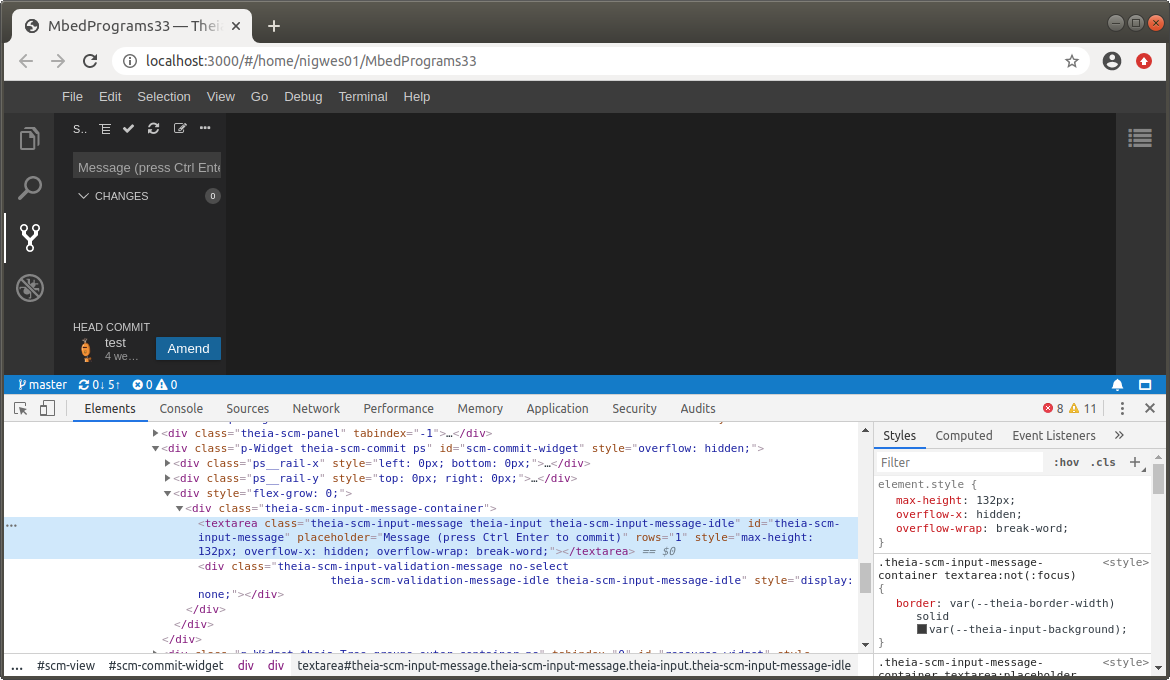
whereas when the problem does not show we see a height of 32px set in the style:
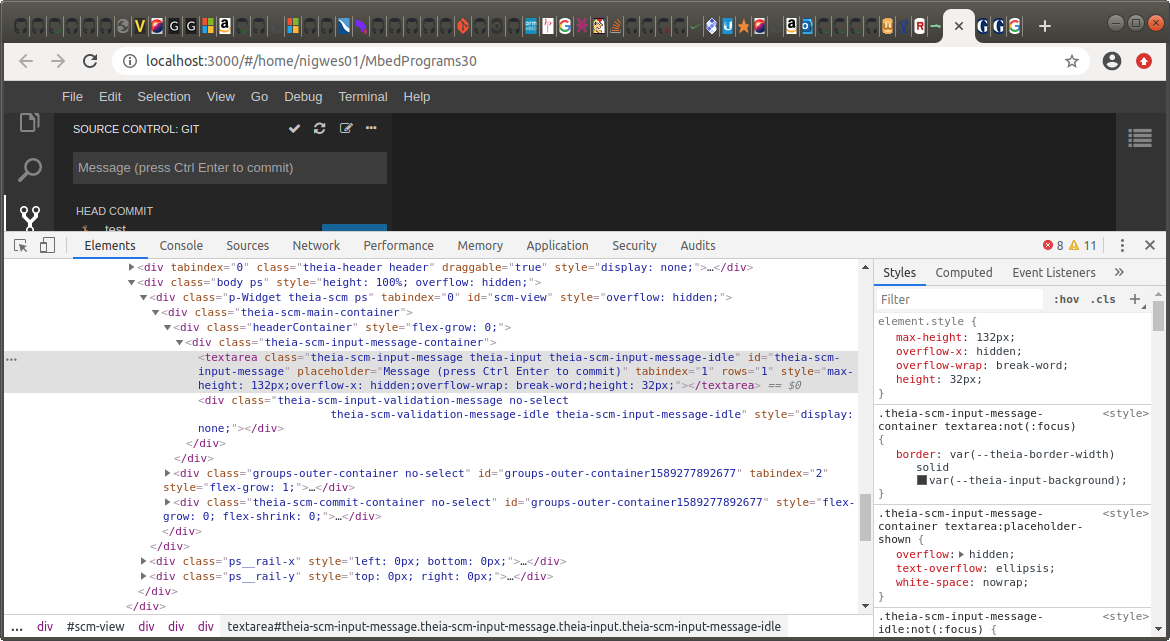
The above screenshot was taken with v1.1.0 (prior to the conversion of Source Control view to use TreeWidget). However the height property of 32px appears on current master too whenever the commit area is the correct size.
 westbury
on 12 May 2020
westbury
on 12 May 2020
@westbury are you going to look into the fix or would it be fine if somebody else?
akosyakov
on 13 May 2020
@akosyakov sorry, I'm a bit busy at this moment. I was hoping someone would immediately know what was going on. I don't know where those style properties are coming from, nor who or what is making the height usually be there but occasionally not be there. If someone else has time to look that would be great.
westbury
on 13 May 2020
I had another quick look. The height is being set in autosize package which is a dependency of react-autosize-textarea. I found that adding a couple of lines to ensure an update does fix the problem. See https://github.com/eclipse-theia/theia/tree/fix-commit-height . However I do not understand why the update should be necessary. Hopefully someone else will understand all this better.
westbury
on 13 May 2020
@westbury I will have a look at it.
akosyakov
on 14 May 2020
Also SCM input is not preserved between reloads.
akosyakov
on 14 May 2020
Related issues
 pwFoo
·
3Comments
akosyakov
·
3Comments
pwFoo
·
3Comments
akosyakov
·
3Comments
 vince-fugnitto
·
3Comments
vince-fugnitto
·
3Comments
 tetchel
·
3Comments
akosyakov
·
3Comments
tetchel
·
3Comments
akosyakov
·
3Comments