Theia: Go to definition and outline doesn't work in cpp code
Description
Go to definition and outline work in java, but they don't in cpp code even if I installed cpp and textmate packages. Anyone knows why?
Reproduction Steps


OS and Theia version:
Windows 10
@theia/java : ^0.3.19
@theia/cpp: ^0.3.19
@theia/textmate-grammars: ^0.3.19
Diagnostics:
 yeonggyulim
All 6 comments
Do you have the cpp language server installed ? You can find information in the @theia/cpp readme.
Theia uses clangd to enable LSP features for cpp.
 vince-fugnitto
on 4 Mar 2019
vince-fugnitto
on 4 Mar 2019
Do you have the cpp language server installed ? You can find information in the
@theia/cppreadme.
Theia usesclangdto enable LSP features for cpp.
I installed clangd through LLVM and make the path in C:\Program Fiels\LLVM\bin.

However, I still see this error and LSP features don't work. Do you know why?


yeonggyulim
on 4 Mar 2019
You can try specifying the location of your clangd using the following preference:
https://github.com/theia-ide/theia/blob/e1b5a60f0841f8edf1d8d60d99012e996fc145bc/packages/cpp/src/browser/cpp-preferences.ts#L56
vince-fugnitto
on 4 Mar 2019
You can try specifying the location of your
clangdusing the following preference:
theia/packages/cpp/src/browser/cpp-preferences.tsLine 56 in e1b5a60
description: 'Specify the executable name/path to run in order to start clangd.',
Is this what you mean?
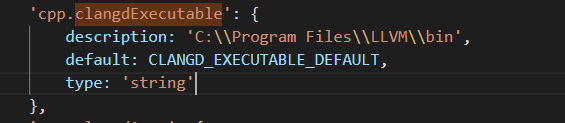
but, how can I compile this to bundle?
there's no tsconfig.json file and it goes away whenever I build with yarn.
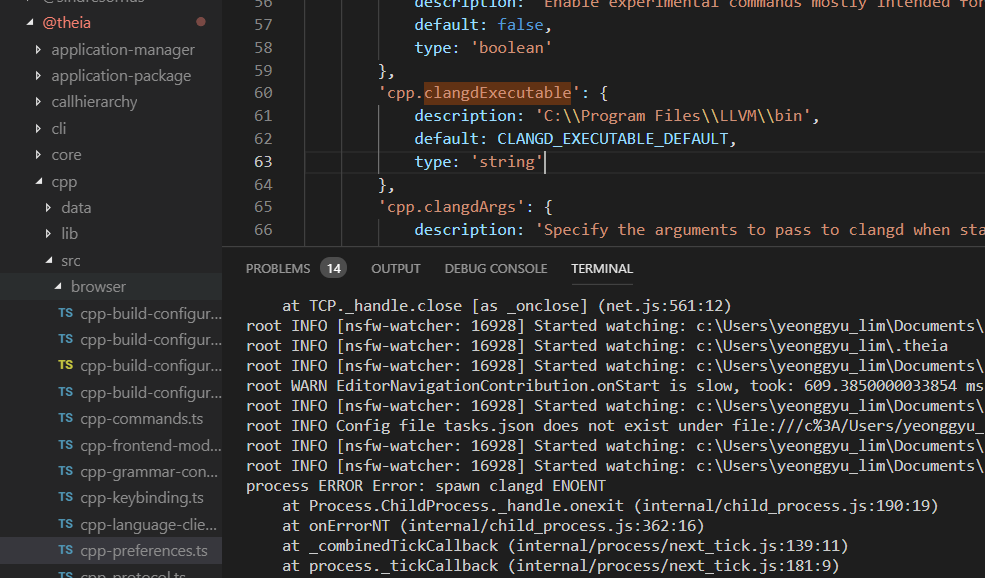
I installed @thiea/cpp package and clangd, but I can't figure out what to do next.
yeonggyulim
on 5 Mar 2019
@yeonggyulim with clangd installed and the path referenced through the preference, were you able to benefit from cpp language support? (go to definition, hover...)
but, how can I compile this to bundle?
there's no tsconfig.json file and it goes away whenever I build with yarn.
I'm not quite sure what you mean, can you clarify what are you looking to accomplish?
vince-fugnitto
on 5 Mar 2019
I found the problem.
It works after downloading clangd.
The problem I was suffering is it works on windows command prompt, but it doesn't with terminal on visual studio code.
Thank you for your help.
yeonggyulim
on 6 Mar 2019
Related issues
 fangnx
·
3Comments
fangnx
·
3Comments
 Beetix
·
3Comments
Beetix
·
3Comments
 akosyakov
·
3Comments
akosyakov
·
3Comments
 jankeromnes
·
3Comments
jankeromnes
·
3Comments
 tetchel
·
3Comments
tetchel
·
3Comments
Most helpful comment
@yeonggyulim with clangd installed and the path referenced through the preference, were you able to benefit from cpp language support? (go to definition, hover...)
I'm not quite sure what you mean, can you clarify what are you looking to accomplish?