Thegreatsuspender: Location where Saved Sessions are stored
I'm trying to move everything over from my old computer to a new one - I don't seem to see any functionality to export or import the Saved Sessions. I'd even be happy to manually copy over the data, but looking in the Chrome Extensions folder (in AppData on Windows) and going to the folder for Great Suspender seems to only have the source code - can anyone point me to where the Saved Sessions are actually saved?
 yuanstanley
All 4 comments
The sessions are stored in an indexedDb database. The only way to view it really is inside the chrome dev console.
But what version of the extension are you using? v6.30 (the current webstore version) has the option to export each session? I have attached a picture of this.
This will actually just export a text file with each url on a newline. You can use another extension such as session buddy to import and then reload the session.
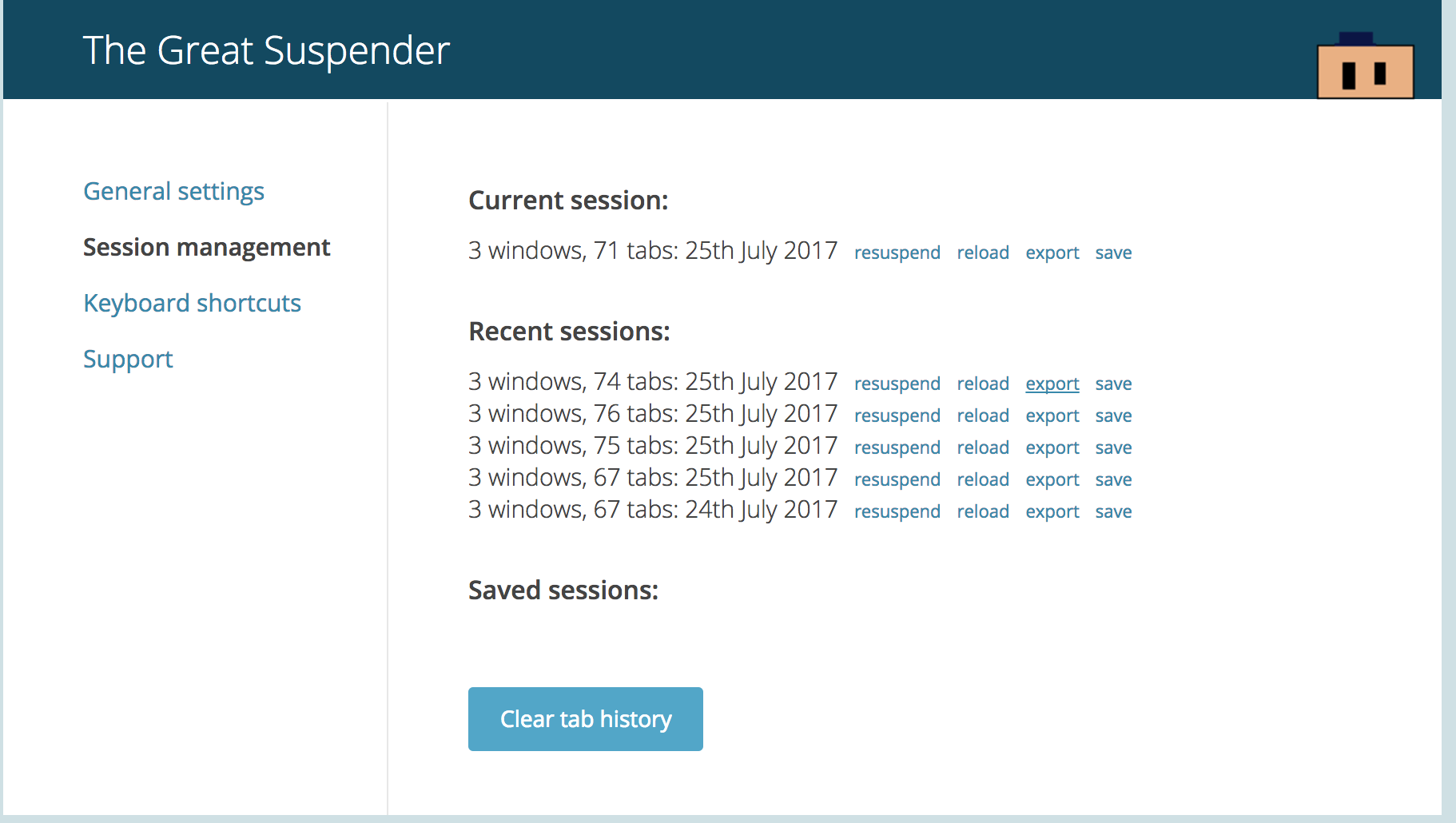
 deanoemcke
on 25 Jul 2017
deanoemcke
on 25 Jul 2017
Can the indexedDb database be restored from a backup?
This morning, Chrome crashed and afterwards Great Suspender was gone.
I reinstalled Great Suspender but the session management no longer showed my recent or saved sessions.
I have restored the folder Chrome/Default/Extensions/klbibkeccnjlkjkiokjodocebajanakg/6.30_0 but I guess that that only contains the extension and not the saved data.
So I'm hoping to be able to restore the old sessions from a backup if I know the location where Saved Sessions are stored.
 pierswalter
on 2 Sep 2017
pierswalter
on 2 Sep 2017
OK, to answer my own earlier question: the indexedDb database is stored here:
Chrome/Default/IndexedDB/chrome-extension_klbibkeccnjlkjkiokjodocebajanakg_0.indexeddb.blob
and
Chrome/Default/IndexedDB/chrome-extension_klbibkeccnjlkjkiokjodocebajanakg_0.indexeddb.leveldb
I restored both folders from a backup and all of my recent and saved sessions are available again :-)
pierswalter
on 2 Sep 2017
experiencing the same problem atm on chrome mac,
looking for a solution to restore my lost sessions,
I am not sure I have a backup of the indexedDb unless there is an automatic backup/ saved versions etc. bt TGS
 acetriper
on 26 Mar 2018
acetriper
on 26 Mar 2018
Related issues
 TheMageKing
·
3Comments
TheMageKing
·
3Comments
 AlphaWong
·
5Comments
AlphaWong
·
5Comments
 quentincaffeino
·
3Comments
quentincaffeino
·
3Comments
 spmedia
·
4Comments
spmedia
·
4Comments
 geirman
·
4Comments
geirman
·
4Comments
Most helpful comment
OK, to answer my own earlier question: the indexedDb database is stored here:
Chrome/Default/IndexedDB/chrome-extension_klbibkeccnjlkjkiokjodocebajanakg_0.indexeddb.blob
and
Chrome/Default/IndexedDB/chrome-extension_klbibkeccnjlkjkiokjodocebajanakg_0.indexeddb.leveldb
I restored both folders from a backup and all of my recent and saved sessions are available again :-)