Theano: Error importing Theano (1.0.3) on Mac
I seem to be having some trouble importing theano (in order to run pymc3).
I've tried activating a fresh environment, and conda installing theano from there, however, I still run into the same error:
You can find the C code in this temporary file: /var/folders/4g/6tc5n0fs1d960lr9dwn1qddh0000gn/T/theano_compilation_error_69cxmek2
---------------------------------------------------------------------------
ImportError                               Traceback (most recent call last)
~/anaconda3/lib/python3.6/site-packages/theano/gof/lazylinker_c.py in <module>()
     80                     version,
---> 81                     actual_version, force_compile, _need_reload))
     82 except ImportError:

ImportError: Version check of the existing lazylinker compiled file. Looking for version 0.211, but found None. Extra debug information: force_compile=False, _need_reload=True

During handling of the above exception, another exception occurred:

ImportError                               Traceback (most recent call last)
~/anaconda3/lib/python3.6/site-packages/theano/gof/lazylinker_c.py in <module>()
    104                         version,
--> 105                         actual_version, force_compile, _need_reload))
    106         except ImportError:

ImportError: Version check of the existing lazylinker compiled file. Looking for version 0.211, but found None. Extra debug information: force_compile=False, _need_reload=True

During handling of the above exception, another exception occurred:

Exception                                 Traceback (most recent call last)
<ipython-input-7-684c4b50b02e> in <module>()
      1 # Import PyMC3.
      2
----> 3 import pymc3 as pm

~/anaconda3/lib/python3.6/site-packages/pymc3/__init__.py in <module>()
      3
      4 from .blocking import *
----> 5 from .distributions import *
      6 from .external import *
      7 from .glm import *

~/anaconda3/lib/python3.6/site-packages/pymc3/distributions/__init__.py in <module>()
----> 1 from . import timeseries
      2 from . import transforms
      3
      4 from .continuous import Uniform
      5 from .continuous import Flat

~/anaconda3/lib/python3.6/site-packages/pymc3/distributions/timeseries.py in <module>()
----> 1 import theano.tensor as tt
      2 from theano import scan
      3
      4 from pymc3.util import get_variable_name
      5 from .continuous import get_tau_sd, Normal, Flat

~/anaconda3/lib/python3.6/site-packages/theano/__init__.py in <module>()
    108     object2, utils)
    109
--> 110 from theano.compile import (
    111     SymbolicInput, In,
    112     SymbolicOutput, Out,

~/anaconda3/lib/python3.6/site-packages/theano/compile/__init__.py in <module>()
     10 from theano.compile.function_module import *
     11
---> 12 from theano.compile.mode import *
     13
     14 from theano.compile.io import *

~/anaconda3/lib/python3.6/site-packages/theano/compile/mode.py in <module>()
      9 import theano
     10 from theano import gof
---> 11 import theano.gof.vm
     12 from theano import config
     13 from six import string_types

~/anaconda3/lib/python3.6/site-packages/theano/gof/vm.py in <module>()
    672     if not theano.config.cxx:
    673         raise theano.gof.cmodule.MissingGXX('lazylinker will not be imported if theano.config.cxx is not set.')
--> 674     from . import lazylinker_c
    675
    676     class CVM(lazylinker_c.CLazyLinker, VM):

~/anaconda3/lib/python3.6/site-packages/theano/gof/lazylinker_c.py in <module>()
    138             args = cmodule.GCC_compiler.compile_args()
    139             cmodule.GCC_compiler.compile_str(dirname, code, location=loc,
--> 140                                              preargs=args)
    141             # Save version into the __init__.py file.
    142             init_py = os.path.join(loc, '__init__.py')

~/anaconda3/lib/python3.6/site-packages/theano/gof/cmodule.py in compile_str(module_name, src_code, location, include_dirs, lib_dirs, libs, preargs, py_module, hide_symbols)
   2386             # difficult to read.
   2387             raise Exception('Compilation failed (return status=%s): %s' %
-> 2388                             (status, compile_stderr.replace('\n', '. ')))
   2389         elif config.cmodule.compilation_warning and compile_stderr:
   2390             # Print errors just below the command line.

Exception: Compilation failed (return status=1): In file included from /Users/jonjohnson/.theano/compiledir_Darwin-18.0.0-x86_64-i386-64bit-i386-3.6.5-64/lazylinker_ext/mod.cpp:1:. In file included from /Users/jonjohnson/anaconda3/include/python3.6m/Python.h:25:. /Users/jonjohnson/anaconda3/bin/../include/c++/v1/stdio.h:108:15: fatal error: 'stdio.h' file not found. #include_next <stdio.h>.               ^~~~~~~~~. 1 error generated..
 jonjohnsontc
All 83 comments
This appears to be a problem with the way anaconda builds their new python packages on Mac. To be able to build other software (which Theano does internally) you need to install the OS X 10.9 SDK as instructed here: https://conda.io/docs/user-guide/tasks/build-packages/compiler-tools.html#macos-sdk and you need to add CFLAGS="-isysroot /<install location>/MacOSX10.9.sdk" and MACOSX_MINIMUM_VERSION=10.9 to your env (note those are from memory so it may be slightly wrong).
This is less than ideal for sure, but it would require significant effort to fix and thus is not really on the radar for us right now due to: https://groups.google.com/forum/#!msg/theano-users/7Poq8BZutbY/rNCIfvAEAwAJ
 abergeron
on 25 Sep 2018
abergeron
on 25 Sep 2018
nd you need to add CFLAGS="-isysroot /
/MacOSX10.9.sdk" and MACOSX_MINIMUM_VERSION=10.9
Where exactly are these added?
 Dpananos
on 30 Sep 2018
Dpananos
on 30 Sep 2018
Looks like those are added to your env, so either in your .bashrc or export them in a shell (note that CFLAGS probably already has data, so you'd do something like
export CFLAGS=$CFLAGS" -isysroot /<install location>/MacOSX10.9.sdk"
(haven't tested this, nor do I understand the consequences of messing with my CFLAGS)
 ColCarroll
on 30 Sep 2018
ColCarroll
on 30 Sep 2018
@ColCarroll Do the pymc3 devs plan on eventually making a workaround for this, or will this be left to the end user to rectify?
Dpananos
on 30 Sep 2018
I don't know anyone currently working on it - my casual following of the situation makes it look like a licensing issue with apple. From the conda docs:
The SDK license prevents it from being bundled in the conda package.
This seems to indicate that it can not be "automated". If you figure out a good step-by-step way of getting it working on your machine, I'd be happy to try to find the right place to put that into an error message. (or, if I am mistaken about the licensing problem, this definitely seems like something that should be automated)
ColCarroll
on 30 Sep 2018
@ColCarroll Don't hold your breath of me figuring it out. I'll probably wait for someone else to come up with a step-by-step solution. Thanks for your help.
Dpananos
on 30 Sep 2018
Can someone show the compilation command line here? I will be able to advise better if I know that. I am referring to the compilation that resulted in:
Exception: Compilation failed (return status=1): In file included from /Users/jonjohnson/.theano/compiledir_Darwin-18.0.0-x86_64-i386-64bit-i386-3.6.5-64/lazylinker_ext/mod.cpp:1:. In file included from /Users/jonjohnson/anaconda3/include/python3.6m/Python.h:25:. /Users/jonjohnson/anaconda3/bin/../include/c++/v1/stdio.h:108:15: fatal error: 'stdio.h' file not found. #include_next <stdio.h>. ^~~~~~~~~. 1 error generated..
 mingwandroid
on 1 Oct 2018
mingwandroid
on 1 Oct 2018
@mingwandroid I can do that if you tell me where to look
Exception: Compilation failed (return status=1): In file included from /Users/demetri/.theano/compiledir_Darwin-18.0.0-x86_64-i386-64bit-i386-3.6.6-64/lazylinker_ext/mod.cpp:1:. In file included from /Users/demetri/anaconda3/include/python3.6m/Python.h:25:. /Users/demetri/anaconda3/bin/../include/c++/v1/stdio.h:108:15: fatal error: 'stdio.h' file not found. #include_next <stdio.h>. ^~~~~~~~~. 1 error generated..
Dpananos
on 2 Oct 2018
Strangely I can't reproduce that on my macOS machine. Can you post a conda list so that we can see the exact versions of all packages?
abergeron
on 9 Oct 2018
@abergeron
# packages in environment at /Users/demetri/miniconda3:
#
# Name                    Version                   Build  Channel
appdirs                   1.4.3            py36h28b3542_0
appnope                   0.1.0            py36hf537a9a_0
asn1crypto                0.24.0                   py36_0
attrs                     18.2.0           py36h28b3542_0
automat                   0.7.0                    py36_0
backcall                  0.1.0                    py36_0
blas                      1.0                         mkl
bleach                    2.1.4                    py36_0
ca-certificates           2018.03.07                    0
cctools                   895                  h7512d6f_0
certifi                   2018.8.24                py36_1
cffi                      1.11.5           py36h6174b99_1
chardet                   3.0.4                    py36_1
clang                     4.0.1                h662ec87_0
clang_osx-64              4.0.1               h1ce6c1d_11
clangdev                  4.0.0                 default_0    conda-forge
clangxx                   4.0.1                hc9b4283_0
clangxx_osx-64            4.0.1               h22b1bf0_11
compiler-rt               4.0.1                h5487866_0
conda                     4.5.11                   py36_0
conda-env                 2.6.0                         1
constantly                15.1.0           py36h28b3542_0
cookies                   2.2.1                     <pip>
cryptography              2.3.1            py36hdbc3d79_0
cycler                    0.10.0           py36hfc81398_0
dbus                      1.13.2               h760590f_1
decorator                 4.3.0                    py36_0
entrypoints               0.2.3                    py36_2
expat                     2.2.6                h0a44026_0
freetype                  2.9.1                hb4e5f40_0
gettext                   0.19.8.1             h15daf44_3
glib                      2.56.2               hd9629dc_0
h5py                      2.8.0            py36h878fce3_3
hdf5                      1.10.2               hfa1e0ec_1
html5lib                  1.0.1                    py36_0
hyperlink                 18.0.0                   py36_0
icu                       58.2                 h4b95b61_1
idna                      2.7                      py36_0
incremental               17.5.0                   py36_0
intel-openmp              2019.0                      118
ipykernel                 5.0.0            py36h39e3cac_0
ipython                   7.0.1            py36h39e3cac_0
ipython_genutils          0.2.0            py36h241746c_0
ipywidgets                7.4.2                    py36_0
jedi                      0.12.1                   py36_0
jinja2                    2.10                     py36_0
joblib                    0.12.5                   py36_0
jpeg                      9b                   he5867d9_2
jsonschema                2.6.0            py36hb385e00_0
jupyter                   1.0.0                    py36_7
jupyter_client            5.2.3                    py36_0
jupyter_console           5.2.0                    py36_1
jupyter_core              4.4.0                    py36_0
kiwisolver                1.0.1            py36h0a44026_0
ld64                      274.2                h7c2db76_0
libcxx                    4.0.1                h579ed51_0
libcxxabi                 4.0.1                hebd6815_0
libedit                   3.1.20170329         hb402a30_2
libffi                    3.2.1                h475c297_4
libgfortran               3.0.1                h93005f0_2
libiconv                  1.15                 hdd342a3_7
libpng                    1.6.34               he12f830_0
libsodium                 1.0.16               h3efe00b_0
libxml2                   2.9.8                h422b904_5    conda-forge
lightgbm                  2.2.1            py36hfc679d8_0    conda-forge
llvm                      4.0.1                hc748206_0
llvm-lto-tapi             4.0.1                h6701bc3_0
llvmdev                   4.0.0                 default_0    conda-forge
markupsafe                1.0              py36h1de35cc_1
matplotlib                3.0.0            py36h54f8f79_0
mistune                   0.8.3            py36h1de35cc_1
mkl                       2019.0                      118
mkl-service               1.1.2            py36h6b9c3cc_5
mkl_fft                   1.0.6            py36hb8a8100_0
mkl_random                1.0.1            py36h5d10147_1
nbconvert                 5.3.1                    py36_0
nbformat                  4.4.0            py36h827af21_0
ncurses                   6.1                  h0a44026_0
notebook                  5.7.0                    py36_0
numpy                     1.15.2           py36h6a91979_1
numpy-base                1.15.2           py36h8a80b8c_1
oauthlib                  2.1.0                     <pip>
openmp                    4.0.0                         1    conda-forge
openssl                   1.0.2p               h1de35cc_0
pandas                    0.23.4           py36h6440ff4_0
pandoc                    2.2.3.2                       0
pandocfilters             1.4.2                    py36_1
parso                     0.3.1                    py36_0
patsy                     0.5.0                    py36_0
pcre                      8.42                 h378b8a2_0
pexpect                   4.6.0                    py36_0
pickleshare               0.7.5                    py36_0
pip                       10.0.1                   py36_0
pip                       18.1                      <pip>
prometheus_client         0.3.1            py36h28b3542_0
prompt_toolkit            2.0.5                    py36_0
ptyprocess                0.6.0                    py36_0
pyasn1                    0.4.4            py36h28b3542_0
pyasn1-modules            0.2.2                    py36_0
pycosat                   0.6.3            py36h1de35cc_0
pycparser                 2.19                     py36_0
pygments                  2.2.0            py36h240cd3f_0
pyopenssl                 18.0.0                   py36_0
pyparsing                 2.2.1                    py36_0
pyqt                      5.9.2            py36h655552a_2
pysocks                   1.6.8                    py36_0
python                    3.6.6                hc167b69_0
python-dateutil           2.7.3                    py36_0
python-forecastio         1.4.0                     <pip>
python.app                2                        py36_9
pytz                      2018.5                   py36_0
pyzmq                     17.1.2           py36h1de35cc_0
qt                        5.9.6                h45cd832_2
qtconsole                 4.4.1                    py36_0
readline                  7.0                  h1de35cc_5
requests                  2.19.1                   py36_0
requests-oauthlib         1.0.0                     <pip>
responses                 0.9.0                     <pip>
ruamel_yaml               0.15.46          py36h1de35cc_0
scikit-learn              0.20.0           py36h4f467ca_1
scipy                     1.1.0            py36h28f7352_1
seaborn                   0.9.0                    py36_0
send2trash                1.5.0                    py36_0
service_identity          17.0.0           py36h28b3542_0
setuptools                40.4.3                   py36_0
simplegeneric             0.8.1                    py36_2
sip                       4.19.8           py36h0a44026_0
six                       1.11.0                   py36_1
sqlite                    3.24.0               ha441bb4_0
statsmodels               0.9.0            py36h1d22016_0
terminado                 0.8.1                    py36_1
testpath                  0.4.2                    py36_0
tk                        8.6.8                ha441bb4_0
tornado                   5.1.1            py36h1de35cc_0
tqdm                      4.26.0           py36h28b3542_0
traitlets                 4.3.2            py36h65bd3ce_0
tweepy                    3.6.0                     <pip>
twisted                   17.5.0                   py36_0
urllib3                   1.23                     py36_0
wcwidth                   0.1.7            py36h8c6ec74_0
webencodings              0.5.1                    py36_1
wheel                     0.32.0                   py36_0
widgetsnbextension        3.4.2                    py36_0
xz                        5.2.4                h1de35cc_4
yaml                      0.1.7                hc338f04_2
zeromq                    4.2.5                h0a44026_1
zlib                      1.2.11               hf3cbc9b_2
zope                      1.0                      py36_1
zope.interface            4.5.0            py36h1de35cc_0
On a 2015 MacBook Pro with OSX 10.14 (Mojave)
Dpananos
on 9 Oct 2018
Why do you have clang (and clangdev from conda-forge) installed in your environment?
Also, do you have XCode installed?
abergeron
on 9 Oct 2018
@abergeron clangdev must have come with one of the packages I isntalled (maybe lightgbm?)
Yes, Xcode is installed.
Dpananos
on 9 Oct 2018
If you create a new "clean" environement with python, numpy and scipy, do you still get the problem?
abergeron
on 9 Oct 2018
No, creating a new env via something like “Conda create” fixes the problem.
On Oct 9, 2018, at 1:54 PM, abergeron notifications@github.com wrote:
If you create a new "clean" environement with python, numpy and scipy, do you still get the problem?
—
You are receiving this because you commented.
Reply to this email directly, view it on GitHub https://github.com/Theano/Theano/issues/6645#issuecomment-428288135, or mute the thread https://github.com/notifications/unsubscribe-auth/ATa2vYD5R0aM81AH9a9wZGtoNhJdEZC9ks5ujOLwgaJpZM4W5L2g.
Dpananos
on 9 Oct 2018
@abergeron, I want to see the name of the compiler program most importantly.
@ColCarroll, if using our toolchains, CONDA_BUILD_SYSROOT is the best (most reliable) way to set the sysroot. I have good reasons for doing this!
You need to put a macOS SDK in the location pointed to by that, one that doesn't come with .tbd files for linking (i.e. an earlier version, this is because Apple haven't released the source code for their linker that adds .tbd support).
mingwandroid
on 9 Oct 2018
@mingwandroid By default Theano uses clang++ found on the path on OS X. It will not use the specially-prefixed version that anaconda provides and it doesn't respect any variables to change that (like CC or CXX). You can change the config to use anything by setting cxx=<path to compiler> in the Theano config.
Note that on my system, if I'm not building packages, I don't need the MacOS 10.9 SDK or the special compilers. Theano picks up the regular clang++ that comes with XCode and it works.
abergeron
on 9 Oct 2018
Thanks @abergeron, well, hopefully theano can work fine with either system or conda compilers. Happy to try to dig into this more if I can be of use.
Just one quick check (I haven't looked at theano for a while), but do you use C++ or link to libc++ on macOS? I wonder if mixing compilers in that scenario could be problematic?
mingwandroid
on 9 Oct 2018
We do use c++ and we only support linking to libc++ (this is one of the reasons we look for clang++ instead of g++, the latter defaults to libstdc++ and it breaks in weird ways).
I do agree that mixing compilers is a bad idea, and we would probably have adapted the Theano code to use anaconda's compilers if it wasn't in maintenance-only mode now.
abergeron
on 10 Oct 2018
@abergeron What work would be required to make Theano use anaconda's compilers?
 twiecki
on 10 Oct 2018
twiecki
on 10 Oct 2018
It is not clear. The minimum: change the default compiler on Mac if conda
compiler is installed.
If you want to investigate this, search in Theano where we init the cxx
flags. Manually set it to the conda one. Then check if nothing else break.
If nothing else break, that would be probably the only change needed. This
is what I expect, but I know it could become more complicated.
Trying if this is a quick fix should not be too long if you want to try it.
On Wed, Oct 10, 2018 at 7:21 AM Thomas Wiecki notifications@github.com
wrote:
@abergeron https://github.com/abergeron What work would be required to
make Theano use anaconda's compilers?—
You are receiving this because you are subscribed to this thread.
Reply to this email directly, view it on GitHub
https://github.com/Theano/Theano/issues/6645#issuecomment-428535214, or mute
the thread
https://github.com/notifications/unsubscribe-auth/AALC-xwTkRQPFcdaq0pKm_h11nS3GvQ2ks5ujdgvgaJpZM4W5L2g
.
 nouiz
on 10 Oct 2018
nouiz
on 10 Oct 2018
So a user would install the mac osx SDK, then install the conda clang package, then set theano.config.cxx to use that compiler?
twiecki
on 11 Oct 2018
Also export CONDA_BUILD_SYSROOT=/path/to/MacOSX10.9.sdk for the easiest way to ensure the correct SDK gets used.
mingwandroid
on 11 Oct 2018
Same problem here. Seems not working anymore after I upgraded macOS to Mojave (macOS 10.14)
Traceback:
In [1]: import theano
You can find the C code in this temporary file: /var/folders/r1/89fmqkq93xx3flysc3fckl480000gn/T/theano_compilation_error_ngzxgbbk
ImportError Traceback (most recent call last)
~/miniconda3/lib/python3.7/site-packages/theano/gof/lazylinker_c.py in
80 version,
---> 81 actual_version, force_compile, _need_reload))
82 except ImportError:
ImportError: Version check of the existing lazylinker compiled file. Looking for version 0.211, but found None. Extra debug information: force_compile=False, _need_reload=True
During handling of the above exception, another exception occurred:
ImportError Traceback (most recent call last)
~/miniconda3/lib/python3.7/site-packages/theano/gof/lazylinker_c.py in
104 version,
--> 105 actual_version, force_compile, _need_reload))
106 except ImportError:
ImportError: Version check of the existing lazylinker compiled file. Looking for version 0.211, but found None. Extra debug information: force_compile=False, _need_reload=True
During handling of the above exception, another exception occurred:
Exception Traceback (most recent call last)
----> 1 import theano
~/miniconda3/lib/python3.7/site-packages/theano/__init__.py in
108 object2, utils)
109
--> 110 from theano.compile import (
111 SymbolicInput, In,
112 SymbolicOutput, Out,
~/miniconda3/lib/python3.7/site-packages/theano/compile/__init__.py in
10 from theano.compile.function_module import *
11
---> 12 from theano.compile.mode import *
13
14 from theano.compile.io import *
~/miniconda3/lib/python3.7/site-packages/theano/compile/mode.py in
9 import theano
10 from theano import gof
---> 11 import theano.gof.vm
12 from theano import config
13 from six import string_types
~/miniconda3/lib/python3.7/site-packages/theano/gof/vm.py in
672 if not theano.config.cxx:
673 raise theano.gof.cmodule.MissingGXX('lazylinker will not be imported if theano.config.cxx is not set.')
--> 674 from . import lazylinker_c
675
676 class CVM(lazylinker_c.CLazyLinker, VM):
~/miniconda3/lib/python3.7/site-packages/theano/gof/lazylinker_c.py in
138 args = cmodule.GCC_compiler.compile_args()
139 cmodule.GCC_compiler.compile_str(dirname, code, location=loc,
--> 140 preargs=args)
141 # Save version into the __init__.py file.
142 init_py = os.path.join(loc, '__init__.py')
~/miniconda3/lib/python3.7/site-packages/theano/gof/cmodule.py in compile_str(module_name, src_code, location, include_dirs, lib_dirs, libs, preargs, py_module, hide_symbols)
2389 # difficult to read.
2390 raise Exception('Compilation failed (return status=%s): %s' %
-> 2391 (status, compile_stderr.replace('\n', '. ')))
2392 elif config.cmodule.compilation_warning and compile_stderr:
2393 # Print errors just below the command line.
Exception: Compilation failed (return status=1): In file included from /Users/steffen/.theano/compiledir_Darwin-18.0.0-x86_64-i386-64bit-i386-3.7.0-64/lazylinker_ext/mod.cpp:1:. In file included from /Users/steffen/miniconda3/include/python3.7m/Python.h:25:. /Users/steffen/miniconda3/bin/../include/c++/v1/stdio.h:108:15: fatal error: 'stdio.h' file not found. #include_next ~~~~. 1 error generated..
Steffens-MBP:~ steffen$ conda list
packages in environment at /Users/steffen/miniconda3:
#
Name Version Build Channel
appnope 0.1.0 py37_0
asn1crypto 0.24.0 py37_0
backcall 0.1.0 py37_0
blas 1.0 mkl
ca-certificates 2018.03.07 0
cctools 895 h7512d6f_0
certifi 2018.10.15 py37_0
cffi 1.11.5 py37h6174b99_1
chardet 3.0.4 py37_1
clang 4.0.1 h662ec87_0
clang_osx-64 4.0.1 h1ce6c1d_11
clangxx 4.0.1 hc9b4283_0
clangxx_osx-64 4.0.1 h22b1bf0_11
compiler-rt 4.0.1 h5487866_0
conda 4.5.11 py37_0
conda-env 2.6.0 1
cryptography 2.3.1 py37hdbc3d79_0
decorator 4.3.0 py37_0
idna 2.7 py37_0
intel-openmp 2019.0 118
ipython 7.0.1 py37h39e3cac_0
ipython_genutils 0.2.0 py37_0
jedi 0.13.1 py37_0
ld64 274.2 h7c2db76_0
libcxx 4.0.1 h579ed51_0
libcxxabi 4.0.1 hebd6815_0
libedit 3.1.20170329 hb402a30_2
libffi 3.2.1 h475c297_4
libgfortran 3.0.1 h93005f0_2
llvm 4.0.1 hc748206_0
llvm-lto-tapi 4.0.1 h6701bc3_0
mkl 2019.0 118
mkl-service 1.1.2 py37h6b9c3cc_5
mkl_fft 1.0.6 py37hb8a8100_0
mkl_random 1.0.1 py37h5d10147_1
ncurses 6.1 h0a44026_0
numpy 1.15.2 py37h6a91979_1
numpy-base 1.15.2 py37h8a80b8c_1
openssl 1.0.2p h1de35cc_0
pandas 0.23.4 py37h6440ff4_0
parso 0.3.1 py37_0
pexpect 4.6.0 py37_0
pickleshare 0.7.5 py37_0
pip 10.0.1 py37_0
prompt_toolkit 2.0.6 py37_0
ptyprocess 0.6.0 py37_0
pycosat 0.6.3 py37h1de35cc_0
pycparser 2.18 py37_1
pygments 2.2.0 py37_0
pyopenssl 18.0.0 py37_0
pysocks 1.6.8 py37_0
python 3.7.0 hc167b69_0
python-dateutil 2.7.3 py37_0
python.app 2 py37_8
pytz 2018.5 py37_0
readline 7.0 h1de35cc_5
requests 2.19.1 py37_0
ruamel_yaml 0.15.46 py37h1de35cc_0
scipy 1.1.0 py37h28f7352_1
setuptools 40.2.0 py37_0
simplegeneric 0.8.1 py37_2
six 1.11.0 py37_1
sqlite 3.24.0 ha441bb4_0
theano 1.0.3 py37h04f5b5a_0
tk 8.6.8 ha441bb4_0
traitlets 4.3.2 py37_0
urllib3 1.23 py37_0
wcwidth 0.1.7 py37_0
wheel 0.31.1 py37_0
xz 5.2.4 h1de35cc_4
yaml 0.1.7 hc338f04_2
zlib 1.2.11 hf3cbc9b_2
 stnatter
on 19 Oct 2018
stnatter
on 19 Oct 2018
Uninstall these packages and it should work:
clang 4.0.1 h662ec87_0
clang_osx-64 4.0.1 h1ce6c1d_11
clangxx 4.0.1 hc9b4283_0
clangxx_osx-64 4.0.1 h22b1bf0_11
These should only be installed in a build env when building packages.
abergeron
on 19 Oct 2018
We want theano to work seamlessly on Anaconda Distribution, we'll try to get around to making a PR.
mingwandroid
on 19 Oct 2018
I have no idea how come the package got released in this state, I would have hoped that some test would have failed! Maybe we need to check that tests are being run!
mingwandroid
on 19 Oct 2018
those 4 packages are installed when I run
conda install theano
in a clean miniconda 3.7
stnatter
on 20 Oct 2018
Then you might want to install Theano from either pip or the conda-forge packages, while @mingwandroid fixes the official package.
abergeron
on 20 Oct 2018
did pip install theano - that works.
conda install -c conda-forge theano wants to downgrade py to v 3.66
thanks for all ur help guys. much appreciated.
stnatter
on 20 Oct 2018
@mingwandroid Did you make any progress on fixing this?
twiecki
on 8 Nov 2018
I tried all of the tips mentioned here, installing MacOSX SDK and xcode, then launching:
MACOSX_MINIMUM_VERSION=10.9 CFLAGS="-isysroot /opt/MacOSX10.9.sdk" python -c "import theano"
but still getting the stdio.h error.
twiecki
on 9 Nov 2018
Still getting this error on MacOSX mojave
 rohannaidu
on 10 Nov 2018
rohannaidu
on 10 Nov 2018
Earlier:
You can find the C code in this temporary file: /var/folders/_t/k13fpkjx41z2qd6ws3ry4tn00000gn/T/theano_compilation_error_z6d0mnri
---------------------------------------------------------------------------
ImportError                               Traceback (most recent call last)
~/anaconda3/lib/python3.6/site-packages/theano/gof/lazylinker_c.py in <module>()
     80                     version,
---> 81                     actual_version, force_compile, _need_reload))
     82 except ImportError:

ImportError: Version check of the existing lazylinker compiled file. Looking for version 0.211, but found None. Extra debug information: force_compile=False, _need_reload=True

During handling of the above exception, another exception occurred:

ImportError                               Traceback (most recent call last)
~/anaconda3/lib/python3.6/site-packages/theano/gof/lazylinker_c.py in <module>()
    104                         version,
--> 105                         actual_version, force_compile, _need_reload))
    106         except ImportError:

ImportError: Version check of the existing lazylinker compiled file. Looking for version 0.211, but found None. Extra debug information: force_compile=False, _need_reload=True

During handling of the above exception, another exception occurred:

Exception                                 Traceback (most recent call last)
<ipython-input-1-2e5c536b7c65> in <module>()
----> 1 import pymc3 as pm

~/anaconda3/lib/python3.6/site-packages/pymc3/__init__.py in <module>()
      3
      4 from .blocking import *
----> 5 from .distributions import *
      6 from .external import *
      7 from .glm import *

~/anaconda3/lib/python3.6/site-packages/pymc3/distributions/__init__.py in <module>()
----> 1 from . import timeseries
      2 from . import transforms
      3
      4 from .continuous import Uniform
      5 from .continuous import Flat

~/anaconda3/lib/python3.6/site-packages/pymc3/distributions/timeseries.py in <module>()
----> 1 import theano.tensor as tt
      2 from theano import scan
      3
      4 from pymc3.util import get_variable_name
      5 from .continuous import get_tau_sd, Normal, Flat

~/anaconda3/lib/python3.6/site-packages/theano/__init__.py in <module>()
    108     object2, utils)
    109
--> 110 from theano.compile import (
    111     SymbolicInput, In,
    112     SymbolicOutput, Out,

~/anaconda3/lib/python3.6/site-packages/theano/compile/__init__.py in <module>()
     10 from theano.compile.function_module import *
     11
---> 12 from theano.compile.mode import *
     13
     14 from theano.compile.io import *

~/anaconda3/lib/python3.6/site-packages/theano/compile/mode.py in <module>()
      9 import theano
     10 from theano import gof
---> 11 import theano.gof.vm
     12 from theano import config
     13 from six import string_types

~/anaconda3/lib/python3.6/site-packages/theano/gof/vm.py in <module>()
    672     if not theano.config.cxx:
    673         raise theano.gof.cmodule.MissingGXX('lazylinker will not be imported if theano.config.cxx is not set.')
--> 674     from . import lazylinker_c
    675
    676     class CVM(lazylinker_c.CLazyLinker, VM):

~/anaconda3/lib/python3.6/site-packages/theano/gof/lazylinker_c.py in <module>()
    138             args = cmodule.GCC_compiler.compile_args()
    139             cmodule.GCC_compiler.compile_str(dirname, code, location=loc,
--> 140                                              preargs=args)
    141             # Save version into the __init__.py file.
    142             init_py = os.path.join(loc, '__init__.py')

~/anaconda3/lib/python3.6/site-packages/theano/gof/cmodule.py in compile_str(module_name, src_code, location, include_dirs, lib_dirs, libs, preargs, py_module, hide_symbols)
   2386             # difficult to read.
   2387             raise Exception('Compilation failed (return status=%s): %s' %
-> 2388                             (status, compile_stderr.replace('\n', '. ')))
   2389         elif config.cmodule.compilation_warning and compile_stderr:
   2390             # Print errors just below the command line.

Exception: Compilation failed (return status=1): In file included from /Users/eddericugaddan/.theano/compiledir_Darwin-18.0.0-x86_64-i386-64bit-i386-3.6.0-64/lazylinker_ext/mod.cpp:1:. In file included from /Users/eddericugaddan/anaconda3/include/python3.6m/Python.h:25:. /Users/eddericugaddan/anaconda3/bin/../include/c++/v1/stdio.h:108:15: fatal error: 'stdio.h' file not found. #include_next <stdio.h>.               ^~~~~~~~~. 1 error generated..
No, creating a new env via something like “Conda create” fixes the problem.
…
On Oct 9, 2018, at 1:54 PM, abergeron @.*> wrote: If you create a new "clean" environement with python, numpy and scipy, do you still get the problem? — You are receiving this because you commented. Reply to this email directly, view it on GitHub <#6645 (comment)>, or mute the thread https://github.com/notifications/unsubscribe-auth/ATa2vYD5R0aM81AH9a9wZGtoNhJdEZC9ks5ujOLwgaJpZM4W5L2g.
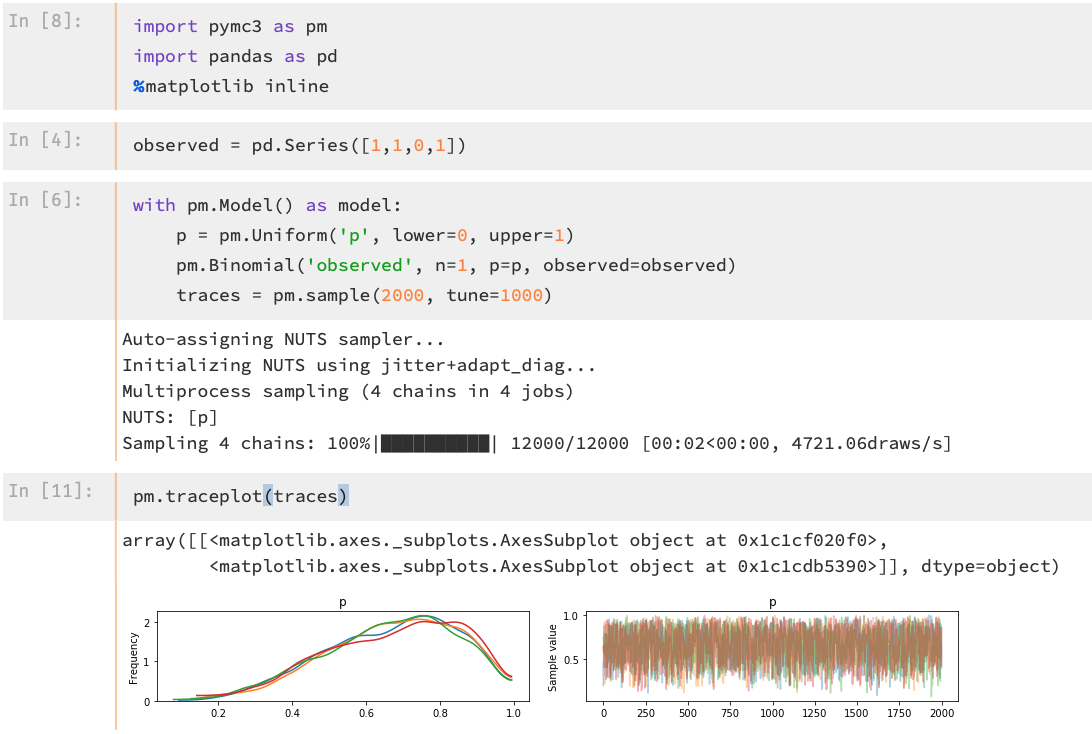
I could verify on my end that conda create does fix the problem:
  $  conda create -n=pymc3fix
  $  source activate pymc3fix
  $  conda install theano
  $  conda install pymc3
 Edderic
on 11 Nov 2018
Edderic
on 11 Nov 2018
I tried the same thing but it didn't fix the problem.
twiecki
on 12 Nov 2018
I also tried it and am still getting the
AttributeError: module 'theano' has no attribute 'gof'
problem.
 ls-chris-hemmens
on 12 Nov 2018
ls-chris-hemmens
on 12 Nov 2018
Maybe you have multiple Theano installed in your environment.
It could be old installation by pip in your home under ~/.local
It could be my manually setting your PYTHONPATH environment.
Try to uninstall Theano multiple time. Be sure nothing is installed, then
reinstall.
This fixed it for many people in the past.
On Mon, Nov 12, 2018 at 6:40 AM Haverholme notifications@github.com wrote:
I also tried it and am still getting the
AttributeError: module 'theano' has no attribute 'gof'
problem.
—
You are receiving this because you commented.Reply to this email directly, view it on GitHub
https://github.com/Theano/Theano/issues/6645#issuecomment-437849711, or mute
the thread
https://github.com/notifications/unsubscribe-auth/AALC-xnK7eTPpo_jWrYn9bO0UYo67AgRks5uuV5KgaJpZM4W5L2g
.
nouiz
on 12 Nov 2018
Hi all. Thanks for trying to help. I completely uninstalled pymc3 and theano using pip and conda and tried again. I got this message in Python.
Exception: Compilation failed (return status=1): In file included from /Users/chris/.theano/compiledir_Darwin-18.2.0-x86_64-i386-64bit-i386-3.6.3-64/lazylinker_ext/mod.cpp:1:. In file included from /Users/chris/anaconda3/include/python3.6m/Python.h:25:. /Users/chris/anaconda3/bin/../include/c++/v1/stdio.h:108:15: fatal error: 'stdio.h' file not found. #include_next <stdio.h>. ^~~~~~~~~. 1 error generated..
I tried using source activate pymc3fix but I get this message in Terminal:
xcrun: error: invalid active developer path (/Library/Developer/CommandLineTools), missing xcrun at: /Library/Developer/CommandLineTools/usr/bin/xcrun
The command line in terminal now says (pymc3fix). I tried conda install pymc3 in this new environment and got the above message two more times. I tried to import pymc3 in Python anyway and got ModuleNotFoundError: No module named 'pymc3'.
There was a post earlier about an SDK but I'm concerned about implementing that without clearer instructions. Any suggestions? Thanks again.
ls-chris-hemmens
on 15 Nov 2018
@Haverholme I had the same situation, the xcrun error was the key for me. I had to do:
xcode-select --install
sudo xcode-select --reset
sudo xcodebuild -license
And then I could import.
twiecki
on 15 Nov 2018
@twiecki Thanks. That fixed the problem with the xcrun error. Unfortunately, having fully reinstalled pymc3 and theano both within the pymc3fix environment and outside it, I'm still getting the AttributeError: module 'theano' has no attribute 'gof' error.
I've tried as many combinations of installing and uninstalling these packages that I can think of including multiple times for both in multiple environments but none of it is working. Any other ideas? Thanks.
ls-chris-hemmens
on 15 Nov 2018
But that's a different error now, no?
twiecki
on 15 Nov 2018
I either get AttributeError or ModuleNotFoundError. Usually the former.
ls-chris-hemmens
on 15 Nov 2018
How about this? Suppose I fully uninstall theano and pymc3 using pip, conda, and within the pymc3fix environment as many times as it will let me.
What would be great would be a clear set of steps to take after that.
ls-chris-hemmens
on 15 Nov 2018
OK, do you still get the error with #include_next <stdio.h> though?
Did you install MacOSX10.9.sdk?
twiecki
on 15 Nov 2018
As I mentioned in my previous post, I didn't follow the sdk installation because I couldn't follow what was going on. Where are the clearest instructions for doing that that you have?
ls-chris-hemmens
on 15 Nov 2018
try:
pushd /opt
curl -SLO https://github.com/phracker/MacOSX-SDKs/releases/download/10.13/MacOSX10.9.sdk.tar.xz
tar -xf MacOSX10.9.sdk.tar.xz
OK. I get
-bash: pushd: /opt: No such file or directory
The second command did something involving a table with average upload and download speeds. The third command returned nothing.
ls-chris-hemmens
on 15 Nov 2018
Hi, cross posting from the PyMC forum where I originally ran into this, in case it's helpful for someone else.
If you run the following program XCode ships with their new releases (having installed XCode and the command line tools) /Library/Developer/CommandLineTools/Packages/macOS_SDK_headers_for_macOS_10.14.pkg the missing header files will be installed in the right place you should be able to install theano.
You can read more about this on this stack overflow post or on XCode's release notes.
 kingishb
on 15 Nov 2018
kingishb
on 15 Nov 2018
Installing the SDK is a bad workaround. The real problem is that you shouldn't have the anaconda compilers installed. You can install the theano package from the mila-udem channel (conda install -c mila-udem theano) to get a correct version of the pacakge if you are on python 2.7, 3.5 or 3.6. Otherwise use pip to install.
abergeron
on 19 Nov 2018
Why is it bad and why is it a workaround. To compile software you need sdks.
mingwandroid
on 19 Nov 2018
I think it's bad since it requires users to install software of questionable legality[1]. I think it's a workaround because the out-of-the-box experience of conda install Theano; python -c 'import theano' is currently broken and throws errors on Mac.
Yes you need SDKs, and those comes with Xcode, which is what we recommend users install and what we support. It also degrades nicely as when we can't find the compiler, we print a warning and use the pure python mode.
If other people want users to do something else, that's fine, but we will not support that and it would be nice to have somewhere to point those questions to. This single issue has cause quite a lot of problems and reports.
[1] The license of the SDK doesn't allow redistribution. When installing, you're not breaking this term, but it could be said that you don't have to rights to it since it wasn't obtained from a legitimate source.
abergeron
on 19 Nov 2018
@abergeron so you are aware:
The problem with using and recommending Apple's compilers is that they do not support openmp so any 'serious' data-science distribution or software suite simply have to build their own. We at Anaconda does this as do the R programming language maintainers. We go further and provide ld64 and cctools so that end-users do not need Apple's Xcode or Command Line Tools.
Unfortunately, on macOS you cannot mix any other compilers reliably with system compilers, exceptions thrown from stuff compiled with one cannot be caught by stuff compiled by the other. Therefore everything should be compiled with one compiler and if you want openmp then you must use ours (or those from R but they don't handle exceptions correctly even in non-mixed scenarios AFAICT).
Even more unfortunately Apple have not released the code for any version of ld64 that supports .tbd files, and new SDKs provide only .tbd files.
When we first went down this path it seemed that Apple were releasing the latest source code for ld64, but that has since stopped.
mingwandroid
on 20 Nov 2018
Also, it is up to users whether they feel installing SDKs obtained from the internet is dodgy or not.
I strongly believe that interop rights would trump Apple's very badly written EULAs (Apple branded hardware?! -> ok, I can stick an Apple stricker on my Dell; hey I branded it as Apple).
mingwandroid
on 20 Nov 2018
I'm not saying that Anaconda should use apple's compilers. I understand and respect your decision to provide your own compilers to build packages on Mac. That should not change.
What I disagree with is making Theano use those. Especially since you get a weird error that looks like a bug if you don't have a special setup on your computer. We have put considerable effort in making sure that the after-install experience is a smooth as possible in the most amount of cases and this breaks all of that.
Having said that, if someone wants to use them and jumps through the required hoops, then I don't have a problem, but we don't have the support bandwidth to help users that wish to do this.
If it could be made to work out of the box then I wouldn't have a problem. But as it is, the official anaconda package makes the software appear broken to a large population of users and put a lot of support pressure with several people reporting this "bug" over and over again across the different support channels. There is nothing we can to resolve this on our end short of blacklisting the anaconda compiler in the autodetection, but I feel that would be a bad solution.
abergeron
on 20 Nov 2018
Also, Apple did opensource the tbd code. It's the LLVM folk that did not adopt it.
https://opensource.apple.com/source/ld64/ld64-409.12/
https://opensource.apple.com/source/ld64/ld64-409.12/src/ld/parsers/textstub_dylib_file.cpp.auto.html
abergeron
on 21 Nov 2018
Great! Thanks. I think this is a brand new development? I check every few weeks for new releases, unless I missed this one.
Ok this should allow us (or rather our end users) to make use of newer sdks and solve this thorny problem.
Ping @nehaljwani, @msarahan, @jjhelmus.
mingwandroid
on 21 Nov 2018
I don't know how old that is, but I saw references to the tbd code that dating last year.
abergeron
on 21 Nov 2018
ld64 sources for this are brand new. The llvm parts have been around for a while though (libtapi.dylib).
mingwandroid
on 21 Nov 2018
Thanks to everyone that made suggestions. I used the code conda install -c mila-udem theano and that seems to have done the trick. I'm very thankful.
ls-chris-hemmens
on 22 Nov 2018
@Haverholme Was anything else required, like installing the SDK?
twiecki
on 22 Nov 2018
That's a very good question. I certainly attempted to install the SDK and at the very least downloaded the code for it. My guess is that I did not successfully install the SDK. Although I did successfully update XCode using the line of code posted earlier in this thread.
ls-chris-hemmens
on 22 Nov 2018
Somewhat old blog post that discusses ld64 and TBD v2 files.
https://hackernoon.com/a-c-hello-world-and-the-rose-gold-walled-garden-of-doom-4ac3c92385ed
mingwandroid
on 22 Nov 2018
I you install from our package, the only thing you should need is a version of XCode compatible with your version of OS X. There should be any requirement for an external SDK.
abergeron
on 22 Nov 2018
@abergeron Did you just update that package with some fix for this? Can we somehow get that into the main anaconda channel?
twiecki
on 22 Nov 2018
No I didn't, our package was never broken because it doesn't depend on the anaconda compilers at runtime.
The main channel uses a different recipe that we have no control over.
abergeron
on 22 Nov 2018
Sure, but we could tell the anaconda guys to fix it.
twiecki
on 22 Nov 2018
@mingwandroid is an anaconda guy :)
abergeron
on 22 Nov 2018
We will do our best to fix this as soon as we can.
mingwandroid
on 22 Nov 2018
Thanks @mingwandroid.
@abergeron is the conda recipe up somewhere? We could also update the conda-forge one ourselves.
twiecki
on 23 Nov 2018
There is 3 conda version of Theano:
- The "official" by Anaconda (it is this one that have the problem)
- Our own conda channel. It work to our knowledge
- conda-forge, done in part by us too. It also should work and be similar
to our own. But it request a version of python from conda-forge too as this
include c extension. It is not well documented anywhere how to have a
python version from conda-force to my knowledge. So I think in practice, it
isn't much used.
On Fri, Nov 23, 2018 at 8:06 AM Thomas Wiecki notifications@github.com
wrote:
Thanks @mingwandroid https://github.com/mingwandroid.
@abergeron https://github.com/abergeron is the conda recipe up
somewhere? We could also update the conda-forge one ourselves.—
You are receiving this because you commented.Reply to this email directly, view it on GitHub
https://github.com/Theano/Theano/issues/6645#issuecomment-441236668, or mute
the thread
https://github.com/notifications/unsubscribe-auth/AALC-3WUskXSTQHQP5EyPDD4ij-hGB7pks5ux_LIgaJpZM4W5L2g
.
nouiz
on 23 Nov 2018
Our receipt is here:
https://github.com/Theano/Theano/blob/master/conda/meta.yaml
But I do not think this is the problem.
On Fri, Nov 23, 2018 at 8:54 AM Frédéric Bastien frederic.bastien@gmail.com
wrote:
There is 3 conda version of Theano:
- The "official" by Anaconda (it is this one that have the problem)
- Our own conda channel. It work to our knowledge
- conda-forge, done in part by us too. It also should work and be similar
to our own. But it request a version of python from conda-forge too as this
include c extension. It is not well documented anywhere how to have a
python version from conda-force to my knowledge. So I think in practice, it
isn't much used.On Fri, Nov 23, 2018 at 8:06 AM Thomas Wiecki notifications@github.com
wrote:Thanks @mingwandroid https://github.com/mingwandroid.
@abergeron https://github.com/abergeron is the conda recipe up
somewhere? We could also update the conda-forge one ourselves.—
You are receiving this because you commented.Reply to this email directly, view it on GitHub
https://github.com/Theano/Theano/issues/6645#issuecomment-441236668,
or mute the thread
https://github.com/notifications/unsubscribe-auth/AALC-3WUskXSTQHQP5EyPDD4ij-hGB7pks5ux_LIgaJpZM4W5L2g
.
nouiz
on 23 Nov 2018
@twiecki We can update the conda-forge recipe, but it doesn't have any problems either.
abergeron
on 23 Nov 2018
@nouiz What do you think the problem then is?
twiecki
on 24 Nov 2018
Ray and @agergeron master that part more then me. So unless this is needed,
I'll let them handle this.
The problem is that we do not use the same compiler. in the mila-udem
channel, we use the one from Apple. In the main channel, they use the one
they provide.
Le sam. 24 nov. 2018 08:00, Thomas Wiecki notifications@github.com a
écrit :
@nouiz https://github.com/nouiz What do you think the problem then is?
—
You are receiving this because you were mentioned.Reply to this email directly, view it on GitHub
https://github.com/Theano/Theano/issues/6645#issuecomment-441366309, or mute
the thread
https://github.com/notifications/unsubscribe-auth/AALC-9gHX-bh35NweAYCqpHBBDe5wrgmks5uyULigaJpZM4W5L2g
.
nouiz
on 26 Nov 2018
I know how to fix this for defaults now the sources have been released finally.
Finding the time to finish the work is the hard part.
mingwandroid
on 26 Nov 2018
I meet same problem , so what is the final solution?
 Chengmeng94
on 13 Dec 2018
Chengmeng94
on 13 Dec 2018
@Chengmeng94 Try conda install -c mila-udem theano
twiecki
on 17 Dec 2018
Not working for me. I uninstalled all versions of theano and pymc3 and ran that code to install it from mila-udem. Same error.
 Sleekery
on 27 Dec 2018
Sleekery
on 27 Dec 2018
Did you install the OSX SDK?
On Thu, Dec 27, 2018, 23:16 Sleekery <[email protected] wrote:
Not working for me. I uninstalled all versions of theano and pymc3 and ran
that code ot install it from mila-udem. Same error.—
You are receiving this because you were mentioned.
Reply to this email directly, view it on GitHub
https://github.com/Theano/Theano/issues/6645#issuecomment-450240765, or mute
the thread
https://github.com/notifications/unsubscribe-auth/AApJmIC5jgJyAUt8Hw3aPYd5JT7lxxujks5u9UbRgaJpZM4W5L2g
.
twiecki
on 28 Dec 2018
Warning: I don't really know what I'm doing.
It seems like SDK comes with XCode? And I have XCode installed on my computer already. Mac 10.14.2 with XCode 10.1.
Sleekery
on 28 Dec 2018
https://stackoverflow.com/questions/52509602/cant-compile-c-program-on-a-mac-after-upgrade-to-mojave suggest to run:
/Library/Developer/CommandLineTools/Packages/macOS_SDK_headers_for_macOS_10.14.pkg
twiecki
on 15 Jan 2019
I had a similar problem, but updated to MacOS Mojave version 10.14.4 with the additional automatic update to XCode 10.2 and problem was magically solved...
 scottfleming
on 14 Apr 2019
scottfleming
on 14 Apr 2019
This solved the issue for me. Uninstall pymc3, build those symlinks then reinstall it.
 dmelgarm
on 20 Apr 2020
dmelgarm
on 20 Apr 2020
Having a similar problem. MacOS catalina.
What worked for me was:
- Fresh conda env
pip install theano pymc3(if you need PyMC3)
I had tried installing theano via the default Anaconda channel and conda-forge. Both resulting the same error.
 RobertArbon
on 22 Jan 2021
RobertArbon
on 22 Jan 2021
Related issues
 colinpriest
·
4Comments
colinpriest
·
4Comments
 liorshk
·
3Comments
liorshk
·
3Comments
 aditsanghvi94
·
3Comments
aditsanghvi94
·
3Comments
 grayfall
·
3Comments
grayfall
·
3Comments
 ibab
·
4Comments
ibab
·
4Comments
Most helpful comment
https://stackoverflow.com/questions/52509602/cant-compile-c-program-on-a-mac-after-upgrade-to-mojave suggest to run:
/Library/Developer/CommandLineTools/Packages/macOS_SDK_headers_for_macOS_10.14.pkg