The-seo-framework: Random blog posts getting noindexed
Describe the bug
The problem is that random blog posts seem to be getting the meta robots noindex tag. When I clear the cache of the site the noindex tag disappears. (I use "purge all caches" through the plugging W3 Total Cache.)
Then within 0-48 hours, the noindex tag reappears on new random blog posts. It also seems that over time more and more blog posts are getting the noindex tag until I clear the cache, but this is hard to confirm. It's usually very important pages that get noindexed so I can't wait around much.
I've tried clearing all caches on our CDN Cloudflare at the same time as I cleared the caches on the blog. No effect.
I've disabled all "meta robots" settings in TSF except "Specify aggregator copyright compliance directives". No effect.
This is what I find in the source code on the affected pages:
meta name=robots content=noindex,max-snippet:-1,max-image-preview:standard,max-video-preview:-1
And after I clear the cache:
meta name=robots content=max-snippet:-1,max-image-preview:standard,max-video-preview:-1
I first discovered this issue on August 17, however, I think it might have started around August 11, one or two days after I updated TSF to its latest version.
We also have the "Origin" extension activated. Could that be a problem?
As of this moment, I just did another site audit without clearing the cache. Here are the 2of the blog posts that got noindexed in the last hour:
https://socialpronow.com/blog/no-family-friends/
https://socialpronow.com/blog/how-to-be-funny/
But it's semi-random pages every time it seems. I haven't cleared the cache yet in case you want to look at it, but I'll have to clear it in a few hours.
How to reproduce the bug
The only thing I've done today is that I changed our title separator in TSF just now about an hour before I discovered the new noindex posts. That did trigger TSF's own cache clearing mechanic. But I haven't emptied our page cache through W3 Total Cache since yesterday. So either it's when TSF clears its cache that somehow triggers some posts to be noindexed, or it's something automatic.
Expected behavior
Posts not getting noindexed randomly.
Additional context
We have the latest version of WP (5.5) and the latest version of TSF. We also have about 40 other plugins. Some major ones that are related to caching is W3 Total Cache, Autoptimize, and Shortpixel.
 ViktorSander
All 8 comments
Hi Viktor,
Could you post a screenshot of the now deindexed post's SEO Bar's I tooltip, like so?
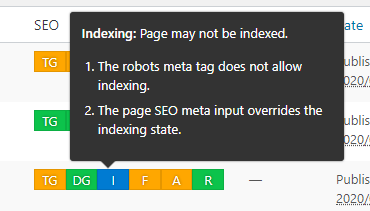
⊞ Win + Shift + S allows you to quickly take a snippet by dragging your mouse (and paste it here via CTRL+V).
This will help me deduct the issue of it being related to post meta or a generation problem.
If you can't take a screenshot, please (tediously...) write out what it states 😅 Thanks!
 sybrew
on 28 Aug 2020
sybrew
on 28 Aug 2020
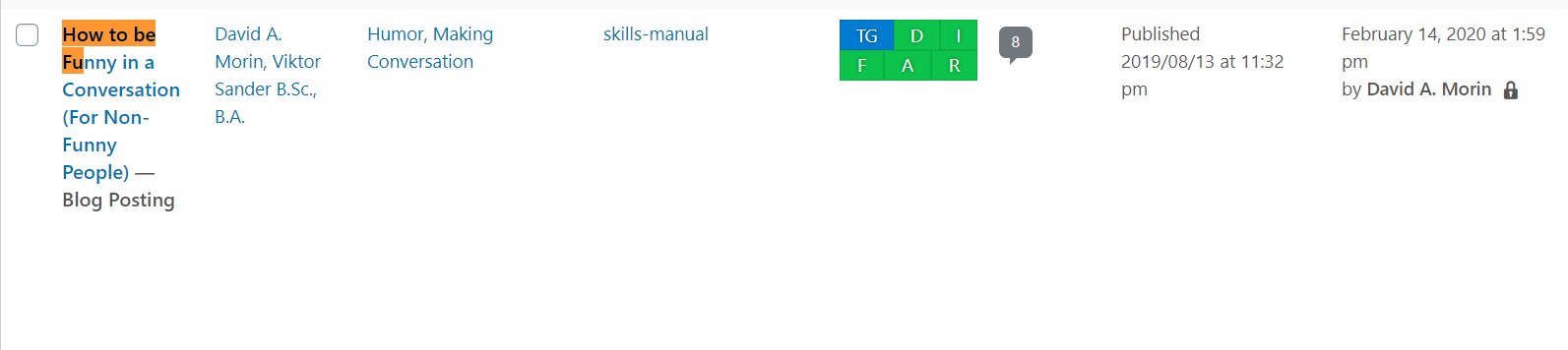
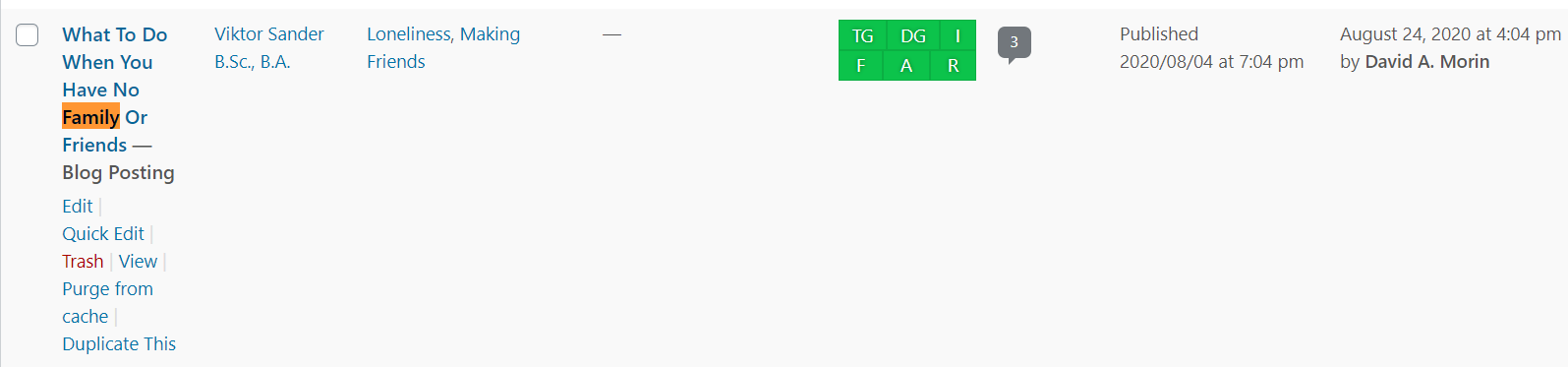
Thanks for the quick reply, here's the screenshots of both articles above:
ViktorSander
on 28 Aug 2020
Thanks! This seems to be an issue on the front-end only.
Could you disable W3TC and enable the sitemap for me?
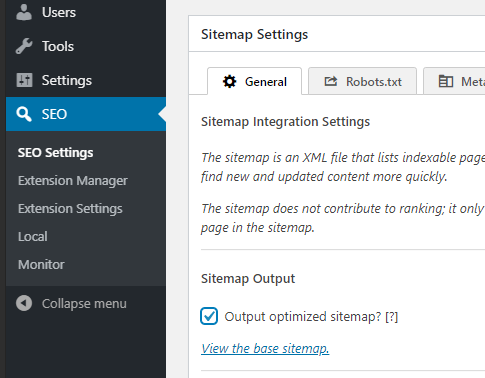
Disabling cache will help me spot whether we're dealing with outdated data.
The sitemap will help me deduct if it's a query-related issue (I can access it via a query if it doesn't display--but it needs to be enabled first).
sybrew
on 28 Aug 2020
Done and done. Should I also disable Autoptimize?
Do note that since I enabled the sitemap in TSF, that cleared the cache which means those articles are no longer noindexed. However, new articles will be noindexed within 48 hours from my experience.
ViktorSander
on 28 Aug 2020
You were running both Autoptimize and W3TC? I think you should pick your poison carefully, you don't want to create toxic fumes!
It seems to me that one plugin caches the other... when one expires, it fetches an old copy with the noindex attribute set of the other. The "other" (I believe this is W3TC) isn't able to clear its cache for some reason—it might just be because Autoptimize is active, I can't tell without digging deeper; WordPress should only be able to handle "cache clear" requests to one caching plugin at a time.
So, I think the issue shouldn't recommence when you leave W3TC disabled. Please proceed with this advice for a few days and update me when you spot the issue again in the meantime!
I'll dig for issues where the noindex attribute is outputted by TSF during an invalid page request--even though that request returns a valid post display response from WordPress. This response might cause W3TC to create a cache entry for the post populated with the noindex attribute set. This should solely be handled by the canonical URL tag, but I might've overlooked something.
Off-topic: I also found that the site enforces a trailing slash to all URLs via the server (.htaccess?)--this breaks some applications like the WordPress sitemaps recently introduced in WP v5.5. It's best to let WordPress handle this (which it does!).
sybrew
on 28 Aug 2020
Wow. Thank you so much Sybrew.
We were recommended both plugins active by a site speed consultant a long time ago. That probably explains a lot of weird issues we've been having.
I'll leave W3TC disabled and I'll keep monitoring for any issues. Hopefully there won't be any so I can re-enable all the juicy settings for meta robots in TSF. :) I'll let you know if I spot the issue again.
I'll also disable the sitemap again, let me know if you need that enabled.
Off-topic: Yes, trailing slash is enforced in htaccess. I had no idea. I will research the trailing slash issue and see how we can solve it. Thank you. <3
ViktorSander
on 28 Aug 2020
Small update. The bug has not re-occurred, so it seems you were correct that it was some sort of conflict between the plugins. Feel free to close this one. And thanks again for the excellent help Sybrew!
ViktorSander
on 31 Aug 2020
No problem at all, Viktor!
I must concede on the fact that Autoptimize is not a full caching solution. So, if you believe your site could use a boost, I recommend checking out Cache Enabler by KeyCDN; they promote that they work hand in hand with Autoptimize, so that might just be what you're looking for.
If the noindex issue reoccurs with Cache Enabler active, let me know! Until then, have a beautiful start of the week. 😄
sybrew
on 31 Aug 2020
Related issues
ViktorSander
·
5Comments
 SchneiderSam
·
3Comments
SchneiderSam
·
3Comments
 domegang
·
4Comments
domegang
·
4Comments
 Hube2
·
3Comments
Hube2
·
3Comments
 Ciantic
·
5Comments
Ciantic
·
5Comments
Most helpful comment
You were running both Autoptimize and W3TC? I think you should pick your poison carefully, you don't want to create toxic fumes!
It seems to me that one plugin caches the other... when one expires, it fetches an old copy with the
noindexattribute set of the other. The "other" (I believe this is W3TC) isn't able to clear its cache for some reason—it might just be because Autoptimize is active, I can't tell without digging deeper; WordPress should only be able to handle "cache clear" requests to one caching plugin at a time.So, I think the issue shouldn't recommence when you leave W3TC disabled. Please proceed with this advice for a few days and update me when you spot the issue again in the meantime!
I'll dig for issues where the
noindexattribute is outputted by TSF during an invalid page request--even though that request returns a valid post display response from WordPress. This response might cause W3TC to create a cache entry for the post populated with thenoindexattribute set. This should solely be handled by the canonical URL tag, but I might've overlooked something.Off-topic: I also found that the site enforces a trailing slash to all URLs via the server (
.htaccess?)--this breaks some applications like the WordPress sitemaps recently introduced in WP v5.5. It's best to let WordPress handle this (which it does!).