Tfjs: environment.ts:439 Registration of backend webgl failed
To get help from the community, we encourage using Stack Overflow and the tensorflow.js tag.
TensorFlow.js version
0.15.3
Browser version
Chrome Version 72.0.3626.119
Describe the problem or feature request
Simple include the tensorflow in a html, and it always tries to register with webgl and fails. I confirm my chrome does support webgl. I even tried to set backend to cpu, and this error still appears (in the console).

Code to reproduce the bug / link to feature request
Just a simple html as below with tfjs loaded in script tag. You can see I am using latest as of today.
<!DOCTYPE html>
<html lang="en">
<head>
    <meta charset="UTF-8">
    <meta name="viewport" content="width=device-width, initial-scale=1.0">
    <meta http-equiv="X-UA-Compatible" content="ie=edge">
    <script src="https://cdn.jsdelivr.net/npm/@tensorflow/[email protected]/dist/tf.min.js"></script>
    <title>Testing Tfjs</title>
</head>
<body>
    <h2>Testing Tfjs</h2>
</body>
</html>
 parthi2929
All 10 comments
You might need to just restart Chrome. Chrome sometimes can get in a bad state w.r.t WebGL.
Also, does this site show WebGL is enabled? http://webglreport.com/
 nsthorat
on 4 Mar 2019
nsthorat
on 4 Mar 2019
Oh by the way, this is something that should be posted on stackoverflow.com.
nsthorat
on 4 Mar 2019
yes, I did restart Chrome and same issue. Yes, I checked those links and they say my browser is compatable with webgl. Can you please explain why this is to go to SO?
Even when the browser does support webgl, the tf is failing, and this happens with just loading the tfjs script without doing anything at all. So clearly tf has a problem correctly evaluating webgl compatability. I have seen this issue multiple times posted about tfjs, that is why tried latest one thinking it might be fixed, but the same exact problem pops up.
parthi2929
on 5 Mar 2019
If you follow the stack trace can you find where the exception is thrown and see what's the issue? This error happens when we catch any exceptions when registering the backend.
Also, what hardware are you on?
nsthorat
on 5 Mar 2019
I got the same error on an Xeon E2 1200 CPU with Intel graphics.
The error message is not very explicit on the version or the webgl extension it needs as other webgl examples are running (three.js).
 boulabiar
on 8 Apr 2019
boulabiar
on 8 Apr 2019
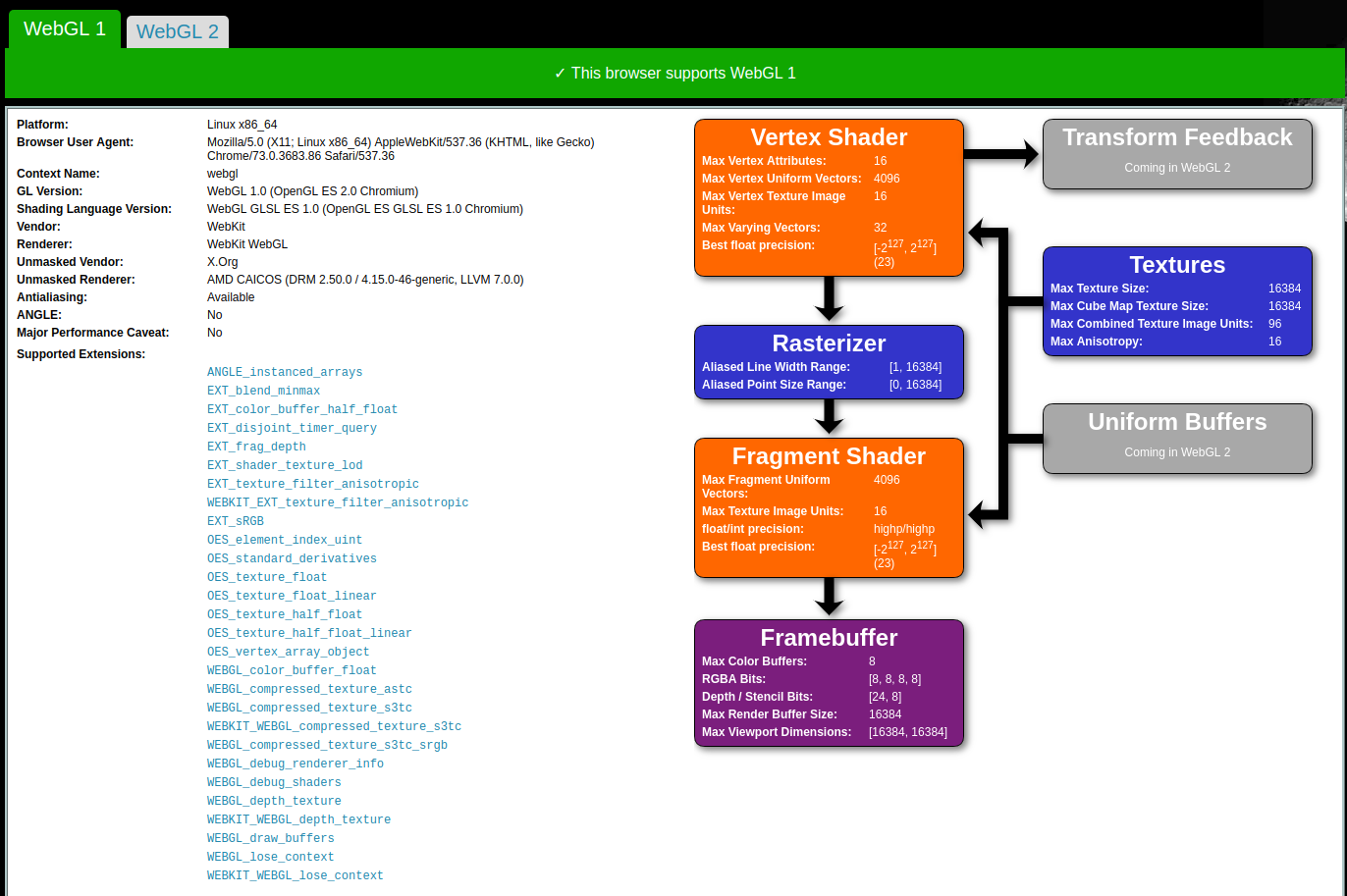
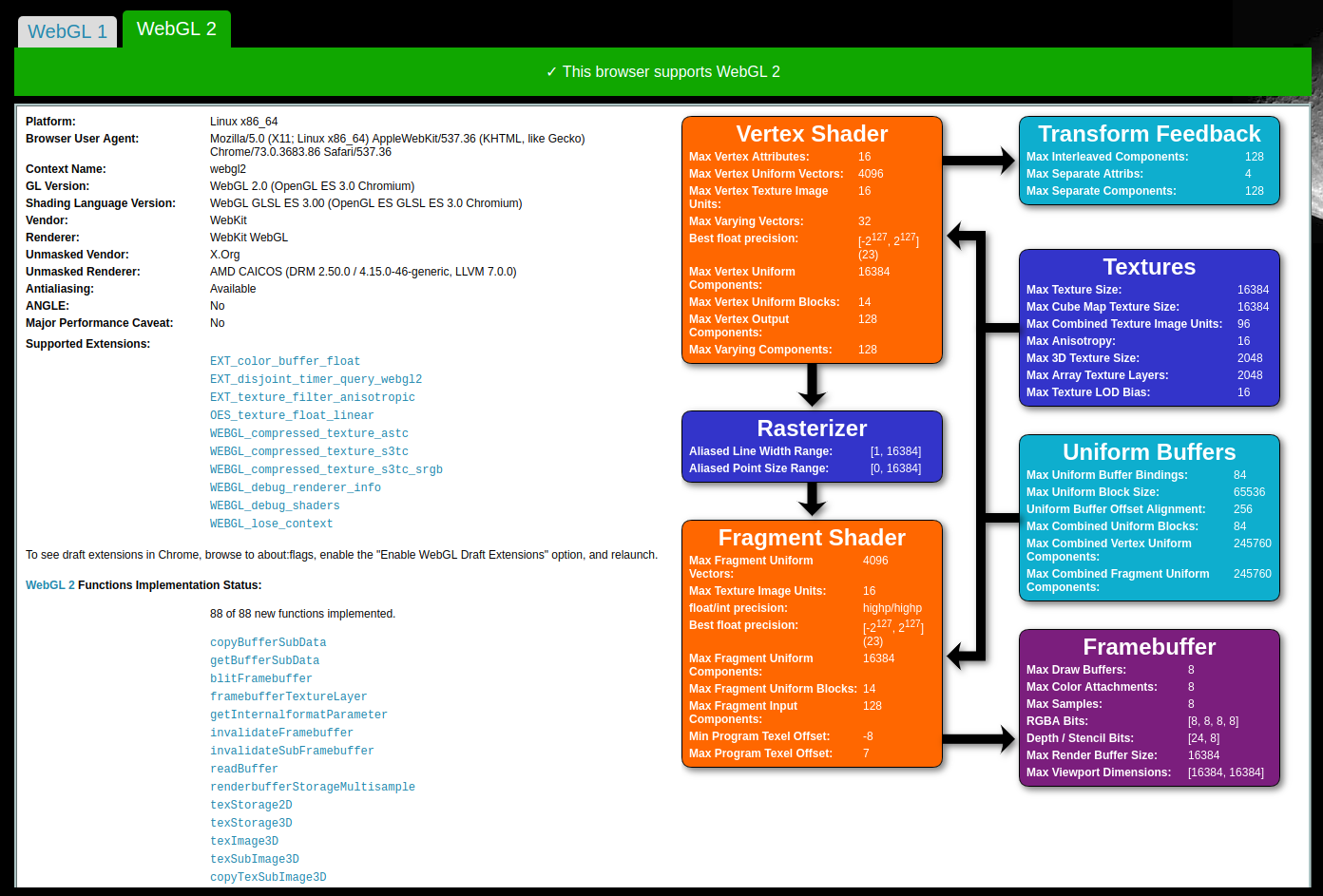
Can you post what you see from http://webglreport.com/?
nsthorat
on 8 Apr 2019
These are the report from the PC having the Xeon and where tf.js doesn't work accelerated.


boulabiar
on 9 Apr 2019
Here it works without any seen problems.
boulabiar
on 9 Apr 2019
Automatically closing due to lack of recent activity. Please update the issue when new information becomes available, and we will reopen the issue. Thanks!
 rthadur
on 15 Oct 2019
rthadur
on 15 Oct 2019
I experienced this same behavior when importing tfjs-core in a static page that rendered a WebGL canvas on a Linux Mint 19.1 device running recent Chromium.
 duhaime
on 8 May 2020
duhaime
on 8 May 2020
Related issues
 YajJackson
·
28Comments
YajJackson
·
28Comments
 lastmjs
·
30Comments
lastmjs
·
30Comments
 RealLankinen
·
21Comments
RealLankinen
·
21Comments
 dsmilkov
·
23Comments
dsmilkov
·
23Comments
 eggerand13
·
34Comments
eggerand13
·
34Comments
Most helpful comment
I experienced this same behavior when importing tfjs-core in a static page that rendered a WebGL canvas on a Linux Mint 19.1 device running recent Chromium.