Tfjs: Memory Overallocation from tfjs version 0.12.4
TensorFlow.js version
0.12.4 ~ 0.12.6
Browser version
Chrome 68.0.3440.106 , Firefox 61.0.2
Describe the problem or feature request
From tensorflow.js 0.12.4, when running a model with large input, RAM memory is abnormally allocated to the extent that it can't handle the data.
Code to reproduce the bug / link to feature request
With tfjs posenet demo official repository, the bug can be reproduced.
To see working situation in 0.12.3
- clone the posenet demo repository,
link - version up the tfjs version to
0.12.3by editing package.json
(before editing the version is0.11.4in master branch) - start the demo server:
npm i && npm run watch - change the input setting, and we can see the memory is in normal situation.

To see memory bug situation in 0.12.4 ~ 0.12.6
- clone the posenet demo repository,
link - version up the tfjs version to
0.12.4by editing package.json
(before editing the version is0.11.4in master branch) - start the demo server:
npm i && npm run watch - With the same input setting, we can see the memory overallocation with the demo application failing to work

 MoonsuCha
All 10 comments
Does this occur only when using the webgl backend? I wonder if this is at all related to the memory issues I am experiencing with model.fit() with webgl as well https://github.com/tensorflow/tfjs/issues/664?
 brannondorsey
on 4 Sep 2018
brannondorsey
on 4 Sep 2018
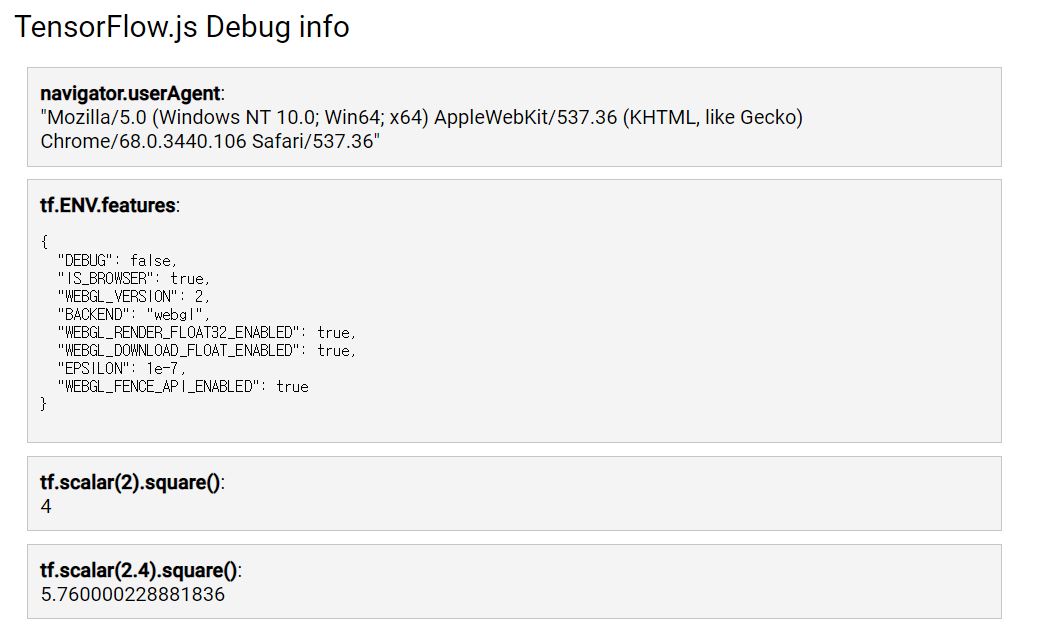
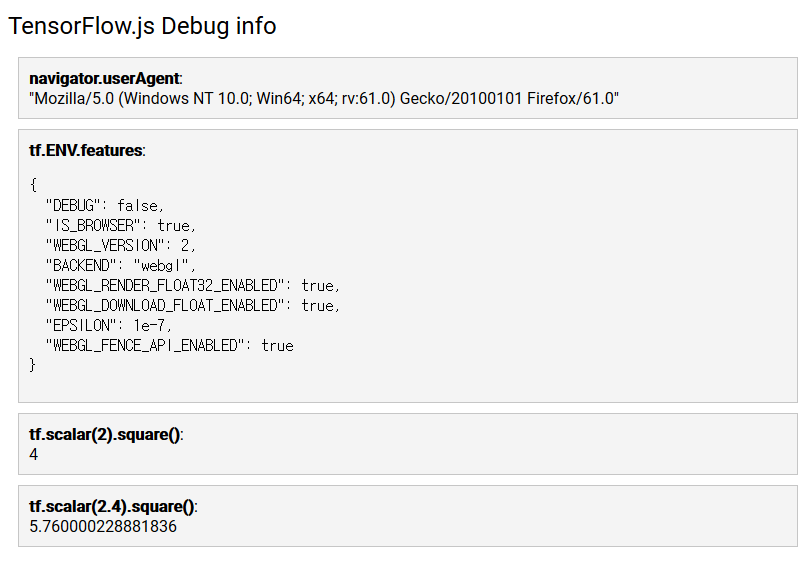
@MoonsuCha Thanks for the detailed report. Could you let us know which operating system and browser you are using? Also if you post a screenshot of what you see when you visit https://js.tensorflow.org/debug/ that would be helpful.
I couldn't completely replicate this on my system, I did get higher memory usage in 0.12.4 by about 10-15MB so we can look into that, but it didn't cause the program to stop working.
 tafsiri
on 4 Sep 2018
tafsiri
on 4 Sep 2018
@brannondorsey I used the "loadFrozenModel from @tensorflow/tfjs-converter" function for inference.
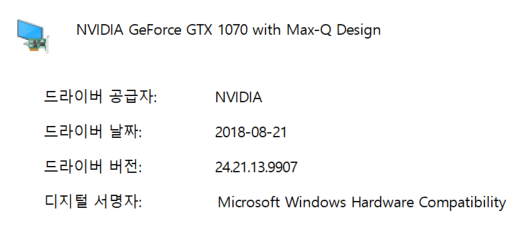
@tafsiri Thanks for reply. It is my operating system and browser. My hardware uses the GTX 1070 graphic card for webgl.
- Chrome - I used the non secure setting for dev (--unsafely-treat-insecure-origin-as-secure)
- Firefox
[Note]
It is important to set the input config for reproducing the bug.
- mobileNetArchitecture 1.01
- outputStride 8
- imageScaleFactor 1.0
MoonsuCha
on 5 Sep 2018
Thanks, I still can't reproduce and since I can't fully understand the memory allocation results in the screenshot you posted. I have another suggestion to help determine if there is a memory leak or something else is going on. It involves adding two lines of code to camera.js and then re-running the demo.
Below line 17 (import * as posenet from '@tensorflow-models/posenet';) add:
import * as tf from '@tensorflow/tfjs';
And below line 280 (stats.end();) add:
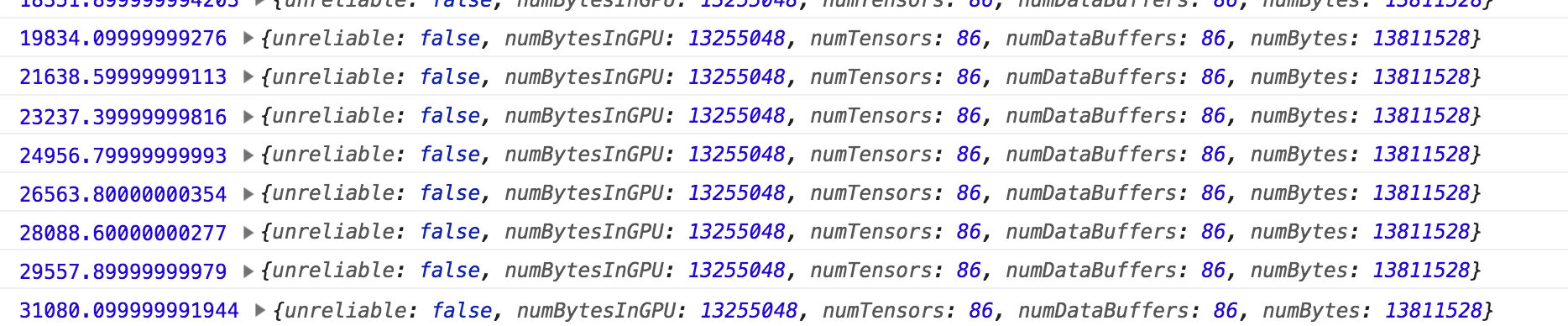
console.log(performance.now(), tf.memory());
When you run the demo it should log how many tensors are present and how much memory they are using. Adjust the settings to the case where you see the issue and post some of that output here, or if it crashes completely let us know. On my computer it did take much longer for each frame, but the memory usage was unchanged. On my end it looks like this
tafsiri
on 5 Sep 2018
@tafsiri I tried to your suggestions on 0.12.3 and 0.12.4. It was not occurred the memory overallocation on tf.memory() function ouput, but my system memory reached the full memory. The difference between 0.12.3 and 0.12.4 is gpu numbytes. 0.12.4 version suddenly decreased 0 numbytes on gpu. Is there on association of nvidia-driver or hardware??
nvidia spec
0.12.3

0.12.4

MoonsuCha
on 6 Sep 2018
@MoonsuCha Thanks this gives us an idea of what could be the cause (paging). Could you add the following lines to camera.js at around line 24 (after the imports):
console.log(tf.getBackend());
console.log(
    'Window Info',
    window.screen.height * window.screen.width * window.devicePixelRatio);
console.log('Paging Threshold', tf.ENV.backend.NUM_BYTES_BEFORE_PAGING);
Could you paste the output you get from that here? It should be at the top of the console
If that paging threshold is too low for an activation it could cause the problem you are seeing (and provide some data for us to fix it).
A workaround you could try is adding the following line after those console logs (near the top of the file).
tf.ENV.backend.NUM_BYTES_BEFORE_PAGING = Infinity;
this should turn of paging and possibly solve the problem (if its what I think it is).
tafsiri
on 6 Sep 2018
I encountered the same issue when running a model on mobile devices. It turns out it's easy to reproduce on a PC if you use a small screen width, which triggers paging.
 tehsenaus
on 7 Sep 2018
tehsenaus
on 7 Sep 2018
@tafsiri Your solution fix the problem. It currently works well on latest version (0.12.4 ~ latest). I thinks that this problem related to the line 117 "const BEFORE_PAGING_CONSTANT = 300;" from "backend_webgl.ts"@tfjs-core. Depending on the gpu device, this heuristic variable value should be changed. Thank you so much.
MoonsuCha
on 9 Sep 2018
@MoonsuCha Made another issue to track the fix. Thanks for reporting this!
tafsiri
on 13 Sep 2018
Closing this as the original raised issue was addressed and new issue has been opened here
 rthadur
on 14 Nov 2018
rthadur
on 14 Nov 2018
Related issues
 threedayoldcoffee
·
43Comments
threedayoldcoffee
·
43Comments
 justadudewhohacks
·
29Comments
justadudewhohacks
·
29Comments
 nsthorat
·
23Comments
nsthorat
·
23Comments
 George35mk
·
22Comments
George35mk
·
22Comments
 Download
·
34Comments
Download
·
34Comments
Most helpful comment
@MoonsuCha Thanks this gives us an idea of what could be the cause (paging). Could you add the following lines to camera.js at around line 24 (after the imports):
Could you paste the output you get from that here? It should be at the top of the console
If that paging threshold is too low for an activation it could cause the problem you are seeing (and provide some data for us to fix it).
A workaround you could try is adding the following line after those console logs (near the top of the file).
this should turn of paging and possibly solve the problem (if its what I think it is).