Tfjs: tf.ClipByValue() does not work as expected for the parameters (0, 1)
TensorFlow.js version: 0.10.0
Google Chrome version: 66.0.3359.181
The tf.ClipByValue() function fails to clip the values in a tensor when clipValueMin is set to 0 and clipValueMax is set to 1.
let tensor = tf.range(0, 10)
// [0, 1, 2, 3, 4, 5, 6, 7, 8, 9]

let t_clip = tensor.clipByValue(0, 1)

t_clip.print()
// [0, 1, 2, 3, 4, 5, 6, 7, 8, 9]
// Spits out the same tensor without clipping the values
 Melvin-Abraham
All 14 comments
cc @nsthorat @dsmilkov
 caisq
on 20 May 2018
caisq
on 20 May 2018
@reighlan this is a good starter bug!
 nsthorat
on 20 May 2018
nsthorat
on 20 May 2018
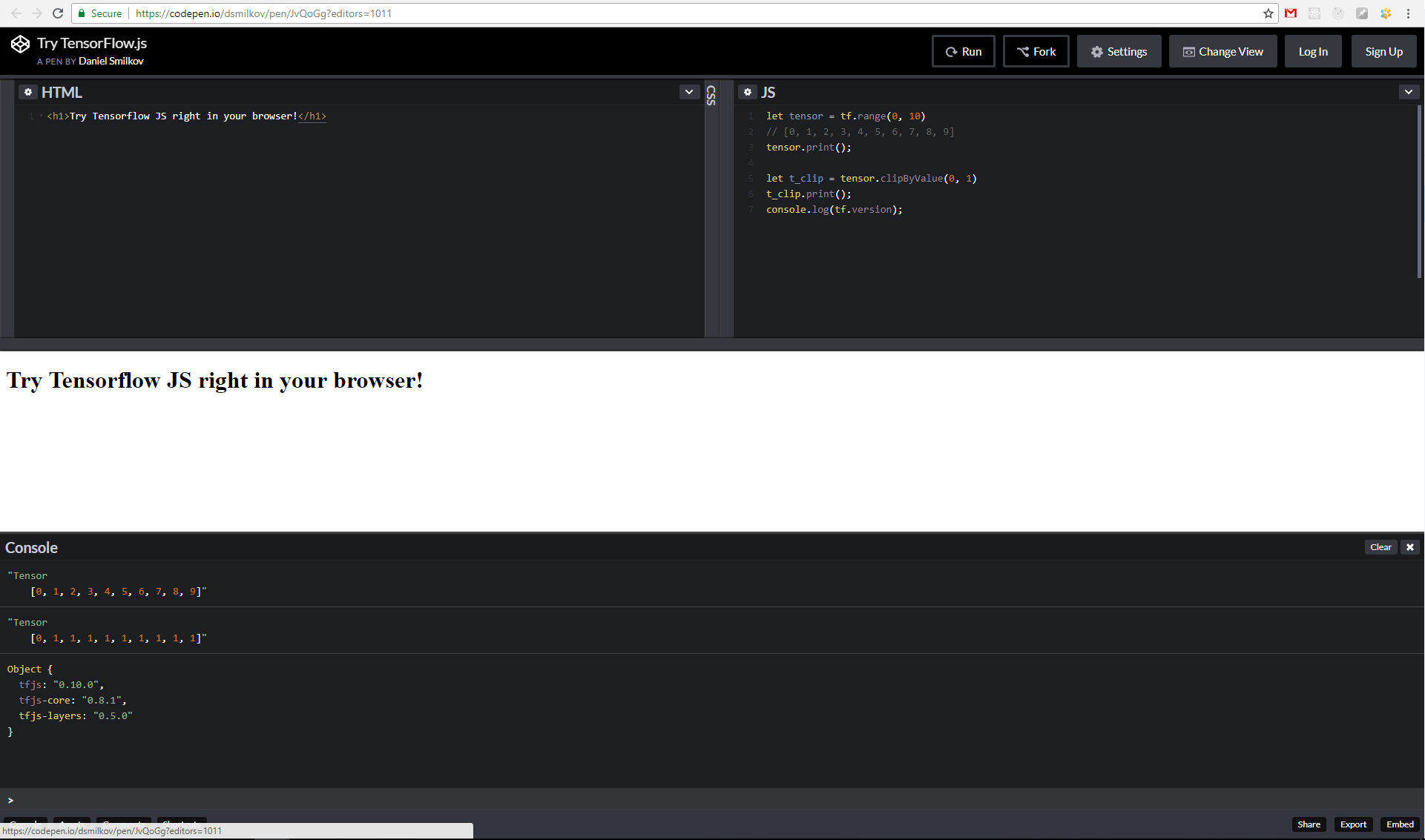
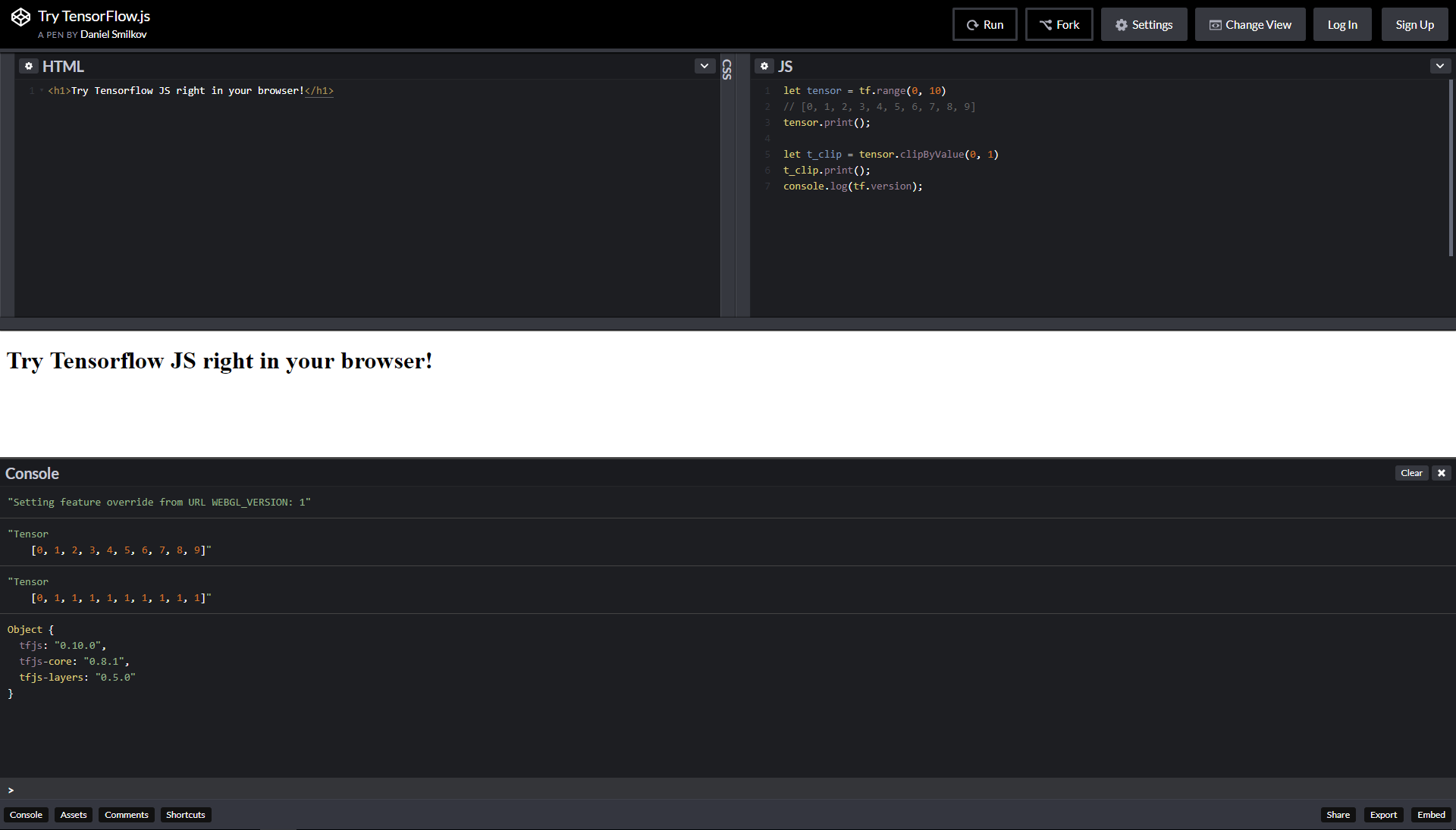
Hi @Melvin-Abraham , I couldn't reproduce the error. See this codepen that uses tfjs 0.10.0 and gives correct output.
Can you share more info? Are you running this on a desktop/laptop or a phone? Also, are you running this on the webgl (default) or cpu backend? Thanks!
 dsmilkov
on 24 May 2018
dsmilkov
on 24 May 2018
Well, the issue is there. The values greater than 1 are not clipped to 1. By the way, check this code on Codepen for comparison...
I am using laptop with default settings for tfjs.
Melvin-Abraham
on 25 May 2018
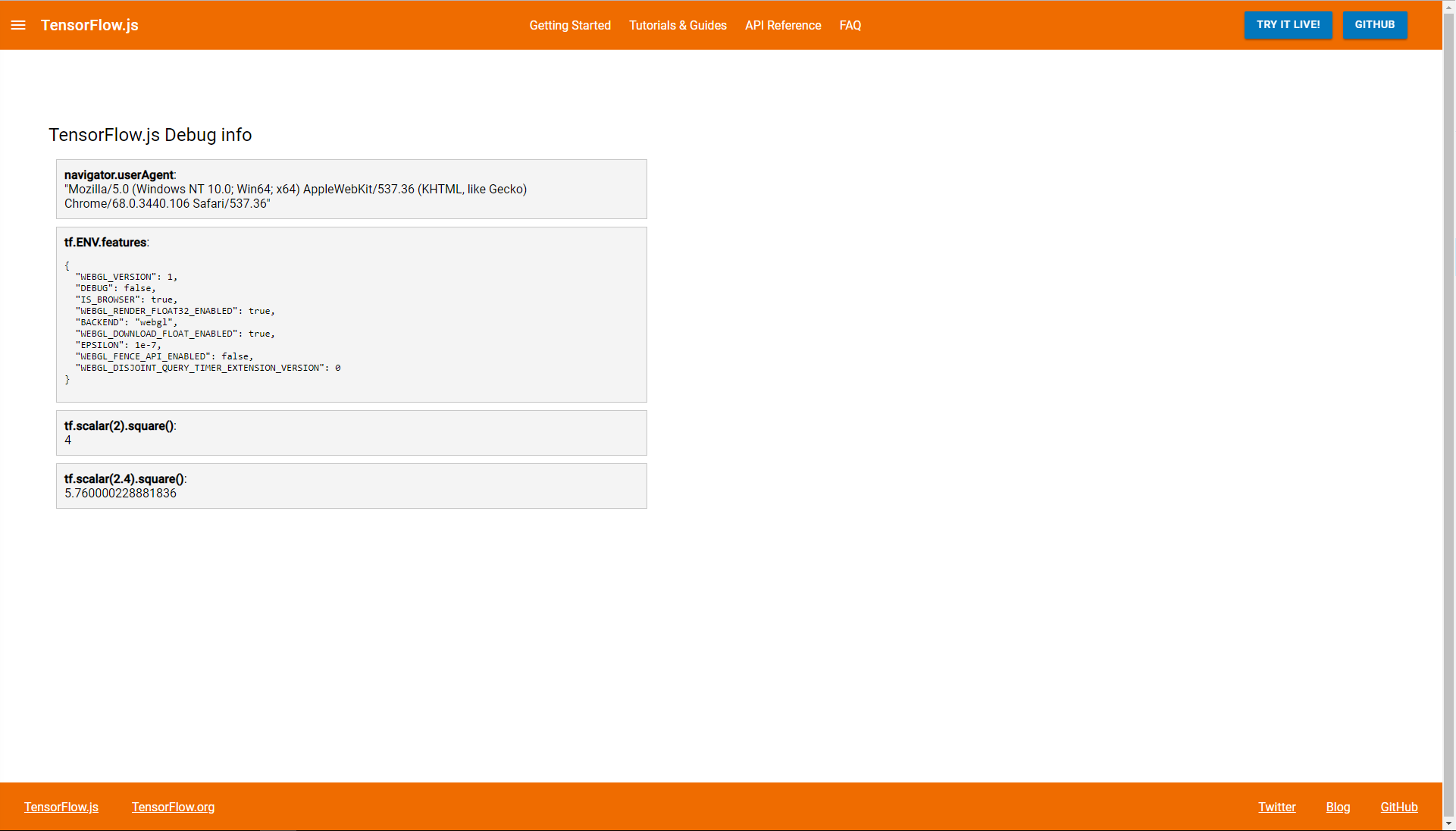
The code works fine for me for both webgl and cpu. This seems like an environment issue. Could you also add a screenshot of this page which might help?
 manrajgrover
on 25 May 2018
manrajgrover
on 25 May 2018
Are you using a mac & Safari by chance?
nsthorat
on 25 May 2018
@nsthorat I'm using Chrome in Windows 10 Pro.
@ManrajGrover I've included the screenshot of the debug page...
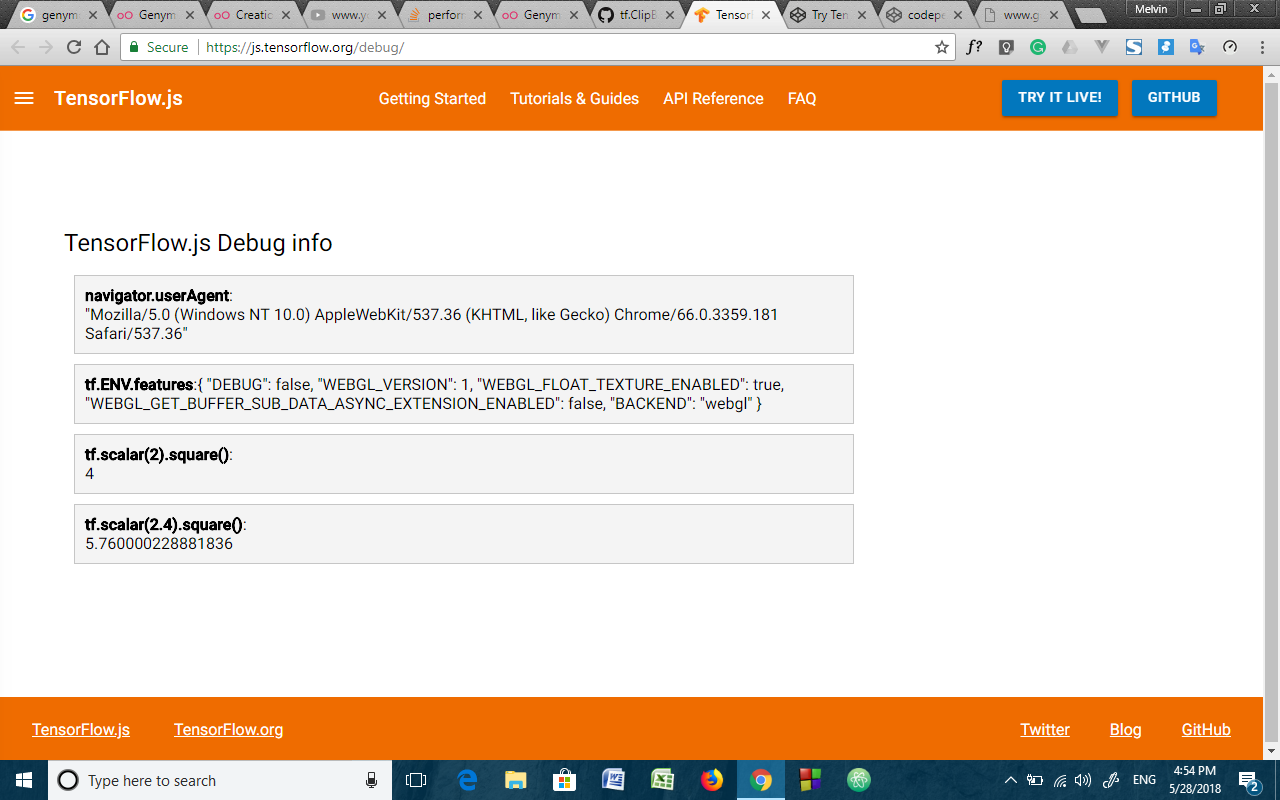
This is the codepen screenshot for tf.clipByValue()
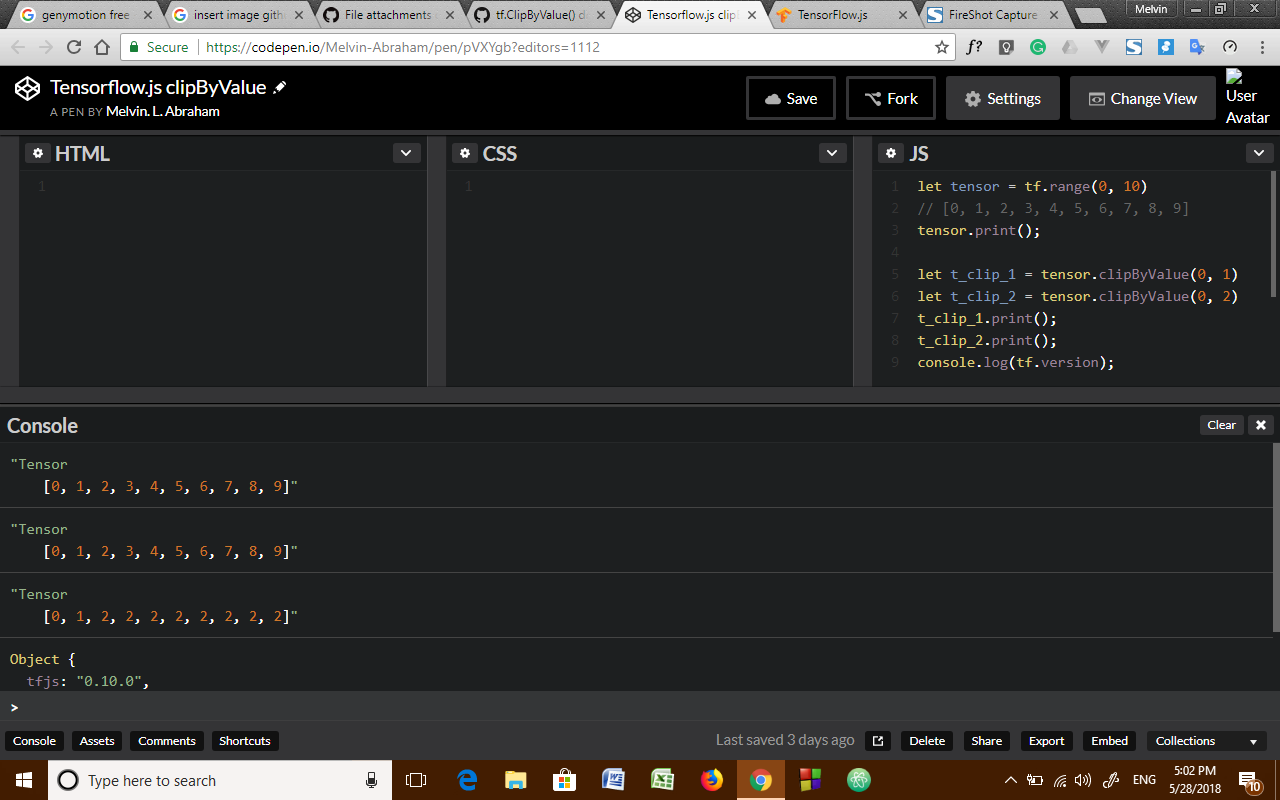
Melvin-Abraham
on 28 May 2018
Hi @nsthorat : I'm looking into good first issue labelled issues and seems most of them are done but not concluded to close. We could just check and close the issues which are no longer active/fixed. Ex: This
 valishah
on 10 Jun 2018
valishah
on 10 Jun 2018
Thanks for the ping. I think this issue should still be open since the user clearly gets the wrong result on Windows. If someone else can reproduce this on a Windows machine that would be great! Thanks!
dsmilkov
on 13 Jun 2018
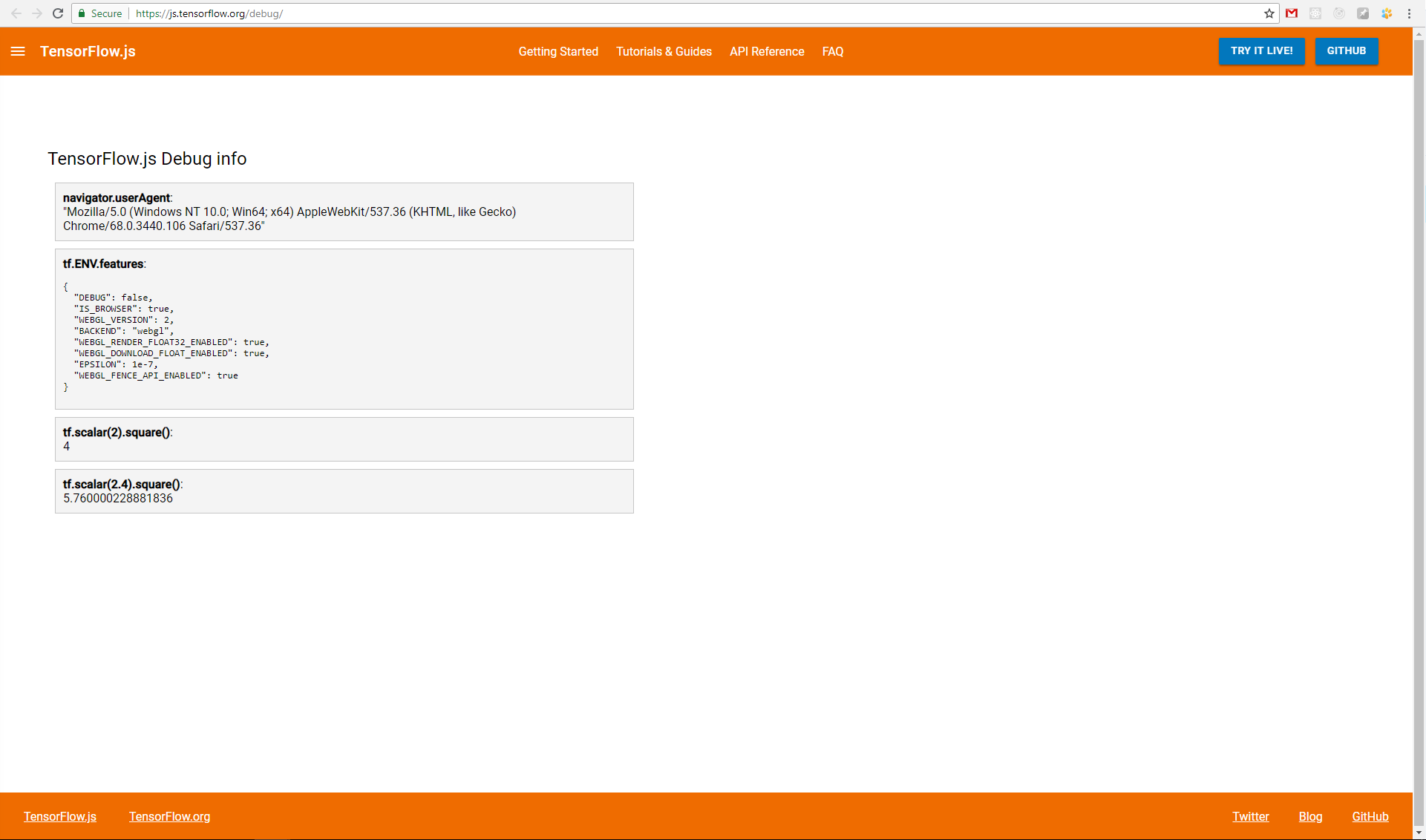
Hi @dsmilkov @Melvin-Abraham I'm using Chrome in Windows 10 Pro. And can't reproduce this issue.
 DimaRomaniuk
on 30 Aug 2018
DimaRomaniuk
on 30 Aug 2018
Thanks for the pointer. So the only difference I could see is that @DimaRomaniuk has WebGL 2.0, while @Melvin-Abraham has WebGL 1.0. I tried forcing WebGL 1.0 via the url flags tfjsflags=WEBGL_VERSION:1, but still couldn't reproduce the error.
Will keep this issue open, until we can get a machine that can reproduce this bug.
dsmilkov
on 30 Aug 2018
Hi @dsmilkov @Melvin-Abraham the same result with flag ?tfjsflags=WEBGL_VERSION:1
DimaRomaniuk
on 17 Sep 2018
It looks like you are on a very old version of tfjs, can you update to 0.13.0?
nsthorat
on 17 Sep 2018
Thanks, @nsthorat for pointing the use of old version of tensorflow.js. The issue seems to be solved in tfjs v0.13.0 for me...

Actually, as per my testing, the issue was already solved after the release of tfjs v0.11.7
Melvin-Abraham
on 17 Sep 2018
Related issues
 neilljordan
·
4Comments
neilljordan
·
4Comments
 Umar24129
·
3Comments
Umar24129
·
3Comments
 ritikrishu
·
4Comments
ritikrishu
·
4Comments
 KienPM
·
3Comments
KienPM
·
3Comments
 rumschuettel
·
3Comments
rumschuettel
·
3Comments
Most helpful comment
Thanks, @nsthorat for pointing the use of old version of tensorflow.js. The issue seems to be solved in
tfjs v0.13.0for me...Actually, as per my testing, the issue was already solved after the release of tfjs v0.11.7