Text: "Loading takes very long" on Android
Describe the bug
When I try to open a markdown file to edit, it loads forever and shows a message saying "Loading takes very long", with a message to go back.
To Reproduce
- tap on a file to edit
- wait
- the message appears on the bottom
Expected behavior
some sort of editor appears
Screenshots
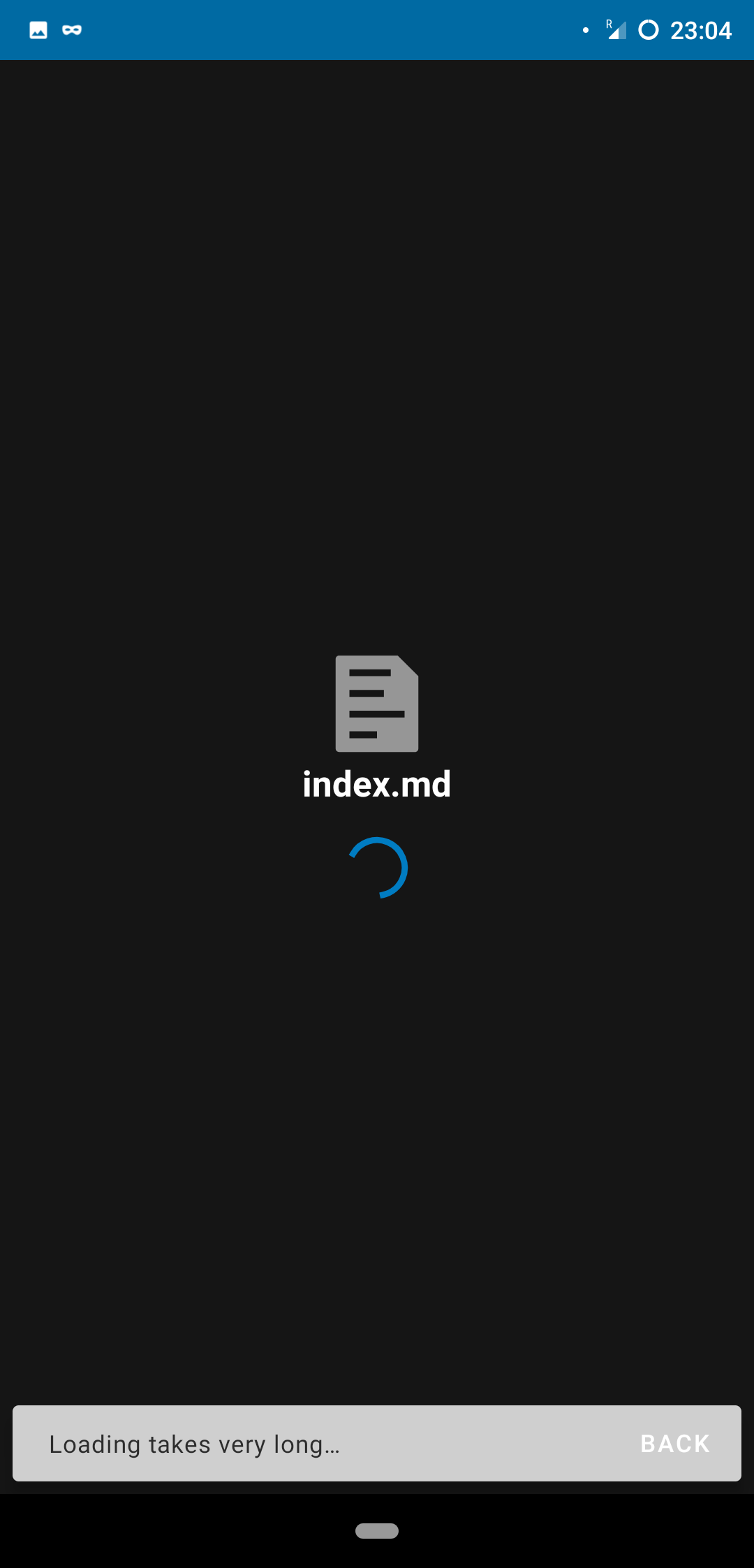
Client details:
- OS: Android
- Browser: Android app
- Version: 3.11.0 RC2
- Device: Pocophone
 Araly
Araly
All 10 comments
Are there any interesting things happening in your nextcloud or webserver access/error logs?
@tobiasKaminsky Do we have any way to debug this properly on the Android side?
 juliushaertl
on 30 Mar 2020
juliushaertl
on 30 Mar 2020
@tobiasKaminsky Do we have any way to debug this properly on the Android side?
The only way might be to have a logcat running, or on RC/dev there are logs within settings.
 tobiasKaminsky
on 30 Mar 2020
tobiasKaminsky
on 30 Mar 2020
logs-2020-03-31-17-10-35.zip
Here are logs for "TextEditorWebView" but it doesn't seem very interesting
edit: you can see how there's some time between me attempting to edit, and me pressing the "back" button on the message error when it appears after 20 seconds or so. Note that I tried just leaving it be, and after minutes of waiting nothing new happens.
logs-2020-03-31-17-20-46.zip
there's also this, but I can't find anything interesting. filtering by "cloud"
Araly
on 31 Mar 2020
Can you create us a test account, test if the problem occurs also there and if so send the credentials to tobias at nextcloud dot com with a reference to this issue?
tobiasKaminsky
on 2 Apr 2020
Hi,
I had exactly the same issue. My Nextcloud setup was with a self-signed certificate directly on the IP address on the server (ie URL was https://192.168.x.y). Then I changed to use a domain name with a certificate from Let's Encrypt, and the issue disappeared right away (I simply removed and readded my account in the Android app to change the URL).
Note that I didn't change anything else, it is the same server and the same Nextcloud setup, I simply changed the overwrite.cli.url and trusted_domains variable in Nextcloud config file.
Hope this helps.
 Zkral
on 23 Jun 2020
Zkral
on 23 Jun 2020
I had the same issue and can confirm that it's gone since I switched from a self-signed certificate to a certificate from Let's Encrypt. Thank you @Zkral for the "workaround".
 lukket
on 18 Dec 2020
lukket
on 18 Dec 2020
@tobiasKaminsky Could that be a case that is not catched in the android code part? I guess then the webview just fails to load and the postmessage never hits the app.
juliushaertl
on 21 Dec 2020
What case could it be?
tobiasKaminsky
on 5 Jan 2021
The webview not loading due to a self-signed certificate as written by https://github.com/nextcloud/text/issues/742#issuecomment-748188470
juliushaertl
on 5 Jan 2021
Similarly, _some_ .md's don't load in Android for editing, others do. I tried removing links in them and copying them, but their copy also doesn't open for editing. They _can_ be viewed when chosen to store on the device. I have 'cpanel certificate'.
 matthijsbro
on 22 Jan 2021
matthijsbro
on 22 Jan 2021
Related issues
 jeyca
·
5Comments
jeyca
·
5Comments
 feutl
·
3Comments
feutl
·
3Comments
 jancborchardt
·
6Comments
jancborchardt
·
6Comments
 csantosb
·
5Comments
csantosb
·
5Comments
 andynd
·
3Comments
andynd
·
3Comments
Most helpful comment
Hi,
I had exactly the same issue. My Nextcloud setup was with a self-signed certificate directly on the IP address on the server (ie URL was https://192.168.x.y). Then I changed to use a domain name with a certificate from Let's Encrypt, and the issue disappeared right away (I simply removed and readded my account in the Android app to change the URL).
Note that I didn't change anything else, it is the same server and the same Nextcloud setup, I simply changed the overwrite.cli.url and trusted_domains variable in Nextcloud config file.
Hope this helps.