Texstudio: macOS dark theme readability problems
Environment
- TeXstudio: 2.12.18
- Qt: 5.14.0
- OS: Mac
- TeX distribution: texlive
Expected behavior
I would expect that all gui elements will be readable with dark theme enabled, or to have an option to disable dark theme in TeXstudio while the dark mode is not working as expected.
Actual behavior
Using the macOS dark theme after the upgrade from 2.12.16 to 2.12.18 a whole bunch of gui elements are not really well readable anymore. For example the following comparison of both versions:
| 2.12.16 | 2.12.18 |
|---|---|
|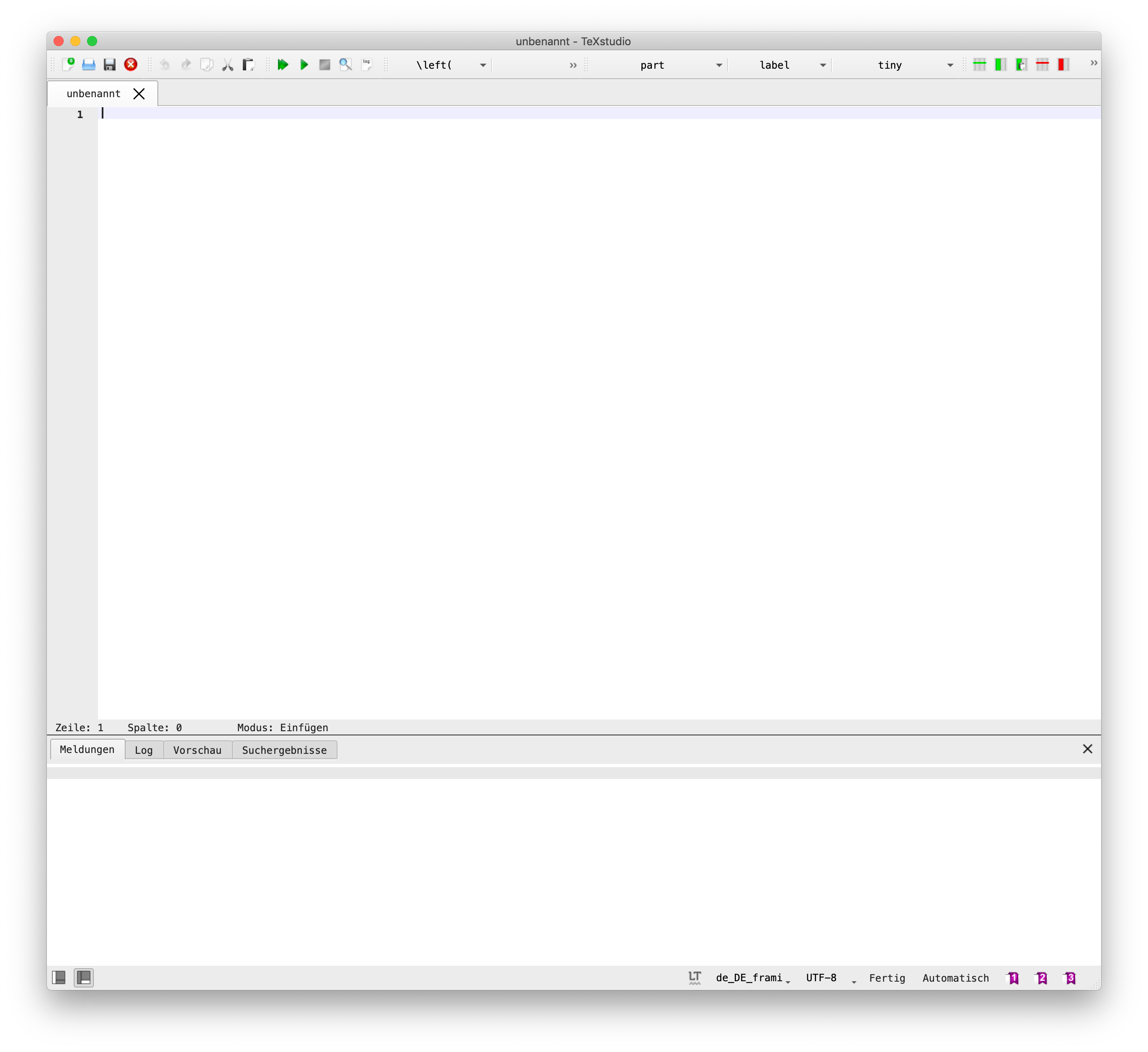 |
| |
|
| | |
|
Just to be sure, I am not talking about syntax highlighting which can be manually changed. I am talking about buttons, checkboxes and other labels which are not optimized for dark mode.
How to reproduce
While having macOS dark mode enabled check TeXstudio 2.12.16 (git 2.12.16), Qt-Version 5.12.3, compiled with Qt 5.12.3 R and TeXstudio 2.12.18 (git 2.12.18), Qt-Version 5.14.0, compiled with Qt 5.14.0 R.
 schwedenmut
All 28 comments
probably related to #596 but on different platform and only since 2.12.17(?) 2.12.18(!).
schwedenmut
on 30 Dec 2019
have you tried to switch color scheme and/or use own color scheme ?
 sunderme
on 1 Jan 2020
sunderme
on 1 Jan 2020
so another question: the main complaint is the black font in the drop down boxes ?
sunderme
on 2 Jan 2020
@sunderme thanks for your replies, yes the main complaint is the inconsistency in the UI since darkmode is enabled automatically if macOS darkmode is used. The black font in the drop down boxes and checkboxes are just two things I noticed.
I have not tried to switch the color scheme and/or use my own since this is the "out of the box" experience without changes by myself.
schwedenmut
on 5 Jan 2020
please try the "own colormode"
sunderme
on 5 Jan 2020
I don't have access to a current osx installation.
So, I can't debug ...
sunderme
on 5 Jan 2020
Switching to the "own colormode" gives back the normal light colorscheme. I can live with that.

schwedenmut
on 6 Jan 2020
that's basically a QT config issue i assume? same as hypterlinks presented in dark blue
may be related: #45
 Piraty
on 7 Jan 2020
Piraty
on 7 Jan 2020
Yes and no.
The dark mode gives different colors for default coloring of elements. Some elements seem not to be set to sensible values (drop down text color).
For other elements,e.g. syntax highlighting, special code may be necessary to detect dark mode.
sunderme
on 7 Jan 2020
Where can I find own colormode?
 doctorrerumnaturalium
on 15 Jan 2020
doctorrerumnaturalium
on 15 Jan 2020
options/general/...
sunderme
on 15 Jan 2020
I just updated to the latest stable version of TeXstudio. It seems that system color scheme is now supported. However when dark mode is activated the default syntax highlighting settings makes the text hard to read.
I propose the following changes:
Basic highlighting:
- keyword 0xB41315 -> which is a punchier red instead of a wine red
- structure 0x6FC1BF -> blue/grey tone. Black is just not readable on a dark gray backround
Line highlighting:
- current: 0x7E8080
-brace match: yellow is not a great choice here
 Lyr3x
on 24 Jan 2020
Lyr3x
on 24 Jan 2020
Environment
- TeXstudio: 2.12.22
- Qt: 5.14.0
- OS: macOS Catalina (10.15.29)
- TeX distribution: texlive
Expected behavior
TXS complete in dark mode when macOS switches automatically in dark mode
Actual behavior
When macOS switches automatically into dark mode, the editor pane don't change to dark mode. All other components of TXS switches. After restart TXS, all is fine
How to reproduce
Switch automatically or manually into dark mode on macOS Catalina when TXS is running
doctorrerumnaturalium
on 24 Jan 2020
can someone test the latest build on osx darkmode.
The symbols in symbol widget should (hopefully) look better...
sunderme
on 26 Jan 2020
@sunderme the following screenshot is taken from TeXstudio 2.12.22 (git 2.12.22) and doesn't show improvements for gui elements like the dropdowns and the symbols. I am not sure if you are talking about this build or another which I didn't find.

schwedenmut
on 26 Jan 2020
I was talking about this build: https://bintray.com/sunderme/texstudio/download_file?file_path=texstudio-osx-3.00.00-202001261643-git_a398d05.dmg
sunderme
on 26 Jan 2020
Tested with the provided dmg file. UI elements seem fixed, symbols still are with the old dark fontcolor.

schwedenmut
on 27 Jan 2020
the latest dev build on bintray.com/sunderme/texstudio has an option "dark mode" which recolors the symbols. However the syntax highlighting is not suitable for dark background.
Can someone set it up nicely and send us texstudio.ini (or the relecant part there of), so that we can make it a default. txs will have two sets of syntax highligtings, one of normal, one for dark mode.
sunderme
on 31 Jan 2020
I can create something for the darkmode adapted from dracula theme (compare https://draculatheme.com/ or https://github.com/dracula) this weekend and upload (or create a PR).
schwedenmut
on 31 Jan 2020
sounds good
sunderme
on 31 Jan 2020
On MacOS Mojave (10.14.6) I find the same problem. However, if I switch to light mode before starting TeXstudio and then switch back to dark mode after launch, I find that at least the subwindow where the actual text is written and apparently also several buttons remain bright. As I usually keep TeXstudio running except for reboots, that kind of works for me and removes most of the readability problems (but it's of course not the way it's supposed to be).
 trg818
on 11 Feb 2020
trg818
on 11 Feb 2020
I don't have access to a current osx installation.
So, I can't debug ...
For what it's worth, at least the syntax highlighting issues can be reproduced on Linux as well, if you use a dark Qt theme, such as kvantum-dark (Ubuntu: install qt5-style-kvantum and qt5-style-kvantum-themes and the theme kvantum-dark will show up under TeXstudio's configuration options.)
 thomas-daniels
on 21 Feb 2020
thomas-daniels
on 21 Feb 2020
the syntax highlighting is really a problem. White background marker on white text.. one has to customize a lot of colours or one have to reinstall an old version to work again.

 andrematzke
on 26 Feb 2020
andrematzke
on 26 Feb 2020
use txs color scheme is your friend ...
sunderme
on 26 Feb 2020
I found another workaround:
you can exclude texstudio from the mac os dark mode with the following command:
defaults write texstudio NSRequiresAquaSystemAppearance -bool yes
Command to reset this setting: defaults delete texstudio NSRequiresAquaSystemAppearance
 SgtSilvio
on 28 Mar 2020
SgtSilvio
on 28 Mar 2020
basically done
sunderme
on 5 Apr 2020
Why is this issue closed?
Changing the color theme to the light one as suggested by @SgtSilvio is a workaround, not a solution of the readability and highlight problems on macOS dark theme.
 mhellmeier
on 12 Jan 2021
mhellmeier
on 12 Jan 2021
Why is this issue closed?
Changing the color theme to the light one as suggested by @SgtSilvio is a workaround, not a solution of the readability and highlight problems on macOS dark theme.
Restarting TeXstudio is helpful for me.
So there is still something wrong if I launch in light mode and switch to dark after.
 AryaGuo
on 14 Jan 2021
AryaGuo
on 14 Jan 2021
Related issues
 jeanlucthumm
·
3Comments
jeanlucthumm
·
3Comments
 kckennylau
·
3Comments
kckennylau
·
3Comments
 henrikgit
·
3Comments
henrikgit
·
3Comments
 philippwerner
·
3Comments
philippwerner
·
3Comments
 melsophos
·
5Comments
melsophos
·
5Comments
Most helpful comment
I found another workaround:
you can exclude texstudio from the mac os dark mode with the following command:
defaults write texstudio NSRequiresAquaSystemAppearance -bool yesCommand to reset this setting:
defaults delete texstudio NSRequiresAquaSystemAppearance