Testcontainers-java: After update docker-desktop faild with "Could not connect to Ryuk at ..."
i use testcontainer for create postgre db on local host for dev tetsing.
Test container = org.testcontainers:postgresql:1.15.3
Docker desktop = 3.3.1(63152)
Docker engine = 20.10.5
win10 = 10.0.19042
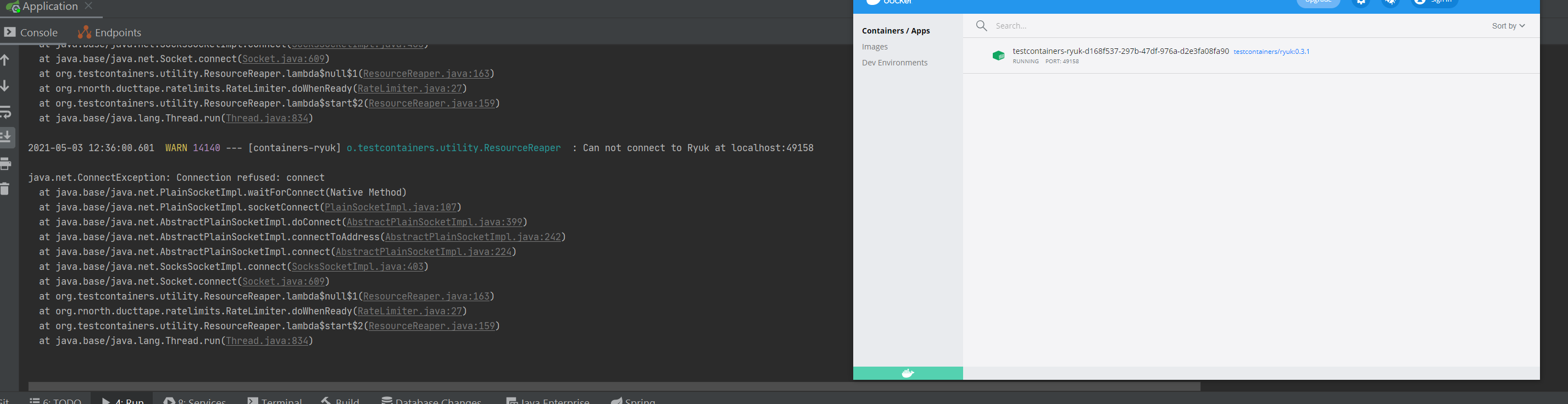
Today i can not start my spring application. In log i see error
Could not connect to Ryuk at localhost:49165
java.lang.IllegalStateException: Could not connect to Ryuk at localhost:49165
    at org.testcontainers.utility.ResourceReaper.start(ResourceReaper.java:201)
    at org.testcontainers.DockerClientFactory.client(DockerClientFactory.java:205)
    at org.testcontainers.LazyDockerClient.getDockerClient(LazyDockerClient.java:14)
    at org.testcontainers.LazyDockerClient.authConfig(LazyDockerClient.java:12)
    at org.testcontainers.containers.GenericContainer.start(GenericContainer.java:310)
    at ru.tinkoff.bpm.top.application.model.ModelBackwardCompatibilityTest.<init>(ApplicationTest.kt:22)
But Ryuk image created and i can see it in Docker dashboard.
Ryuk log:
Pinging Docker...
Docker daemon is available!
Starting on port 8080...
Started!
have any ideas how to fix this?
 Monax111
All 13 comments
@Monax111 a number of users reported that Windows Firewall was affecting their setup for a reason unknown to us. Could you please try configuring it?
 bsideup
on 3 May 2021
bsideup
on 3 May 2021
I have never configuring it. He always worked with standard settings. What exactly should I configure? can there be a guide?)
Monax111
on 3 May 2021
Well, Docker Desktop got updated as you said, and what worked before may not work now :D
I would start with temporarily disabling it and checking whether the tests still fail
bsideup
on 3 May 2021
I turn off firewall by guide
https://support.microsoft.com/en-us/windows/turn-microsoft-defender-firewall-on-or-off-ec0844f7-aebd-0583-67fe-601ecf5d774f
Error is the sameI startup postgre manually.
docker run --env POSTGRES_PASSWORD=123123 -p 5432:5432 postgres
and i can connect to it
   curl localhost:5432
curl: (52) Empty reply from server
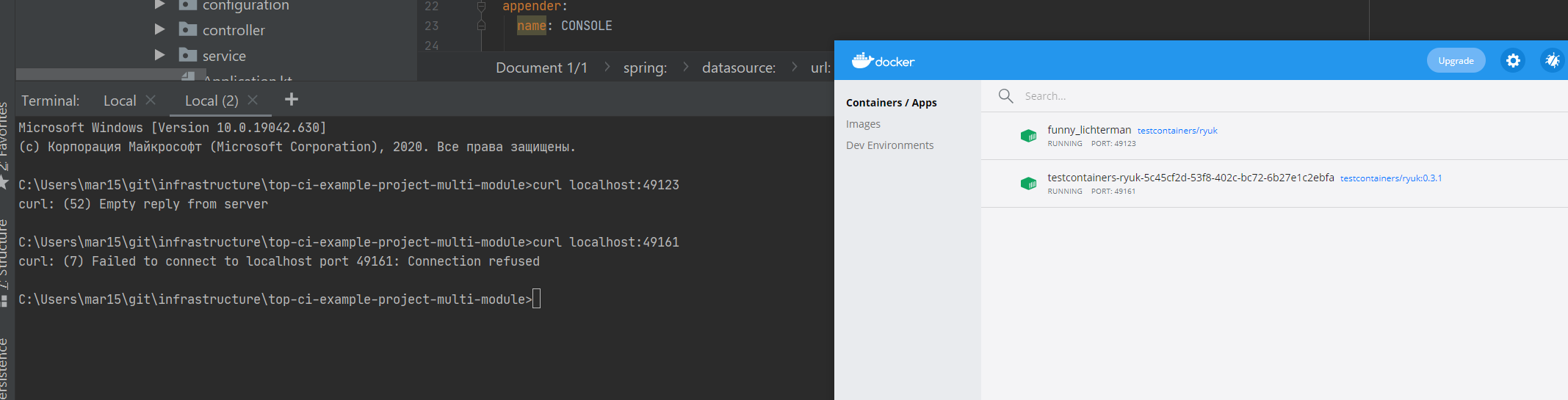
- I startup Ryuk container
docker run -v "//var/run/docker.sock:/var/run/docker.sock:rw" -p 49123:49123 testcontainers/ryuk
and i can connected to it!!
curl localhost:49123
curl: (52) Empty reply from server
but if i run test, i can not connect to Ryuk container, created from testcontainer
  curl localhost:49161
curl: (7) Failed to connect to localhost port 49161: Connection refused
You can see it on screenshot
Monax111
on 3 May 2021
@Monax111 please try the following:
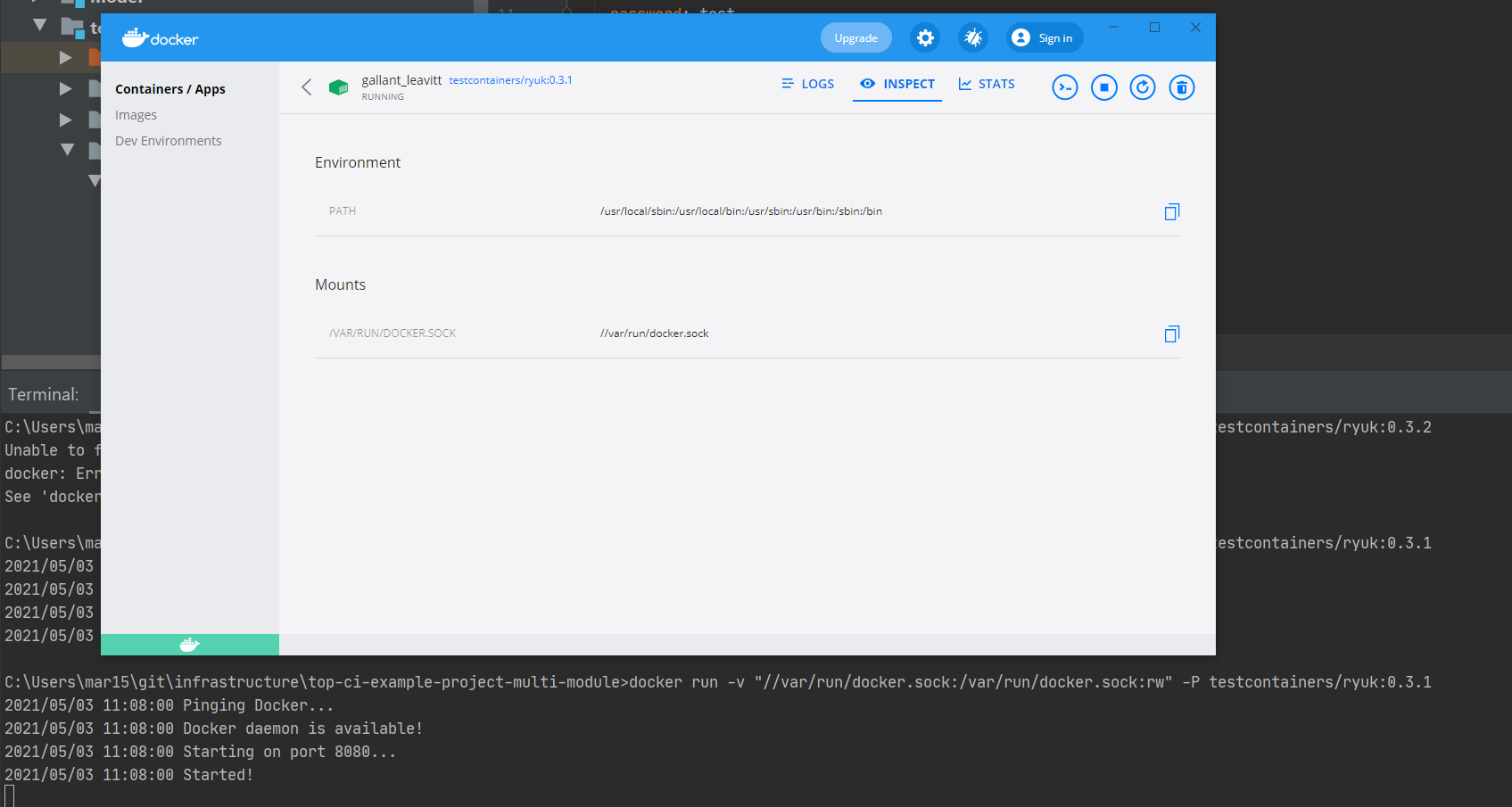
$ docker run -v "//var/run/docker.sock:/var/run/docker.sock:rw" -P testcontainers/ryuk:0.3.2
this should make it look more similar to what Testcontainers runs
bsideup
on 3 May 2021
0.3.2 are you sure?
docker run -v "//var/run/docker.sock:/var/run/docker.sock:rw" -P testcontainers/ryuk:0.3.2
Unable to find image 'testcontainers/ryuk:0.3.2' locally
docker: Error response from daemon: manifest for testcontainers/ryuk:0.3.2 not found: manifest unknown: manifest unknown.
@Monax111 sorry, 0.3.1 (I am thinking ahead of what's currently released 😂 )
bsideup
on 3 May 2021
it's haven't port
Monax111
on 3 May 2021
as I understood the docker file testcontainer does not provide ports
Monax111
on 3 May 2021
@Monax111 and what about the following?
$ docker run -v "//var/run/docker.sock:/var/run/docker.sock:rw" --expose 8080 -P testcontainers/ryuk:0.3.1
docker run -v "//var/run/docker.sock:/var/run/docker.sock:rw" --expose 8080 -P testcontainers/ryuk:0.3.1
2021/05/03 11:13:56 Pinging Docker...
2021/05/03 11:13:56 Docker daemon is available!
2021/05/03 11:13:56 Starting on port 8080...
2021/05/03 11:13:56 Started!
curl localhost:49168
curl: (7) Failed to connect to localhost port 49168: Connection refused

Monax111
on 3 May 2021
@Monax111 it looks like you have a reproducer to submit to the Docker Desktop team then :)
As this doesn't seem to be Testcontainers' issue, I will close it, but feel free to share the result once you get it solved with the Docker folks.
bsideup
on 3 May 2021
i upgrade Docker desktop = 3.3.2(63878)
restart computer
And it's work
Monax111
on 3 May 2021
Related issues
 aniketbhatnagar
·
3Comments
aniketbhatnagar
·
3Comments
 aruizca
·
4Comments
aruizca
·
4Comments
 ayedo
·
3Comments
ayedo
·
3Comments
 itudoben
·
3Comments
itudoben
·
3Comments
 micheal-swiggs
·
4Comments
micheal-swiggs
·
4Comments
Most helpful comment
i upgrade Docker desktop = 3.3.2(63878)
restart computer
And it's work